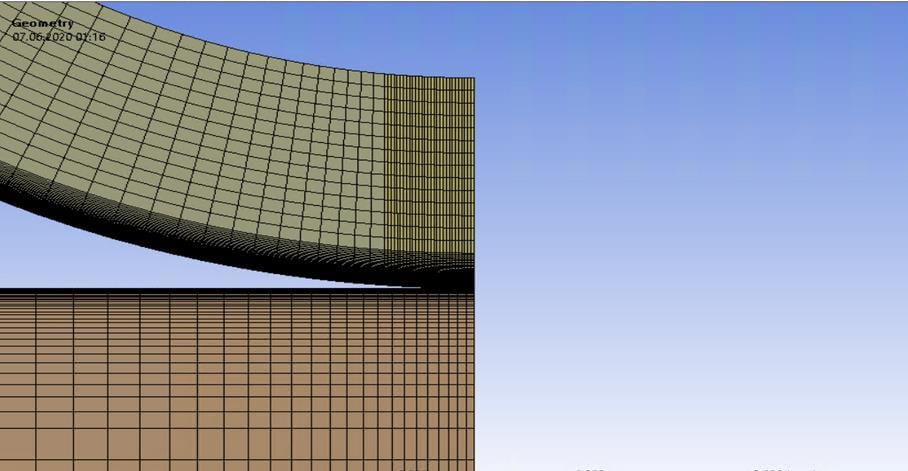
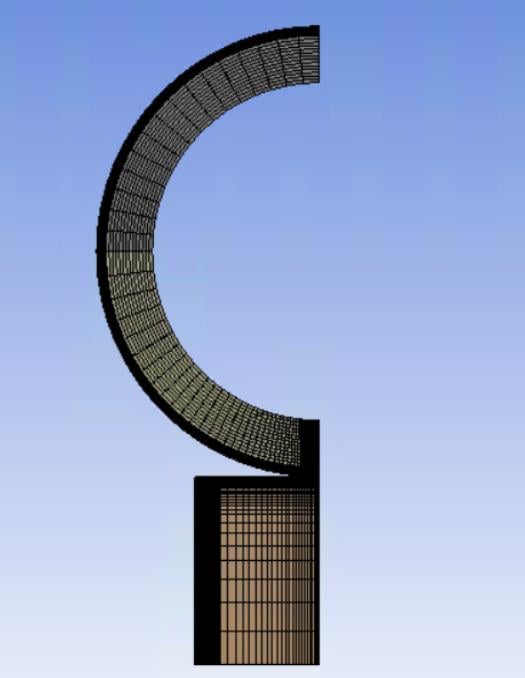
-
-
June 6, 2020 at 11:28 pm
-
June 7, 2020 at 12:22 am
peteroznewman
SubscriberUnder Analysis Settings, change Auto Time Stepping to On.
- Set the Initial Substeps to 100
- Leave the Minimum Substeps at 1
- Set the Maximum Substeps to 200.
If the above is insufficient to achieve convergence, change the Solver to Direct.
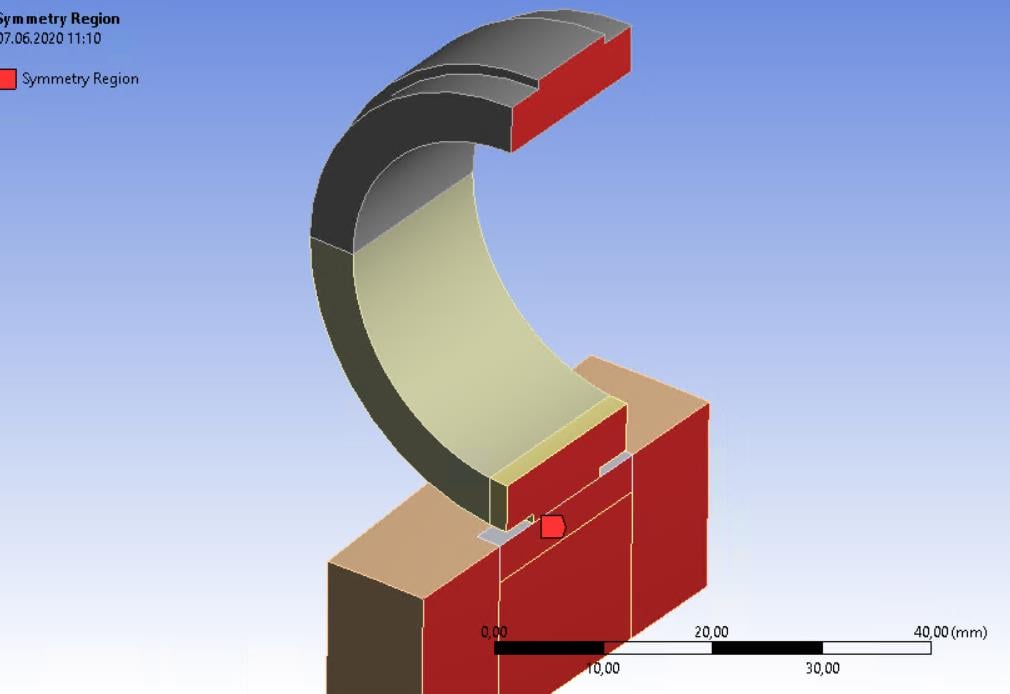
Do you have the Symmetry BC properly configured?
-
June 7, 2020 at 9:23 am
-
June 7, 2020 at 9:24 am
-
June 7, 2020 at 9:36 am
-
June 7, 2020 at 12:50 pm
peteroznewman
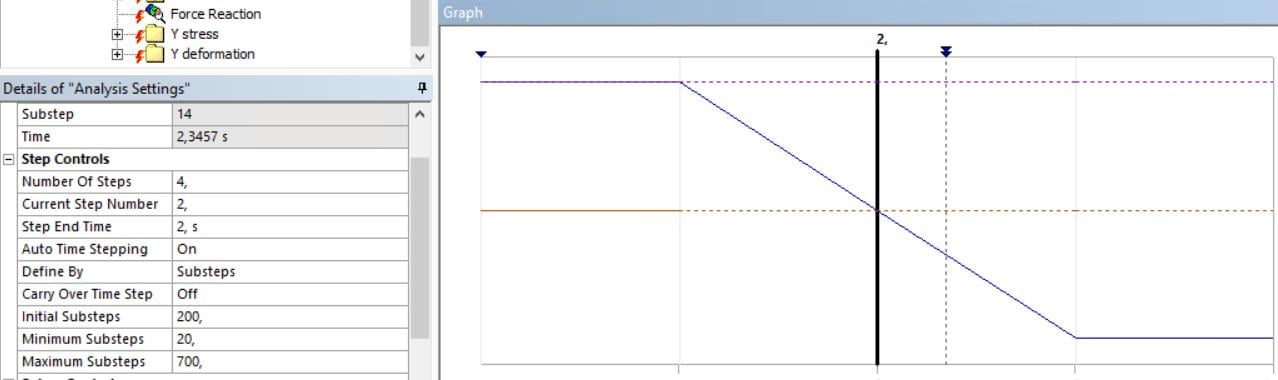
Subscriber- You are showing the time steps for step 2. What happens in step 1? Is the error occurring in step 1 or step 2?
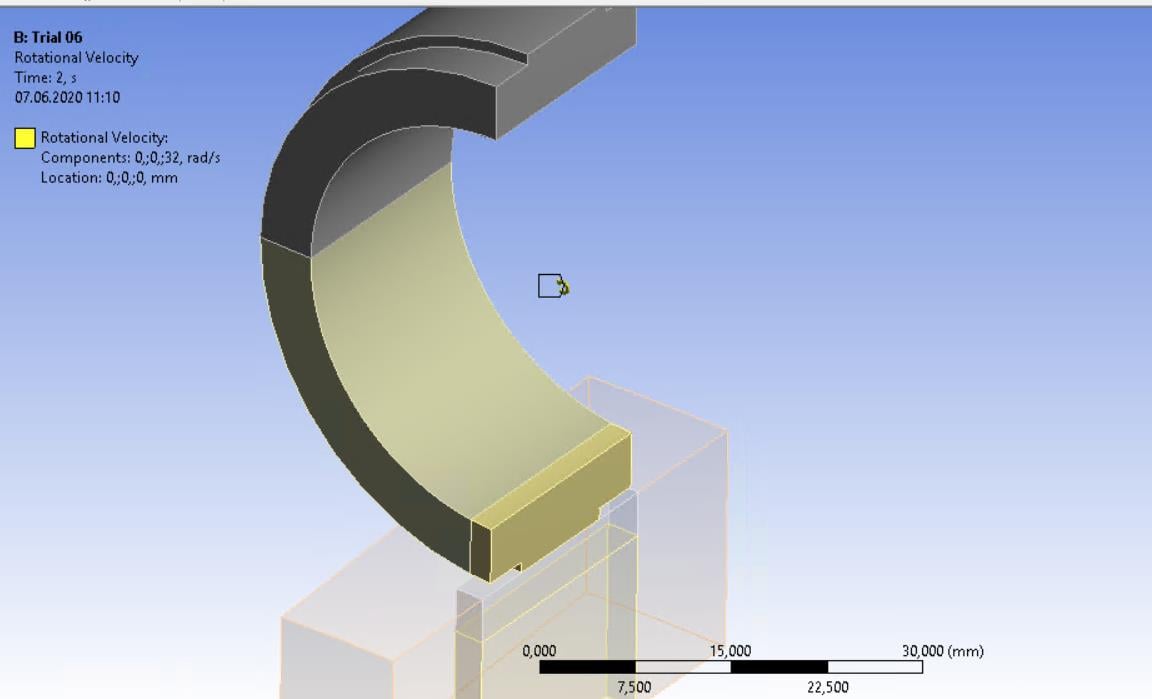
- You show the faces for Symmetry, but not the axis direction, check that is correct.
- You should add a second Symmetry Plane through the center in the width direction to prevent the ring from moving axially. This will probably fix the error.
- You have a Moment load, but that is not a Symmetric load. Remove that.
- Change to the Direct solver.
-
June 7, 2020 at 10:06 pm
bolbol
Subscriber - The 1st step is a few iterations without applied load, no error occurs.
- Symmetry normal to X-axis, So, I guess it's correct.
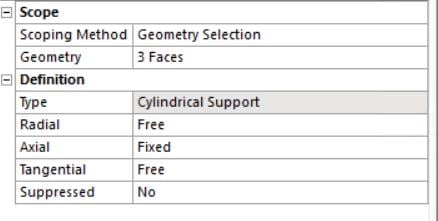
- I have already cylindrical support for the inner surface of the ring as shown in the previous replies, would I suppress it or leave it and create what you suggested?
- I'll suppress it to check the solution but how to add the moment? In this case, do I have to cancel the symmetry and make it full geometry?
-
June 8, 2020 at 12:31 am
peteroznewman
SubscriberThe Cylindrical support prevents the Bearing Load from having any effect. Cylindrical support does not support the axial direction. The second symmetry condition will do that. Delete the Cylindrical support and add the second symmetry condition
You can't have a moment and the first symmetry condition, they are incompatible. Once you delete that, you need to add a constraint in that direction. Try solving without the moment initially.
-
June 8, 2020 at 9:37 am
-
June 8, 2020 at 10:59 am
peteroznewman
SubscriberSorry, I missed that Cylindrical Support includes Axial support (it didn't use to in older versions). However, you don't have axial support in the best way, the entire inner face is fixed which prevents Poisson's ratio expansion due to the applied bearing force.
If you put in a symmetry plane to support the axial direction, then the inner face is free to expand with Poisson's ratio effect when the bearing force is applied.
-
June 24, 2020 at 11:42 pm
bolbol
SubscriberHello again,
A quick follow up for the results
I did as suggested in the previous replies, errors and unrealistic still occur.
the upper ring flew away in the 2nd step and when I checked the information log, I found this error.
Is it because the constrains not enough? Should I use the cylindrical support again?
-
June 25, 2020 at 12:31 am
peteroznewman
SubscriberDid you turn on Auto Time Stepping?
Did you set the Initial Substeps to 100?
-
June 26, 2020 at 8:40 pm
bolbol
SubscriberYes, it's On.
And for the initial time step, it's 200.
-
June 27, 2020 at 1:49 am
peteroznewman
SubscriberInsert a Contact Tool under the Connections folder. Evaluate Initial Contact Status. The frictional contacts must be Closed. If it is Near Open with a tiny Gap, then in the Contact Details, set the interface to Adjust to Touch.
-
June 27, 2020 at 10:49 am
-
- The topic ‘Preconditioned conjugate gradient solver error level 1’ is closed to new replies.

-
4888
-
1587
-
1386
-
1242
-
1021
© 2026 Copyright ANSYS, Inc. All rights reserved.