-
-
June 6, 2020 at 7:25 pm
Andreyteston
SubscriberHello, members.
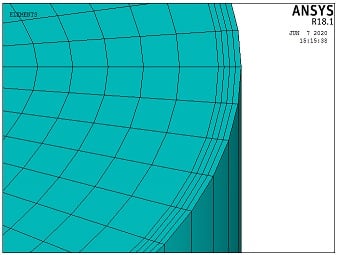
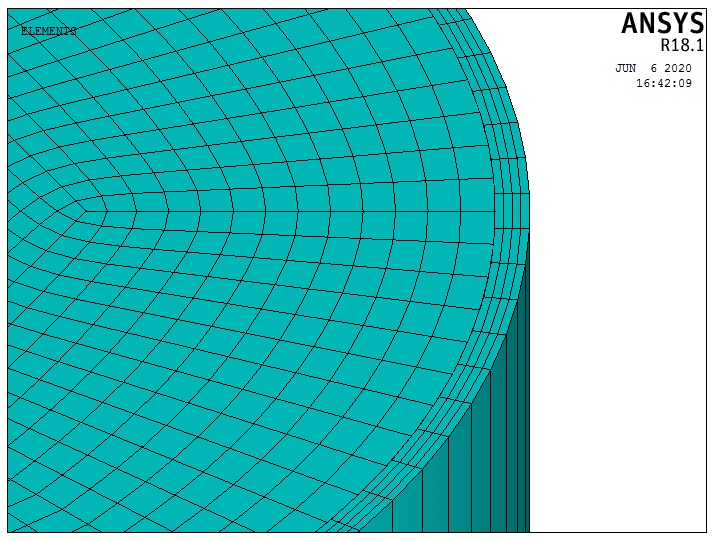
I am modeling a circular concrete-filled steel tube. Based on other examples, I have been testing three approaches for contact between steel and concrete.
1) Same mesh in both faces, with coincident nodes, using the command "NUMMRG";
2) Same mesh in both faces, with coincident nodes, using the command "CPINTF", defining coupled degrees of freedom in the interface;
3) Using TARGE170 for concrete and CONTA174 for steel tube, and the command "ESURF" for both;
However, I have been reading this topic that contains this sentence: "There is bonded contact between the faces that touch. Delete the bonded contact between the bodies, that is unnecessary". Maybe, because I have been using Mechanical APDL I haven't understood this.
So, I have these questions:
4) Which is the best option to simulate this contact between steel and concrete when I haven't coincident nodes?
5) On the other hand, which is the best option to simulate this contact between steel and concrete?
I wonder if any member may help me to solve this problem.
Regards.
Â
-
June 7, 2020 at 1:21 am
peteroznewman
SubscriberThe best approach if you don't need to study debonding between the two materials is to have shared nodes. That is the same as NUMMRG above. In the CPINTF help entry is this statement: "If all DOFs are to be coupled for coincident nodes, it is usually more efficient to simply merge those nodes together by using the NUMMRG command"
However, I have been reading this topic that contains this sentence: "There is bonded contact between the faces that touch. Delete the bonded contact between the bodies, that is unnecessary". Maybe, because I have been using Mechanical APDL I haven't understood this.
If you are using Workbench instead of Mechanical APDL, the software automatically creates contact elements. This can be unwanted. In Workbench, you use the Geometry editor to create Shared Topology which causes coincident faces to have a shared set of nodes. You can get the same effect without using those editors by using a Mesh Merge to combine coincident nodes.
If you can't achieve coincident nodes, then the next best approach is Contact elements, which is your item #3 above.
However, if you have a core and a pipe, you can get the nodes to line up by slicing each one in half. Then there is a start and end of each half circle and you can specify the number of elements on the edge so they will become coincident.
-
June 7, 2020 at 6:21 pm
Andreyteston
SubscriberHello, peteroznewman!
Before all, I would like to say that I am really a fan that your work here in this community. Thank you for your contribution!
I got it to specify the number of elements on the edge so they are coincident. I going to use the command "nummrg" for the contact between the internal surface of steel and the external surface of the concrete.Â
When I have to merge coincident or equivalently nodes, I have been receiving this warning: "After NUMMRG,NODE, node 151 (and possibly others) is associated with more than one solid model entity. Future commands which depend on the node to solid model connectivity (meshing, mesh clearing, solid boundary condition transfer, etc.) may not operate properly. NUMMRG,KP may correct this problem."
1) Should I worry about that?
2) Knowing that I will use remaining nodes to connect a mechanism to apply displacements and restriction. I have doubts about that too, so, I have created this topic here and I wonder if you could help me with this.
Regards.
Â
Â
-
June 8, 2020 at 11:34 am
peteroznewman
Subscriber1) I don't work in Mechanical APDL so I don't use NUMMRG and I don't get that warning message, so I don't know. Someone else may comment.
2) Nodes can both connect elements and have boundary conditions such as loads, supports and contact elements. It all works together.
I don't work in Mechanical APDL so I don't have to know the APDL commands that create contact. I use Workbench where I have menu picks such as Contact which I can set to Frictional and pick the Target side and the Contact side. Under the hood, Mechanical creates the correct element types. Open the ANSYS help and read about Frictional Contact.
-
June 9, 2020 at 8:20 pm
Andreyteston
SubscriberHello, Peter. Thank you for your answer.
1) I am going to investigate this message, however, I believe that this warning is emitted to have attention in future commands that involve these nodes associated with solid models.
2) When I have created the geometry, I previously than the meshing process, have created components with nodes of the internal interface of steel and nodes of the external interface of concrete, after the command NUMMERG, both components from nodes were updated.
One more time, thank you. Could you see for my question in this topic that involves the mechanism to apply displacement and restrictions of the column, that I mentioned in this topic here? I would like it if you could help me.Â
Best Regards.
-
- The topic ‘Contact between steel and concrete in a circular concrete-filled steel tube’ is closed to new replies.
-
5849
-
1906
-
1420
-
1305
-
1021
© 2026 Copyright ANSYS, Inc. All rights reserved.