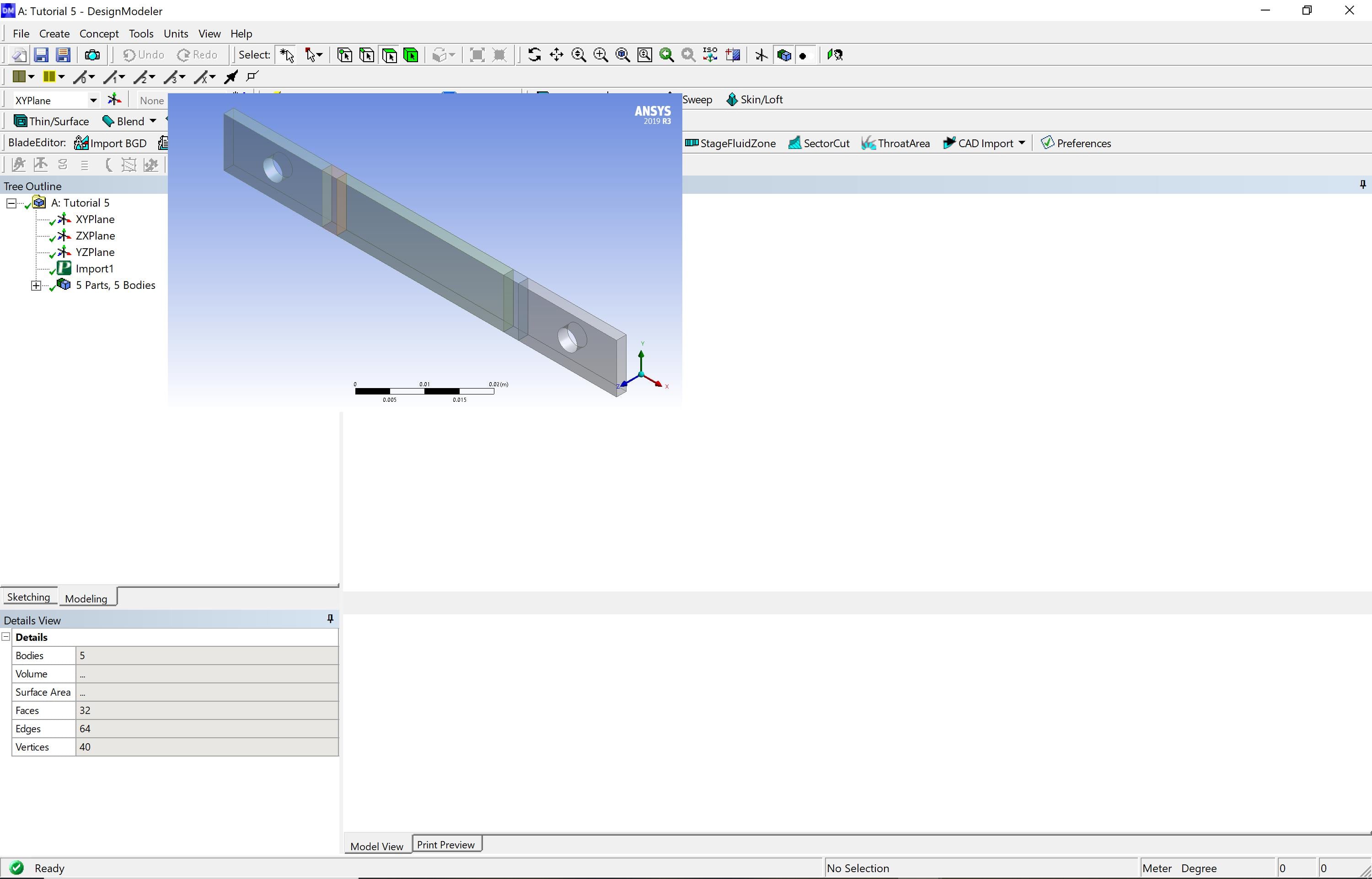
Hi, I'm having issues with the DesignModeler Model Window and Mechanical Project Windows for ANSYS 2019 R3 Academic. The project windows are offset and minimized to the rest of the UI but workbench itself is working fine and only started to occur recently after I have been using both these programs without issues before this. I am still sort of able to do work, as I'm able to click actions that are behind the display and select features on the geometry where the display should be, but it's becoming very inconvenient. I did have to run windows compatibility troubleshooter on workbench to fix the display when I first installed, and have since tried to run the troubleshooter, shut down and refreshed the whole application and my laptop, remade the entire project, reset the App Data, and tried changing windows DPI settings without success. This seems like a different issue and I haven't been able to work it out with the other techniques I've researched. The photos are attached.
Thanks,
Iain



















 You are navigating away from the AIS Discovery experience