-
-
May 28, 2020 at 11:06 am
jcgodinho96
SubscriberHi!
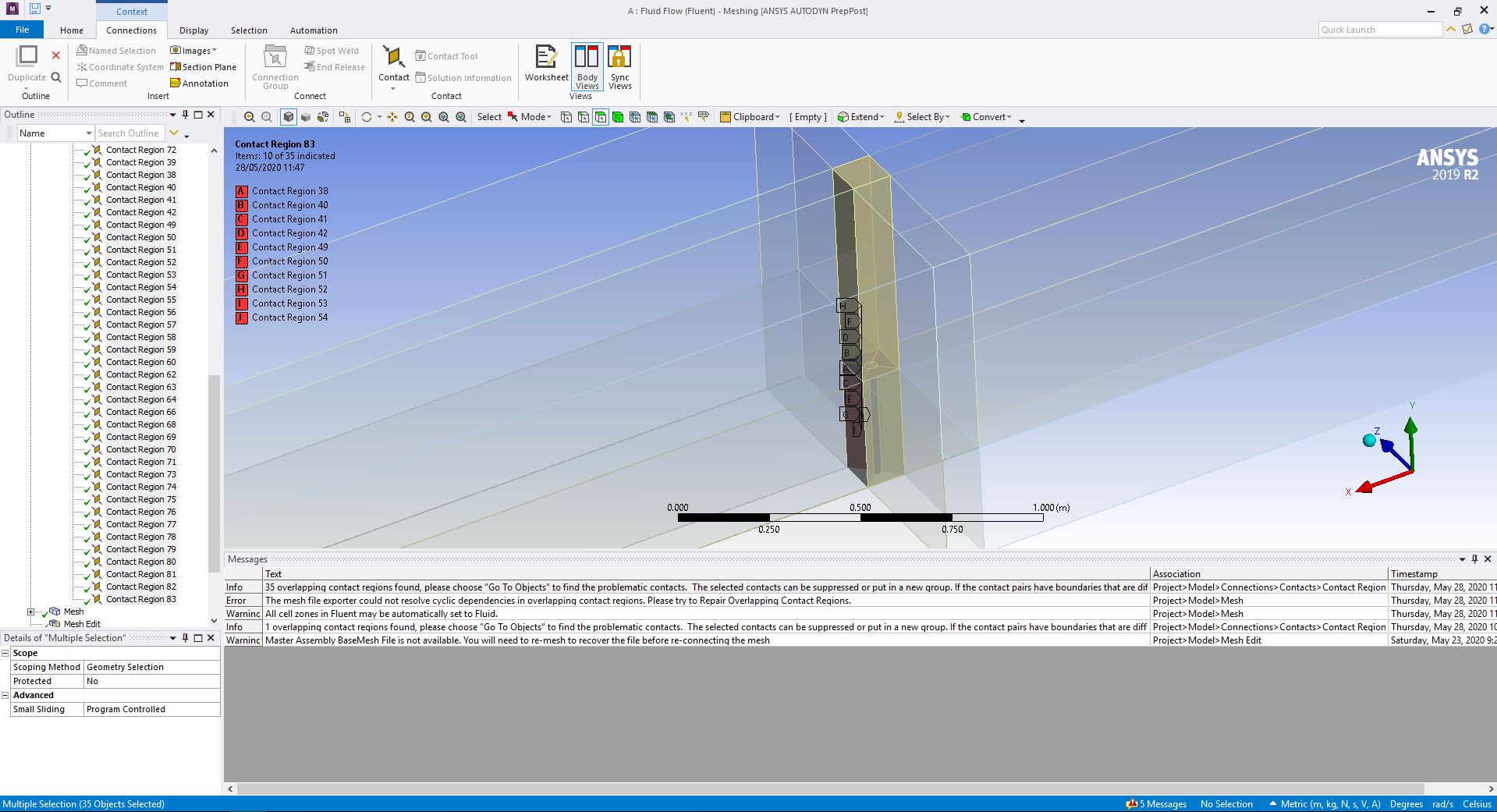
I'm making my project on Fluent (Ansys 19 R2) and I can't update my mesh because I get the error "35 overlapping contact regions found". On the forums and even ansys, they say to "repair overlapping contact regions" but I only get the option "check overlapping contact regions"
How do I resolve this situation?
Thanks in advance!
-
May 29, 2020 at 9:04 pm
Karthik Remella
AdministratorHello,
Should there be contacts in your case? Is there should not be, then I'd recommend trying to address this situation during the geometry creation. Please use the 'Share Topology' option in SCDM. If done correctly, this should take care of these contact regions and you should not see the list.
Could you please try this and let us know?
Thanks.
Karthik
-
June 1, 2020 at 5:11 pm
jcgodinho96
Subscriberi'll try that. my adviser told me to redo the entire geometry by making points-lines-volumes. this one was made by slices from planes on a single box.
-
June 1, 2020 at 7:15 pm
jcgodinho96
Subscriberbut I'm studying the flow around and inside the chimney, so I don't know... this is my first time in 3d.
-
June 2, 2020 at 1:53 am
Karthik Remella
AdministratorGood. Please let me know if this works.
Thanks.
-
June 2, 2020 at 5:09 am
Keyur Kanade
Ansys Employeehttps://www.youtube.com/watch?v=h43E1YO1LiM
Regards,
Keyur
If this helps, please mark this post as 'Is Solution' to help others.
Guidelines on the Student Community
How to access ANSYS help links
-
- The topic ‘Overlapping contact regions found – Fluent 19 R2 (cannot find “repair overlapping contact regions”)’ is closed to new replies.

-
4678
-
1565
-
1386
-
1242
-
1021
© 2025 Copyright ANSYS, Inc. All rights reserved.