Electronics

Electronics

Topics related to HFSS, Maxwell, SIwave, Icepak, Electronics Enterprise and more.

Link the Circuit to 3D Terminals

    • s_zanjani2004
      Subscriber

      Hi,

      How can I link my circuit to the terminals ?


      Many thanks

    • GLUO
      Ansys Employee

      Hello,

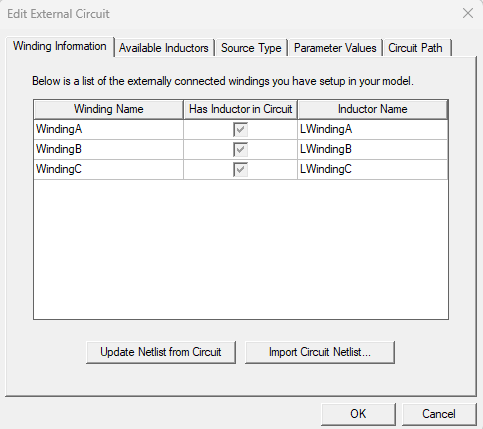
      You can assin winding terminal to the terminal, right click excitations to add winding, add winding to the terminal, choose external as the type of the winding. Then, you can right click excitation>>External circui>>Edit external circuit to create one. After you finished the circuit, save the netlist, go to the same window>>Import netlist.

      Best,

      GL

    • s_zanjani2004
      Subscriber

      Hi,

      Thank you but i can not find Groung for my circuit

    • s_zanjani2004
      Subscriber

      I got the Ground.

      But i have diffculty exporting and importing it.

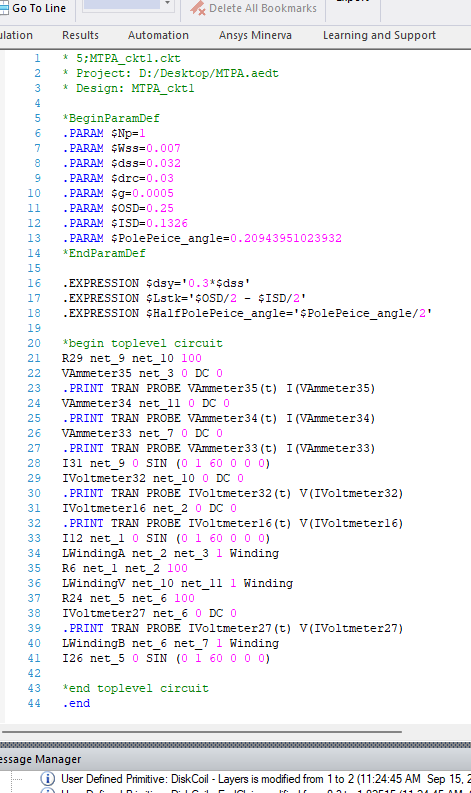
      This my Netlist.

      After being saved 

      now where should i go and what should i import?


    • GLUO
      Ansys Employee

      Sorry for late reply. After finishing the MaxCircuit, in project manager, you can right click the MaxCircuit design>>export to save it .sph file. Then, you can right click excitation>>External circui>>Edit external circuit>>Import netlist.

      Best,

      GL

    • s_zanjani2004
      Subscriber

      Hi,

      Thank you for the reply.

      I have already done all of them but maxwell is not reading the values from the circuit. It is still considering the values from the project manager.

    • GLUO
      Ansys Employee

      Hi,

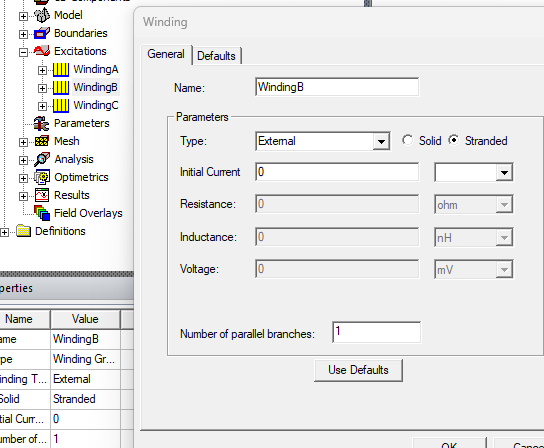
      Did you change the winding excitation type from current/voltage to external?

      GL

    • s_zanjani2004
      Subscriber

      Hi, 

      Yes, all is done.

    • GLUO
      Ansys Employee

      In project manager, if you double click your windings, they should pop up the properties window, and the type need to be external. Everything elese is grayed out other than initial current. Could you double check that?


    • s_zanjani2004
      Subscriber

      Yes, all is done .

    • GLUO
      Ansys Employee

      I think you are all set. What value it is using? Since project manager does not have any value now.

    • s_zanjani2004
      Subscriber

      Yes,  project manager does not have any value and maxwell is considering this one not the extarnal circuit's.

    • GLUO
      Ansys Employee

      Where is this one from?

    • s_zanjani2004
      Subscriber

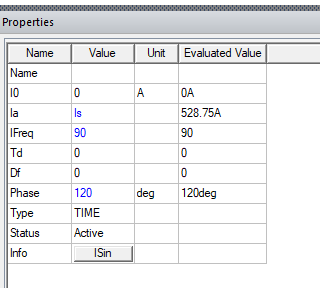
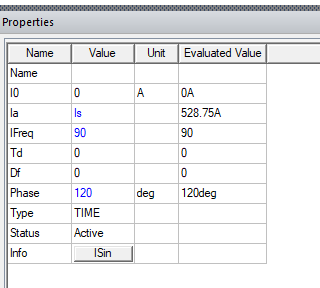
      this one is from external circuit


      this one from project tree

    • GLUO
      Ansys Employee

      Sorry I am a bit confused. Isn't the ISin source you show in the first picture your desired excitation? Since it is the exciation in your external circuit, and you would like Maxwell to use this circuit? 

    • s_zanjani2004
      Subscriber

      Hi,

      Isn't the way ?

      Yes thats why we choose External for the Winding type and linke the circuit to the model. Otherwise how should I use the external valuse and simulate the model !?

      Many thanks 

    • s_zanjani2004
      Subscriber

      Hi,

      Still waiting for the response.


Viewing 16 reply threads
  • You must be logged in to reply to this topic.