Ansys Assistant will be unavailable on the Learning Forum starting January 30. An upgraded version is coming soon. We apologize for any inconvenience and appreciate your patience. Stay tuned for updates.
Ansys Products

Ansys Products

Discuss installation & licensing of our Ansys Teaching and Research products.

Rocky-dem Fluent Help!!! 2-way coupling collapse, particles are flying

    • bowen
      Subscriber

      Hello, when i run the simulation of cone penetraation test with the airflow from the holes, which is located in the cone surface. and there are 4 holes in the shaft. the timesetp for cfd is 200 times of that of DEM. after runing 1.4s,  the particles are suddenly flying. The log shows 2.7% of the particles exceeded 50% the CFD critical explicit time step.

    • bowen
      Subscriber

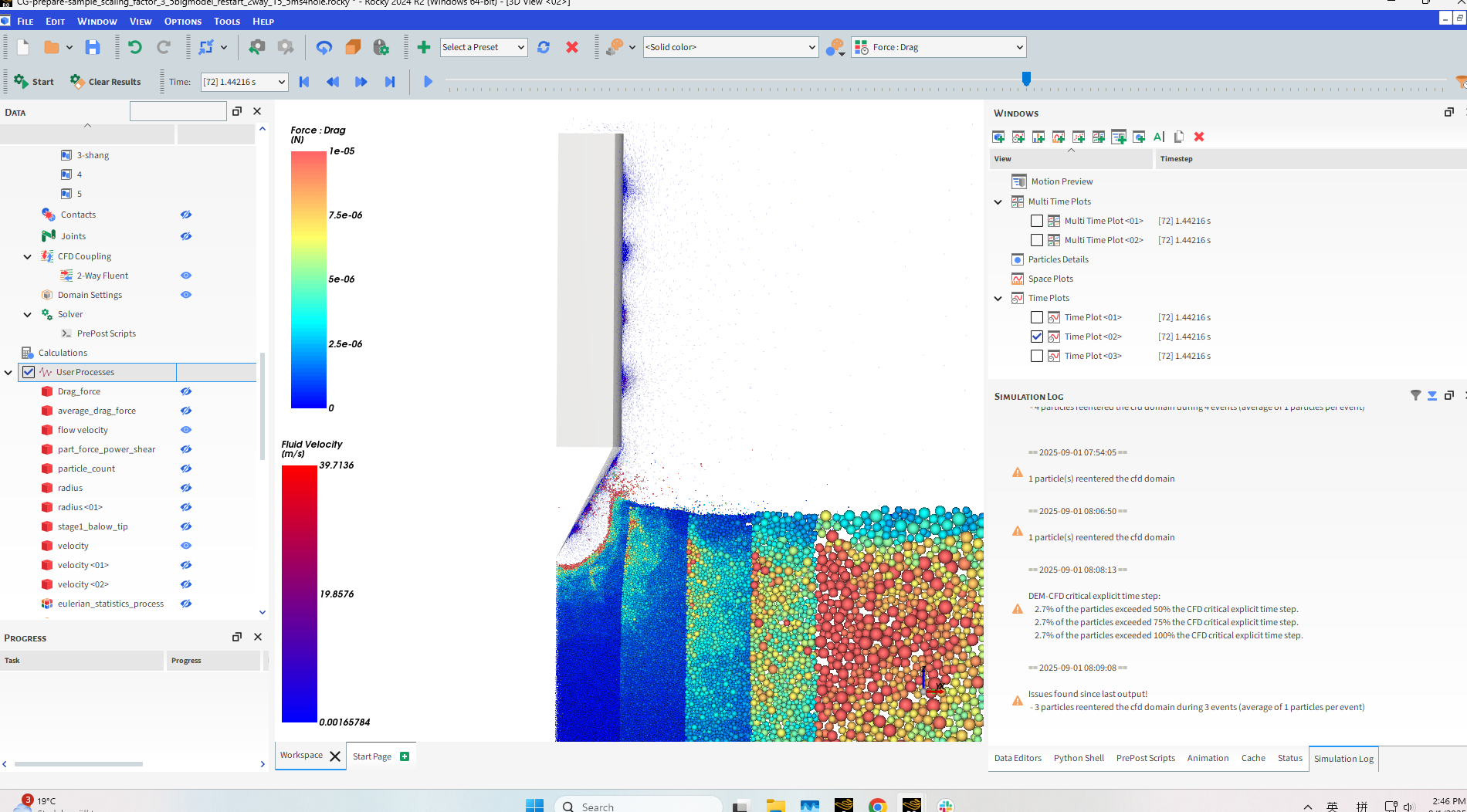
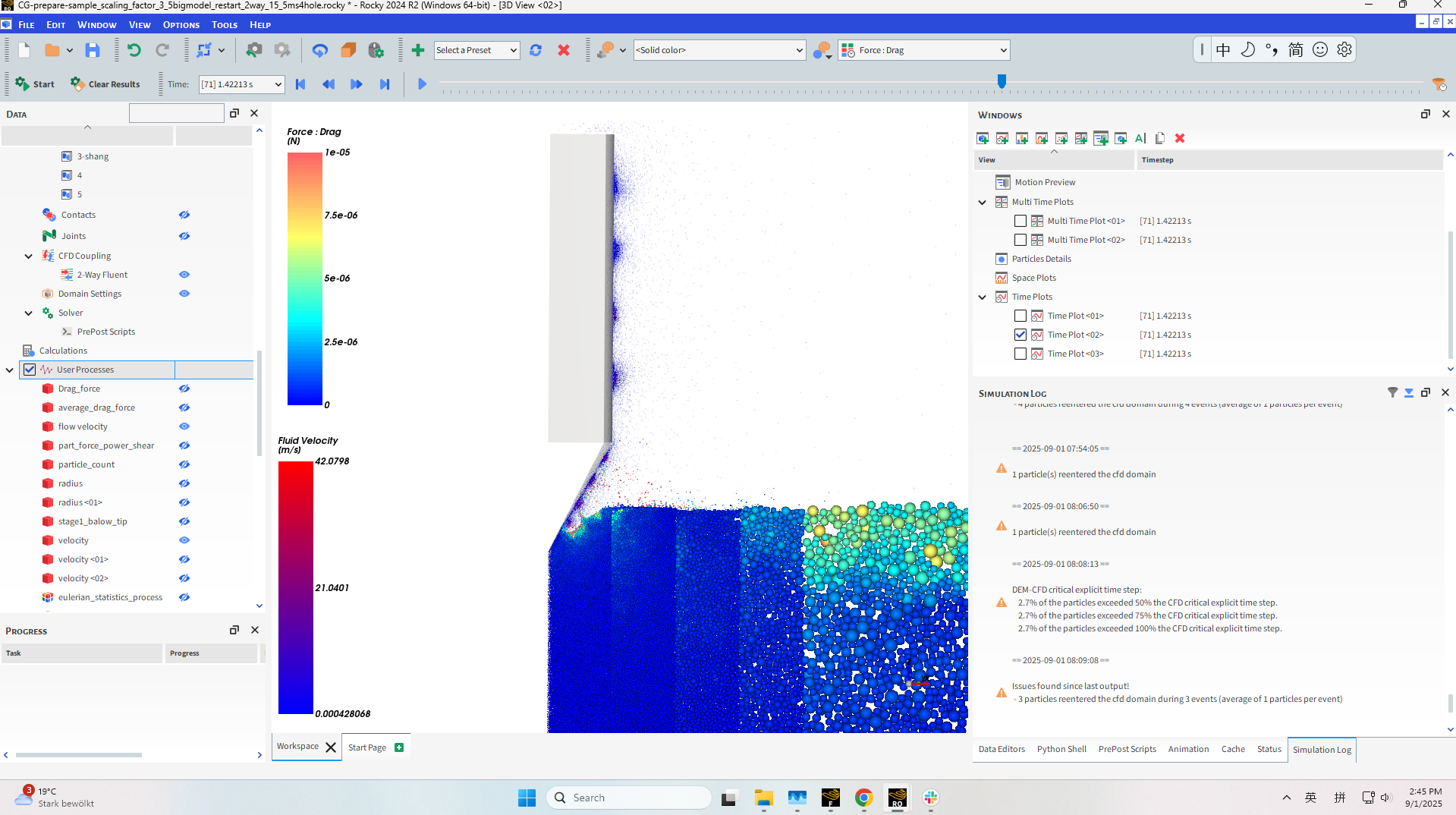
      this is the formar screenshot before collapsing, it runs normally. 

    • Oguzhan
      Ansys Employee


      The warning that you are receiving means that a significant portion of your particles are operating with time steps that are too large relative to the critical explicit time step required for stable CFD coupling. To overcome this, you must decrease the DEM time step of the simulation, which is usually done via Young’s Modulus. To keep the CFD coupling interval reasonable, you might need to decrease the CFD time step as well. Also, having particles larger than the CFD cell size can cause unphysical drag forces on them.


      • bowen
        Subscriber

        Thanks, Oguzhan. you are right. The mesh size is near the same as the particle size near the tip cone. I use CGM model. I know the mesh size should large than particle. Howevr, it will genetrate million particles. The CGM scaling factor is 3 near the tip cone, resulting 903000 particles.  the timestep is autiomaticlly determined by software. and i set the timestep for cfd is 200 times DEM timestep.

        I use cfd-dem to investigate the particle ejection under different flow rate. In my previous model, there are no four holes near the shaft. the model can run normally. no warning 'the log shows 2.7% of the particles exceeded 50% the CFD critical explicit time step.'.    when i use the same geometry add the four holes near the shaft. when i run the program. it shows me this warning. 

        I guess if it has some problems about the new mesh. I also follow your suggestion, use a decrease cfd time step with 150 times. it still collapses.  
        i use laminar seeting. is there something error in some meshes when calculate fluid? 

    • Oguzhan
      Ansys Employee


      Hi Bowen, I see very high fluid velocities in the screenshot that you provided (~40 m/s). They might help to find out if there’s a problematic region in the mesh. In general try to keep the mesh size around the particle size (with CG) at maximum. 


      1. Do you also have any problem when you try running this case just on Fluent?
      2. You mentioned that you’re using the laminar setting, what are the conditions for the air flow and penetration speed in the test?
      3. Could you also copy the Rocky and Fluent log files under this thread?
Viewing 3 reply threads
  • You must be logged in to reply to this topic.
[bingo_chatbox]