-
-
May 14, 2020 at 8:15 pm
weezy223
SubscriberGood morning all.
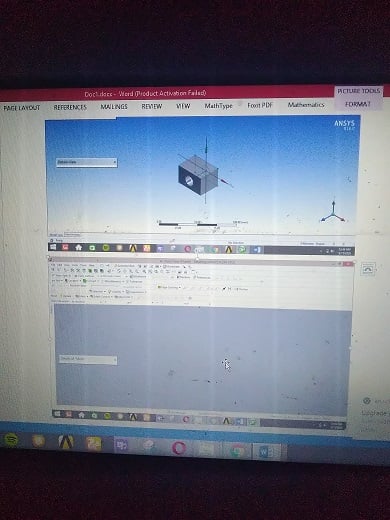
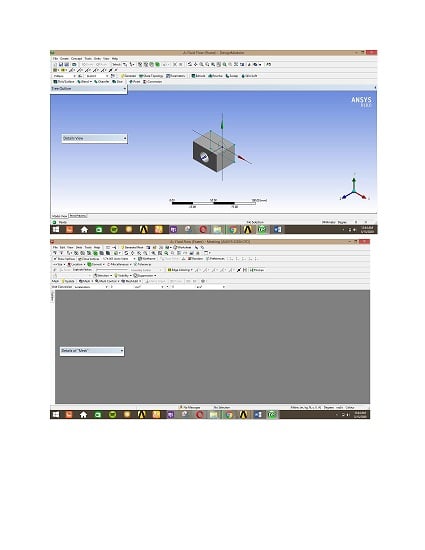
Please,am currently learning how to use ansys 18.Each time i try to load a diagram in mesh,it will show me a blank page..............I tried using F7 tab to reset,and i also tried reducing the scale,the mesh still shows blank page .I don't know what else to do. Anyone,with useful information should please send it to me.
Thanks. -
May 14, 2020 at 9:53 pm
RK
Ansys EmployeeHello,Â
After you have created / imported the geometry, make sure there is a green check mark that appears next to geometry and then double click on mesh.Â
If you have done this already, please give us information on the type of geometry, and if you used Design modeler or SpaceClaim to create the geometry.Â
-
May 14, 2020 at 11:54 pm
weezy223
SubscriberJust a rectangle i created ,extruded,then generated the model,i saw green check mark on geometry,i double clicked the mesh,the design modeler came up, i clicked on it,only to see a black work space
-
May 15, 2020 at 10:44 am
Rob
Forum ModeratorBlack or blank? If it's the former search on here as it's been solved elsewhere. If it's the latter please post some screen shots.Â
-
May 15, 2020 at 11:54 am
-
May 15, 2020 at 1:12 pm
RK
Ansys EmployeeHello,Â
Please use screen capture to take pictures as this is not clear and then insert as image. Thanks.Â
-
May 16, 2020 at 5:51 am
-
- The topic ‘mesh problem’ is closed to new replies.
-
4613
-
1520
-
1386
-
1209
-
1021
© 2025 Copyright ANSYS, Inc. All rights reserved.