Ansys Assistant will be unavailable on the Learning Forum starting January 30. An upgraded version is coming soon. We apologize for any inconvenience and appreciate your patience. Stay tuned for updates.
Photonics

Photonics

Topics related to Lumerical and more.

Modal overlap for far field projection (farfieldexact3d)

    • eugenio.digaetano
      Subscriber

      Hello,

      I am using Lumerical MODE software to find the coupling efficiency between two single-mode waveguides as a function of the air gap in between. For the no gap case, I would simulate one of the mode and save it into d-card and apply Mode Overlap analysis after simulating the second mode with Position Optimization function. 

      If you add a gap, I would consider propagating the mode into air for a known distance before using the same analysis. The propagation in air can be done using Planar Far-Field analysis tab but then there is then no way to use Mode Overlap analysis on such a generated mode section. I found the script equivalent as the farfieldexact3d function and I managed to use overlap between a mode from FDE solver and one generated by farfieldexact3d.

      My issue is that there is no way of using Optimizeposition function as it works only with a mode saved into the d-card and it is impossible to import anything generated by farfieldexact3d function as a d-card mode.

      Could you please suggest a way to perform a mode overlap with position optimisation, or an alternative analysis, between a mode from far-field projection and a standard FDE mode?

      Thanks for your help

    • Kirill
      Forum Moderator

      This topic has been moved to the Photonics  forum. Thank you! 

    • Dimitris Polyzos
      Ansys Employee

      Hello Eugenio, 
      At the top of my head I would recommend to check the FDTD solver for your simulation. You can create two strcutures with a specific gap between them and optimize your design with this gap as parameter. FDTD is efficient for broadband and various air gap sized, but each gap size will need a separate simulation. This method is time consuming as it would take quite a long time to simulate fro broadband source the overlap between the modes with the air gap changing as a parameter. The optimization process would be time demanding. In adittion to that, there will be no need to use the farfield script command for this solver, as you can directly check the mode profile with a monitor at a speicific prosition and calculate the coupling between the modes.

      For the FDE solver, overlap works the best when the two waveguides touch together, without considering the reflection and it is mostly used in FDE: https://support.lumerical.com/hc/en-us/articles/360034396834-Understanding-the-mode-overlap-calculation

      However, oen thing that you could do using the FDE solver is to:
      1. import data to the global deck with special dataformat. 


      Then you can save the original data in "ldf" format by savedata("mode profile.ldf",EH) where EH is dataset. 
      containing Ex,Ey,Ez and Hx,Hy and Hz, as well as x y z and f. Please refer to https://optics.ansys.com/hc/en-us/articles/360034409474-rectilineardataset-Script-command
       A script that could help you start saving the farfield EM profile is the following:
        EM = rectilineardataset("EM fields",x,y,z);
        EM.addparameter("lambda",c/f,"f",f); 
        EM.addattribute("E",Ex,Ey,Ez);
        EM.addattribute("H",Hx,Hy,Hz);
      then save it either in .ldf or .mat format:
      savedata("mode_profile.ldf",EM);

      Then calculate the mode profile with the farfieldexact3d script command save it in ldf format and then load it it in the deck as described in this step.
      The calculation of the overlap can be done easily then after writing a script from definition:
      https://optics.ansys.com/hc/en-us/articles/360034405254-overlap-Script-command.

      I hope I helped.
      Please let me know if you have any queries on the above
      REgards
      Dimitris


    • eugenio.digaetano
      Subscriber

      Hello Dimitris,


      Thank you very much for your reply and suggestion.

      I indeed was used to use FDTD for this analysis in the past but it doesn't scale well with you have several and large facet, conversely I expect that the planar far-field projection should be faster to obtain and give equivalent results.

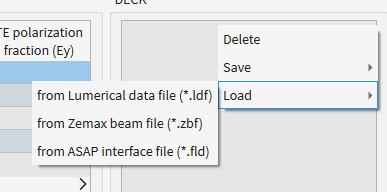
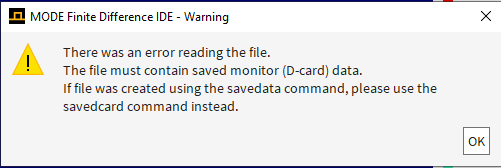
      As regards your suggestion, I was indeed doing something similar (in my case both modes came from FDE analysis), and I also managed to apply the overlap between one mode and farfieldexact3d of the second one. Instead, my issue is that I cannot use Optimizeposition function as it only works for deck modes. I tried several times to save the farfieldexact3d result in ldf format and then load in the D-card deck but I always got this error

      It seems that it is impossible to import in the D-card deck anything saved by savedata command, I tried the same with a mode directly saved from FDE analysis (no farfieldexact3d involved) to get the same exact error.

      Could you please suggest a way to import into the D-card deck something already manipulated in the script workspace, otherwise suggest an alternative route to apply Optimizeposition to a mode not in the deck?

      Thanks again for your help.


      Regards

      Eugenio

    • Dimitris Polyzos
      Ansys Employee

      Hello Eugenio,
      did you try to save in D-card with the suggested savedcard command?
      A similar script that can save and calcualate the overlap between two modes is the following. The only difference is that this script saves in zbf format instead of ldf:

      #findmodes; # calculate the modes 
      monitor = "FDE::data::mode1"; 
      dataset = getresult(monitor,"E"); 
      dataset.addattribute("H",getattribute(getresult(monitor,"H"),"H")); 
      f = getresult(monitor,"f"); 
      x=linspace(-15e-6,15e-6,50); # set to match the span of the GUI 
      y=x+0.11e-06; 
      z=6e-3; 

      # use advanced options to get both E and H fields 
      options = {"field":"E and H","f":1,"index":1.4}; 
      farfields = farfieldexact3d(dataset,x,y,z,options); 
      E = farfields.E; 
      H = farfields.H; 
      #E=farfieldexact3d(dataset,x,y,z,1,1.4); # compute the far field 
      # select component 
      Ex=pinch(E,5,1); 
      Ey=pinch(E,5,2); 
      Ez=pinch(E,5,3); 
      Hx=pinch(H,5,1); 
      Hy=pinch(H,5,2); 
      Hz=pinch(H,5,3); 
      # image intensity 
      E2= abs(Ex)^2 + abs(Ey)^2 + abs(Ez)^2; 
      image(x,y,E2,"x (um)","y (um)","Electric field at z=6mm from source"); 
      cleardcard;
      #Save as zbf file 
      zbf_data=rectilineardataset("zbf_data",x,y,z); 
      zbf_data.addparameter("lambda",c/f,"f",f); 
      zbf_data.addattribute("E",Ex,Ey,Ez); 
      zbf_data.addattribute("H",Hx,Hy,Hz); 
      visualize(zbf_data); 
      zbfwrite("my_ldf_mode.ldf",zbf_data);
      savedcard("monitor_data", "::global_mode2");   # or savedcard("monitor_data"); for all modes of the simulation
       loaddata("monitor_data");
      ?ol = overlap("mode1","mode3");


      About the optimization of the position an alternative would be to hard script the air gap between the waveguides creating a loop that will inlcude the calculation of the overlap for each air gap distance. You can use the script above for the overlap and an algorithm could be used to stop the loop after it reaches a specific overlap for specific distance. In general you could start manually testing various overlaps for specific distances and then work on the automation thorugh scripting.

      I hope I helped.
      REgards
      DImitris

    • eugenio.digaetano
      Subscriber

      Hello Dimitris,


      Thanks for your script. 

      I think the issue is on the fact that the suggested savedcard function saves into a file what is already in the D-card deck whereas my issue is that I want to have my far-field projected mode into the D-card deck.

      Your suggested script is doing roughly what I have already attempted (using ldf instead of zbf) until line "zbfwrite("my_zbf_mode.zbf",zbf_data);", I corrected the issue with the format in your file. From line "savedcard("monitor_data", "::global_mode2"); ", your script saves the modes already in the D-card deck and then overlaps two modes from the FDE solver rather than the zbf mode saved.

      However, I did some modifications and the script worked as intended. I replaced from "zbfwrite( ...":

      zbfwrite("my_mode.zbf",zbf_data);

      zbfload("my_mode.zbf");

      pos=optimizeposition(1,1);

      ?overlap("mode1","zbf_data",pos(1),pos(2),pos(3));

      Apparently, the D-card can import modes saved by zbfwrite in zbf format but cannot import modes saved by saveddata in ldf format.


      Thanks again for the help.


      Regards

      Eugenio

    • Dimitris Polyzos
      Ansys Employee

      Hello Eugenio, 
      I spent some more time and I think that using both FDTD and FDE could be used to import a farfield at D-deck. I did not do it for a farfield however I did that for a gaussian beam.
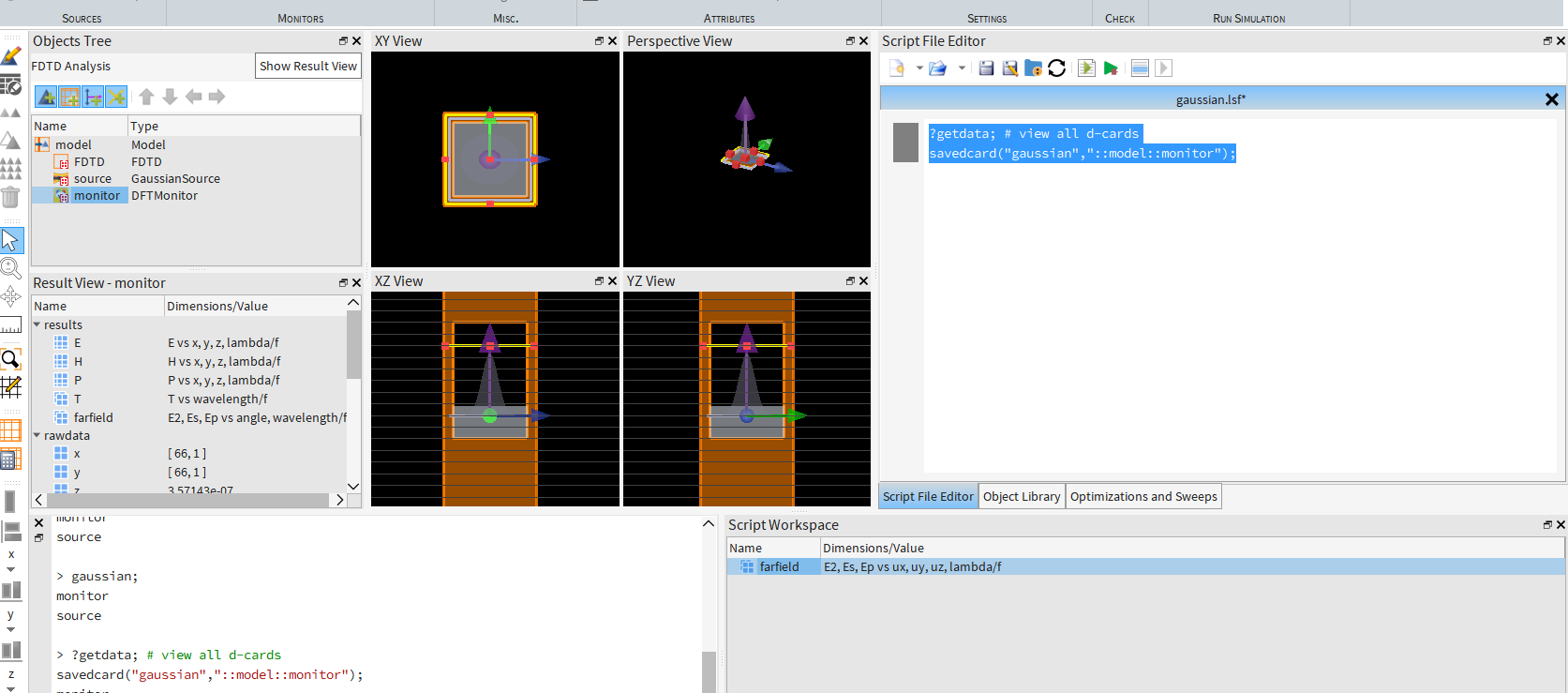
      So, you will need to use MODE for calculating the overlap between the FDTD monitor result and a Gaussian beam. To do this you will save the monitor data in FDTD to an .ldf file using the savedcard command.
      ?getdata; # view all d-cards
      savedcard("gaussian","::model::monitor");

      Import the monitor data from the .ldf file into MODE using the loaddata command. This will place the monitor data into the Eigensolver Analysis Window's Deck.
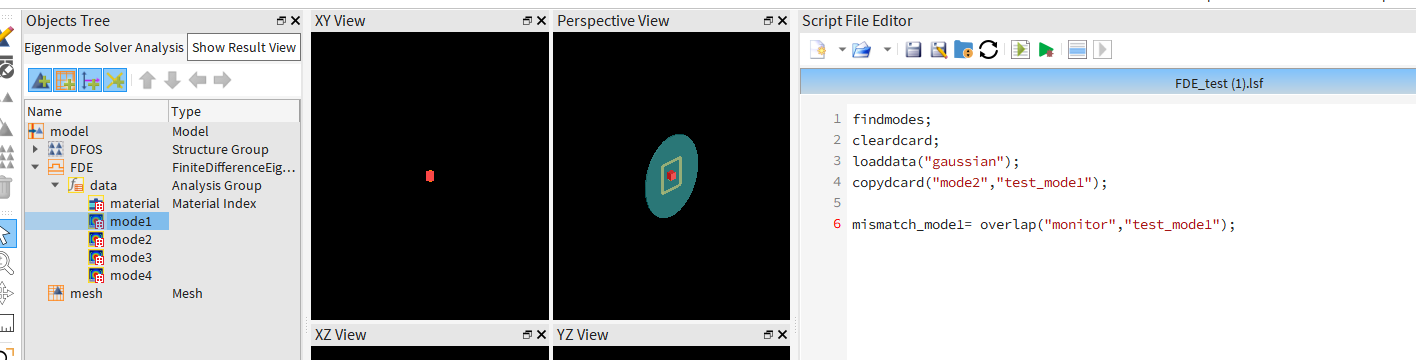
      Create the Gaussian beam profile using the FDE solver's Overlap Analysis tab.

      findmodes;

      cleardcard;

      loaddata("gaussian");

      copydcard("mode2","test_mode1");

      mismatch_mode1= overlap("monitor","test_mode1");


      Use the overlap script command to calculate the overlap between the Gaussian beam profile and FDTD monitor data in MODE. (FDE-Importing-your-own-field-profile-to-the-deck-d-card)
      Let me know if you have any questions about this workflow.

    • Dimitris Polyzos
      Ansys Employee

      I hope I helped.
      Dimitris

      BTW: The second part of this sentence should not be valid. I reckon that this is a bug, as modes should be imported in d-card by savedata command.
      Apparently, the D-card can import modes saved by zbfwrite in zbf format but cannot import modes saved by saveddata in ldf format.
      Also, I will be out of office until 5th of August, so please expect some delays to my responses. 


Viewing 7 reply threads
  • You must be logged in to reply to this topic.
[bingo_chatbox]