TAGGED: stl-to-CAD-geometry
-
-
July 14, 2025 at 11:50 pm
tacharya
SubscriberHi Everyone,
I have an STL file representing pore spaces within a rock. Can someone suggest how I can generate a 3D geometry from it that can be meshed and used in ANSYS Fluent?
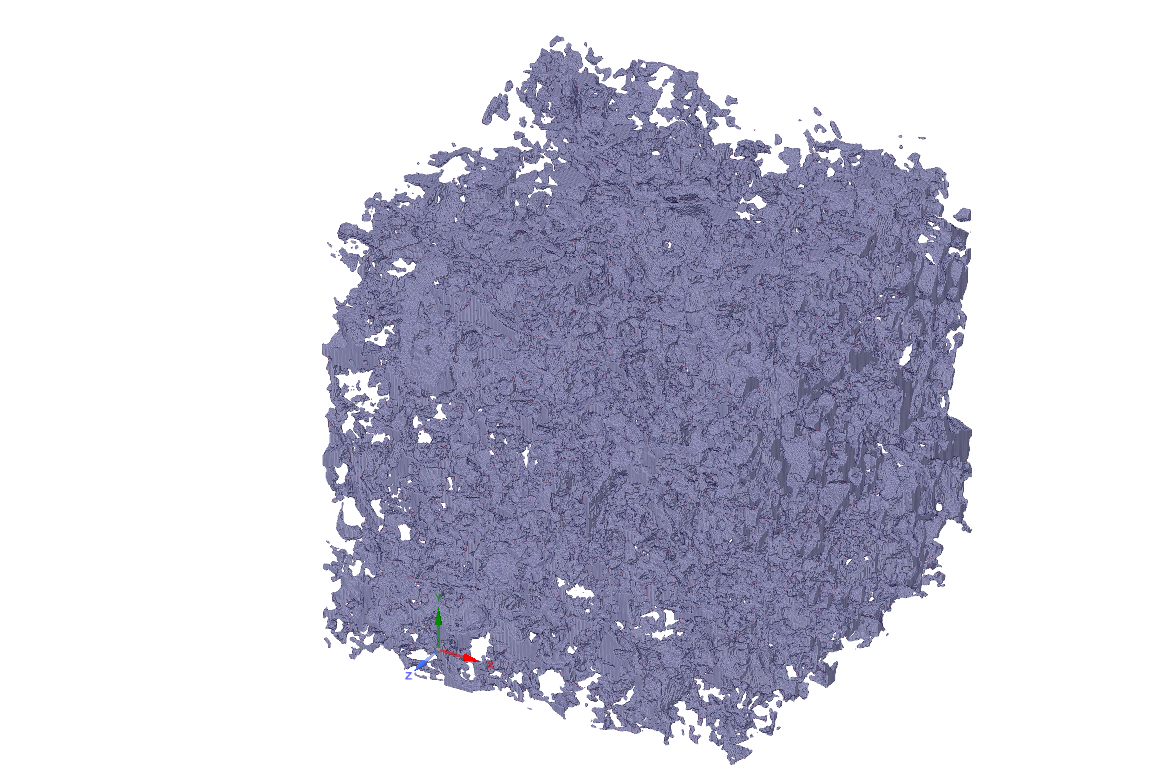
I never used STL files before and therefore I am seeking some help/guidance on that. I added a screenshot that may be useful.
Â
-
July 15, 2025 at 7:26 am
Essence
Ansys EmployeeHello,
Please go through the links:
https://innovationspace.ansys.com/courses/courses/reverse-engineering-in-ansys-discovery/?template=discovery
https://innovationspace.ansys.com/courses/courses/sub-d-modeling-in-ansys-discovery/?template=discovery
-
July 15, 2025 at 8:30 am
Rob
Forum ModeratorTo add, if you extracted the above from CT scan or the like the segmentation software may also have meshing functions. For rock pores the gaps are going to be very small and that may pose problems later on.Â
-
July 15, 2025 at 9:09 am
NickFL
SubscriberÂ
Â
Hello, having done something similar recently here are some suggestions:
1. Get familiar with SpaceClaim and scripting. To practice meshing it, you aren’t going to want to use the full scan, so it would be better to take a small portion. Doing this with scripts from the command prompt (i.e. no GUI) is the best especially if you have a high resolution scan. I have created a couple that may be useful, so email me using the address on the webpage below (N. Lynn).
2. As for meshing, jump right into the fault tolerant Fluent meshing from the STL. Don’t waste time trying to create a water-tight geometry. Bring the geometry in, create a bounding box, set the material point and mesh. The mesher is pretty good about overcoming problems in the geometry. But you will have to experiment a bit to find parameters that are appropriate for your geometry. It is not as straightforward as creating a mesh for a pipe.
3. You mentioned that this is rock, so I assume you have water as a working fluid. If you are using gas, always keep the Knudsen number in mind. You may have to consider a slip condition at the walls.
4. Good luck and don’t get discouraged.
Contact link available for ~1 week: removed
Â
Â
-
August 4, 2025 at 11:28 pm
tacharya
SubscriberÂ
Dear All,
First, thank you for responding to my question. However, I am still having some issues converting the stl into a CAD geometry.Â
I have never used STL files before and therefore, I am requesting help on this.
- So, basically, the first image on the left shows the stl of the pores within a rock. Since everywhere else in the geometry other than the locations of the pores, I have solids, I believe I should only have 'volume' mesh elements within the pores. Therefore, somehow, I need to wrap solids around the pores that are being shown.Â
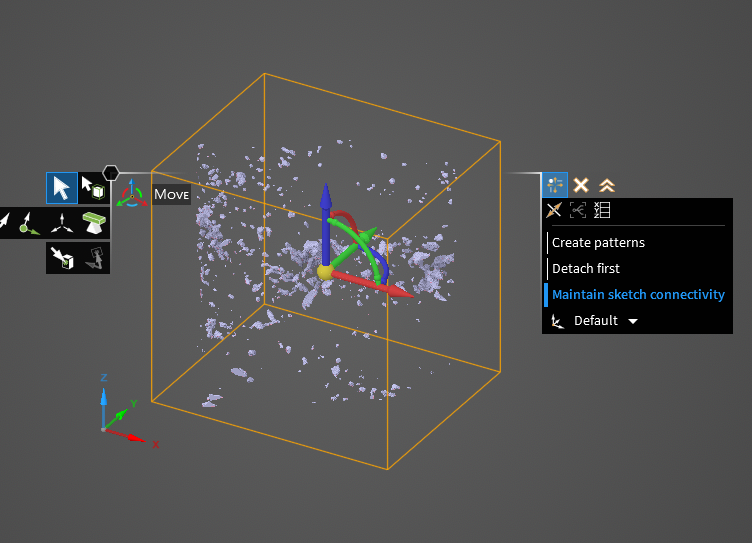
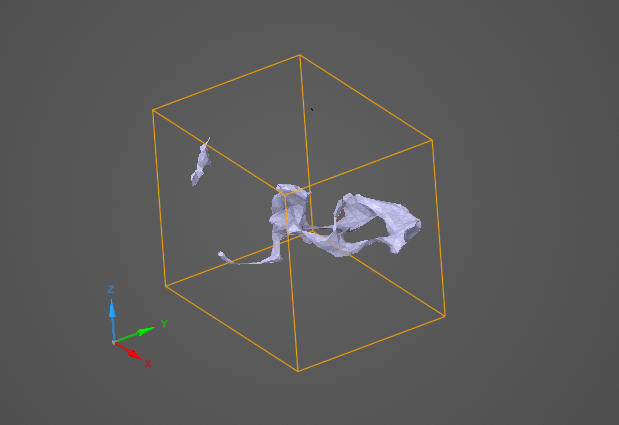
- I was watching the videos using the links sent by 'Essence' in this email chain and I started using ANSYS Discovery. The second image shows the shrinkwrapped version of the STL. I tried having some consistency in the facet size of the pores and I used shrink wrap for that. I notice that I have a disconnected piece in the geometry now.Â
- I guess, if I can create a negative of what we see in the second image (pores in the connected areas and solids everywhere else), I might be able to use a volume mesh.Â
Any help with showing me what I can do to convert this to a volume mesh will be extremely appreciated.
Or, if anyone can post a link to a video showing a similar problem, that would be very helpful too!
Thank you!
Â
-
August 5, 2025 at 8:33 am
Rob
Forum ModeratorYou've got a few problems here. The main one being that the size of the rock pores is likely below the tolerance of most CAD tools, including ours, as it's a kernal issue. The stl tools don't tend to suffer from this as they're facet based as opposed to NURBS/surface.Â
You may be better off reviewing the stl in whatever you used to generate it, and fixing holes there. Now we're part of Synopsys I can comment more freely. Synopsys Simpleware is an stl based system and (I think) can still generate Fluent volume meshes. Otherwise see if you can remesh the stl surface rather than wrap it, then check for holes.Â
-
August 14, 2025 at 1:42 pm
NickFL
SubscriberBased upon what is shown there, it seems that there are no filaments connecting the pores. I assume these were created from a micro-CT scan, it is probable that the voxel size is too large which does not resolve these thin filaments. In that case, they are lost. Is it possible to get a finer resolution? Â Also you could look at the stl in other programs, such as using the open3d module in Python or the fegeometry() function in MATLAB. Are these showing the same geometry as you see in SpaceClaim? Then it is a problem with the file and not SpaceClaim.
To Rob's point, yes CAD is not good when working with small dimension. The STL is basically numbers of all the triangles. Always import this as meters, as SpaceClaim uses this as the base. Later on, in Fluent Solver, we can scale this back to the appropriate size. If you imported the STL in mm and SpaceClaim might fold small triangles of micrometer size into the same "space" causing the channels to be missing. Again, if you look at in another program, does it look similar?
Is there a reason why you are trying to reconstruct the geometry? The STL defines the triangles. We can think of this as a triangle surface mesh. From this, a volume mesh can be constructed. If you import the STL into Fluent meshing, this will show the mesh. There is even an option that will let you remesh the surface on import (probably a good idea under most circumstances). In Fluent Meshing you can then look for holes and folds in the mesh to determine the quality. There are tools to see edges with too many connections. If there are lots of problems, it might be good to go back to whoever gave you the geometry and ask them to clean it up.
As for Rob's Synopsys Simpleware suggestion, I cannot comment on that. I'd be interested in checking it out. Rob, is this downloadable from ANSYS?
-
August 14, 2025 at 4:06 pm
Rob
Forum ModeratorNick - not at present. I don't have any futher details for now.Â
-
- You must be logged in to reply to this topic.
-
5849
-
1906
-
1420
-
1305
-
1021
© 2026 Copyright ANSYS, Inc. All rights reserved.