-
-
July 6, 2025 at 9:35 am
s332123
SubscriberI installed the ANSYS Student 2025 R1 package and trying to do a simulation with LS-DYNA at the time of calculating the solution it did not work giving me the following error:
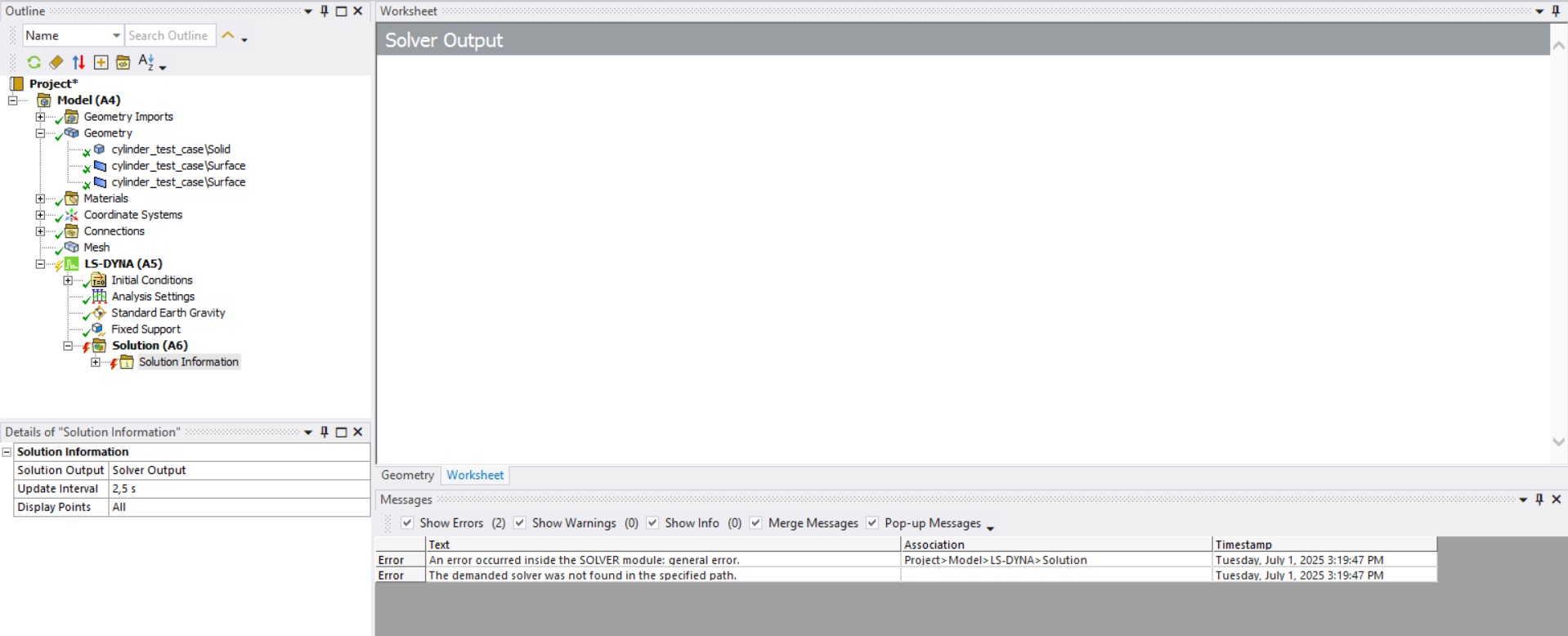
So I installed the latest version available for LS-DYNA Student 2024 R1 installation, and following the installation procedures via tutorial it still does not work.
I also noticed that among the licenses I have:
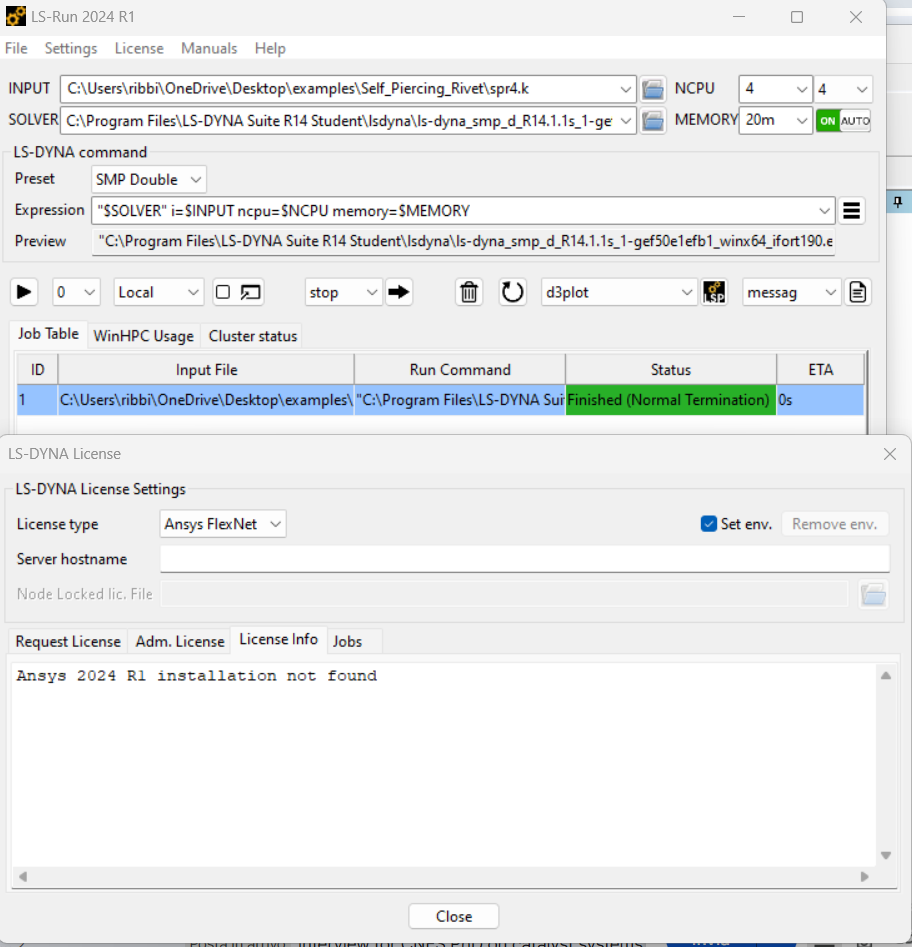
Could you please give me a solution to this problem? I have already uninstalled and reinstalled everything 2 times.
Waiting for response,
Thanks in advance

-
July 7, 2025 at 4:27 pm
igandiko
Ansys EmployeeHello, what error do you get when you run the job using LS-RUN? The ls-run windows shows the job terminated normally.Â
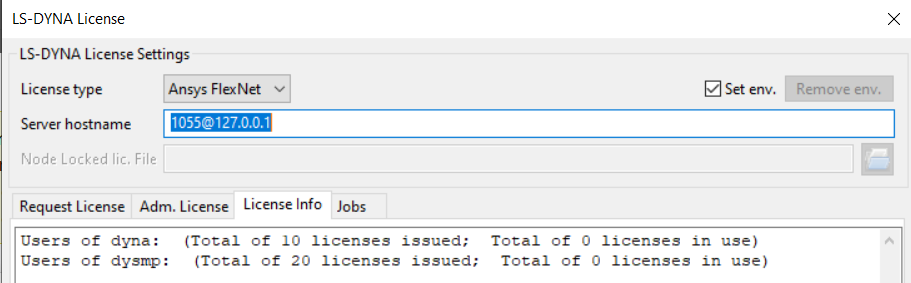
To run ls-dyna, please set "LSTC_LICENSE=Ansys" environment variable. Make sure license client (ansyscl.exe) is located in the same directory as ls-dyna solver and make sure your license server is up and running. In the ls-run license window, please define the server hostname (default: 1055@127.0.01).Â
-
January 13, 2026 at 7:42 pm
mn.gonzalezguevara
SubscriberI am also facing a similar issue. I was using the Student version of ANSYS 2025R1, then I was requested to move to ANSYS2025R2 due to license expiration.
I downloaded and installed the latest LS Dyna student version but LS-Run is not working and is asking for ANSYS 2025R1.I have set 1055@127.0.01 as the server hostname.
I have reinstalled everything from scratch and still got the same issue.-
January 13, 2026 at 7:51 pm
igandiko
Ansys EmployeePlease post this as a new query, thank you!Â
-
-
-
- You must be logged in to reply to this topic.
-
5154
-
1836
-
1387
-
1248
-
1021
© 2026 Copyright ANSYS, Inc. All rights reserved.