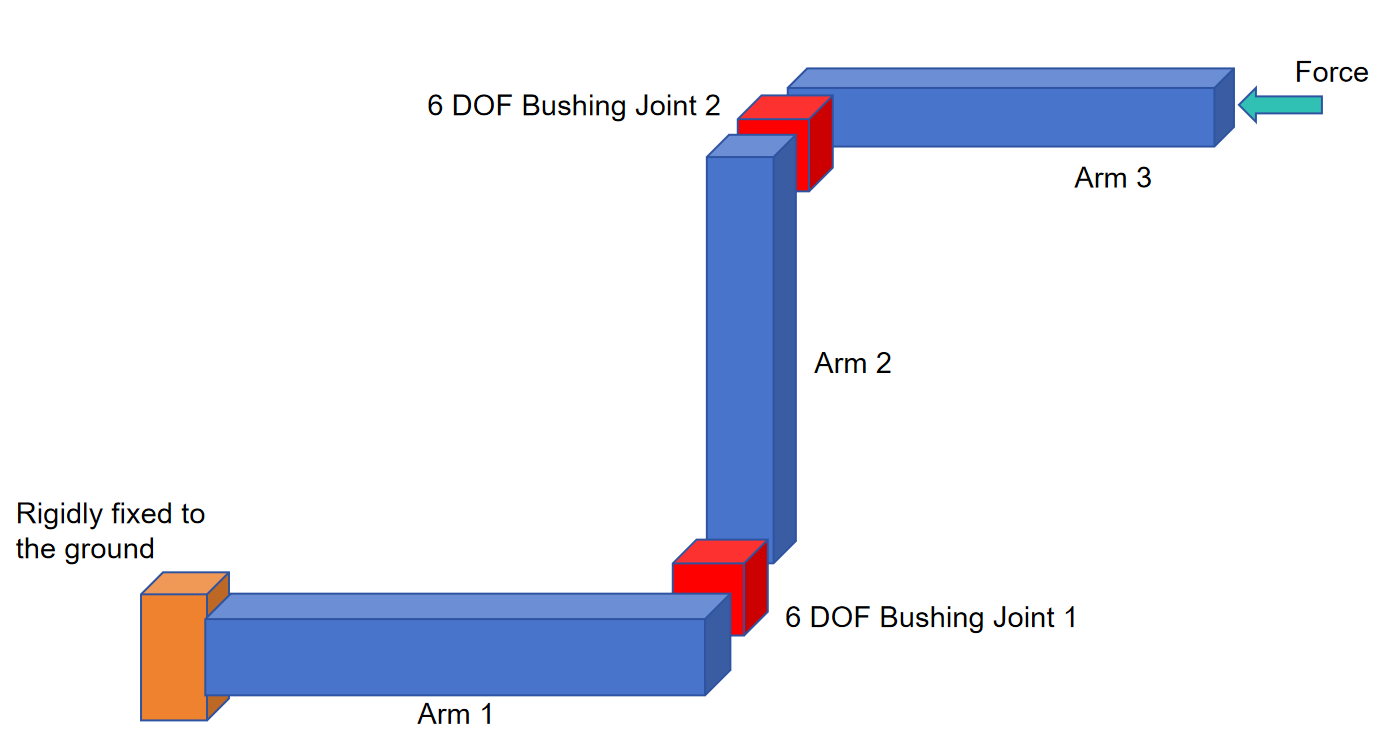
You haven’t said if Arm 1, Arm 2 and Arm 3 are rigid bodies or flexible bodies.
If the arms are flexible bodies and you connect them with rigid Fixed Joints, you can apply a force to the end of Arm 3 and track the motion of the two rigid Fixed Joints in X,Y,Z,Rx,Ry,Rz due to deformation in the arms. Such a model will have no issue with being underconstrained.
If the arms are rigid bodies, you must have a Bushing Joint between the arms in order to have some displacement caused by the applied force. A bushing joint provides six non-zero stiffness values in the translation and rotation directions.
You can also have flexible arms connected with Bushing Joints.
Here is a good article on Joints by Steve Kiefer that explains how to create a bushing joint.
https://steve-kiefer.medium.com/ansys-mechanical-all-about-joints-173f1fa40e15


















 You are navigating away from the AIS Discovery experience