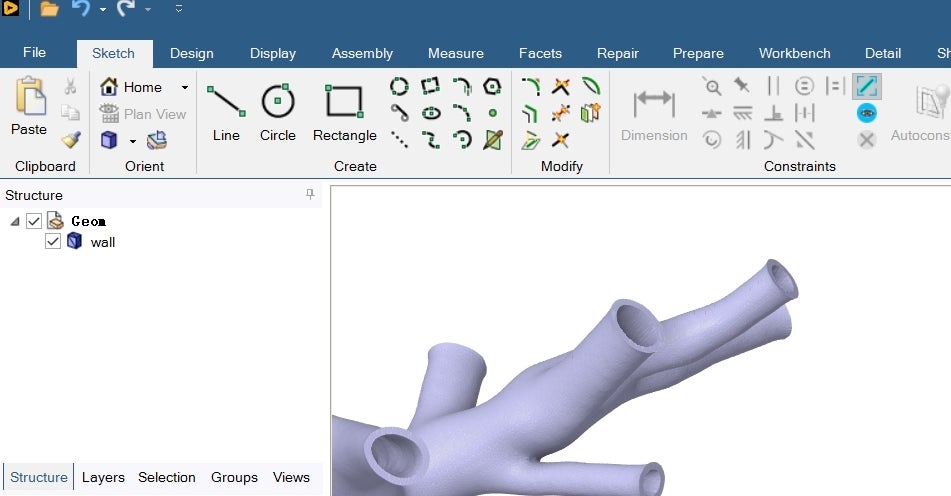
How to identify and split the faces of imported STL models in Spaceclaim?
-
-
June 16, 2025 at 8:07 am
dhy19944
SubscriberHi!How can I identify and split different faces when the imported STL model is treated as a whole? I am currently unable to select and define inlet、outlet and wall. I know that the 'Repair Geometry' command of ICEM can automatically recognize different faces of STL models. Does Spaceclaim have a similar command? As I need to perform fluid structure coupling, I must obtain the internal fluid domain using ‘Volume Extract’ command based on the inlet and outlet of the STL model in SC. Is there any method to identify these different faces? Also, since I use meshing for mesh partition, is there a similar command that can achieve this function after importing the STL model directly into meshing? Thanks!
-
June 20, 2025 at 12:29 pm
-
- You must be logged in to reply to this topic.

- Project lines/edges into a face with the direction normal to the face
- No preview in explorer with scdox file
- Add-in Error Excel
- Fileformats
- Discovery 2025r2 failed to initialize
- Spaceclaim problem
- Using SpaceClaim scripts vs recorded blocks for parametric optimization workflow
- Different Body Naming and Extra Surfaces after Importing Solid Edge Part
- racing royals
- New Computer
-
4597
-
1495
-
1386
-
1209
-
1021
© 2025 Copyright ANSYS, Inc. All rights reserved.