TAGGED: boolean-error, OpticStudio, zemax-interoperability
-
-
April 25, 2025 at 4:07 pm
jeonhj
SubscriberI'm trying to modify the fresnel lens geometry by using the boolean function in nonsequential mode.
To do this, I created the desired shape using SOLIDWORKS, exported it in STL file, imported as an object in Zemax.
However when doing this, I am faced with three problems:- Scale: Even though I designed the part in SOLIDWORKS in inches and also set the unit of Zemax to inches, when I import the STL object, it is HUGE. I have to scale it down to about 0.05 to make it similar to its original size. From this, I think the issue here is the unit conversion. I think in the process of importing the STL object, the scale becomes 25.4. This I could be the result of designing the part in inches(=25.4mm) -> import the file to zemax -> the program just imports it in millimeters (this causes the model to become 25.4 times its original scale) -> just convert mm to in without deviding the scale by 25.4. This process seems like the most likely error to me. Please explain why this is happening.
- Position: When designing the part in SOLIDWORKS, I made sure that it's positioned right at (0,0,0) while satisfying the Zemax's right hand coordinate system. However, when I import it as an object, its position is way off from the center. For example, if I design a sphere of radius R and the center at (0,0,0) in SOLIDWORKS, when I import it to Zemax, its center is at (R,R,R)
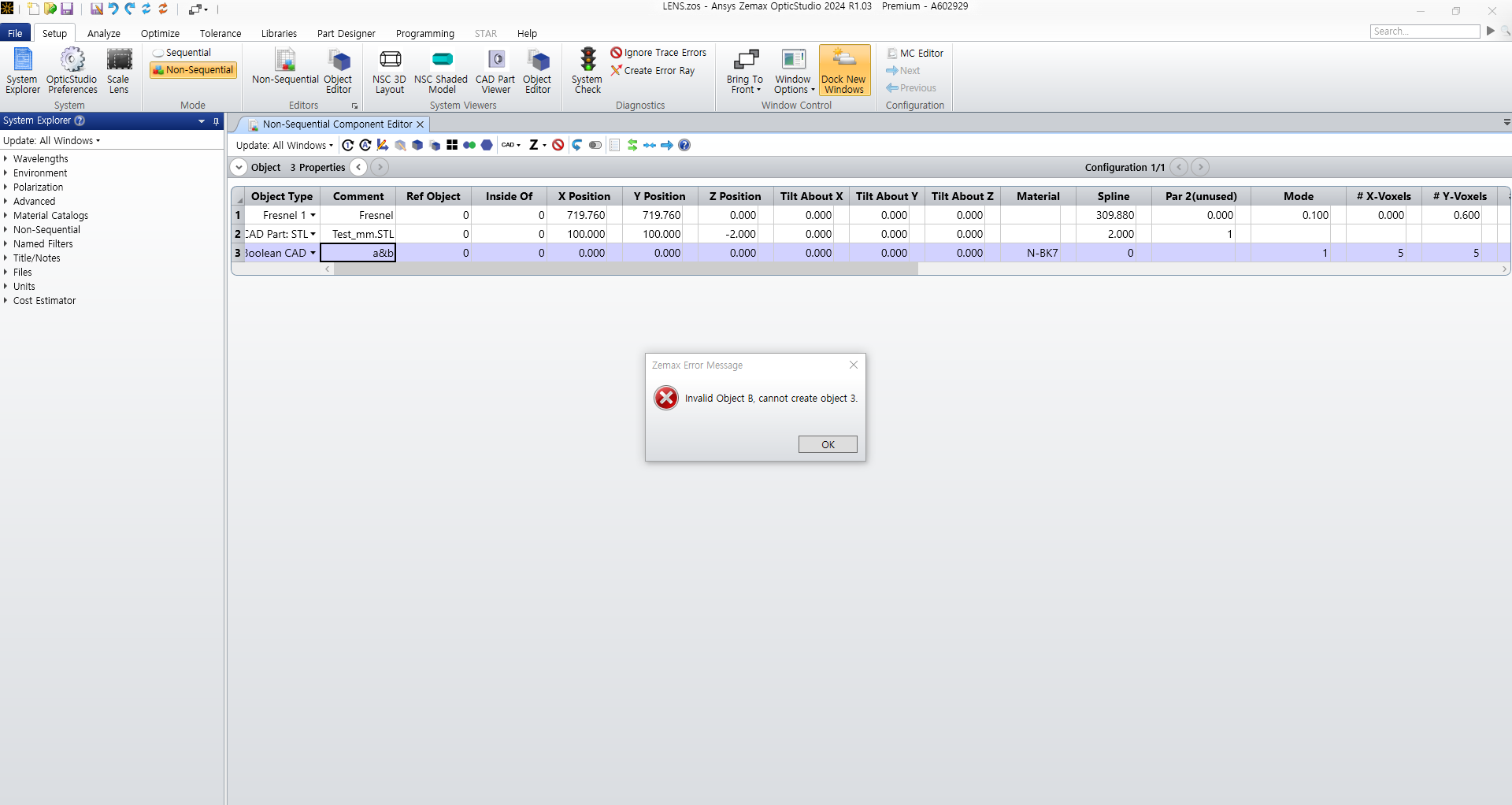
- Boolean Error: Even after changing the scale and the position of the imported STL in order to solve the problems above, when I perform the actual boolean(a & b), the error message like this appears:

The model is fully closed, exported in STL, and there isn't anything wrong with it. I thought this might be because the Object1: Fresnel1's geometry is too complex, so I changed the Object1 to a simple sphere and tried the same boolean again, and the same error appeared.
I really need to get this work done, but I've been stuck in this level for days. Please help me out with this.
Please help me out with step by step guides, and not just a link to a tutorial or the knowledge base(I've been there multiple times).😢
-
April 30, 2025 at 1:21 pm
Prasath R
Forum ModeratorHi,
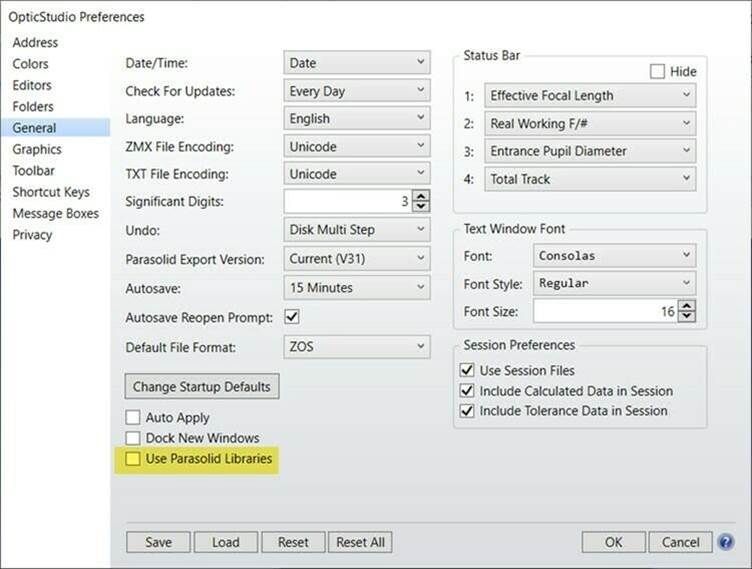
Apologies for the delayed response. For point 3, the CAD part that you are using may have more surfaces involved in it, and it will be difficult to create an object after the Boolean operation is performed with Parasolid libraries.To overcome the problem, you can uncheck the Parasolid libraries by navigating to OpticStudio preferences>> General>> Parasolid libraries. After that, go to the object properties of the CAD object, There will be a Surface mode option added to the surface properties.
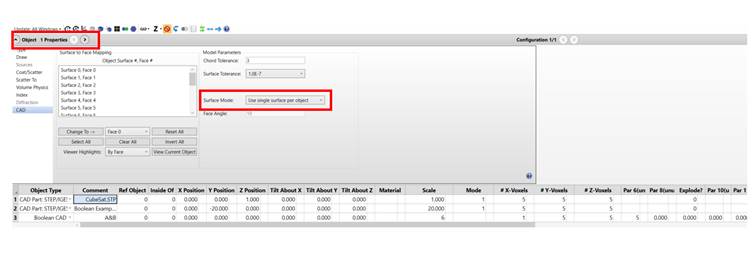
When you use the surface mode with the "Use single surface per object" option, the Boolean CAD will be able to work. Please check with the above method, inform us, and we will explore any other possible solutions.
I am preparing the answers to the remaining two questions and will soon add them to this conversation.
-
- You must be logged in to reply to this topic.
-
6470
-
1906
-
1458
-
1308
-
1022
© 2026 Copyright ANSYS, Inc. All rights reserved.