Ansys Assistant will be unavailable on the Learning Forum starting January 30. An upgraded version is coming soon. We apologize for any inconvenience and appreciate your patience. Stay tuned for updates.
Fluids

Fluids

Topics related to Fluent, CFX, Turbogrid and more.

Export of one-way coupling data from Fluent to Rocky

    • akumar44
      Subscriber

      Hi,

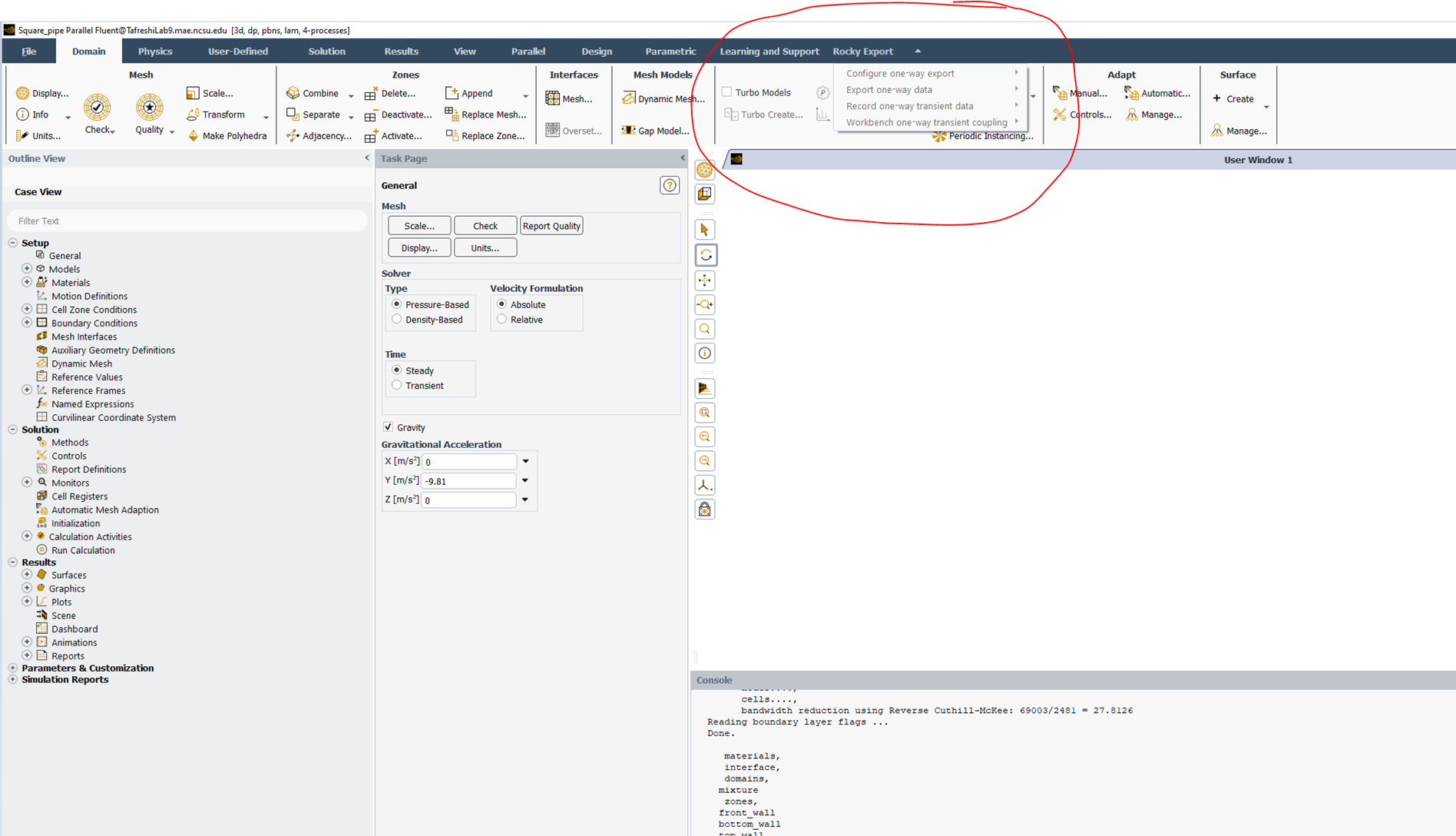
      I want to export the steady-state data directly from Fluent to Rocky. I followed Chapter 17:Tutorial - Mixing Tee of rocky. I can't see the active menu of Rocky Export, which I found in the fluent menu tab. Just see the below figure

      I don't know how to activate this menu in the fluent environment. Please help me activate it so that I can transfer the steady or transient data from Fluent to Rocky directly.

    • Lucas Bertollo Baggio
      Ansys Employee

      Hello akumar,

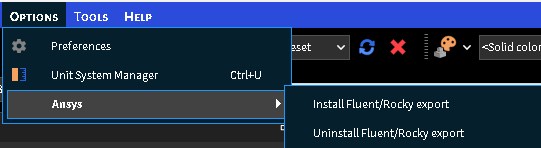
      access the Rocky menu | Options | Ansys | Install Fluent/Rocky export and reopen the programs.


      regards,

      Lucas

    • Lucas Bertollo Baggio
      Ansys Employee

      Oh, I saw in the other topic that you have followed this step. 

      Let's continue the discussion there,

    • akumar44
      Subscriber

      Thank you for your information.

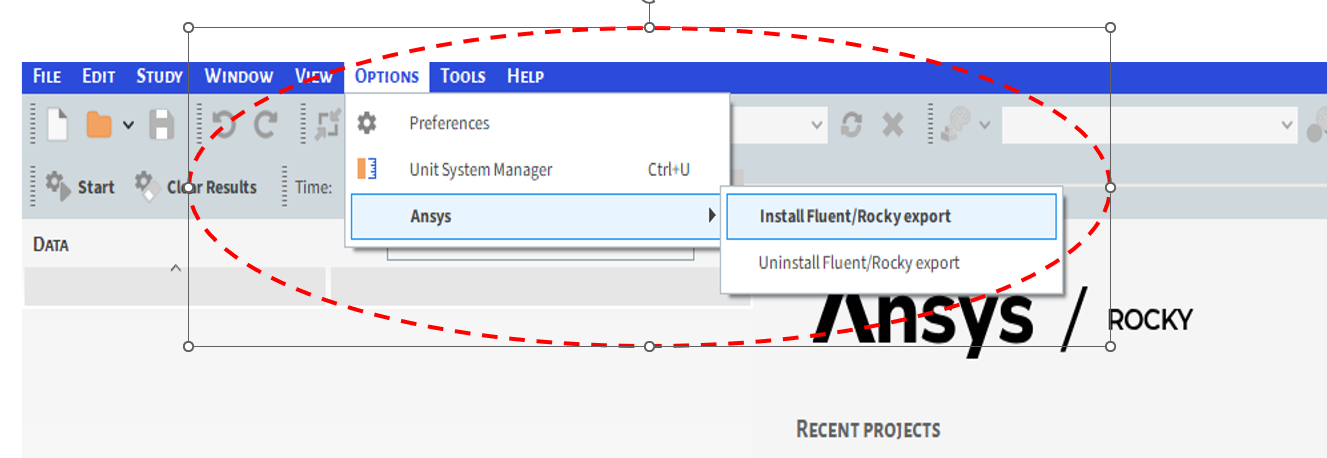
      Step1 : First, I went to the Rocky software options menu. After installing fluent/rocky-export,refer to the image below
      Step 2: I found the 'Rocky Export' menu in Fluent software—see the image below. Here, I got the Rocky Export menu active in Fluent software when I did not include case and data file in fluent software
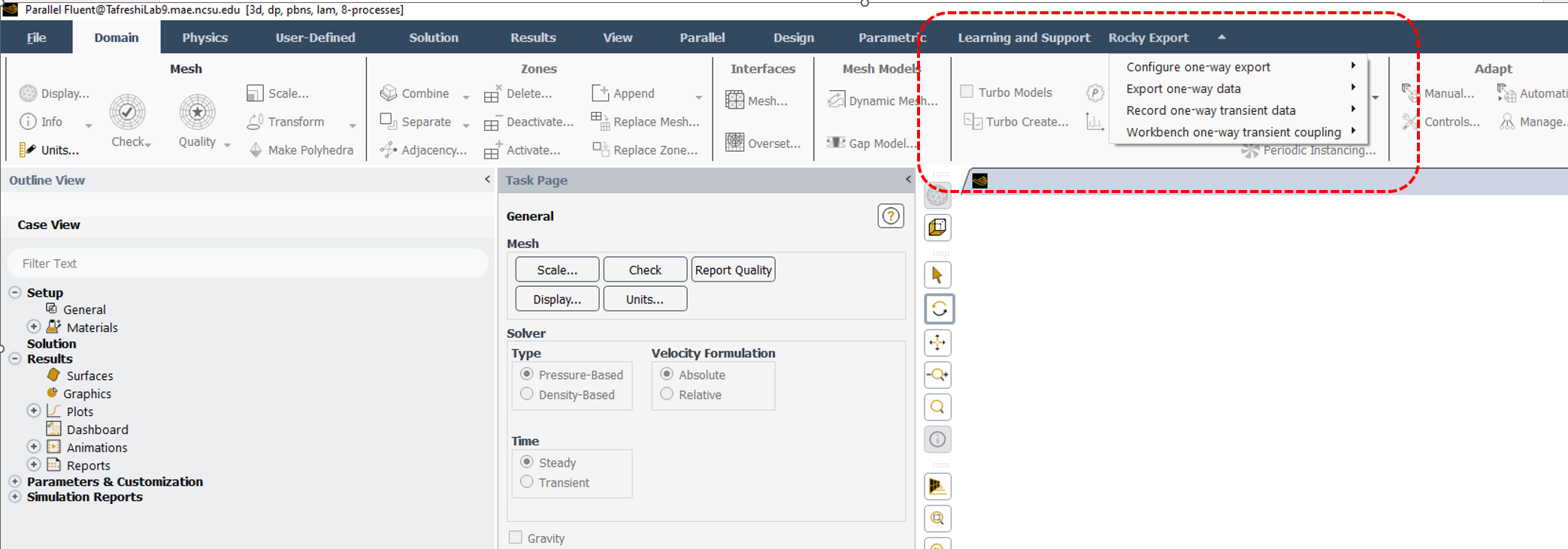
      Step3 : However, after importing the case.h5 file into Fluent and running it for 1000 iterations, I navigated to the Rocky Export menu in Fluent, but found that it was not activated. Please see the image below
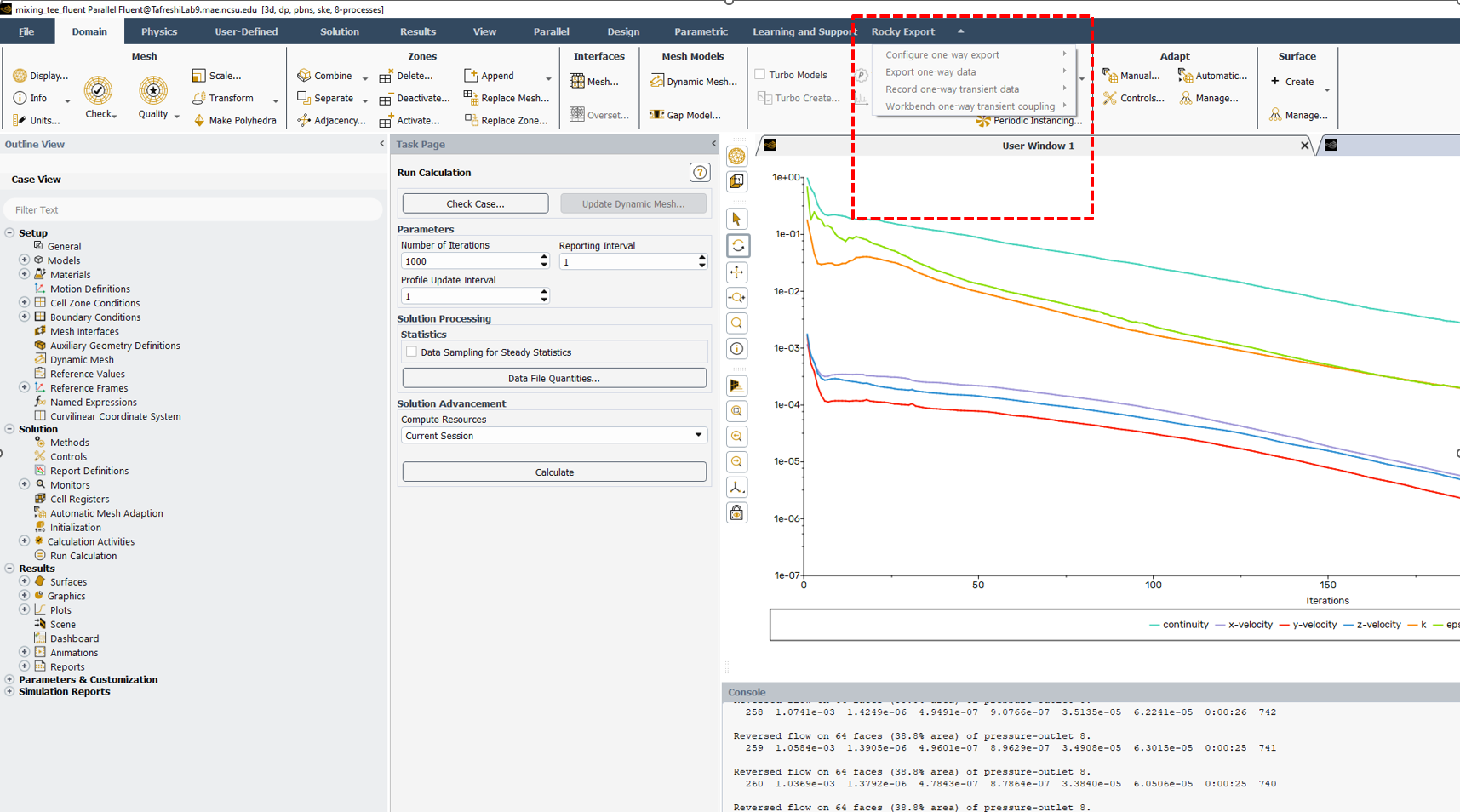
      Can you please tell me how to export one-way data from Fluent to Rocky software? This was my problem.




Viewing 3 reply threads
  • You must be logged in to reply to this topic.
[bingo_chatbox]