TAGGED: cfd-dem
-
-
April 6, 2025 at 8:20 pm
akumar44
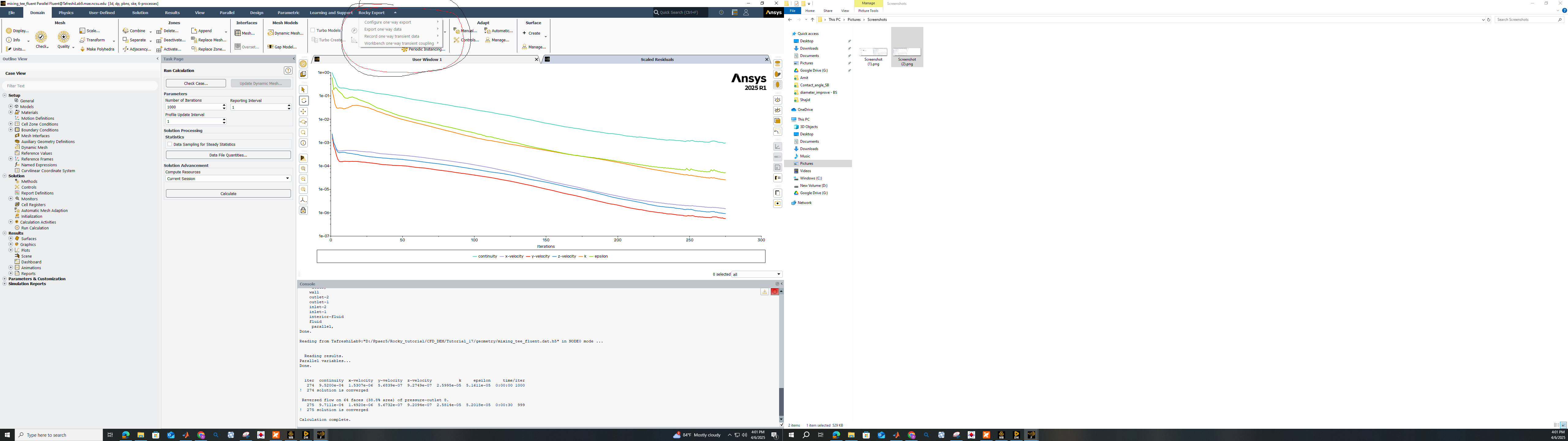
SubscriberI am currently working on Rocky Tutorial 17 and have followed all the steps outlined in the tutorial. However, I am unable to export one-way data from Fluent to Rocky.
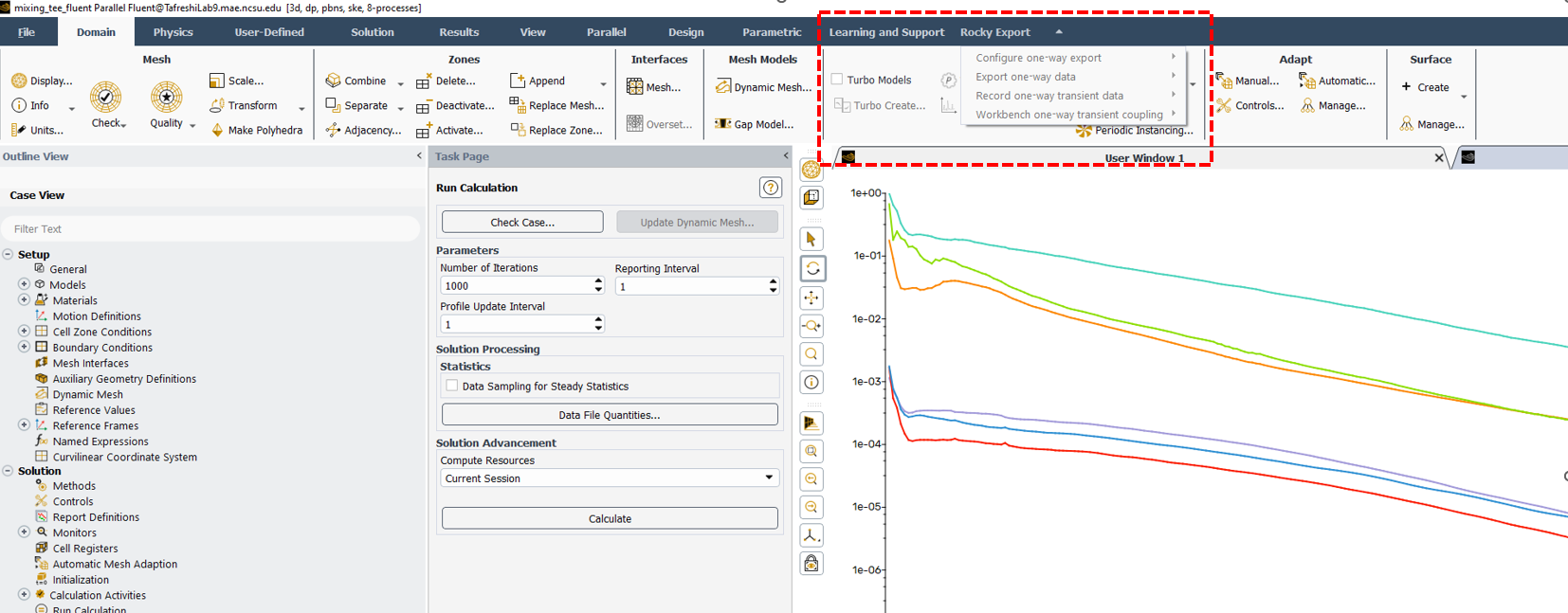
Could someone kindly advise on how to activate the Rocky export menu in Fluent?
I have attached a screenshot of my Fluent GUI, highlighting the section where I am attempting to export the data to Rocky.
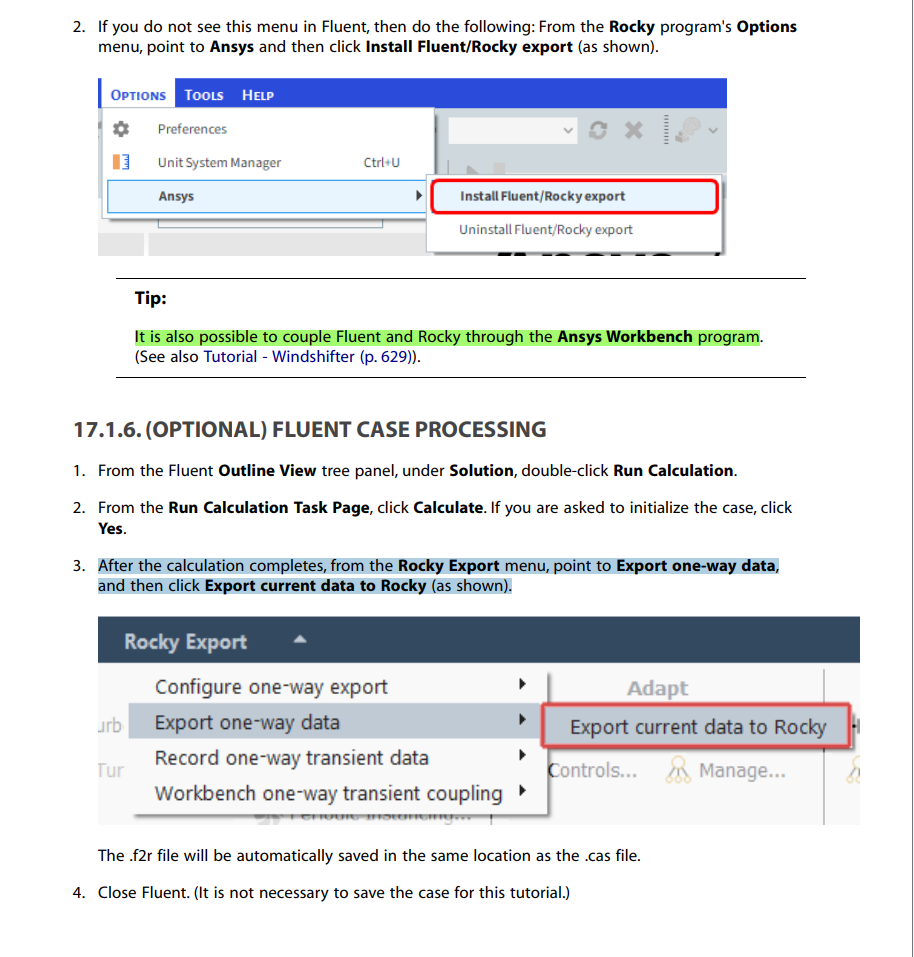
 I am also sharing with you Tutorial 17, where the steps are mentioned.
Â
-
April 9, 2025 at 5:04 pm
Lucas Bertollo Baggio
Ansys Employeethis is being resolved in this topic
(I'm looking forward to help you)
-
April 9, 2025 at 5:17 pm
-
April 9, 2025 at 5:21 pm
Lucas Bertollo Baggio
Ansys EmployeeYes! I'm investigating what is possibly causing this.
-
April 14, 2025 at 3:20 pm
akumar44
SubscriberThank you for getting back to me.
 Have you managed to find a solution to this issue?
-
April 17, 2025 at 6:35 pm
Lucas Bertollo Baggio
Ansys EmployeeHello,
Â
the work around you can do for now is lauching Fluent by Workbench.
See Rocky Tutorial 13 to check on an example.
-
April 17, 2025 at 7:10 pm
akumar44
SubscriberThank you for your information.
I am familiar with exporting Fluent results to Rocky via Workbench; however, this method presents difficulties when running simulations on a high-performance computing (HPC) system. I am not fully satisfied with the response provided. Could you please clarify why the 'Rocky Export' option in Fluent remains inactive when I import a case and data file?
-
April 23, 2025 at 7:48 pm
Lucas Bertollo Baggio
Ansys EmployeeHello,
apparently this is a bug that is already being fixed. For now, it is possible to use the workbench approach.Â
Â
best,
Lucas
-
- The topic ‘How can I activate rocky export menu in fluent software?’ is closed to new replies.

-
5039
-
1739
-
1387
-
1248
-
1021
© 2026 Copyright ANSYS, Inc. All rights reserved.