Ansys Assistant will be unavailable on the Learning Forum starting January 30. An upgraded version is coming soon. We apologize for any inconvenience and appreciate your patience. Stay tuned for updates.
General Mechanical

General Mechanical

Topics related to Mechanical Enterprise, Motion, Additive Print and more.

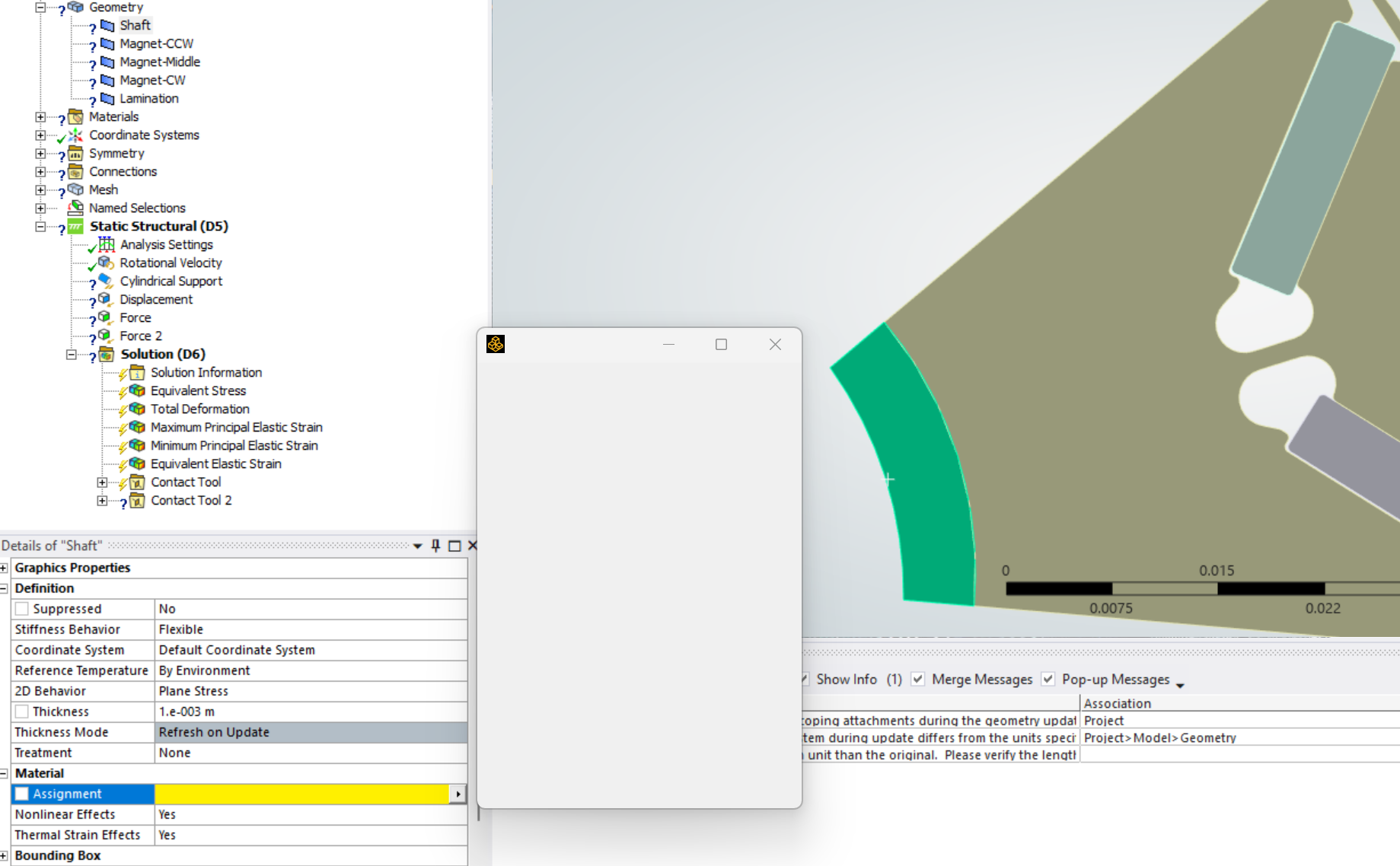
Empty Material Assignment List, also no default assignment [Ansys Mechanical E]

    • michal.smalera
      Subscriber

      I am trying to assign material to some geometries, but the pop-up list shows empty.

      How to repair this?


    • ErKo
      Ansys Employee


      Hi

      First I would close mechanical, and go to Workbench project schematic, and the Engineering data in your system and define some materials – then see if they show up and you can select them inside Mechanical.

      If the above does not work see this:
      https://innovationspace.ansys.com/knowledge/forums/topic/materials-not-visible-or-gray-area-around-materials-pop-up-menu-window/

      Finally if none of the above works, please contact your channel partner so they can look at your installation and help.

      All the best

      Erik

       

    • michal.smalera
      Subscriber

      I got the extra materials in Workbench.

      I was working on a laptop with 2 external screens. I disconnected them, restarted Mechanical and Workbench and it works correctly now.

      Thank you!

Viewing 2 reply threads
  • You must be logged in to reply to this topic.
[bingo_chatbox]