Ansys Assistant will be unavailable on the Learning Forum starting January 30. An upgraded version is coming soon. We apologize for any inconvenience and appreciate your patience. Stay tuned for updates.
Ansys Products

Ansys Products

Discuss installation & licensing of our Ansys Teaching and Research products.

MotorCad Licencing issue

    • zubeyr.oztomsuk
      Subscriber

      Motorcad Licencing issue

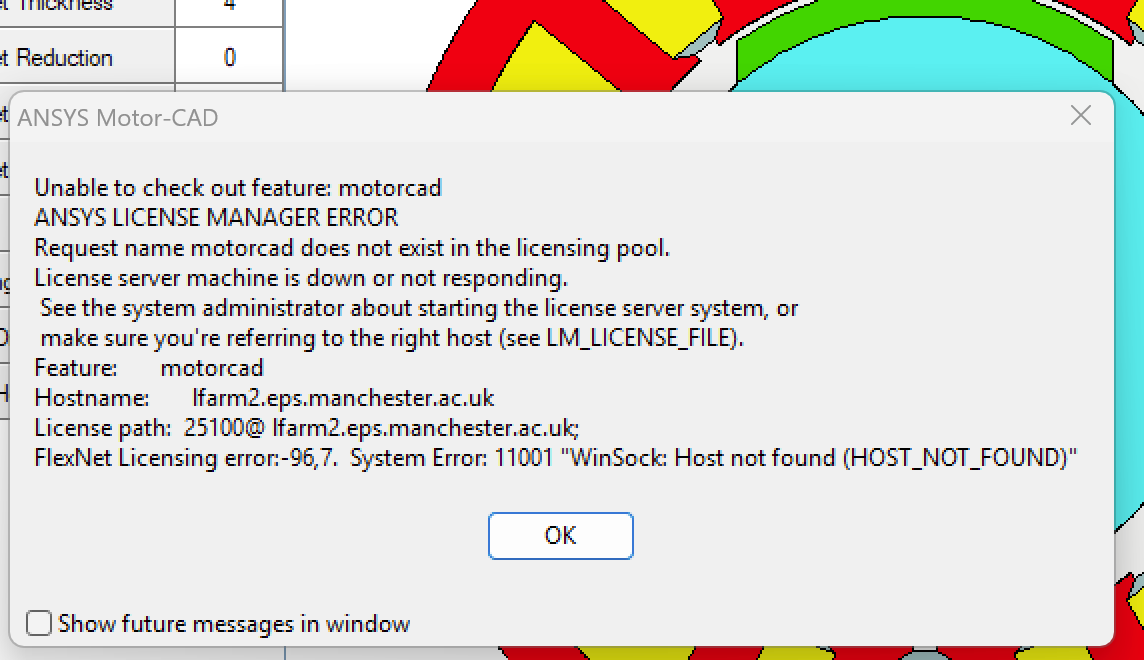
      Today all of a sudden I started experiencing licensing issue with the following error prompt;
      Unable to obtain licence: Motorcad

      Unable to check out feature: motorcad
      ANSYS LICENSE MANAGER ERROR
      License server machine is down or not responding.
      See the system administrator about starting the license server system, or
      make sure you're referring to the right host (see LM_LICENSE_FILE).
      Feature: motorcad
      Hostname: xxxxxxxxxxxxx
      License path: xxxxxxxxxxxxxxxxxx;
      FlexNet Licensing error:-96,7. System Error: 11001 "WinSock: Host not found (HOST_NOT_FOUND)"


      Is this a general problem at the moment? If not how can I fix this asap? Please note that I covered my hostname and liecnece path with x for privacy reasons.

      Many thanks,

      Zubeyr

    • Mrunali Barde
      Ansys Employee

      Hello Zubeyr, 

      • Open the HOSTS file on the client machine and add the license server name and IP of the license server in that hosts file.
      • Path: “C:\Windows\System32\drivers\etc “ as per the following format in your client machine :

      Example: 

      IP address             Hostname of server     FQDN    

      ip_address         <servername>                                        //IP address of server and name. You can also add FQDN.


      • Add the below-mentioned line at the end of hosts file.


      • Once the entry is added save the file.
      • Launch the Ansys application.


      I hope this helps, please provide a screenshot if you get any error messages.


      Wishes, 

      Mrunali. 

      • zubeyr.oztomsuk
        Subscriber

        Hi,

        Unfortunatly I couldnt get it to work! Can you guys connect to my computer remotely and help me with that please? 

      • zubeyr.oztomsuk
        Subscriber

        I tried uninstalling and re-installing motorcad and I get a similar issue, shown in the image below

Viewing 1 reply thread
  • You must be logged in to reply to this topic.
[bingo_chatbox]