-
-
April 6, 2020 at 10:37 am
tahm
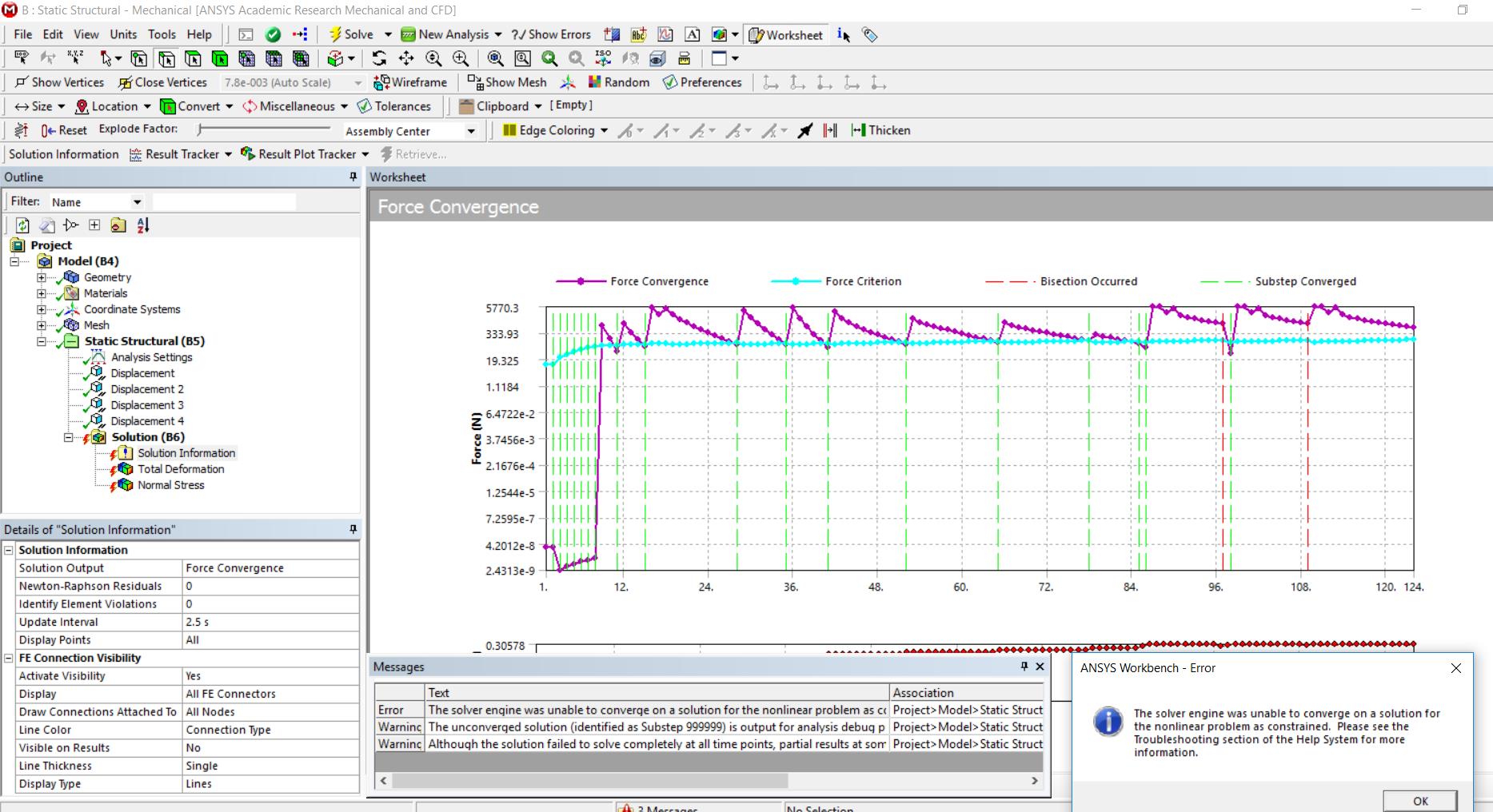
SubscriberI am getting this error message. How to resolve?
The solver engine was unable to converge on a solution for the nonlinear problem as constrained. Please see the Troubleshooting section of the Help System for more information.
-
April 7, 2020 at 4:25 am
Keyur Kanade
Ansys EmployeeAs ANSYS Staff, we can not download attachments. Please insert images using insert image functionality.Â
-
April 11, 2020 at 11:17 am
-
April 11, 2020 at 11:19 am
tahm
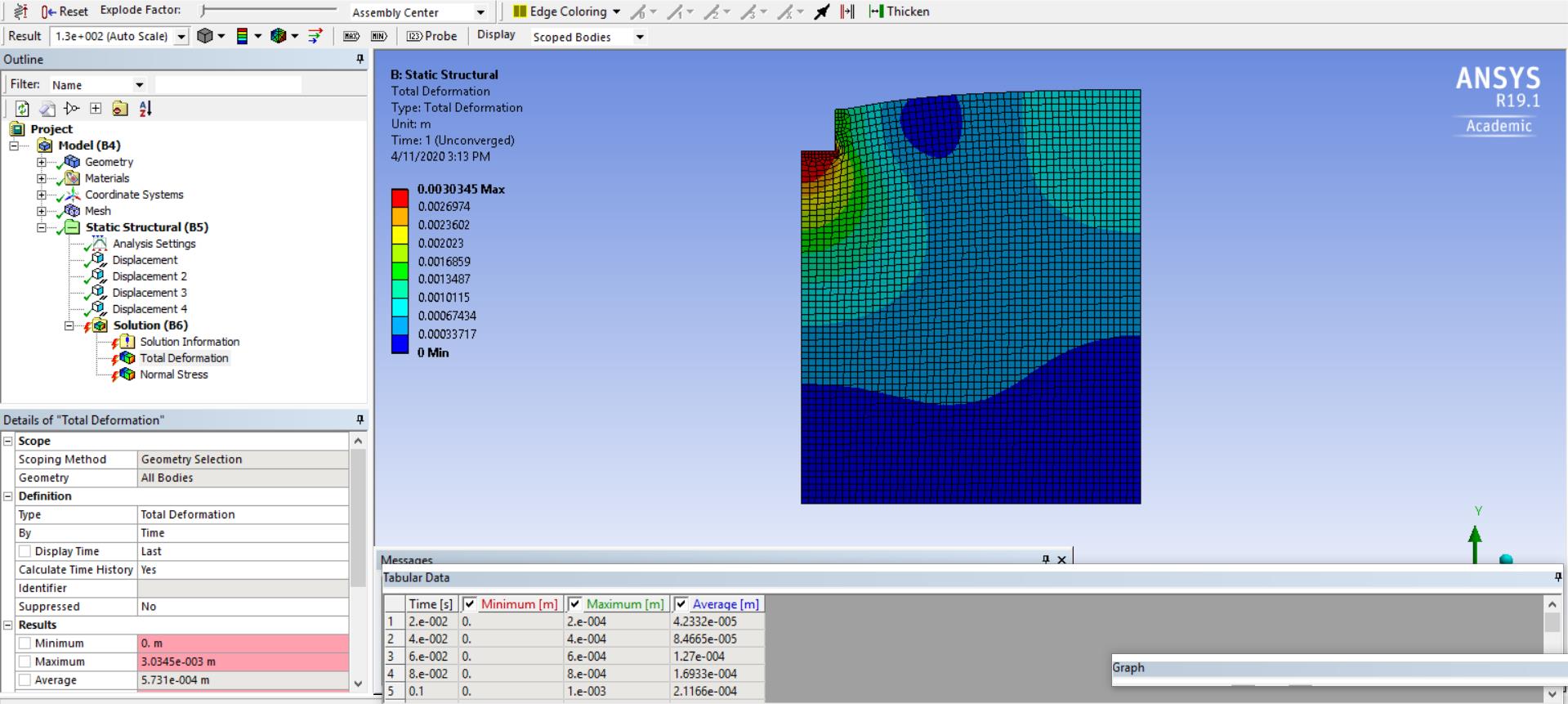
SubscriberI was doing a 2D plane strain analysis of soil element
-
April 11, 2020 at 3:18 pm
peteroznewman
SubscriberIncrease the Initial and Minimum Substeps to 100.
Insert a command object
NEQIT,50
This will tell the solver to keep going for 50 iterations instead of doing a bisection or stopping after 26 iterations.
-
April 11, 2020 at 6:06 pm
-
April 12, 2020 at 5:10 pm
peteroznewman
SubscriberYou have to improve the element shape where the solver is unable to obtain a force equilibrium and fails to converge.
You can find out where that is by typing a 4 in the field called Newton-Raphson Residuals under the Solution Information Folder. Take out the NEQIT command. Solve. When if fails to converge, you will have 4 plots under the Solution Information folder. The plot is the Newton-Raphson Force Residual plot. The Maximum value on this plot is where you need better elements.
I already know that it will be in the interior corner. If you put a small radius in that corner instead of a sharp interior corner, that will help it converge.

-
- The topic ‘Solver engine convergence error’ is closed to new replies.
-
4683
-
1565
-
1386
-
1242
-
1021
© 2025 Copyright ANSYS, Inc. All rights reserved.