Hello,
I am trying to generate a mesh for a cylindrical geometry. I have succesfully been able to generate this mesh which looks as follows:
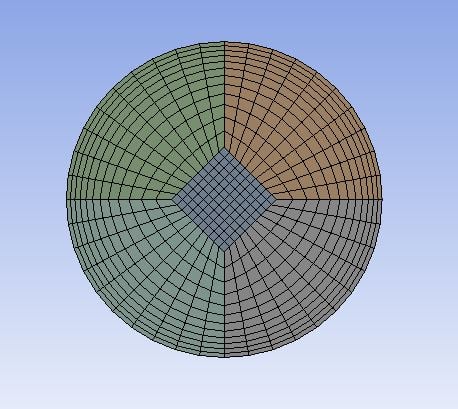
The cross-section in the length direction looks like this:

As can be seen the mesh consists of 5 different parts which are all connected to each other.
However, when loading this mesh into Fluent I get several issues regarding the boundary conditions. In the BC list it shows a lot of walls which, when I click on display, do not show. Only the last item in the list is able to display, but it shows the entire mesh. This should not be the case since I need to define my inflow and outflow boundaries, which I am currently unable to do.
I have also tried separating this wall-fluid boundary by using a 90 degree angle. This however does not work since some faces are still connected to each other and cannot be separated.

I have also tried setting up the mesh in a slightly different way such that it consists of only 2 parts, though this does not seem to make any difference at all.
How can I fix this issue, such that I can define my inflow and outflow boundaries, as well as correctly set my walls.


















 You are navigating away from the AIS Discovery experience