-
-
April 1, 2020 at 2:54 pm
Wasif
SubscriberHi
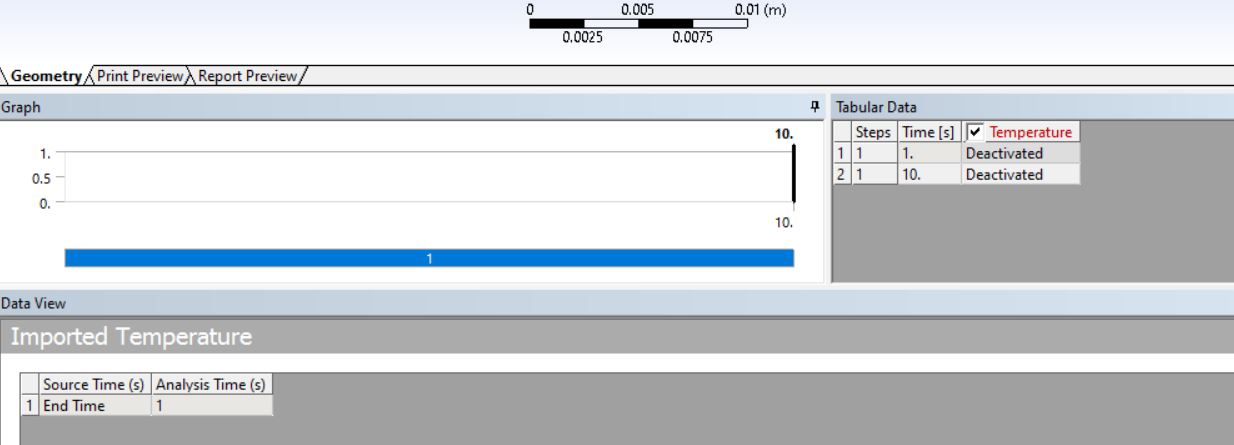
I am using ANSYS 16 Mechanical. I am having a problem in applying the thermal boundary condition. What I want is that the the imported temperature should act like an initial condition at time t=1 but, right now it is remaining constant throughout the transient analysis. Therefore, it is acting like an fixed boundary condition and not an initial condition. If I try to deactiviate the row at 3000, then it completely de activates the whole model.
-
April 1, 2020 at 4:54 pm
peteroznewman
SubscriberWhere did the temperature data you are trying to import come from?
-
April 2, 2020 at 7:45 am
Wasif
SubscriberSteady state thermal.Â
Now I am trying to run a transient thermal analysis
-
April 2, 2020 at 1:14 pm
peteroznewman
SubscriberIn the Transient Thermal analysis, under Analysis Settings, change the number of steps from 1 to 2 (or add one more step if it is already multistep).
Make the Current Step 1, then on the Time Integration row, set that to Off. Now apply all the loads used in the Steady State model in Step 1, and deactivate any Transient loads that are not part of Steady State solution.
When Step 1 finishes, the Temperature solution is the Steady State solution, and when Step 2 starts, the Transient solution begins.
If this answers your question, please click the Is Solution link below (when you are logged in) to mark this discussion Solved, or ask a followup question.

-
- The topic ‘Imported temperature – Submodelling’ is closed to new replies.
-
6470
-
1906
-
1458
-
1308
-
1022
© 2026 Copyright ANSYS, Inc. All rights reserved.