-
-
March 31, 2020 at 8:22 pm
ansysuser
SubscriberHello,
In the Fluent manual, section 18.3.4, there is a discussion of different schemes for interpolating near the interface of two phases in the VOF model. For example, the geometric reconstruction, donor-acceptor, etc. But there is no mention of how to choose one or the other and I do not see anywhere in the dialog boxes where these options are listed.
How can I choose one of these schemes in Fluent?
Thanks
-
March 31, 2020 at 9:46 pm
-
March 31, 2020 at 10:09 pm
ansysuser
SubscriberI see. Thank you.
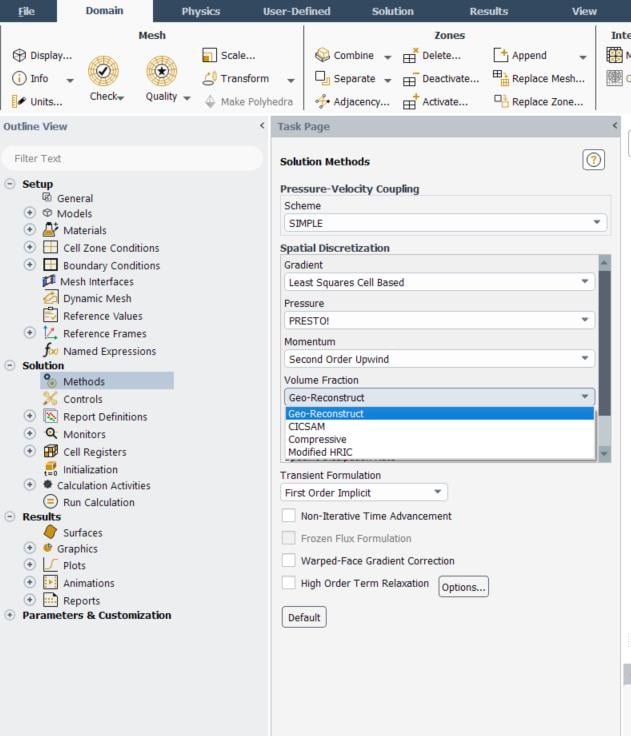
That does help, except in my drop down list I only have Compressive and Modified HRIC. I was hoping to use Geo-Reconstruct because it looks like it will help with the phases mixing too much. Do I need some other setting enabled before the Geo-Reconstruct is available? Please let me know.
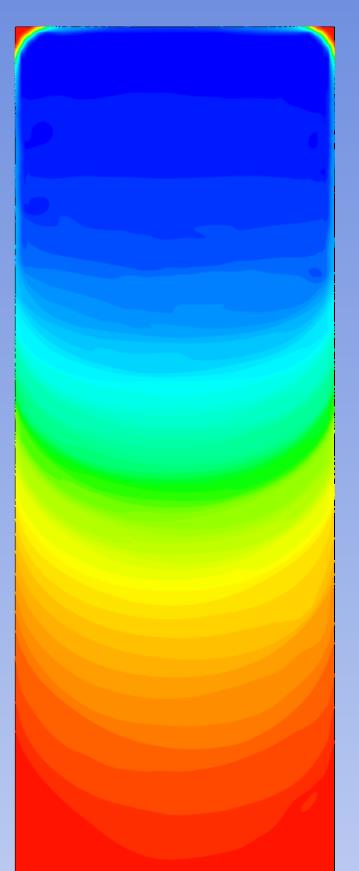
The problem I am having is that the phases (liquid water and incompressible air) are mixing way beyond what is physical. Here is an example of the contour of the water phase fraction 1 second after an air bubble rises to the top of a closed container. The container is 1cm wide with 0.1mm mesh sizing. In reality, no such massive phase gradient would exist like this. I am wondering if Coupled Level set would be a better way to go. Any suggestions would be helpful.
-
March 31, 2020 at 10:14 pm
Karthik Remella
AdministratorHello,
These options depend on your analysis type as well as your pressure-velocity coupling. If I remember correctly, steady VoF with coupled solver will not show you Geo-Reconstruct. However, a transient analysis with SIMPLE coupling should show you the Geo-Reconstruct option.
Best,
Karthik
-
March 31, 2020 at 10:23 pm
-
March 31, 2020 at 10:35 pm
Karthik Remella
AdministratorHello,
Which version of Fluent are you using?
Best,
Karthik
-
March 31, 2020 at 10:48 pm
ansysuser
SubscriberI am using the version that came with Workbench 2019 R3
-
March 31, 2020 at 10:54 pm
-
April 1, 2020 at 2:29 am
Keyur Kanade
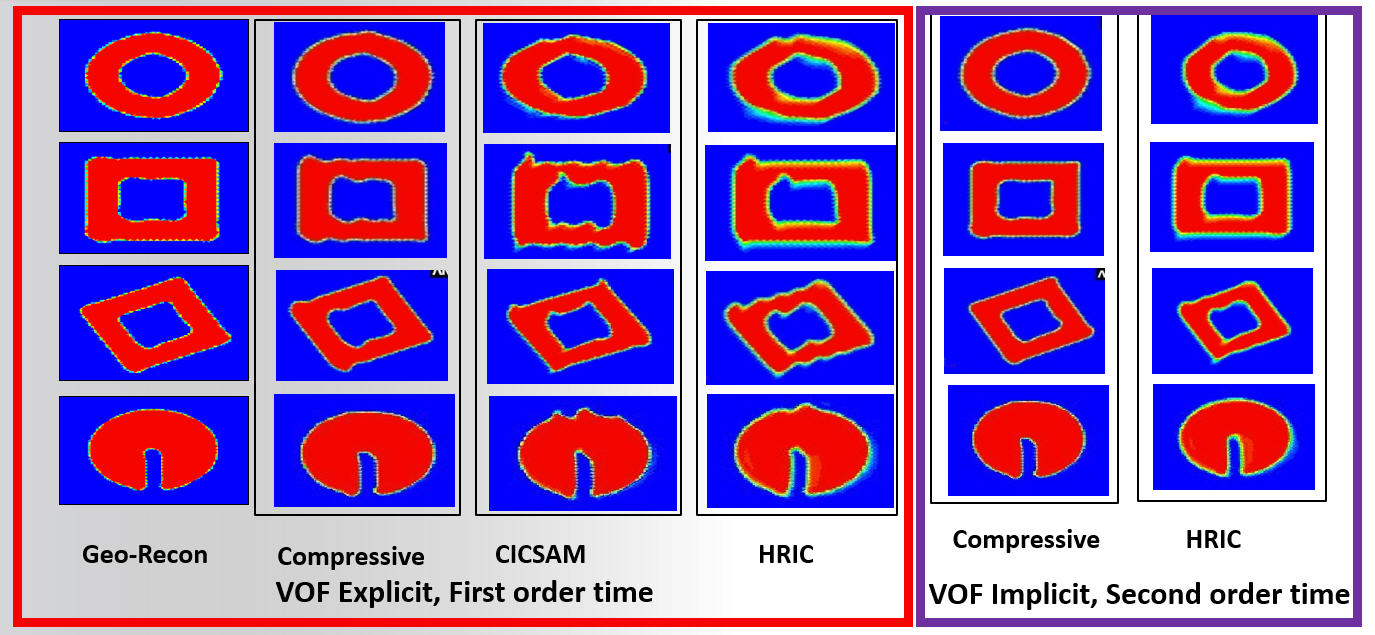
Ansys EmployeeThe options depend on explicit and implicit formulation.
For your reference,
Regards,
Keyur
If this helps, please mark this post as 'Is Solution' to help others.
Guidelines on the Student Community
How to access ANSYS help links
-
April 2, 2020 at 12:07 am
ansysuser
SubscriberThanks, Kremella. Yes, I was able to change to Geo-Recon by selecting explicit. However, the solution is now not correct.
Thanks, kkanade. I am not sure what those plots are supposed to be, but I do see there is a difference!
For my problem, the issue is that I am getting way too much phase mixing to be physical. See the contour plot above.
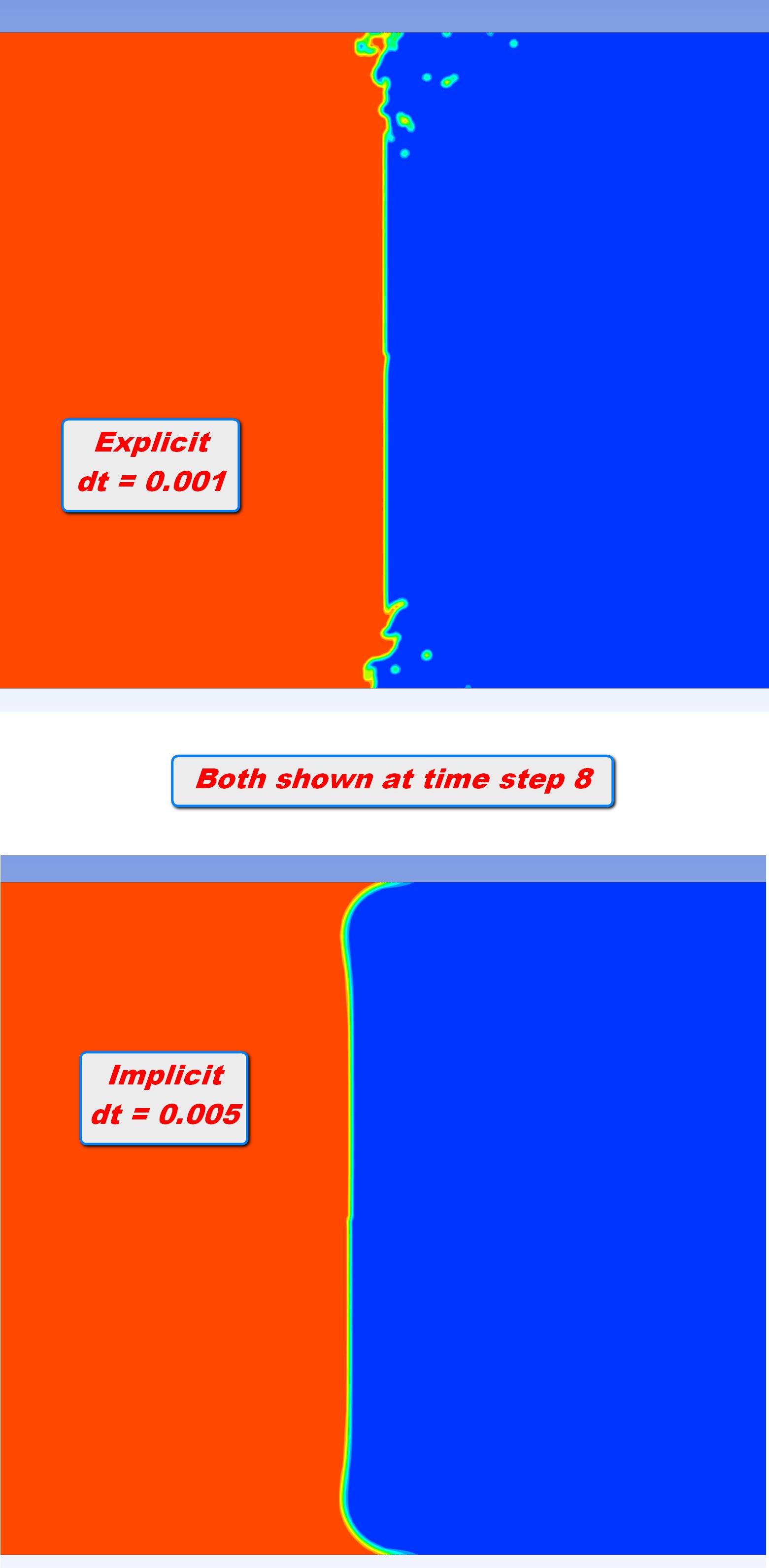
At the start of the simulation, I have a water zone and an air zone (with patching) that have a vertical boundary between them. Then the solution starts. Here is the difference at time step 8. Note the implicit solution evolves into a very nice motion that looks physically correct, except the extreme amount of phase mixing. The explicit formulation gets these strange ripples. Any suggestion would be much appreciated. (Note I had to drop the time step size to keep convergent. All other settings are the same except the Geom-Recon for the explicit formulation.)
-
April 2, 2020 at 3:06 am
Keyur Kanade
Ansys EmployeeFor explicit, geo-reconst is recommended.
Can you please show some image with model for boundary conditions used?
Regards,
Keyur
If this helps, please mark this post as 'Is Solution' to help others.
Guidelines on the Student Community
How to access ANSYS help links
-
April 2, 2020 at 6:19 am
ansysuser
SubscriberThank you kkanade.
I just discovered that when I loaded the case and data files into the new Fluent module to try the explicit method, the wall contact angle was reset to the default value of 90 degrees. I am unsure why this happened, as all other settings remained unchanged. As such, I will run with the correct contact angle and come back to start another post if needed.
Thanks again, I appreciate everyone's efforts.
-
- The topic ‘How to choose interpolation scheme near interface for VOF?’ is closed to new replies.
-
6455
-
1906
-
1457
-
1308
-
1022
© 2026 Copyright ANSYS, Inc. All rights reserved.