Hi,
Im currently modelling a 2D vertical axis wind turbine for my dissertation. I am using steady state flow in order to obtain my results however im running into problems with the design points. I need to rotate my domain in 10 degree increments and take an average reading of torque for all 3 of my blades. I also notice the torque unit in the parameters is in J, but when I compute it in solution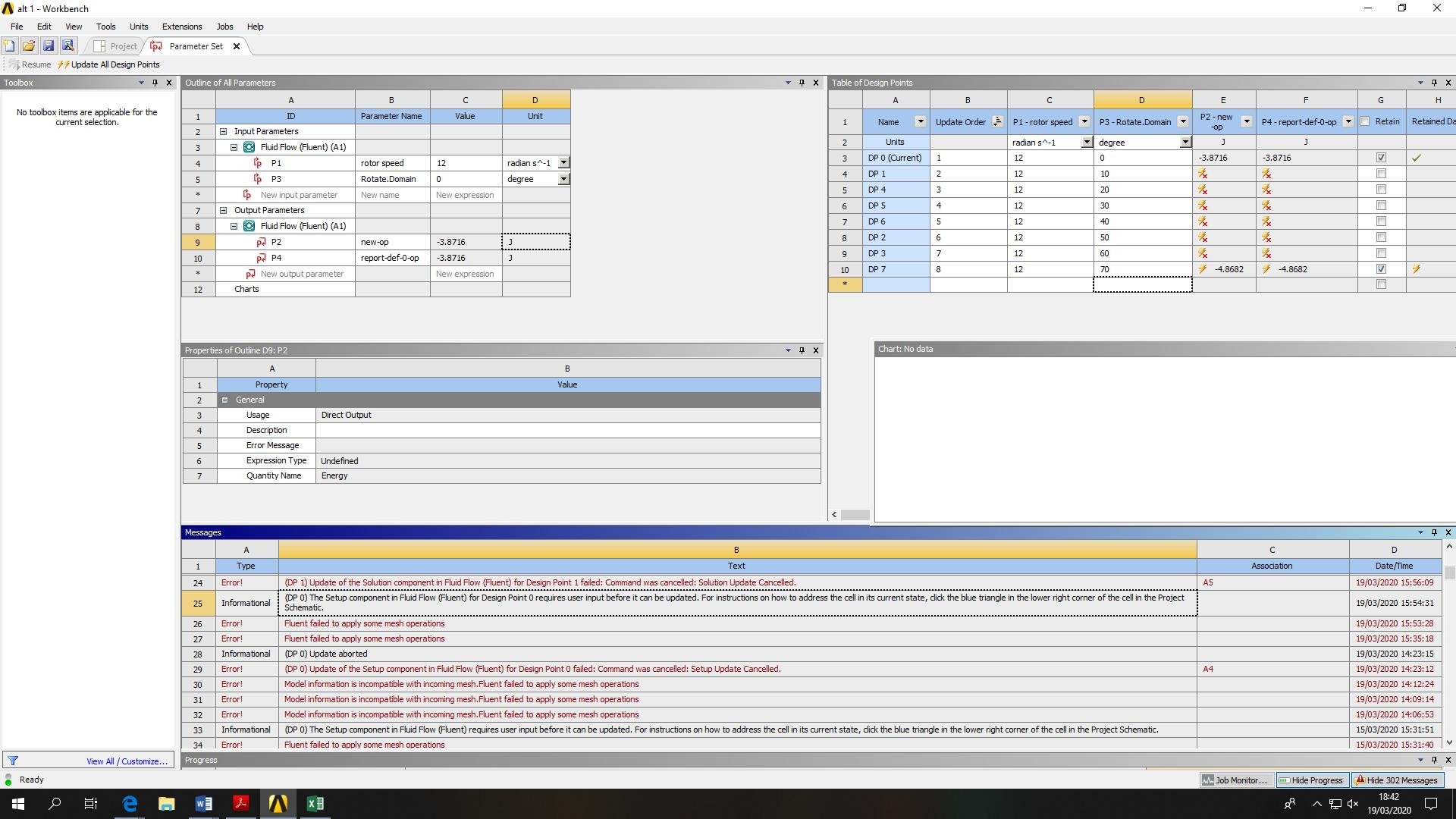 it gives in the Nm.
When I update all design points the error message - "(DP 0) The Setup component in Fluid Flow (Fluent) for Design Point 0 requires user input before it can be updated. For instructions on how to address the cell in its current state, click the blue triangle in the lower right corner of the cell in the Project Schematic." appears.
I'd be grateful of any guidance given.


















 You are navigating away from the AIS Discovery experience