Ansys Assistant will be unavailable on the Learning Forum starting January 30. An upgraded version is coming soon. We apologize for any inconvenience and appreciate your patience. Stay tuned for updates.
General Mechanical

General Mechanical

Topics related to Mechanical Enterprise, Motion, Additive Print and more.

Applying symmetry

    • Gijoys4v
      Subscriber

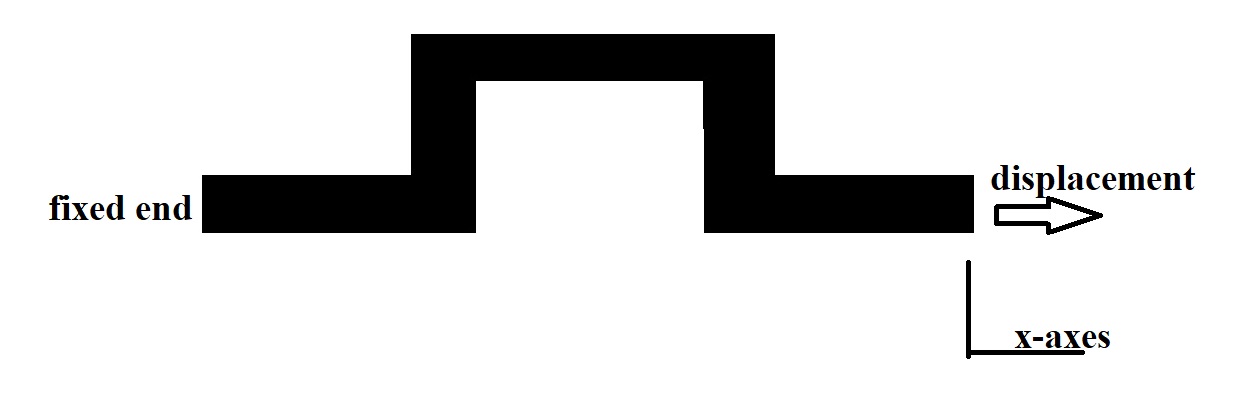
      I have a geometry as shown below


      the left end of the geometry is fixed and to the right end I have to apply displacement. I want to find the strain in the body when I apply 1% deformation along the x-axes of the geometry


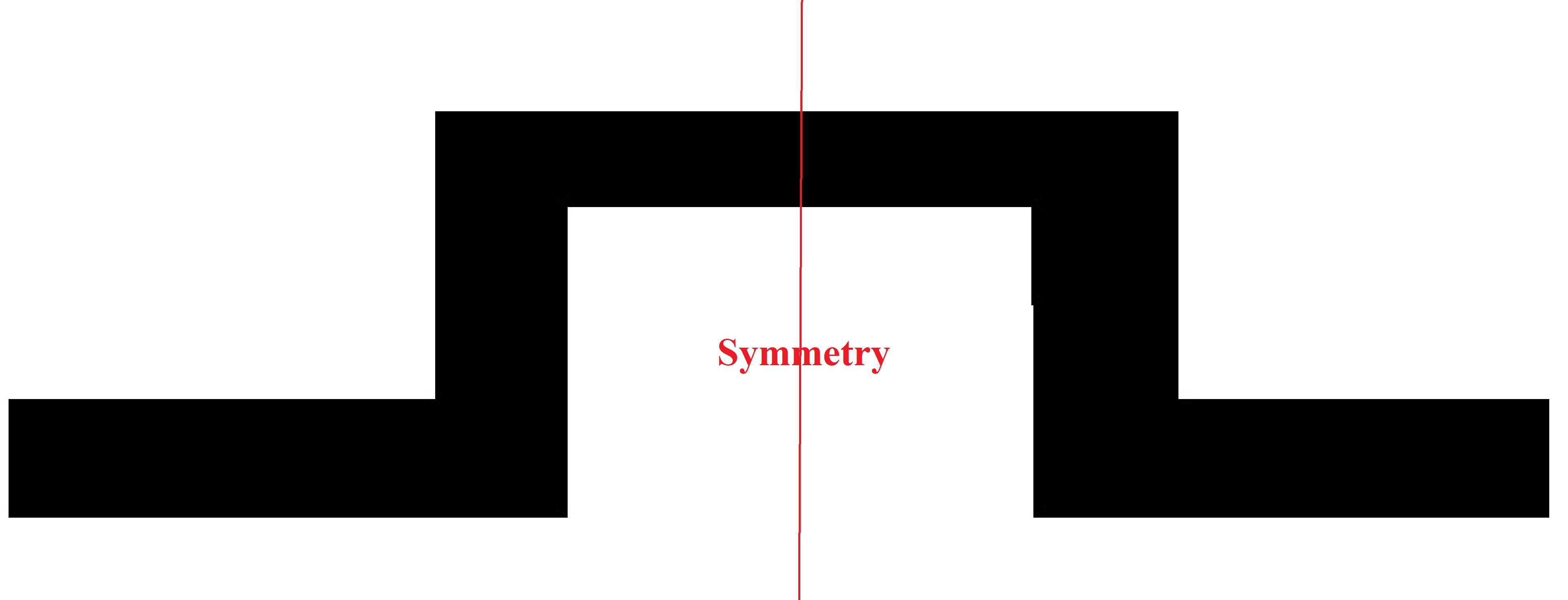
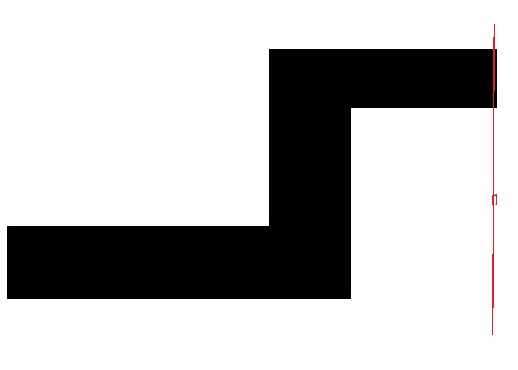
      Can I use symmetry to solve this problem. If yes , what is the procedure for that?. Iam trying to take the symmetry as shown below.


    • peteroznewman
      Subscriber

      If this a solid model, and the displacement is holding Y and Z at zero with X displacement at 1% of the length, then you could use symmetry on the center plane and set X = 0 on that cut face, while at the end use an X displacement of 0.5% of the length to account for the strain in the missing half.


      If this answers your question, please click Is Solution to mark the discussion as Solved, or ask a followup question.

    • Gijoys4v
      Subscriber

      Thank you for the reply...


      which type of symmetry we have to give? is it symmetry region? after giving symmetry whether we have to give displacement x=0 at that face(to the same face we applied symmetry region). I tried with giving only symmetry to the face and not  giving x=0, the solution obtained. when I gave both, then also solution obtained. If I calculate the deformation whether I get the deformation of the whole geometry? when I tried I obtained only of the half geometry's deformation. My doubt is if the given symmetry come into play it may given  the deformation for the whole geometry. whether it means my applied boundary condition is incorrect?


      symmetry is also given to the end where x=0 displacemnt is given. whether my applied boundary conditions are correct?

    • peteroznewman
      Subscriber

      The cut plane at the center is where you can either use a Symmetry Region, make sure that the X-axis is selected as the direction, or you can just apply X=0. These two methods have an identical outcome on a solid model.


      The center of the model becomes the part of the model that doesn't move along the X-axis.  Since you kept the left half of the geometry, end of the part that used to be a Fixed Support now has to do the stretching along the X axis.  Delete the Fixed support and use a Displacement boundary condition on that face with value of X=0.5% Y=0, Z=0.


Viewing 3 reply threads
  • The topic ‘Applying symmetry’ is closed to new replies.
[bingo_chatbox]