Ansys Assistant will be unavailable on the Learning Forum starting January 30. An upgraded version is coming soon. We apologize for any inconvenience and appreciate your patience. Stay tuned for updates.
General Mechanical

General Mechanical

Topics related to Mechanical Enterprise, Motion, Additive Print and more.

Large deformation effects

    • RezaAlavi
      Subscriber

      Hello,


      I am conducting static compression analysis on an a Kelvin cell model with large deflection on. At the end of the analysis, a message pops up saying that large deformation effects is on and it may have invalidated some of the applied supports... . As I looked into to Ansys online help, it was mentioning that it is up to the user to decide if the results are valid or not. My question is how we are supposed to rely on the results of this analysis considering such a warning ? When I look at the animated deformation, it seems fine and no strange/excessive deformation is evident. So, would that be a good enough reason to rely on the results, or I should look into other information in more detail ?


      Thanks,


      Reza 


    • peteroznewman
      Subscriber

      If it looks good, that is sufficient.


      One example where things can go wrong is a Compression Only support.  That works by copying the face and using that copy as a rigid surface to make contact with the face. As long as the deflections are small, the face stays on the copy.  But with Large Deflection turned on, the face might slide off the face and that would not be what you intended. You would see this if you inspect the results carefully.  The corrective action would be to create in CAD a larger surface for that face to make contact with so that the face cannot slide off the surface during the large deflection.

    • stevenlana13
      Subscriber
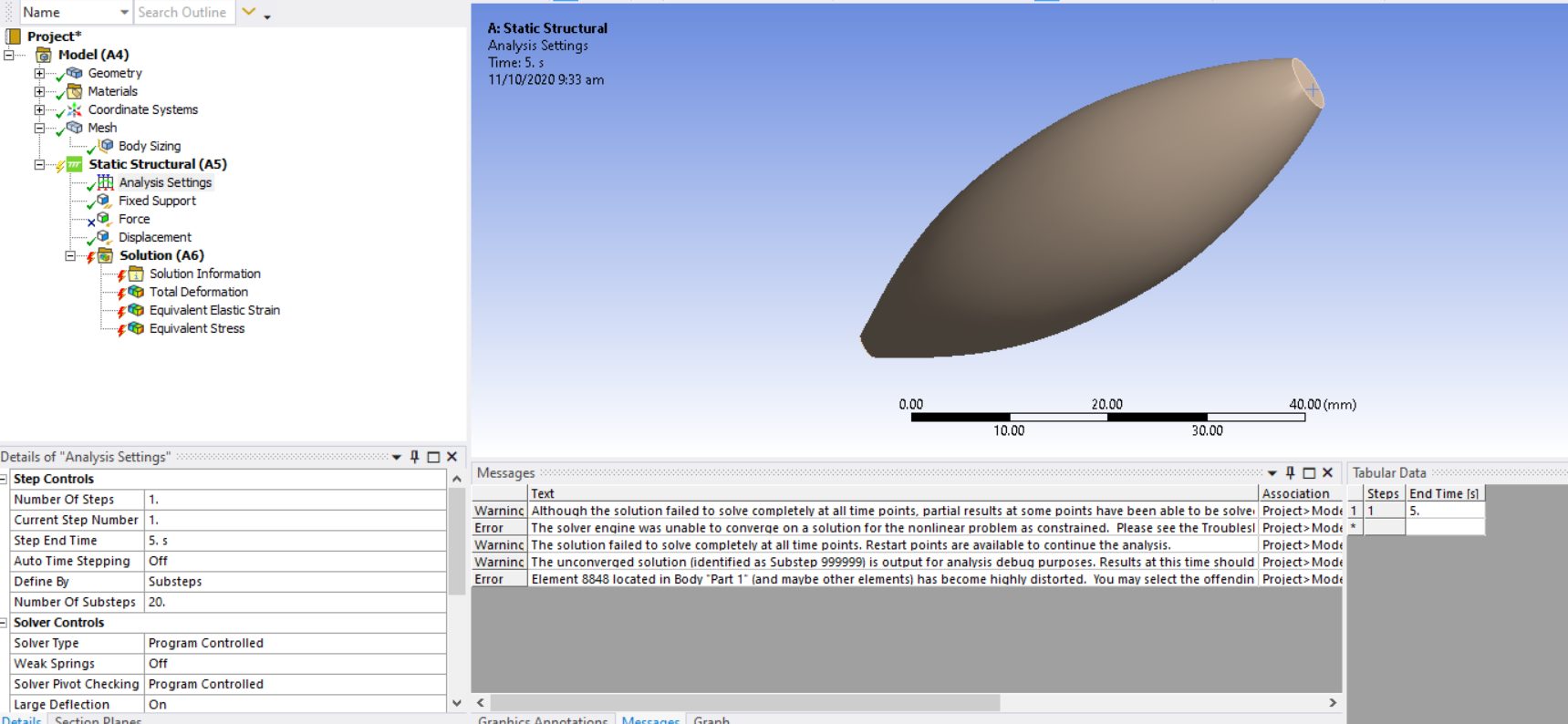
      I also have the same problem. I'm getting very large deformation (949 mm) considering that the model is only 60 mm. I am using static structural analysis. When I tried to turn the Large Deflection on in the analysis settings, a couple of warnings and error popped up. Thank you.nn
    • peteroznewman
      Subscriber

      Hello stevenlana13, 1) Turn on Large Deflection 2) What does the deformed shape look like? 3) Read the posts about what to do for unable to converge there are a series of steps you should take.

      site:forum.ansys.com unable to converge - Google Search

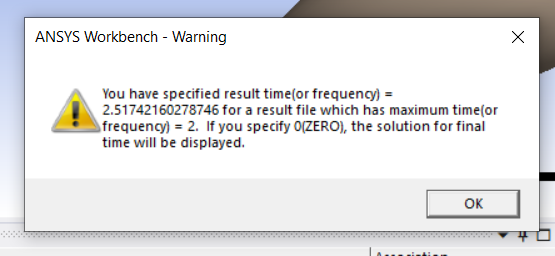
      4) The last warning tells you to type in 0 on the Time entry instead of 2.517... on the output you have defined.

    • stevenlana13
      Subscriber
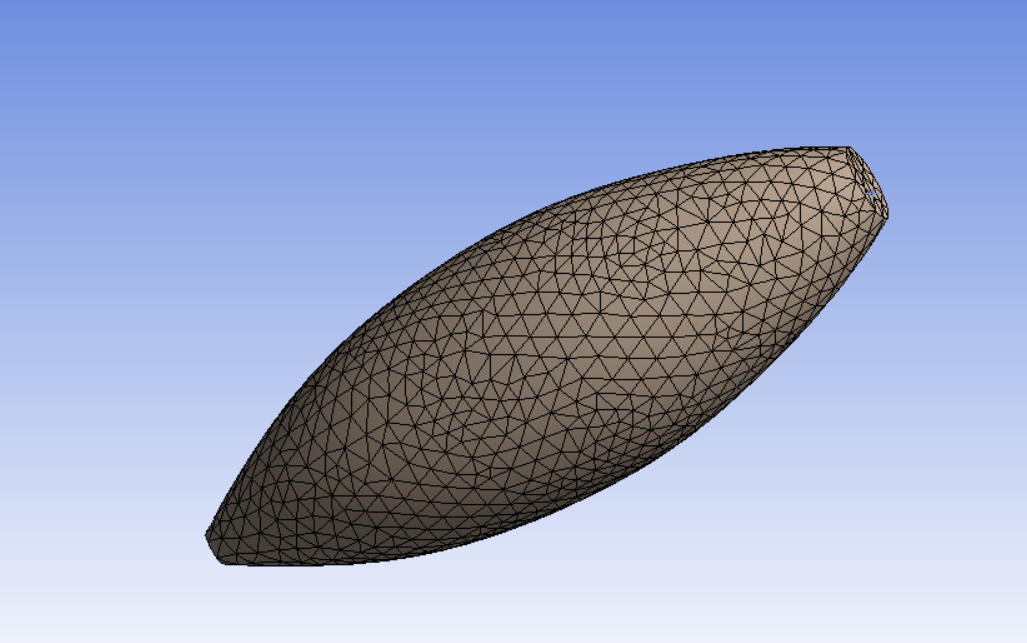
      Hi Arraythanks for the prompt response. This is how the deformed shape look like. I am only able to run this if the Large Deflection is Off. Whenever I turn Large Deflection on, it results to the errors I've listed above. I've also checked on the unable to converge problem but no luck.nn
    • peteroznewman
      Subscriber
      You have two Discussions going for the same model. Read my post here.n/forum/discussion/17816/an-internal-solution-magnitude-limit-was-exceeded#latestnPlease choose one discussion for subsequent communications or we will be pointing to suggestions made in the other discussion all the time.When you turn off Large Deflection, you are telling Ansys to do a Linear Analysis. That means if a force of 1 N causes a 1 mm deformation, then a 1000 N force will cause a 1000 mm deformation. It is linear. A real material can't sustain those kinds of deformation, which is why the solution fails when you turn Large Deflection on.nI expect either your force is way too large or your material Young's Modulus is way too low. A common mistake when defining the Young's Modulus is to type in a number without paying attention to the Units that are defined. For example, If you have a value for Youngs Modulus of 200 GPa, and you type 200 but fail to notice that the units are set to psi and not GPa, then you will have a huge error. Please check your units and values for Young's Modulus.nOne way you might get this model to converge is to delete (or suppress) the Force and add a Displacement in mm. You can then request a Reaction Force Probe to see how much force it takes to deform the number of mm you input.n
    • stevenlana13
      Subscriber
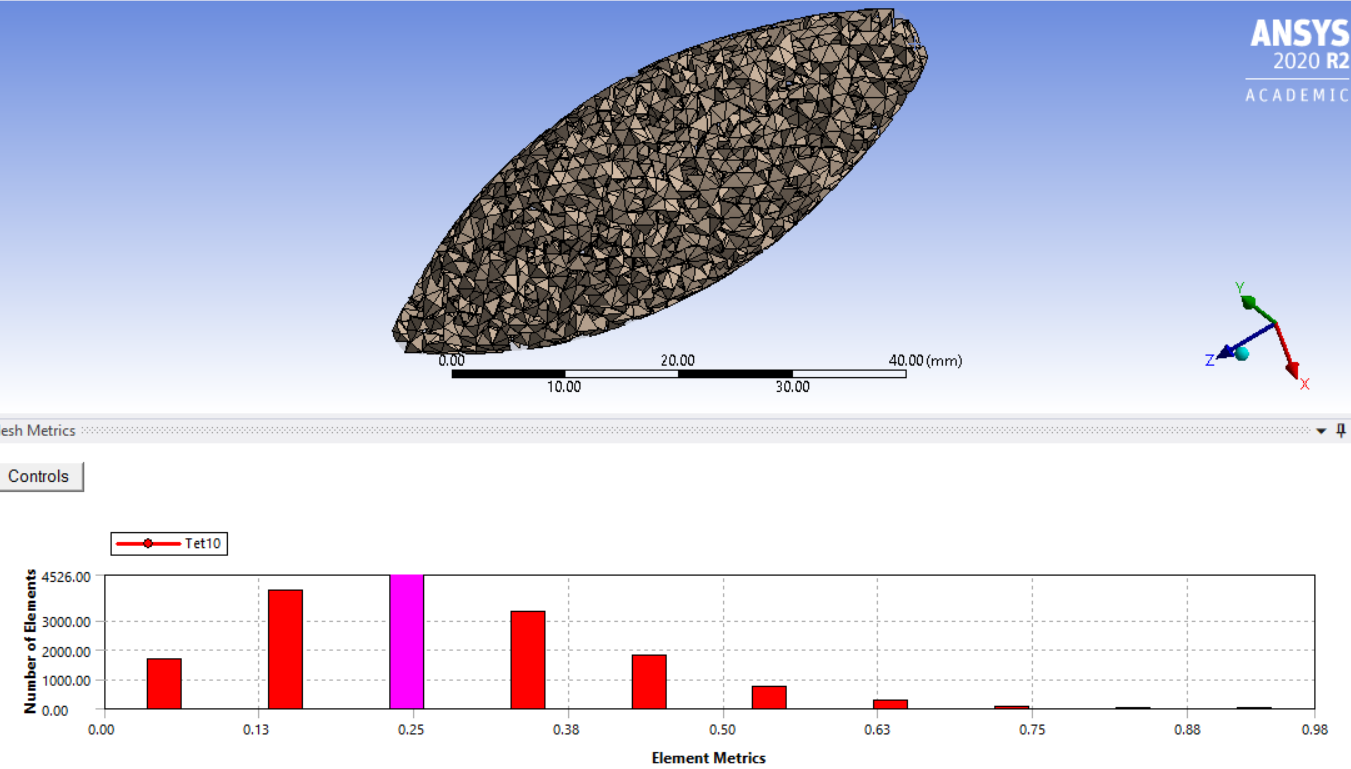
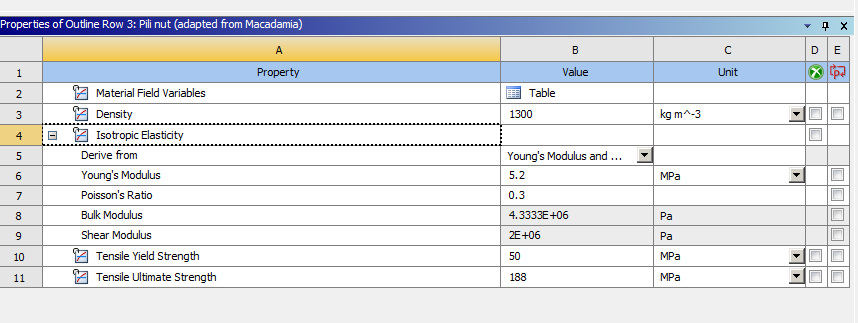
      Hell, again. Thank you so much for replying. Regarding this discussion: /forum/discussion/comment/93558#Comment_93558nI tried doing axissymetric analysis im afraid i cant do it because the model isn't 2D. Im not sure why it's not meshing properly. elements are tet10 instead of the usual Hex.nThank you for the info about Large Deflection. I tried to turn it on. I also suppressed the force load and applied a displacement. = 8.57mm instead to deal with the unable to converge error. The material properties I used are listed below, everything in MPa. But it resulted to the same errors.nn
    • peteroznewman
      Subscriber
      In your other discussion, I see that the Young's Modulus was 5.4 Pa and now you have it at 5.2 MPa. Increased it by nearly a factor of one million! Sounds like my advice above was a good guess.nYou wrote, I tried doing axissymetric analysis im afraid i cant do it because the model isn't 2D.nDo you mean your geometry isn't axisymmetric? Isn't there an axis of revolution? If you draw the cross-section and revolve it around that axis, won't you end up with the 3D geometry that you have? If so, you can take a cross-section and turn the model into an Axisymmetric analysis, but only if the loads are also axisymmetric, which they appear to be.nOn your 3D model, try applying a displacement of 0.6 mm, since the part is 60 mm long, that will result in a 1% strain. See if that converges.n

    • Soni
      Subscriber
      Hi,nI have a question on the same subject. nWhen we get this errorn'Large deformation effects are active which may have invalidated some of your applied supports such as displacement, cylindrical, frictionless, or compression only. Refer to Troubleshooting in the Help System for more details.'nIs it possible to see exactly which applied supports have been invalidated? If yes, where should one look for it?.Thank younn
    • peteroznewman
      Subscriber
      ArraynIt's a warning, not an error and the key words are may have. The solver doesn't know and cannot show you, so you have to inspect the results and look for anything that looks like you are not getting what you intended. nA good example is compression only support. Say you model a four leg table and you use compression only support at the bottom of each leg instead of creating a large surface to represent the floor. Compression only support copies the face on the bottom of the leg to use as a floor. This is fine when there are small deformations, but with large deformation, the leg could slide sideways more than the width of the face on the bottom of the leg, and fall off the floor.n
Viewing 9 reply threads
  • The topic ‘Large deformation effects’ is closed to new replies.
[bingo_chatbox]