-
-
February 14, 2020 at 12:34 pm
TomosHughes27
SubscriberHi,
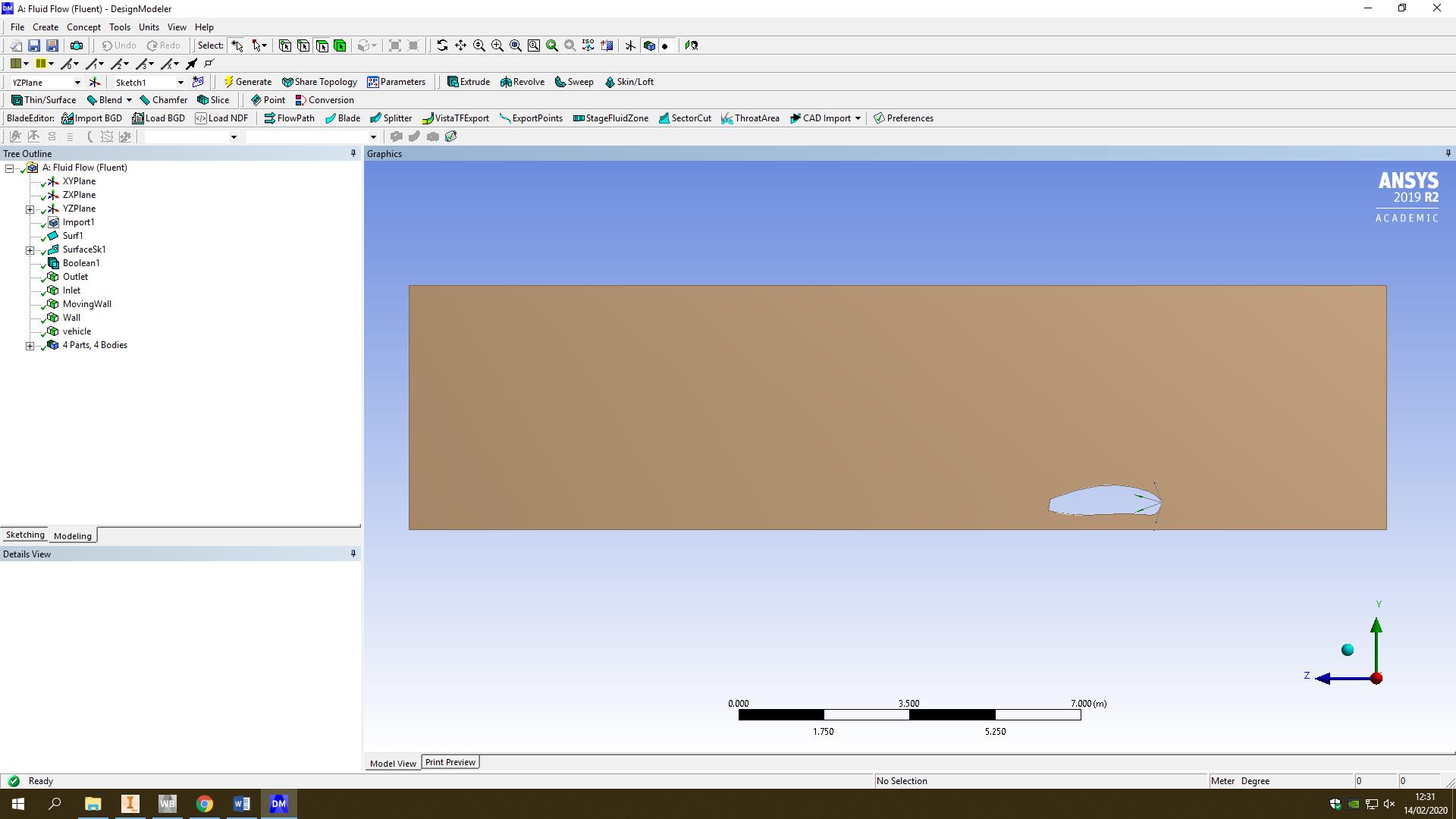
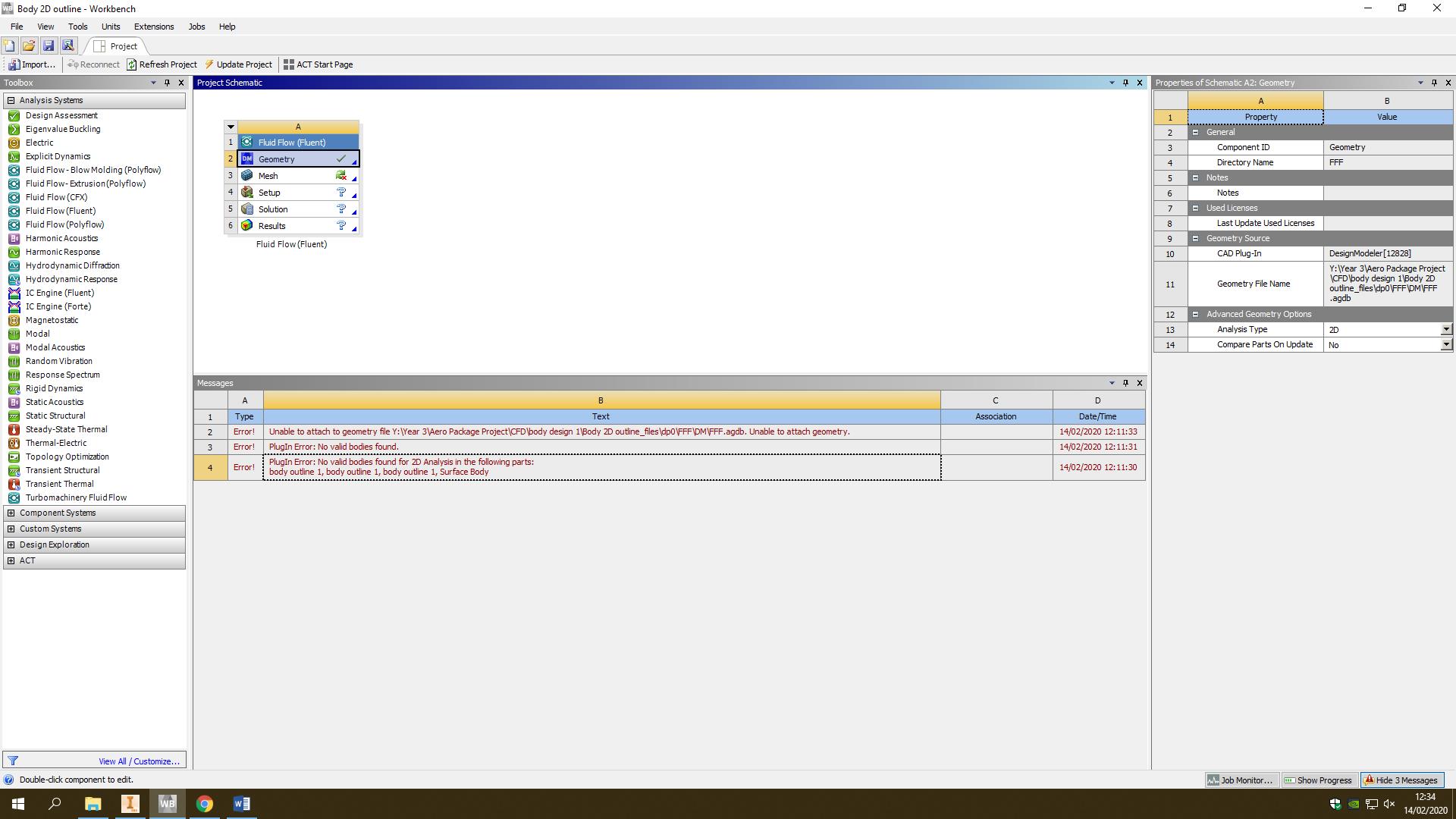
I'm trying to run simulations on a formula student car. I've exported a 2D CAD file from Inventor to DM. I have then subtracted the outline of the car so that I can run simulations. However, when I open up the meshing software I get three error messages. they are below:
 1)       Unable to attach to geometry file Y:Year 3Aero Package ProjectCFDbody design 1Body 2D outline_filesdp0FFFDMFFF.agdb. Unable to attach geometry.
2)Â Â Â Â Â Â Â PlugIn Error:Â No valid bodies found.
3)Â Â Â Â Â Â PlugIn Error: No valid bodies found for 2D Analysis in the following parts:Â body outline 1, body outline 1, body outline 1, Surface Body
Â
In DM there is a clear surface as I used the surface from edge.

Thanks,
Tomos.
-
February 14, 2020 at 12:36 pm
-
February 14, 2020 at 4:01 pm
Rob
Forum ModeratorHave a look in the Documentation (click on Help) and read the 2d limitations. You've broken at least one of the rules.Â
-
February 17, 2020 at 5:30 am
Keyur Kanade
Ansys EmployeeHello,Â
Thank you for image provided. You can crated geometry in YZ plane. Please rotate it so that it is in XY plane. Once the geometry is in XY plane, you are all set.Â
For 2D simulations, you will need geometry in XY plane.Â
If this helps you, kindly please mark this post as 'Is Solution' to help others.Â
Â
Regards,
Keyur
-
March 5, 2020 at 3:01 pm
TomosHughes27
SubscriberHi, sorry its late but thanks for the help I changed the plane to the XY plane and it worked a treat.
Thanks,
Tomos.Â
-
- The topic ‘Ansys Flluid – Flow Error Message’ is closed to new replies.
-
4878
-
1587
-
1386
-
1242
-
1021
© 2026 Copyright ANSYS, Inc. All rights reserved.