-
-
February 3, 2025 at 10:31 pm
frankz
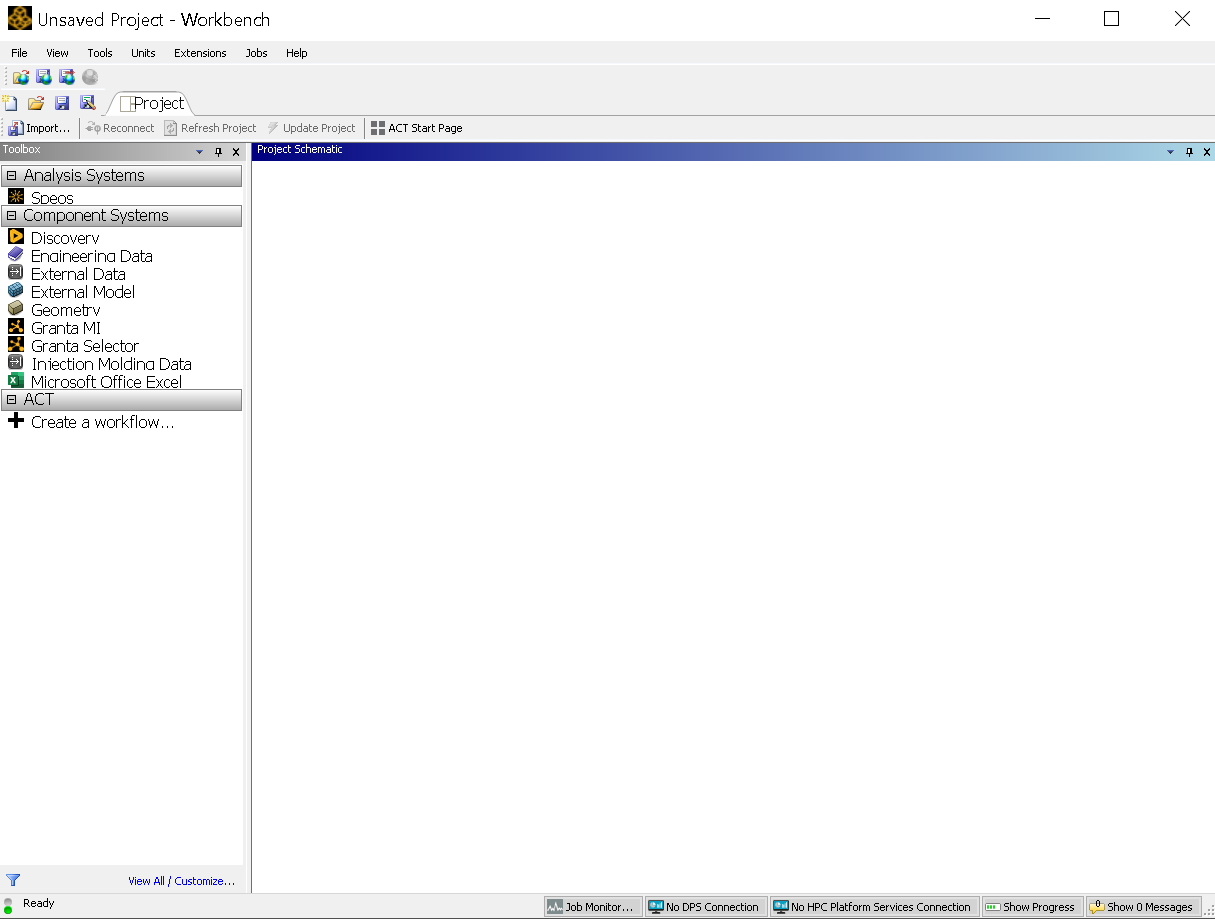
SubscriberAfter I launch ANSYS workbench, the only thing in analysis system is Speos, but what I want to use is Fluid Flow (Fluent). How to solve this? The screenshot of my workbench is posted below.Â
I have searched for similar post like this one: https://innovationspace.ansys.com/forum/forums/reply/338256/. As proposed in this post, I tried search for "workbench" instead of "ANSYS", but launching the workbench still leads to the result of only having Speos.Â
Besides, by clicking the "View All / Customize..." button, I am able to see the Fluid Flow (Fluent) system in the list, but I do not know how to make it appear in my workbench space.Â
Any help is appreciated.Â
-
February 4, 2025 at 10:32 am
Rajeshwari Jadhav
Forum ModeratorHi Frankz,
May I know which version(student or academic verison) and release have you installed? If it's academic verison then please launch Ansys Licensing Settings as an admin and enter the license server details port no. and servername, click on test if it shows greencheck mark then save it.
If it's student version do not make any changes to it.
-
February 9, 2025 at 10:24 pm
frankz
SubscriberHi. I did what you have instructed. However, when I tried to click save, there pops out a small red warning said "Could not set flexNet servers".Â
I should mention that I am using VDI (virtual desktop) from our department instead of using ANSYS on my own computer. Besides, I asked the staff and he said we are using academic version.Â
-
February 10, 2025 at 10:46 am
Rajeshwari Jadhav
Forum ModeratorHi Frankz,
Please launch Ansys Licensing Settings as an admin and save the details. Click on "feature in use" tab to check if all increments are visible.
-
July 4, 2025 at 8:42 am
loneyjohn85
SubscriberHi, I'm using the [Student/Academic] version of Ansys. If it's the Academic version, I'll run Ansys Licensing Settings as admin, enter the port number and server name, test the connection, and save if it shows a green check. If it's the Student version, I won’t make any changes as advised. Thanks!Â
-
- You must be logged in to reply to this topic.
-
6379
-
1906
-
1457
-
1308
-
1022
© 2026 Copyright ANSYS, Inc. All rights reserved.