-
-
January 28, 2025 at 4:19 pm
javat33489
SubscriberHello everyone.
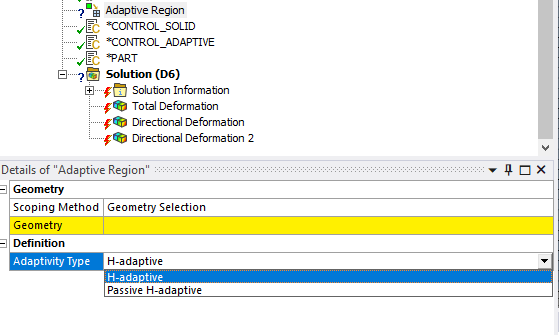
I am doing calculation with 3D elements in LS-Dyna Workbench. And I would like to use remeshing.1. I tried to set up remeshing with standard functions, but there is no possibility to remesh 3D elements?
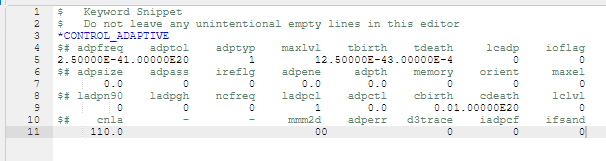
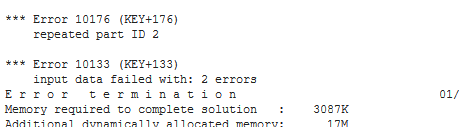
2. I tried to use CONTROL_ADAPTIVE and CONTROL_REMESHING maps using snippets, when I use PART map in snippet to set ADOPT=2 on field I get duplicate parts error. I thought PART map in snippet will overwrite properties of current part in system. How to enable ADOPT=2 for body in LS-Dyna Workbench?
-
January 28, 2025 at 5:23 pm
Raman Babu
Ansys EmployeeHello Javat,
Please define the below cards through keyword Manager to enable 3d Adaptivity
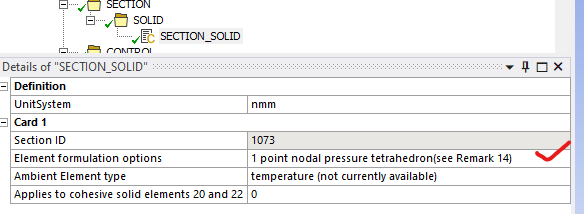
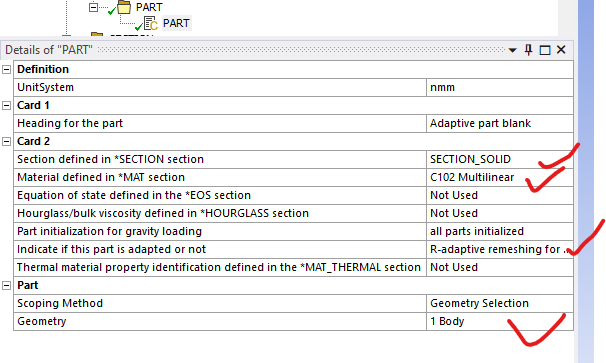
Define * Section_solid
Define *Part
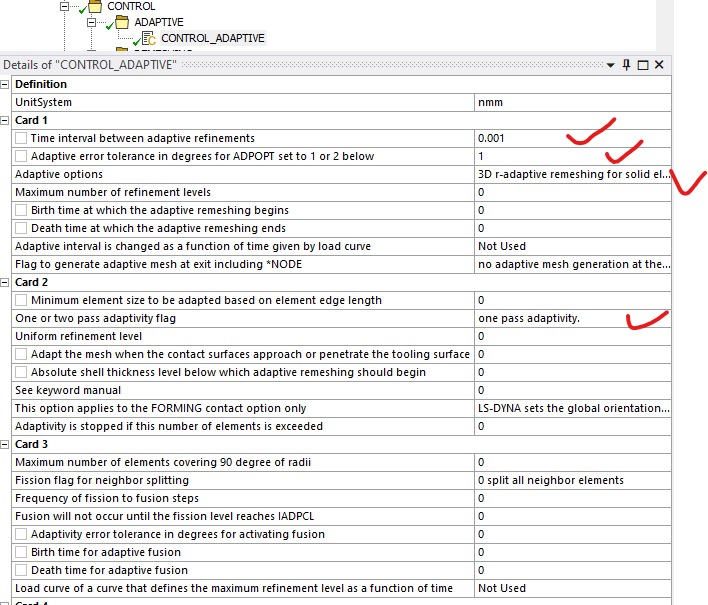
Define *control_adaptivity
Define *control_remeshing
Please make sure to have Tet mesh on the part that needs to be adapted.
For more details on each parameter, please go through Lthe S-DYNA Keyword Manual.
Please try it and let me know how it goes.
Regards,
Raman Babu
-
July 30, 2025 at 8:50 am
-
July 30, 2025 at 10:15 am
Raman Babu
Ansys EmployeeHello,
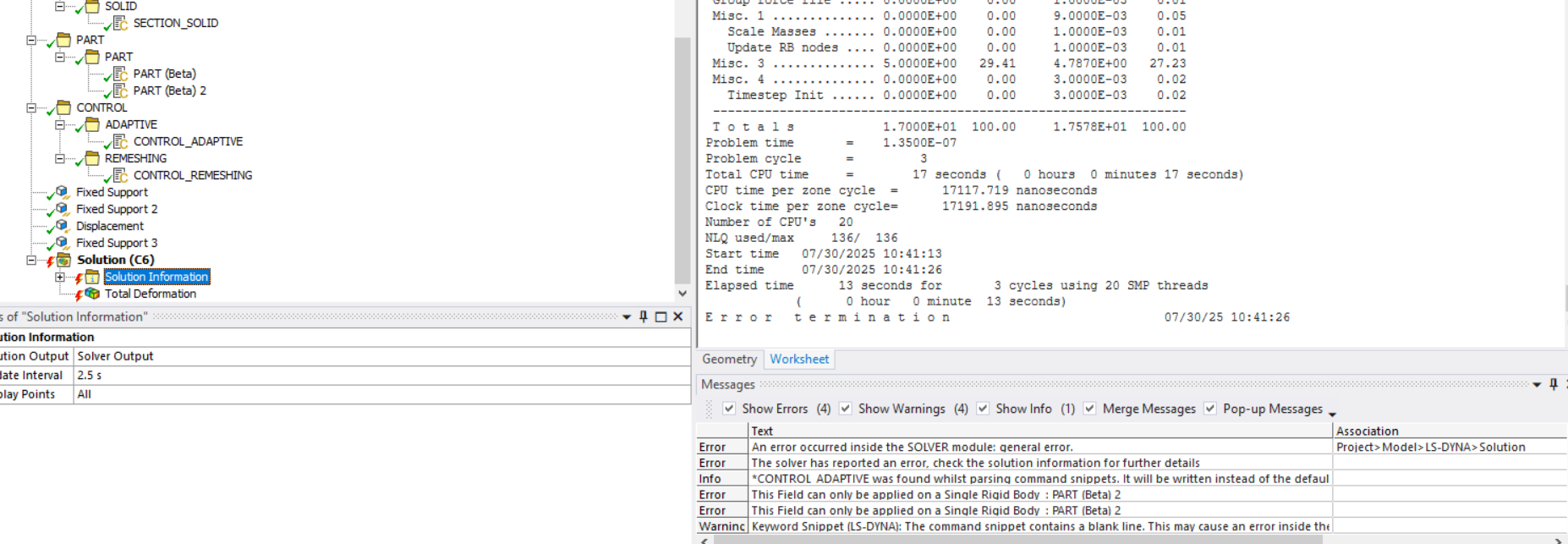
When using Adaptivity, it's important to define the contact based on the Part ID rather than the Part Set ID or segment ids.
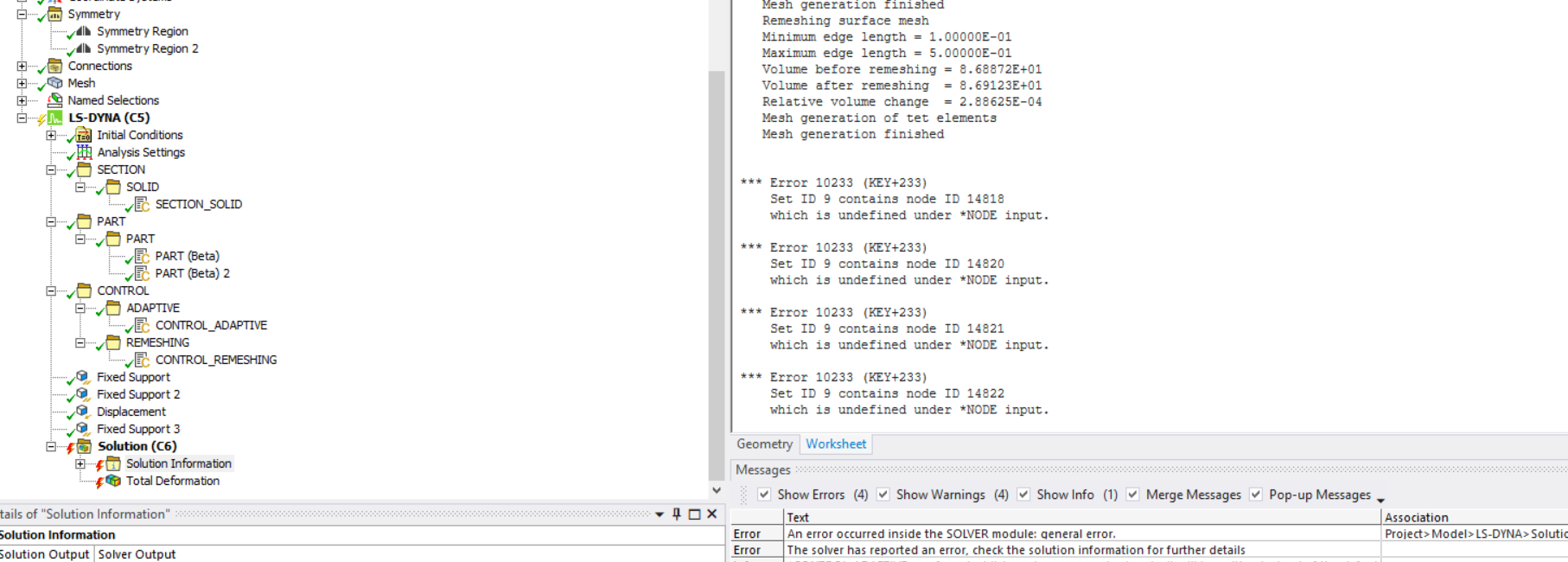
Additionally, please note that during adaptive remeshing, the nodes on the symmetry face may change. This can lead to issues if you're usingÂ
*SET_NODEÂ for symmetry definitions, as the node list may no longer be valid after remeshing.To address this, consider usingÂ
*BOUNDARY_SPC_SYMMETRY_PLANE instead of the traditional Symmetry Boundary Condition. Alternatively, you can define a rigid wall along the symmetry plane to restrict motion in that direction.Regards,
Raman BabuÂ
Â
-
- You must be logged in to reply to this topic.
-
6450
-
1906
-
1457
-
1308
-
1022
© 2026 Copyright ANSYS, Inc. All rights reserved.