-
-
January 23, 2025 at 7:32 am
-
January 23, 2025 at 9:33 am
swathipharmacoo
SubscriberÂ
Here iam attaching Space claim file.https://drive.google.com/file/d/1QWwHc43E-yl4IjnjPSxAnBbsqH-YovYb/view?usp=sharing
Â
-
January 23, 2025 at 10:00 am
ErKo
Ansys EmployeeAnsys employees can not open/download files - other forum members can chime in here and help perhaps (@peteroznewman).
All the best
Erik
-
January 24, 2025 at 10:35 am
swathipharmacoo
SubscriberPlease check this link.
https://drive.google.com/file/d/1eoCzrWXuLCvqfNw-NthOGPvfxcIV8S7J/view?usp=sharing.
Â
-
January 24, 2025 at 7:29 pm
-
January 26, 2025 at 10:40 am
swathipharmacoo
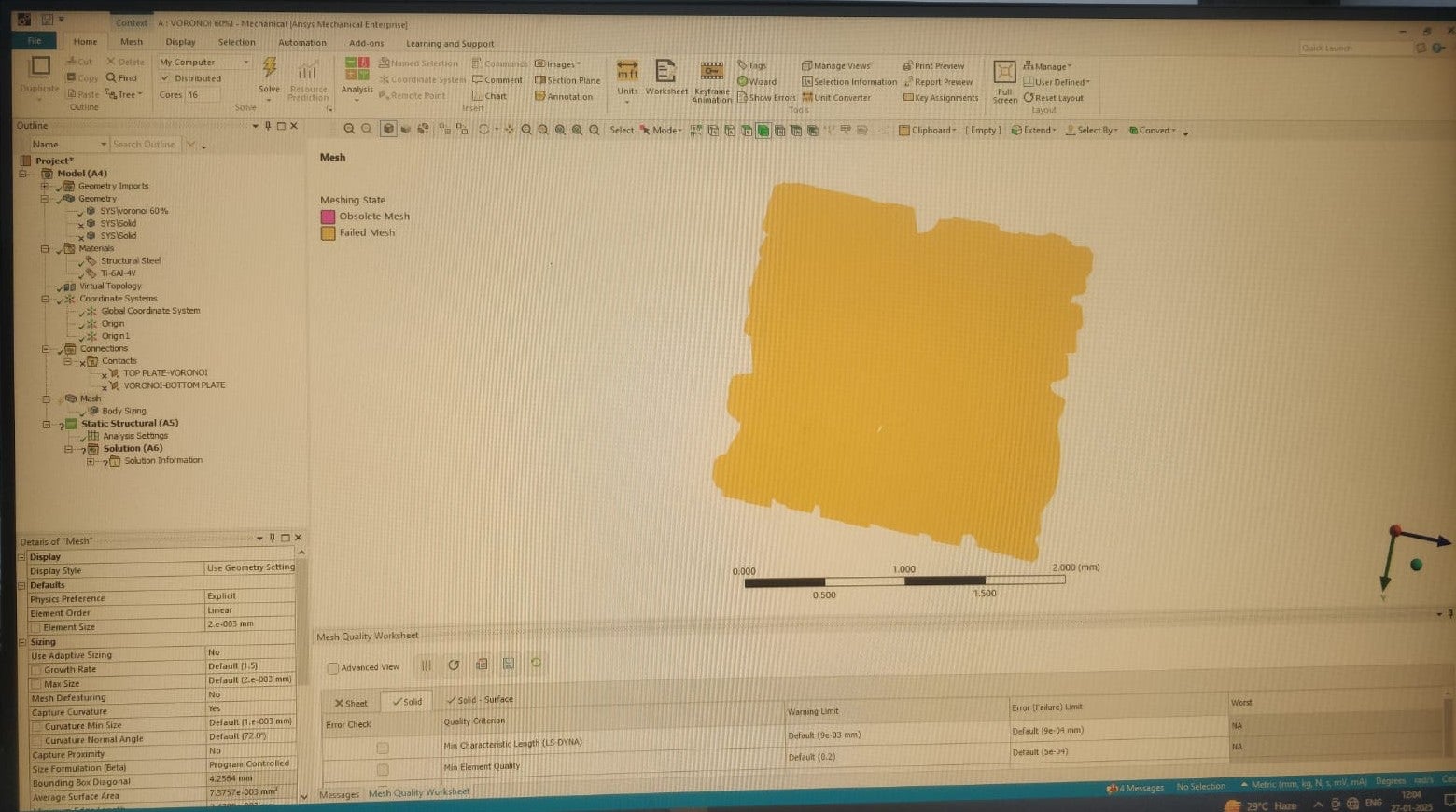
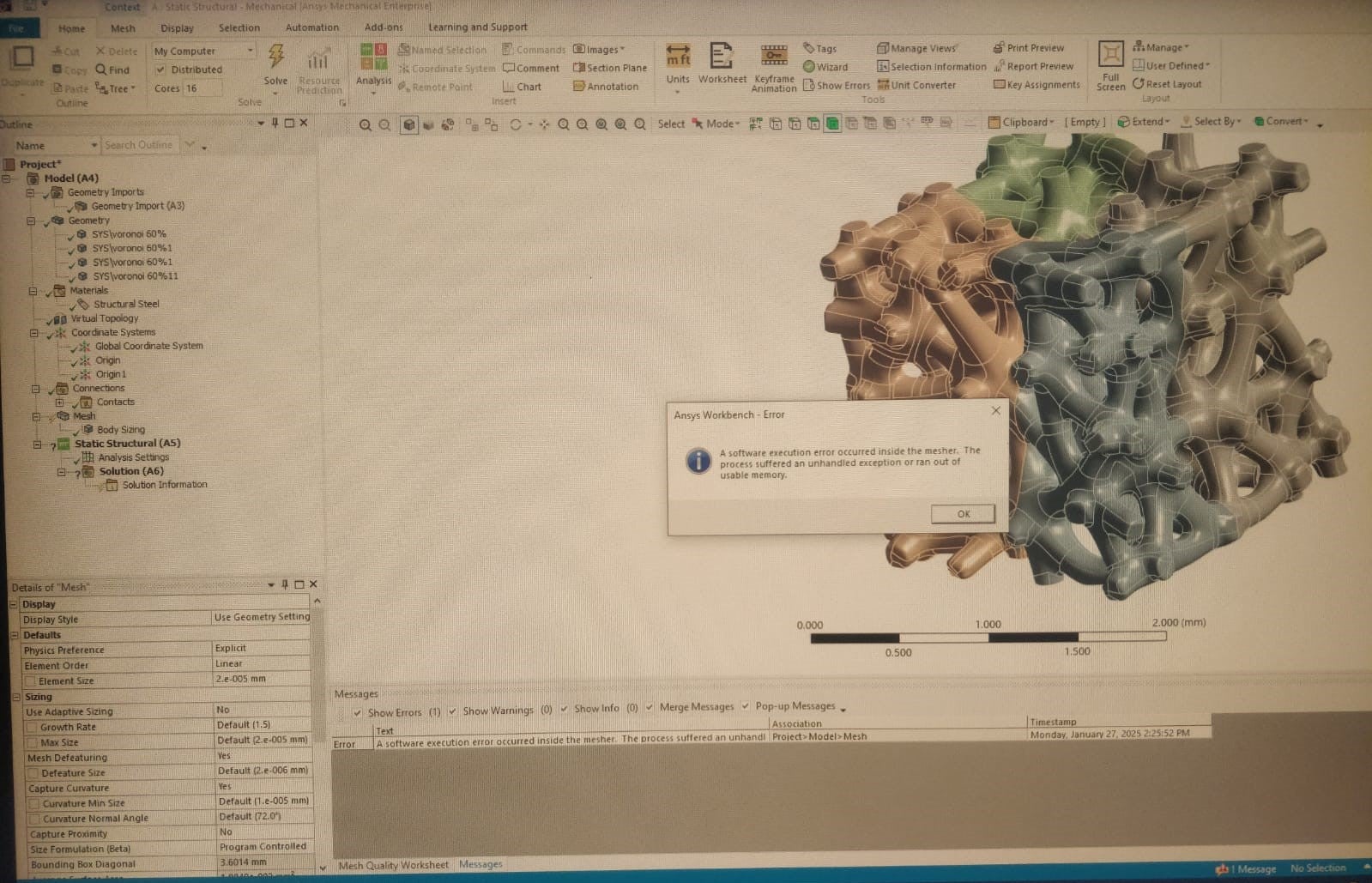
SubscriberThank you for your quick response. I want to do static structural analysis. In the above mesh settings you used Explicit method in physics preference. When i use Mechanical, then i could not able to generate. Here iam attaching the file.
https://drive.google.com/file/d/1xYxx8QvqcuNNXfM4YfJtXV6KB6CBxGh4/view?usp=sharing
-
January 26, 2025 at 11:39 am
peteroznewman
SubscriberDon't use Mechanical as the Physics Preference because it fails to complete the mesh.Â
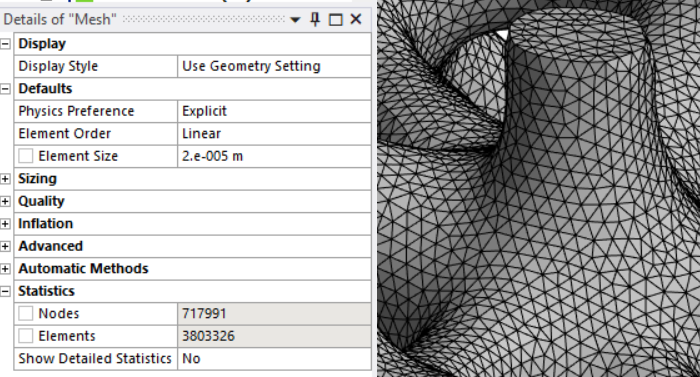
The important difference between Explicit and Mechanical Physics Preferences is that the Explicit solver must use linear element order, while the Mechanical solver can use either linear or quadratic elements. The other difference between Explicit and Mechanical meshing preferences is in the size and shape of the elements. Explicit meshing attempts to keep elements near to a uniform size and closer to an ideal shape, while Mechanical meshing does not, and I believe this is what enables the success.
You can leave the Physics Preference set to Explicit, but override the default setting and change Element Order to Quadratic. In that way, you will get high element quality and Quadratic element order.
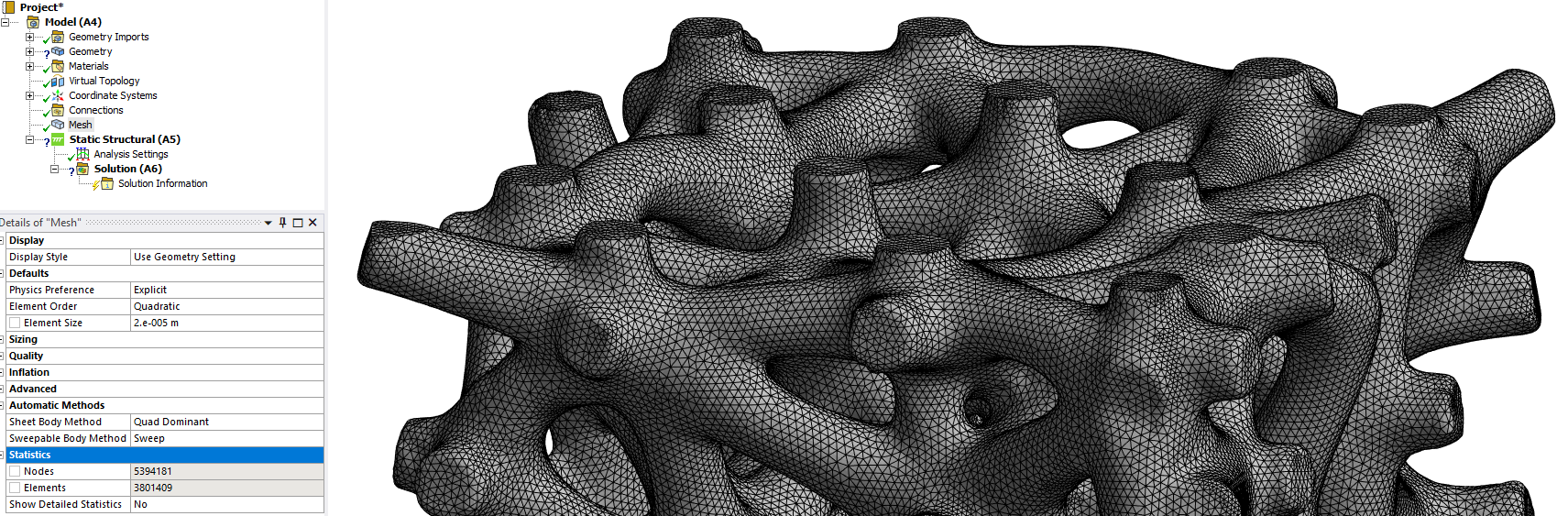
Note that this mesh has a similar element count as the linear mesh, but the node count went from 0.7 million to 5.4 million. I hope you have a lot of storage (like 2 TB free) to hold results and a lot of time and a lot of RAM to solve the quadratic model. I suggest you start with the linear mesh and see if you need the quadratic mesh.

-
January 27, 2025 at 9:38 am
-
January 27, 2025 at 9:49 am
-
January 27, 2025 at 12:21 pm
peteroznewman
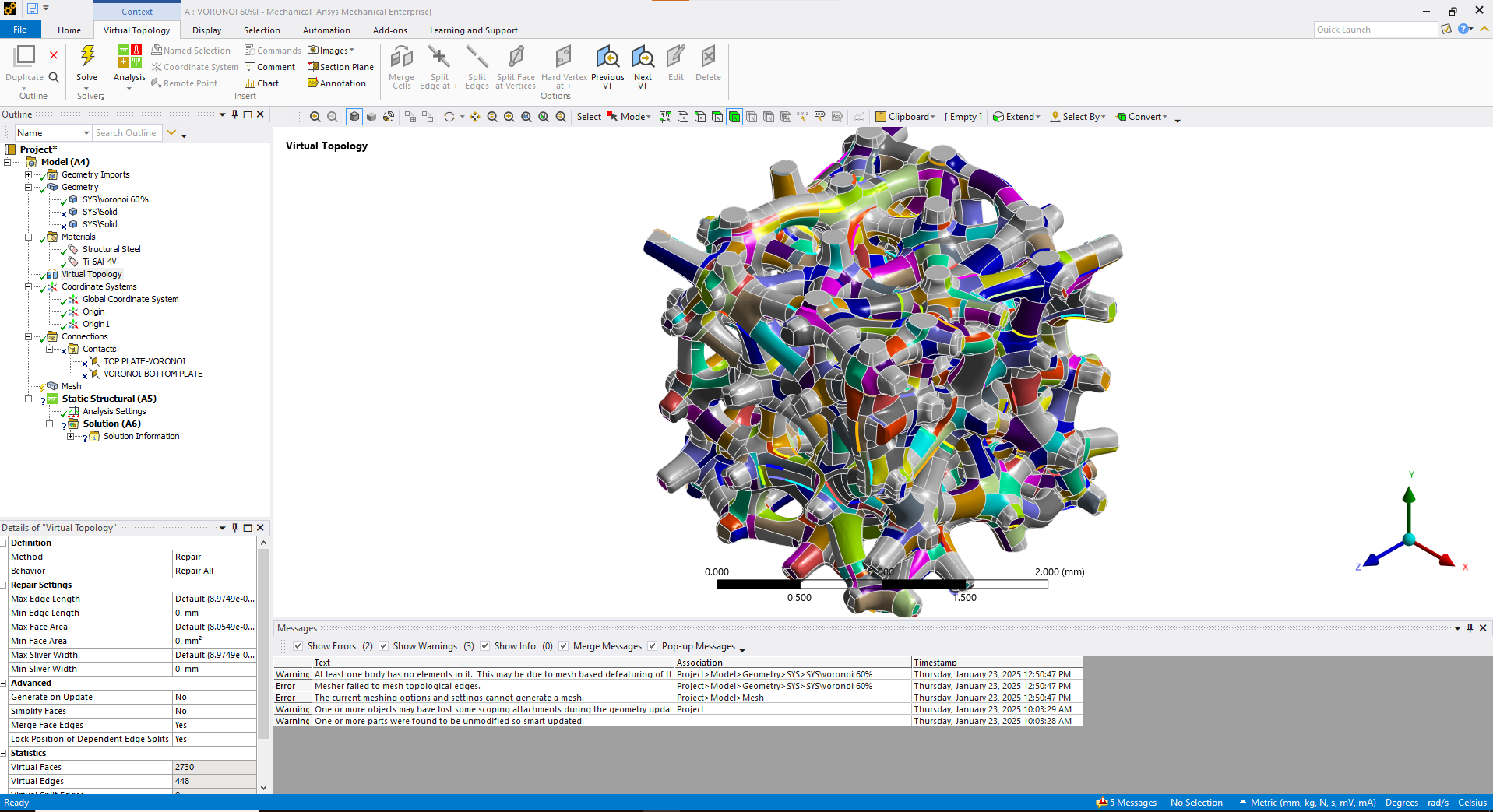
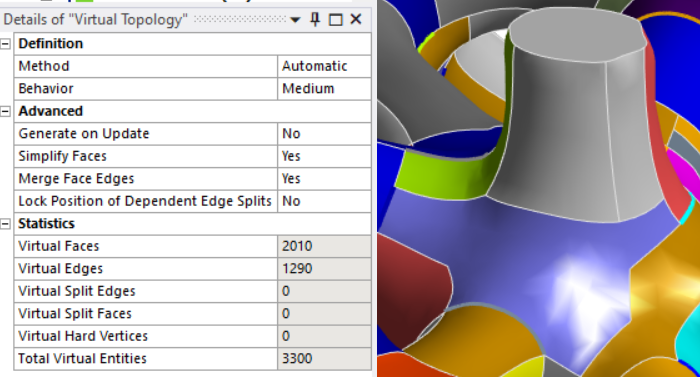
SubscriberI had success in the latest version, ANSYS 2025 R1.
What version of ANSYS are you using?
-
January 27, 2025 at 12:23 pm
swathipharmacoo
Subscriber2024R1
-
January 27, 2025 at 12:48 pm
peteroznewman
SubscriberANSYS software developers improve the code in each release, so either the virtual topology and/or meshing code changed and can now succeed where two versions ago, it failed.
I don't have access to 2024 R1. I suggest you upgrade to the latest version.
-
-
January 27, 2025 at 1:18 pm
swathipharmacoo
SubscriberThank you for the suggestion.
Â
-
March 5, 2025 at 5:21 am
oh737287
SubscriberThe primary distinction between the mechanical and explicit physics preferences is that the mechanical solver can utilise either linear or quadratic elements, whilst the explicit solver is required to use linear element order. The size and shape of the elements are the other area where explicit and mechanical meshing choices diverge. Â
https://drive.google.com/file/d/1QWwHc43E-yl4IjnjPSxAnBbsqH-YovYb/view?usp=sharing-Block Blast
Â
-
- You must be logged in to reply to this topic.
-
5849
-
1906
-
1420
-
1305
-
1021
© 2026 Copyright ANSYS, Inc. All rights reserved.