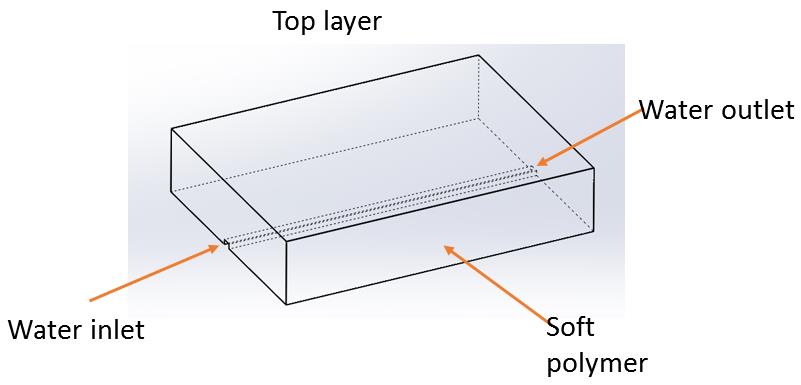
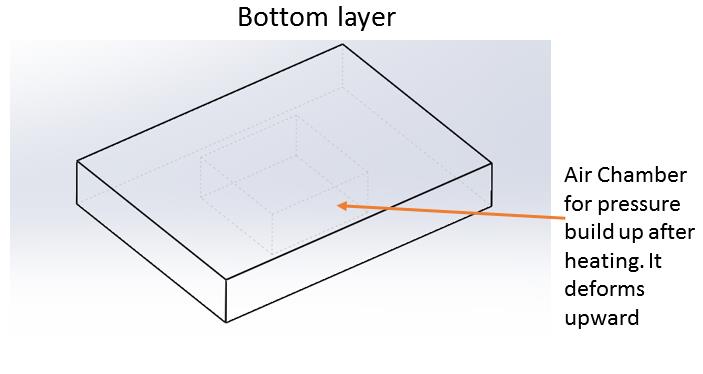
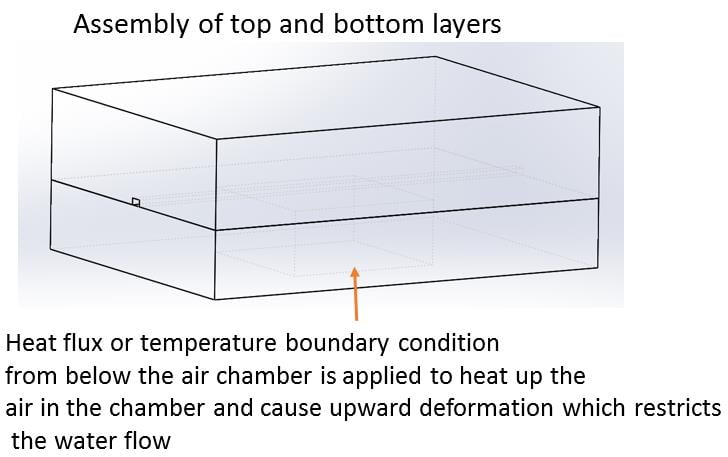
-
-
February 4, 2020 at 5:26 pm
bamidoao
SubscriberI am working on a problem which involves air expansion which deforms a membrane and block/reduces water flow. I know there are only two ways to approach this
a) Coupled analysis of Fluent
b) Separate analysis of the processes
I would like to perform a coupled analysis at first then maybe do the analysis separately. The problem involves heating air in a closed chamber. The top of the chamber contains a thin layer of soft polymer. The expanded air deforms the membrane and blocks water flow above the membrane (please see attached zipped powerpoint). I need some hints on how to go about this? I can share the ANSYS file with you if you want me to
-
February 4, 2020 at 9:59 pm
-
February 4, 2020 at 11:36 pm
bamidoao
SubscriberThanks for extracting it. I urgently need help on this project
-
February 5, 2020 at 12:05 pm
peteroznewman
SubscriberI would advise approaching this complex, multiphysics model in stages.
The first stage could be just structural. Use a pressure load on the surfaces touching water with the water pressure and substitute a pressure load on the air chamber instead of the thermal load that would have created the air pressure. Just getting this model to respond will teach you a lot about how this device might work.
What are the material properties of the soft polymer?
How is the interface between the top and bottom layer connected, is there another material for bonding?
What manufacturing process is used to create the air chamber in the bottom layer?
Maybe the membrane between the water and air is just a thin sheet bonded onto the bottom of the top layer and a different type of bottom block with an air cavity is bonded onto that thin sheet. Those three parts are more easily manufactured than the bottom layer you show.
-
February 5, 2020 at 5:27 pm
bamidoao
Subscriber1. The material is polydimethylsiloxane (PDMS). Density is 965kg/m3; Thermal conductivity is 0.15W/mK; Youngs Modulus=0.75MPa; Poisson ratio=0.499
2. The top and bottom PDMS layers are bonded by plasma cleaner. No bonding material between both layers. Let's just assume the top and bottom form a perfect bond and can be assumed to be the same body.Â
3. It was manufactured by pouring the PDMS into a mold and allowing it to cure before removing it (the PDMS layers) from the molds. The thin sheet membrane is part of the bottom layer. They are one part.
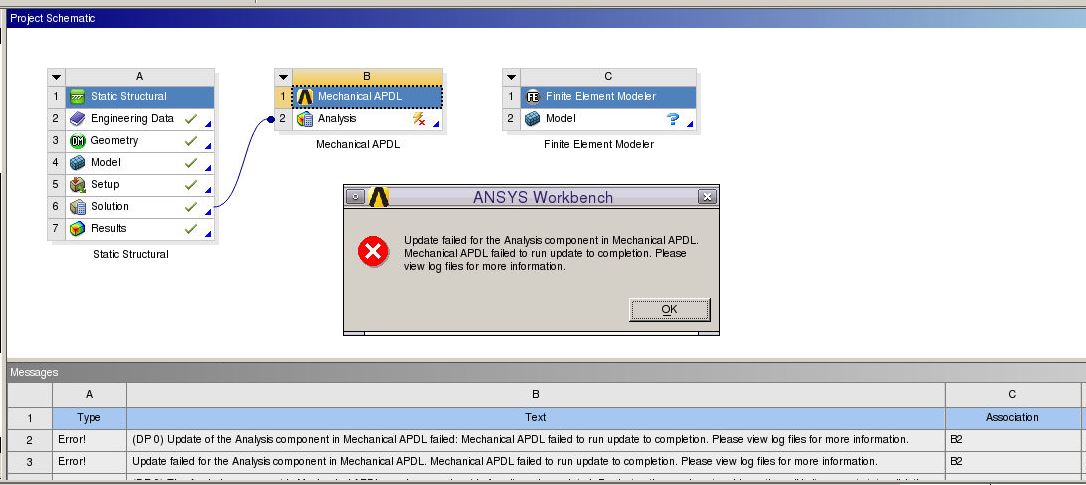
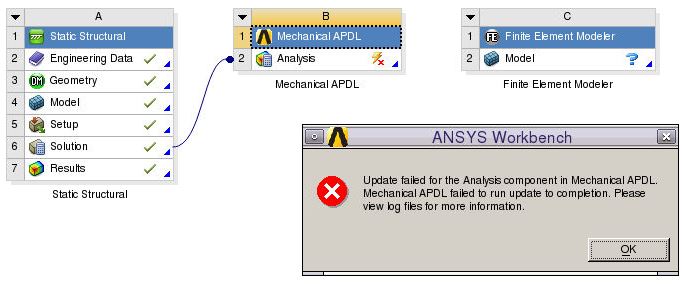
I tried doing a separate analysis for prediction of the deformation of the water channel using Static Structural simulation (with known pressure boundary condition) and then performing CFD simulation of the water flow (with known water inlet conditions). I used similar approach as you explained in this post (/forum/forums/topic/how-do-i-get-deformed-geometry/). I used ANSYS 17.1 and I was getting an error message (as shown below) when I tried to add input file of the .inp file in Mechanical APDL
"Update failed for the Analysis component in Mechanical APDL.
Mechanical APDL failed to run update to completion. Please
view log files for more information."
If I can solve the problem that causes this error sign, I should be fine. Can you help me with this?
Thanks
Â
-
February 5, 2020 at 9:31 pm
peteroznewman
SubscriberYes, you should be able to get a Static Structural model to converge. There are some methods that will help it to converge, possibly using a Hyperelastic material property and using elements with Reduced Integration.
The bottom layer has a rectangular cavity with a rectangular opening in the bottom face, so the whole bottom face would be sealed against a base plate that is not shown. I couldn't tell that from the hidden line images above.
-
February 5, 2020 at 11:33 pm
bamidoao
SubscriberYes. You are correct. The bottom face is completely sealed with a glass layer. The heating is through the glass
-
February 6, 2020 at 2:21 am
peteroznewman
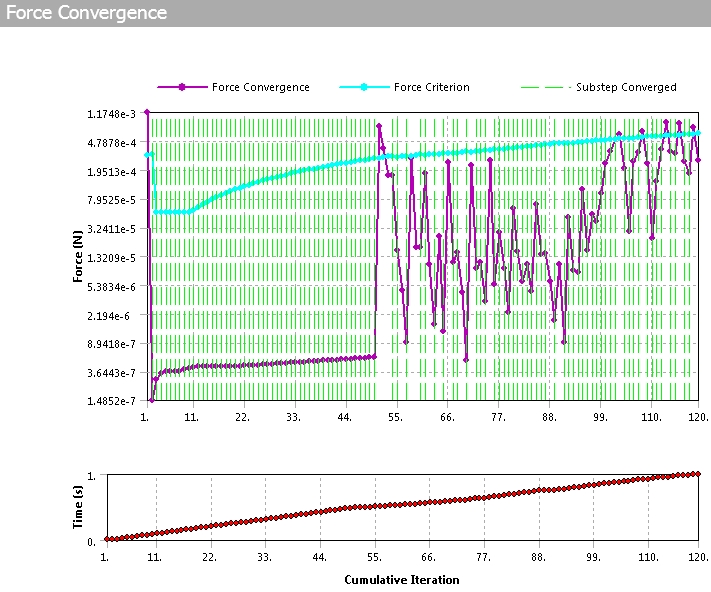
SubscriberWhen the static structural solver fails, a solve.out file has information in it that describes the error. Look for that and post some information.
-
February 6, 2020 at 3:27 am
-
February 6, 2020 at 3:29 am
-
February 6, 2020 at 4:36 am
peteroznewman
SubscriberI'm a Workbench/Mechanical user, so I would just double click on the Model cell to open Mechanical and plot results there.
In Workbench, you can do File > Archive to create a .wbpz file and if the file size is < 120 MB, you can attach that file after you post your reply. In your reply, say what version of ANSYS you are using.
-
February 7, 2020 at 3:31 am
bamidoao
SubscriberI have attached the file. I am using ANSYS R17.0.Â
A few minor iterations to the design has been made since the last time I uploaded. The design changes are minor. The working principle of the design is thesame.
The design changes are: 1. The location of the water inlet and outlet has been taken to the top of the design.
                                         2.  Ignore the rectangular openings surrouding the air chamber
                                          3. The water channel has been made of variable width instead of a constant width.
As i said the changes are minor and the operation of the design is thesame.
Thanks for your help
Â
-
February 7, 2020 at 3:37 am
bamidoao
SubscriberAlso I used the default material properties of Structural Steel for the simulation. Please use the properties of the PDMS =Density is 965kg/m3; Thermal conductivity is 0.15W/mK; Youngs Modulus=0.75MPa; Poisson ratio=0.499
-
February 7, 2020 at 3:45 am
peteroznewman
SubscriberOkay, I will take a look at this tomorrow. It's getting late now.
-
February 7, 2020 at 3:57 am
bamidoao
Subscriberok. thanks
-
February 7, 2020 at 1:40 pm
peteroznewman
SubscriberOn this computer, the oldest version I have is ANSYS 19.2 so you will have to redo this on 17.0 because you can't open my file on an older version. Is there any chance for you to upgrade to the latest version? There are many improvements in meshing and solving.
The first step is to get a great mesh.
1. Use Symmetry, it will take less time to solve.
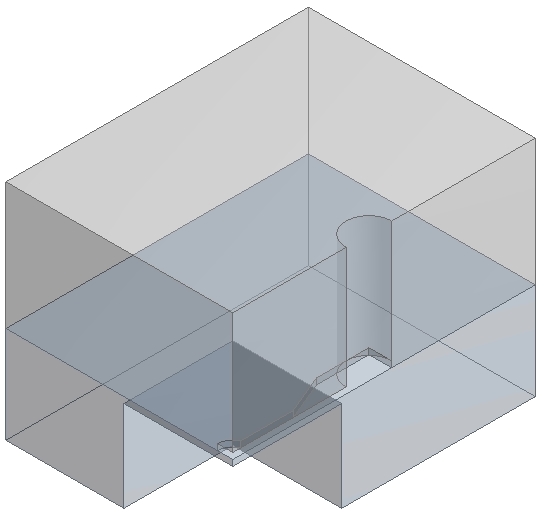
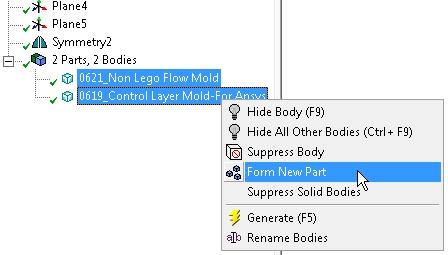
2. Use Shared Topology and delete Contact. Note: this makes the meshing a bit more challenging. Actually, do this after all the slicing in step 4.
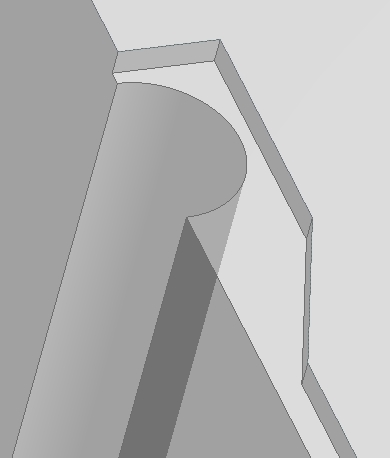
3. Reduce the tube size slightly to get rid of tangent conditions with walls to eliminate poor element shapes.
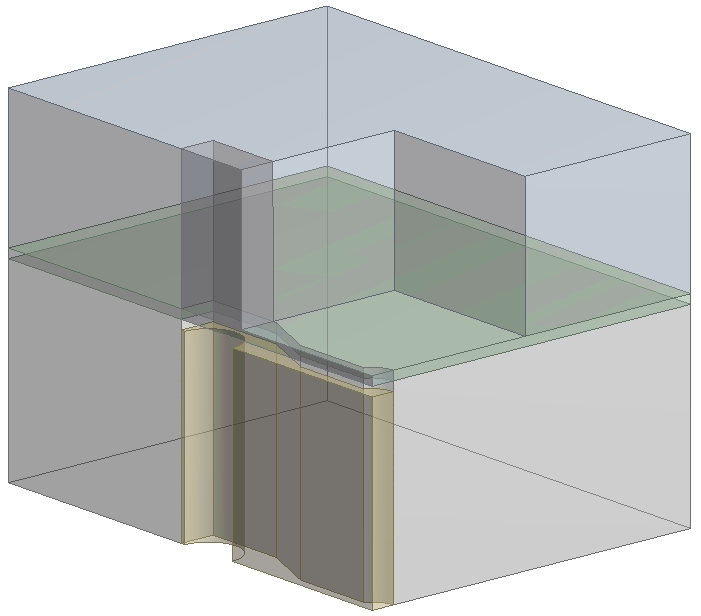
4. Slice the thin wall from the base to help meshing. Create a Tool and use Boolean Operations to make many parts to help meshing. I have exported these solids as a STEP file (attached below) that you should be able to import into DesignModeler.
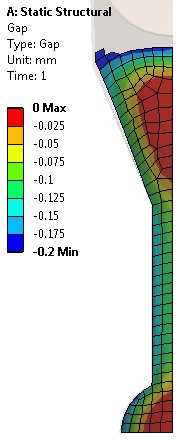
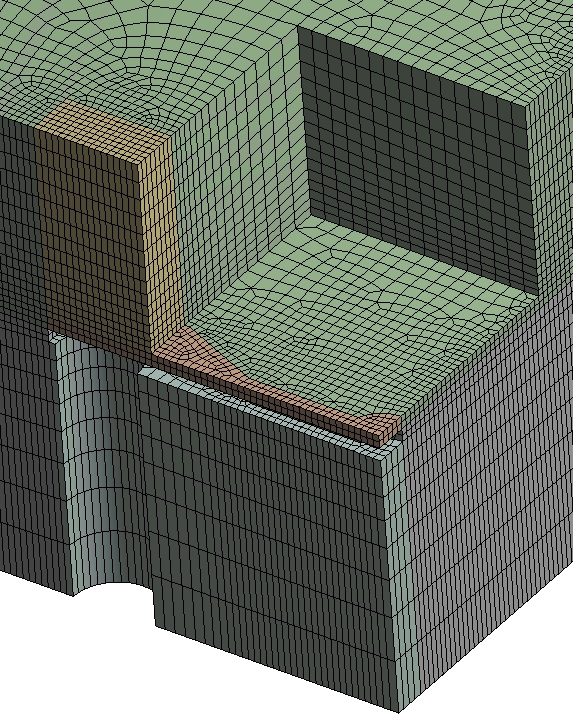
Center Layer Mesh. Note two elements through the membrane thickness.
5. Under Analysis Settings, turn Auto Time Stepping On. Set the Initial, Minimum and Maximum Substeps to 100. turn Large Deflection On.
6. Create and assign the PDMS material to the bodies.
7. Repair the Fixed support and the Pressure loads to include the new faces. Repair the Named Selection. I reduced the pressure to 7 MPa.
8. Add Frictional Contact between the small membrane face and the top layer small face that it will close against. Set the Pinball radius so that the blue sphere reaches across the gap. Insert a Contact Tool under the Connections folder and Evaluate Initial Contact Status to confirm that the status is Near Open.
Change the units to mm, now you are ready to Solve! I will describe the results in the next post.

-
February 7, 2020 at 1:48 pm
-
February 7, 2020 at 6:12 pm
bamidoao
SubscriberThank you very much. Give me some time to go through the simulation and then get back to you..
-
February 7, 2020 at 6:14 pm
bamidoao
SubscriberI have several versions of ANSYS including ANSYS 19.2 so I will be able to open it.Â
Â
-
February 7, 2020 at 6:18 pm
peteroznewman
SubscriberI attached the ANSYS 19.2 archive without results below for the post above.
While a snapshot of some results can be seen in the archive, you must Clear Generated Data and Solve to generate your own results file to create new result plots since the archive with results is over 4 GB in size, which exceeds the 120 MB file size limit for attachments.
-
February 13, 2020 at 4:39 pm
bamidoao
SubscriberOk. Thanks
-
- The topic ‘Coupled analysis for Fluent involving a soft polymer’ is closed to new replies.
-
6379
-
1906
-
1457
-
1308
-
1022
© 2026 Copyright ANSYS, Inc. All rights reserved.