-
-
January 17, 2025 at 5:00 pm
leongold
Subscriber
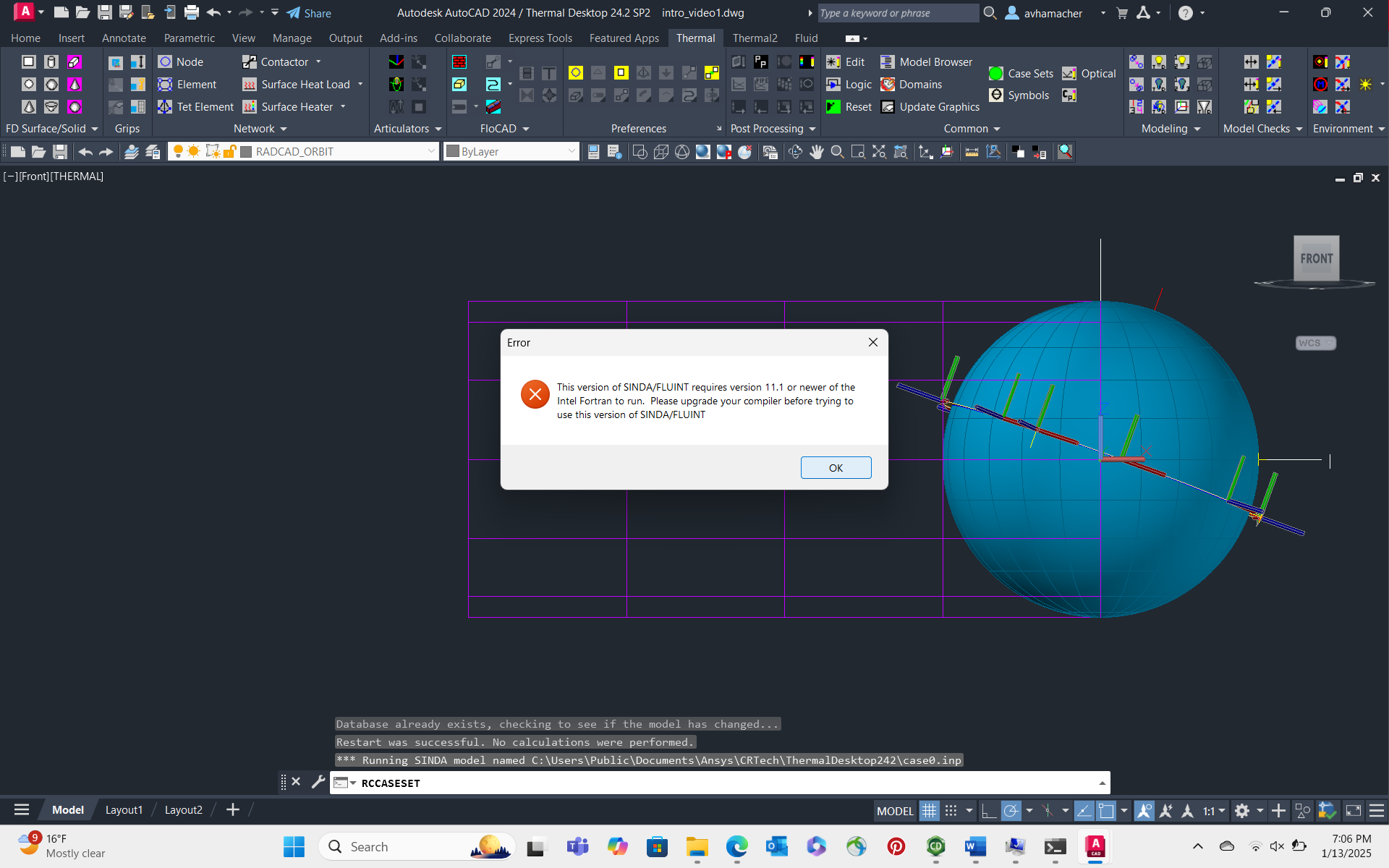
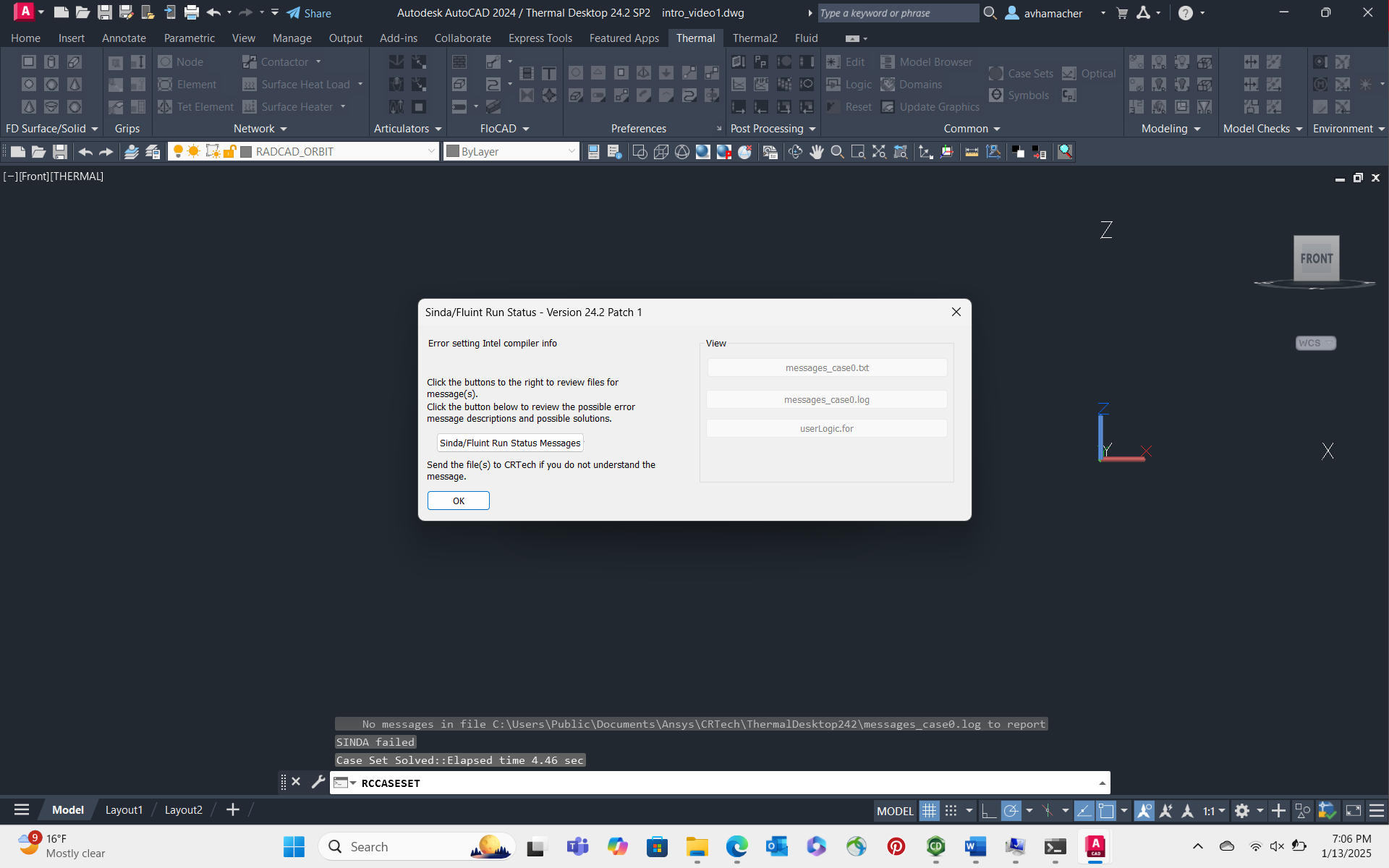
One of my team members is having an issue regarding Thermal Desktop, wherein after trying to run an orbital simulation, two error message appears "Error setting Intel compiler Info", and SINDAFLUINT requires version 11.1 or newer of Fortran to run. Please update your compiler before using this version of SINDAFLUINT. Â They have already tried the strategy of setting Disable UNCCheck, and this had no effect on the error. The "view messages" are also unclickable and nothing has been written to any file. Furthermore, their version of Ansys Fortran Compiler is up to date to the latest version. Â Any insight on this problem would be much appreciated, and if a call could be scheduled that could be helpful -
January 17, 2025 at 5:02 pm
-
January 17, 2025 at 6:44 pm
Ian Pond
Ansys EmployeeHi,
Can you please tell me what version of the Intel Fortran compiler is installed on this machine? My guess is that version 2025 was installed which is not currently supported.
-
January 19, 2025 at 8:05 pm
leongold
SubscriberHi Ian, thanks so much for responding. The 2024 compiler is currently installed, so I don't think that is the issue. Any other ideas on what the problem is?
-
January 21, 2025 at 2:09 am
leongold
SubscriberHi Ian. We got past the compiler issue thanks to compiler reversion using this link https://registrationcenter-download.intel.com/akdlm/IRC_NAS/3a64aab4-3c35-40ba-bc9c-f80f136a8005/w_fortran-compiler_p_2024.0.2.27_offline.exe.Â
However, we now have this issue when we ran the compiler for an orbit:
messages_case0.txt:
Current Patch Level = 1Version = 24.2 Intel Fortran
case0.log:[ AutoCAD - Sun Jan 19 16:52:24 2025 ]----------------------------------------No duplicate nodes or insulation nodalization warnings foundAll elements[2158] have passed the quality check testsÂCalculating SINDA/FLUINT data         RCLINEARTETRA2 Layer: "TDFEM_3D__505F"              Space: Model space          Handle = 5115          Group = TDFEM_3D__505F   Nodes forming element(4):     S505F.2::5068 on layer TDFEM_2D__505F     S505F.1::506A on layer TDFEM_2D__505F     S505F.19::5069 on layer TDFEM_2D__505F     S505F.31::5099 on layer TDFEM_2D__505F   Heatloads(0):   Meshers(1):     Mesher::505F on layer TDFEM_MC__505F   Compartments(0):ÂHave local orienter = FalseLocal Center: 0.000000, 0.000000, 0.000000Local X   : 1.000000, 0.000000, 0.000000Local Y   : 0.000000, -0.000000, -1.000000Local Z   : 0.000000, 1.000000, -0.000000ÂSolution method = UnspecifiedNot in volumetic configÂLinear Tet:Skew =  1.010e+00ÂThermophysical Property: DEFAULT is not defined.ÂThis property is first referenced from: Tet Elem[S505F]::5115ÂCurrent thermophysical property database is: TdThermo.tdpÂPossible solutions are:  1. Edit/create/rename the property on the property database.  2. Edit references to the property.  3. Use Model Browser, List by Thermo Props, to find usage.ÂError loading Cond/Cap objectsError encountered, cleaning up and exiting this Case Set: Case Set 0 -

January 21, 2025 at 5:54 pm
Ian Pond
Ansys EmployeeHi,
Were you able to figure out this error? This is a standard error which is telling you that you haven't set the material properties for your FEM elements correctly, depending on how these elements were created you will need to set their property. If using TD direct you can edit the solids or surfaces and define the material property name or make a selection from one that exists in your TD model already, if it doesn't exist already you will need to add it to the material properties. If you imported these elements, then you should use a band selection and multi edit them and set the material properties in TD that way, again either using a already defined material or by adding a new one first.
-
- You must be logged in to reply to this topic.
-
5064
-
1770
-
1387
-
1248
-
1021
© 2026 Copyright ANSYS, Inc. All rights reserved.