-
-
January 22, 2020 at 2:33 pm
sumansapkota
SubscriberI have been dwelling on ICEM with the centrifugal pump geometry, again. I have come to a point where I would need an expert suggestion.
First Question:
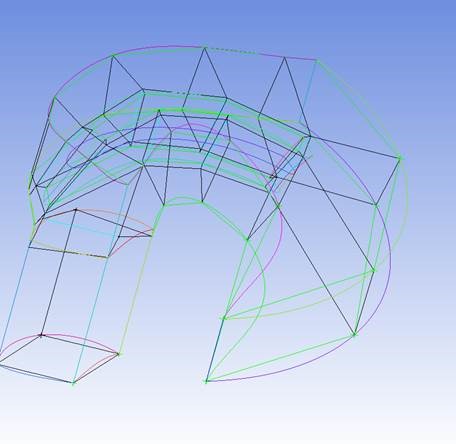
This is my geometry and blocking:
I have a mesh:
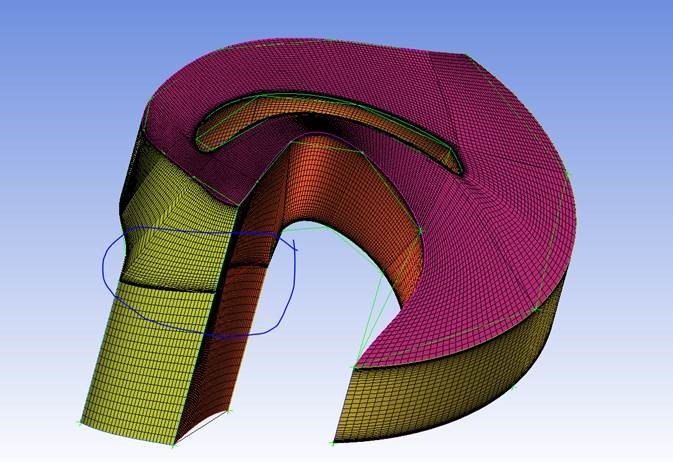
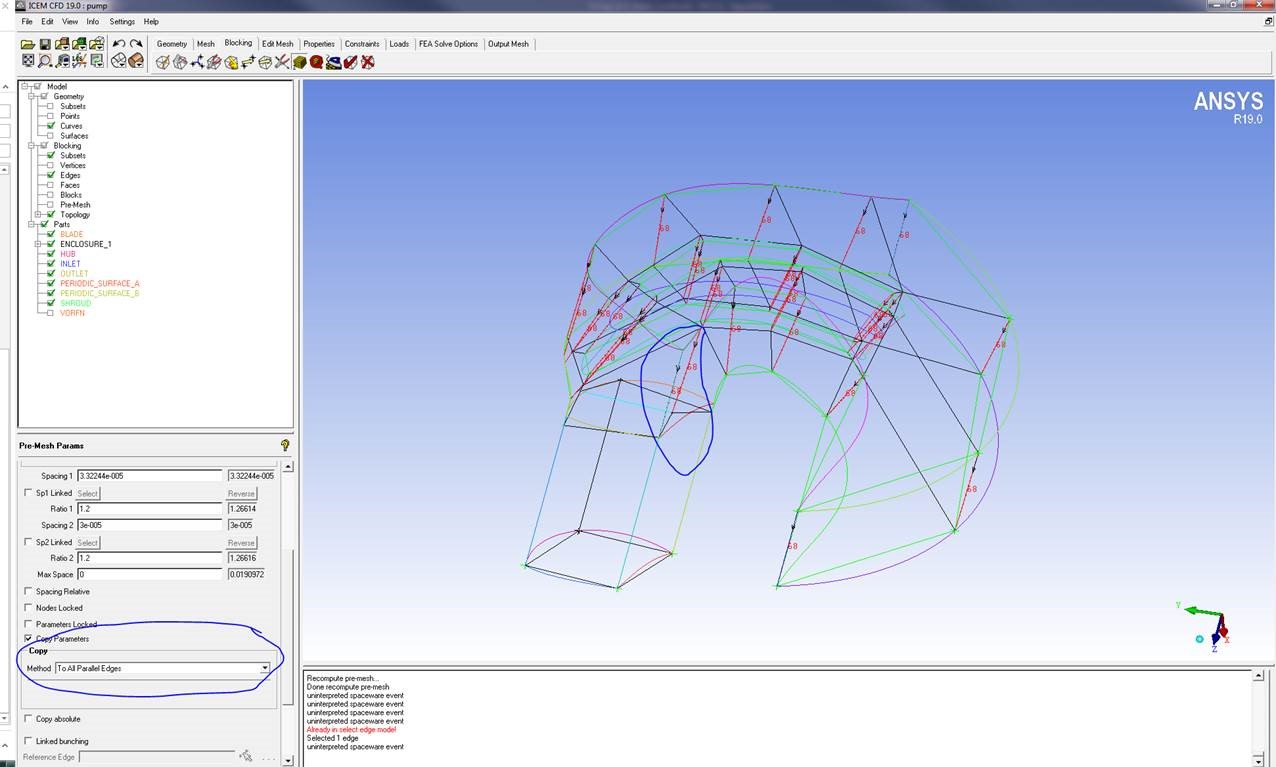
I am getting this unwanted inflation on a side. Now, I understand that it is due to the Copy parameters > to all the parallel edges while specifying the mesh size. I wanted to know if there is an option to “NOT” select one edge out of all the parameters we take (as shown in the figure below – blue highlight).
Second Question:
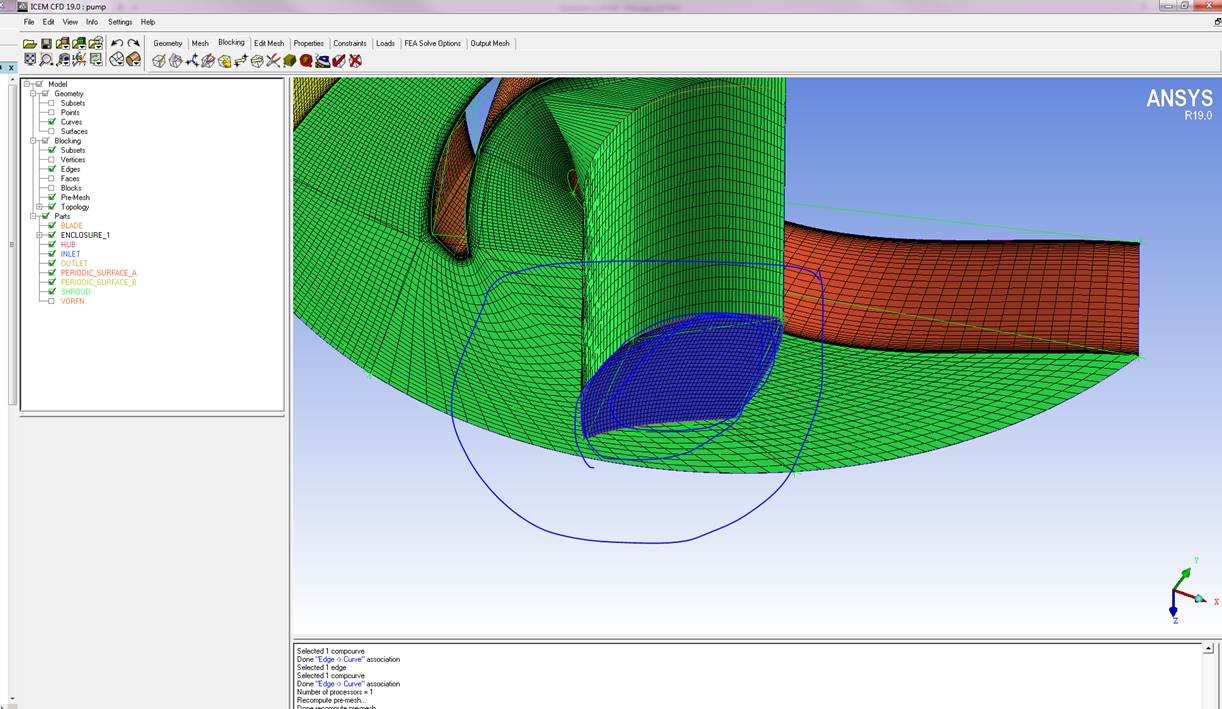
Also, I wanted to have a inflation layer on this quarter circle. I followed the tutorials but the complex geometry is not enabling me to do the O-grid as I wanted. Do you have any suggestion to get around this?
-
January 22, 2020 at 5:26 pm
pjstopfo
Ansys EmployeeReply to First Question:
You cannot ‘not’ select one edge when you copy the pre-mesh parameters to all parallel edges. Instead you should copy to all the parallel edges and then select the edge or edges you want to change, make your changes but then uncheck the ‘Copy Parameters’ box before you apply them. You will then be able to change the distribution on the selected edge(s) without changing the other parallel edges. Note that you may not be able to change the number of nodes because that has to be the same as the other parallel edges in the same block but, you can change the node distribution.
Reply to Second Question:
One way to do this is to put an edge distribution on the edges of the all faces connecting to the quarter circle so that the nodes become bunched near the surface. If you need more control to focus the nodes near the surface then you can split the block close to the surface.
-
- The topic ‘MESHING IN ICEM – CENTRIFUGAL PUMP’ is closed to new replies.
-
5879
-
1906
-
1420
-
1306
-
1021
© 2026 Copyright ANSYS, Inc. All rights reserved.










