Ansys Assistant will be unavailable on the Learning Forum starting January 30. An upgraded version is coming soon. We apologize for any inconvenience and appreciate your patience. Stay tuned for updates.
3D Design

3D Design

Topics related to Ansys Discovery and Ansys SpaceClaim.

Cannot use the surfaces from sketches in design modeler

    • Dilini
      Subscriber

      Hello,


      I am studying the flow around a rigid tire.


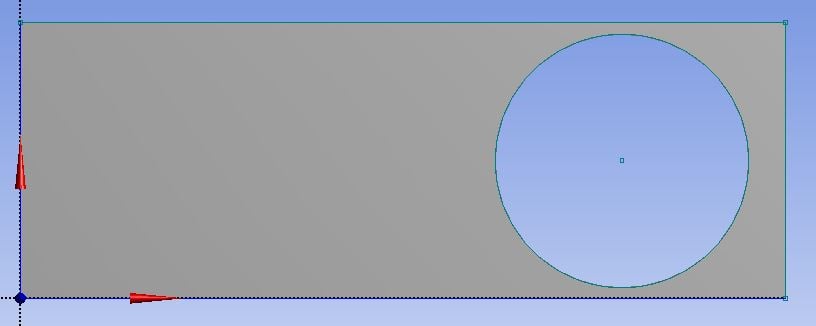
      When I keep a gap between the tire and the pavement, I can create a surface using the sketch as below in design modeler.


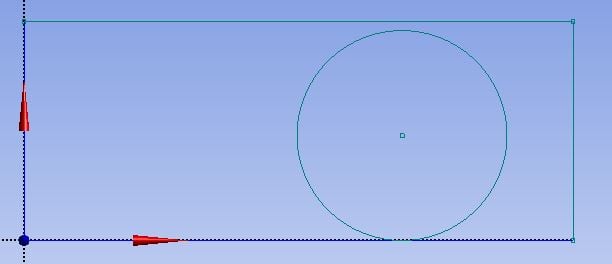
      But when there is no gap in between the tire and the pavement, I cannot create this surface. 


      Error comes saying 'Intersecting profiles are not allowed for 3D features' and 'Invalid feature data -> no closed profiles'


      I really need to study the case where there is no gap between the tire and pavement. How can I do this? Please help.


      Thank you !!

    • peteroznewman
      Subscriber

      You must move the circle down a small distance and trim away the part below the line so there is a small flat at the bottom of the tire.

    • Dilini
      Subscriber

      Thank you. Yes when I do so I am able to create the surface. But in that case I would lose the chance to study the hydrodynamic pressure that gets created lot closer to the touching point.

      But I sense there is no other way to do it right? When the tire and pavement is tangentially meeting there is no way to create the surface?

      Thanks for your help.

    • Rob
      Forum Moderator

      Correct: the geometry definition of the contact point is what causes a non-manifold body.  If you go and look at a car you'll see there is a finite contact between the tyre & road so Peter's suggestion is physically valid as well as necessary for the CAD. 

    • Dilini
      Subscriber

      Thank you both of you. I could proceed when I did that.

      Since I am new to Fluent, I would like to seek some additional support.

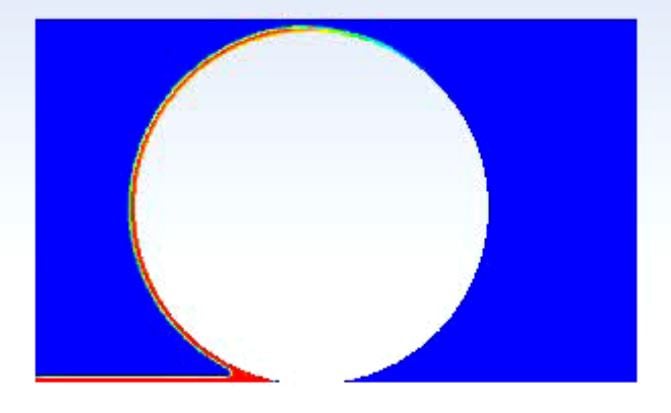
      I gave two velocity inlets for air and water and defined the pavement as a moving wall with same velocity as water and air and kept my tire stationary. But when I get my volume plot my water goes around the tire unrealistically like in the figure. I cannot see the stagnation of water in the front of the tire. I used the k epsilon model. Any suggestions why I am getting this? I would like to get this clarified before moving to a 3D profile.

      I used realistic water height and tire dimensions as well.

    • peteroznewman
      Subscriber

      Wouldn't you get more water in front of the tire if you had a rotationally moving wall on the tire that matched the velocity of the pavement?

    • Dilini
      Subscriber

      I have been using a really high velocity. I reduced the velocity and gave a rotational motion to wall that would match the pavement velocity. As you said I could get the stagnation at the front of the tire.

      I will try to develop this in 3D so that I can study the side flow as well.

      Many thanks for your help.

    • Rob
      Forum Moderator

      Which way is gravity pointing?

    • Dilini
      Subscriber

      It's downwards. I gave -9.81 since the positive y axis is pointing upwards.

    • ashmax
      Subscriber
      .

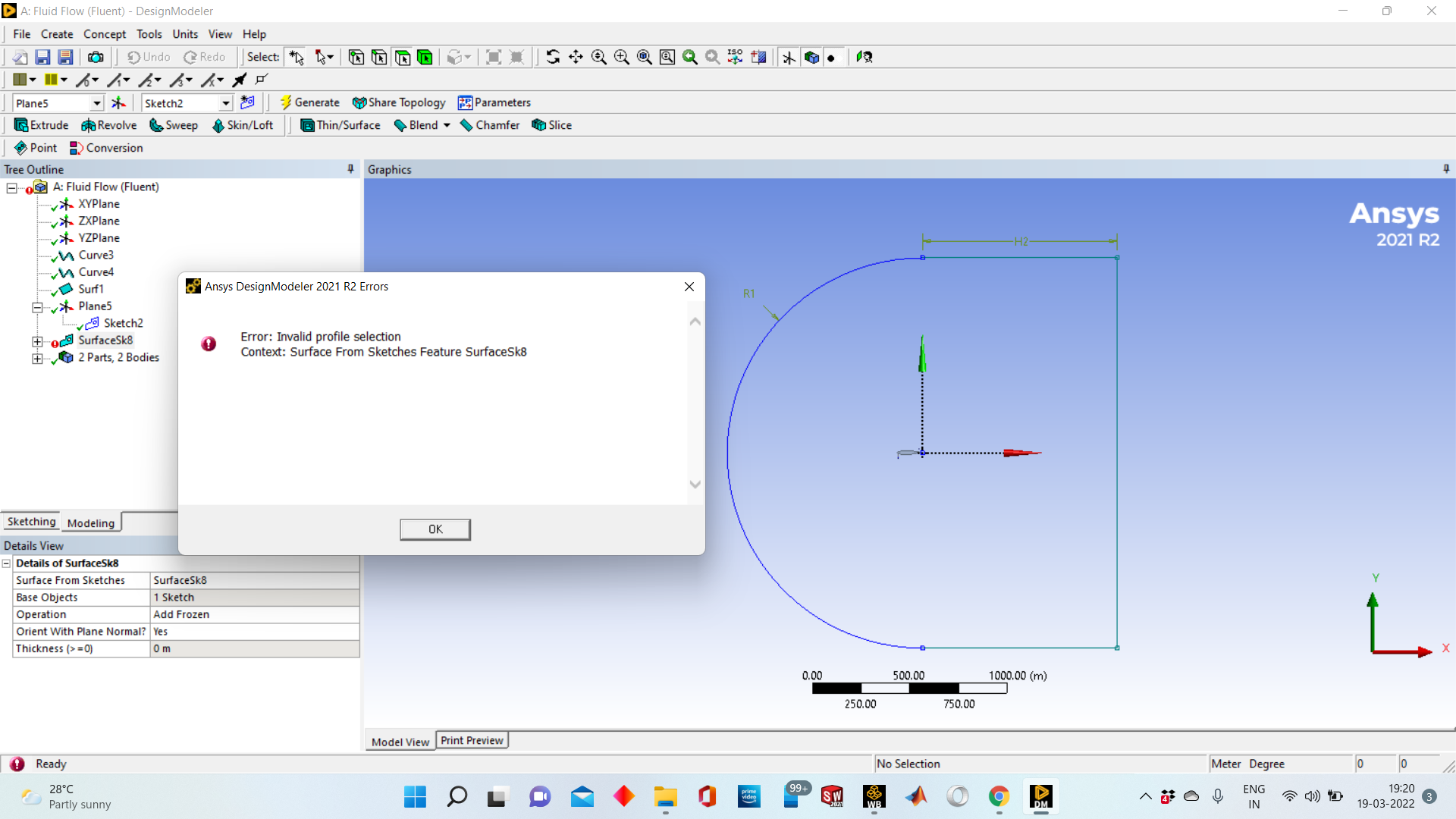
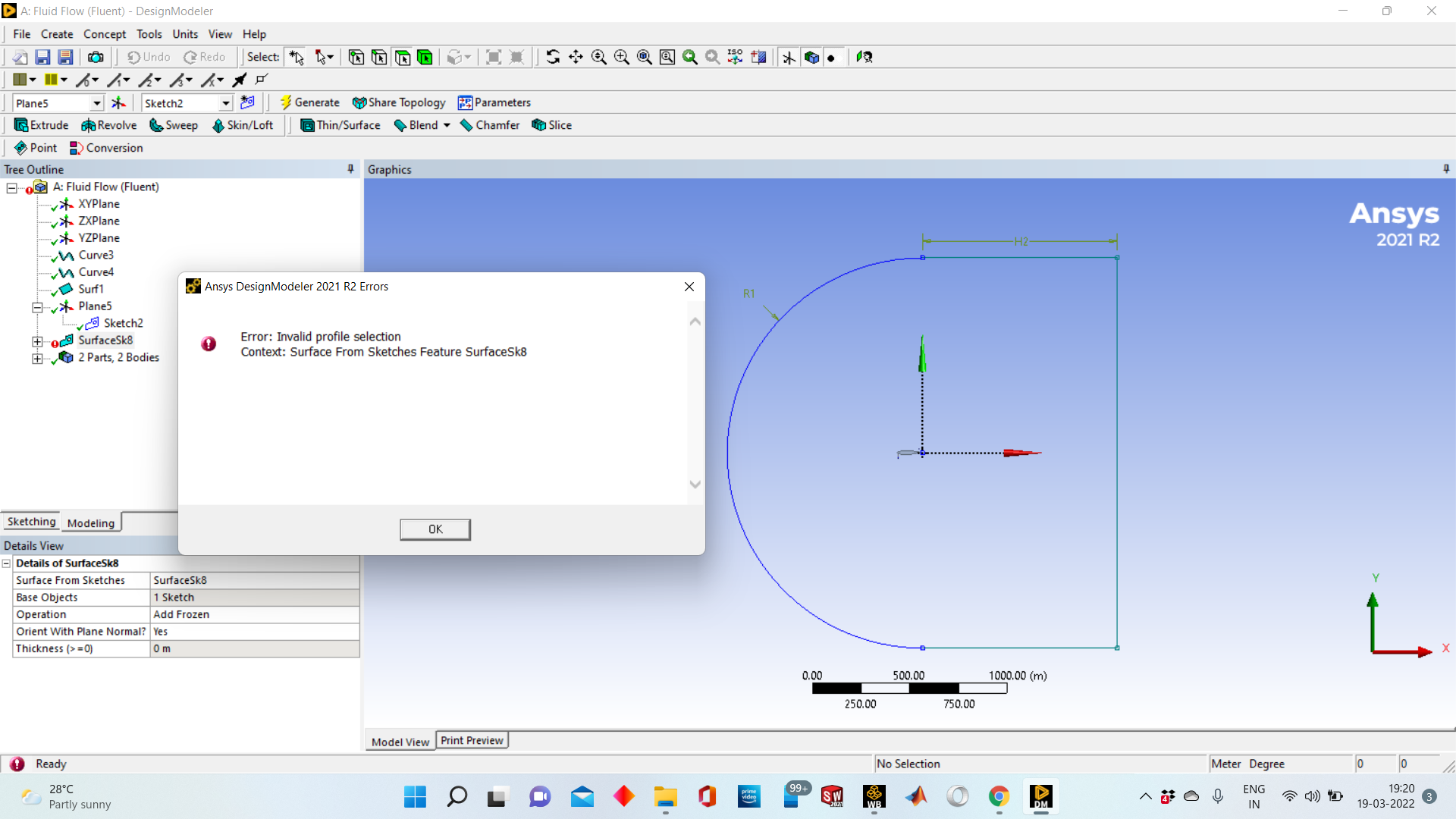
      Why am I facing this issue as invalid profile selection

      .
Viewing 9 reply threads
  • The topic ‘Cannot use the surfaces from sketches in design modeler’ is closed to new replies.

[bingo_chatbox]