-
-
January 10, 2020 at 10:28 am
msalvo4
SubscriberHello,
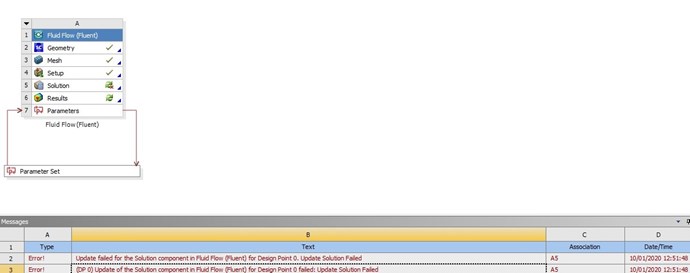
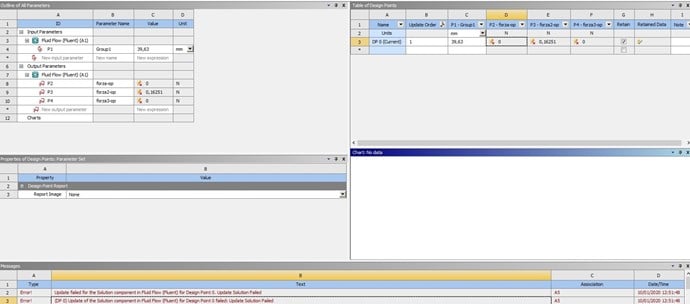
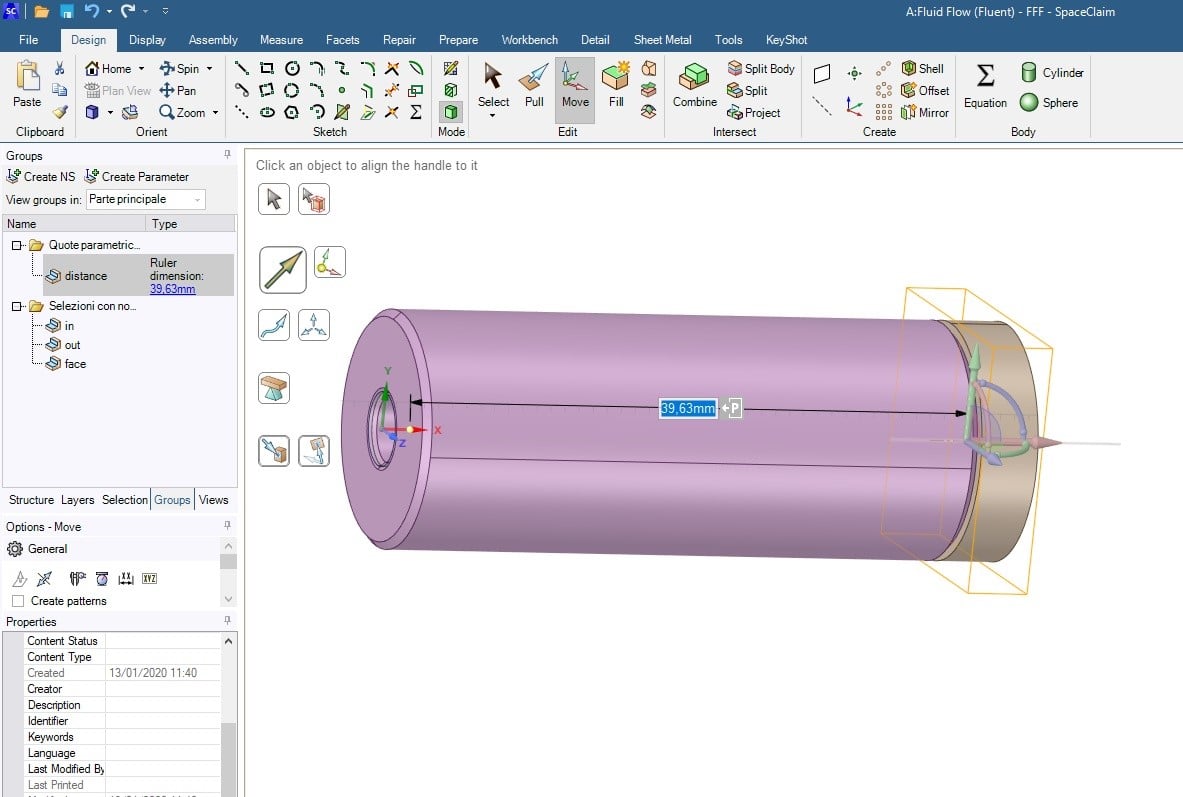
I'm working with ANSYS 2019 R3 student license to calculate a force generated on a surface in a fluid flow (fluent) analysis. My system consists of 2 bodies assembled in space claim geometry. The first body is fixed to the referent system, the second body moves in one direction (this direction is my input parameter). My aim is calculate the force generated on the second body in relation of my input parameter. The problem is that when I update design points in parameter set window the program stops during "loading mesh and model information". Can someone help me?
thank you in advance for your response
-
January 10, 2020 at 11:25 am
DrAmine
Ansys EmployeeHave you tried to do what you want to explicitly say by moving the body once and running the system (no DP Update). You can then check if geo, and mesh are updated accordingly and If Fluent is working properly.
Â
Â
-
January 10, 2020 at 12:32 pm
-
January 10, 2020 at 3:37 pm
DrAmine
Ansys EmployeeTry to figure out what is causing the error. Change the parameter and then just go to each cell and update each element starting from Geometry. Try to confirm the changes probably there is an issue on mesh export or Fluent is not recognizing the mesh.
Â
For further debugging get ride of all parameters and just do the changes directly.
-
January 10, 2020 at 4:59 pm
msalvo4
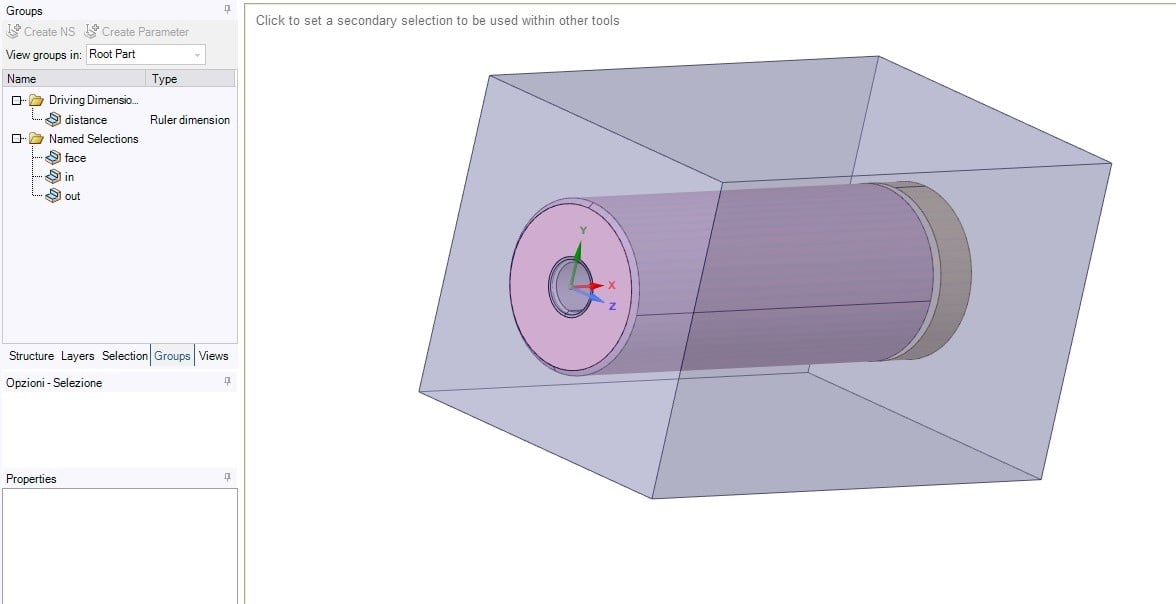
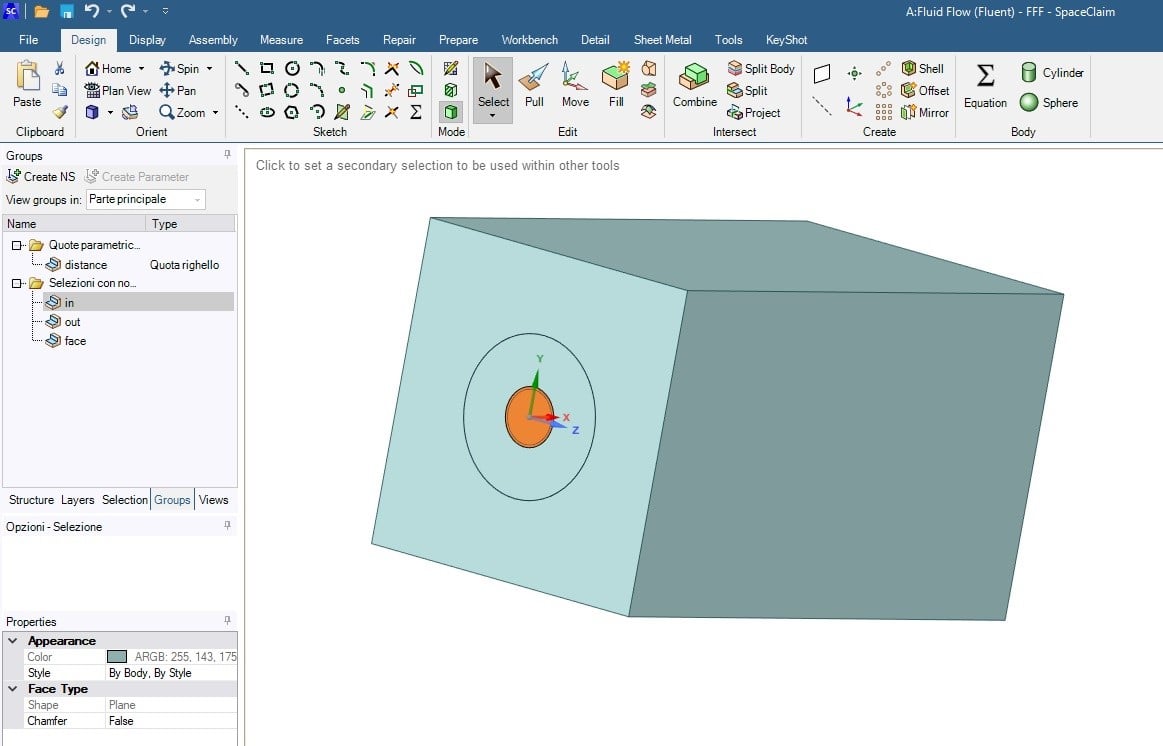
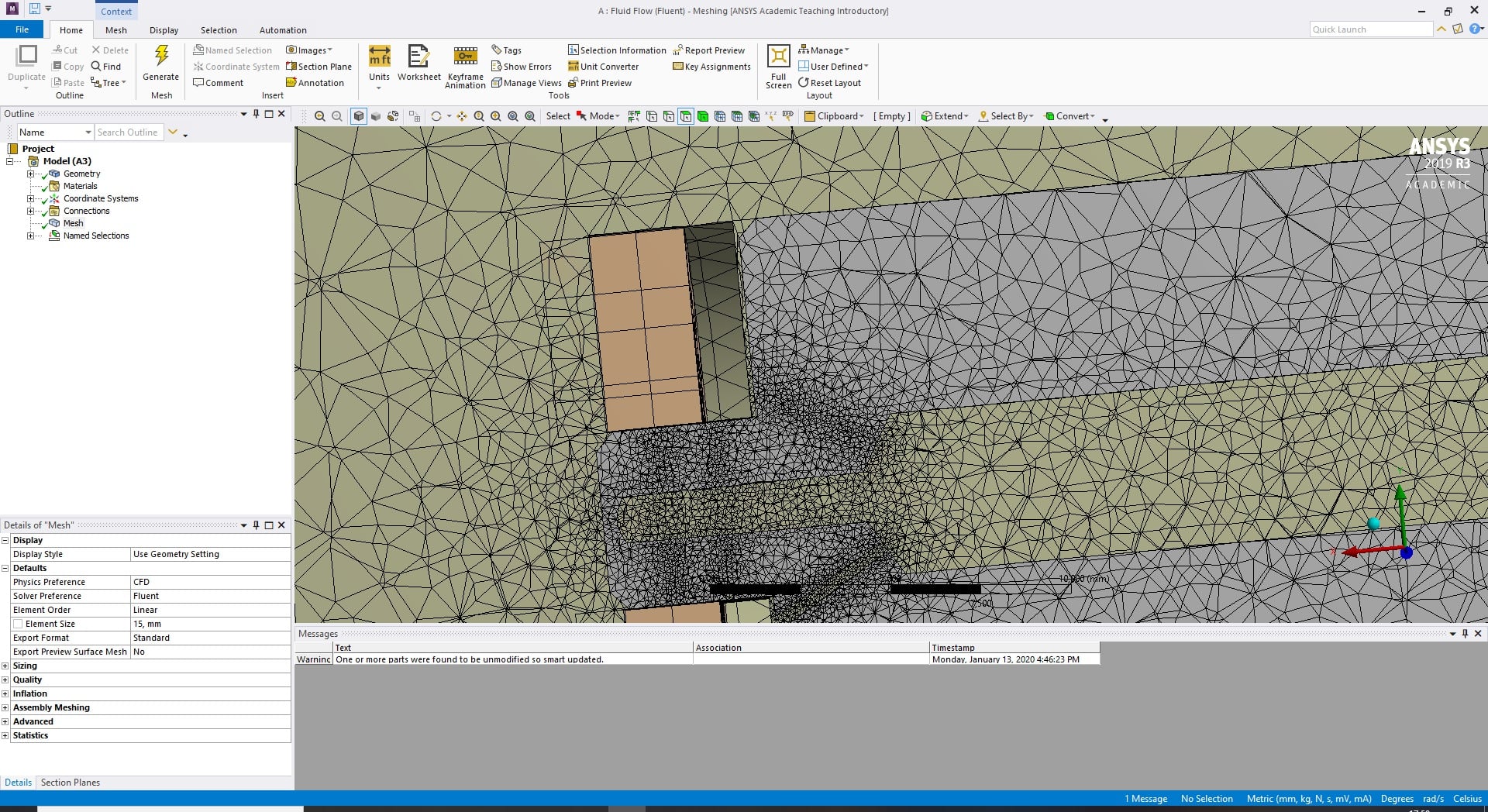
SubscriberI changed manually my input parameter and I have problems in mesh cell, in particular after the geometry update the program lost the definition of named selections "in" and "out" that are my pressure values in setup settings ("face" is the surface of the ring where I want to calculate the force value). The ring and the other body are imported by cad files, the volume where i define "in" and "out" is an enclosure created in spaceclaim.
-
January 10, 2020 at 5:03 pm
DrAmine
Ansys EmployeeTry naming in SpaceClaim -
January 13, 2020 at 9:52 am
-
January 13, 2020 at 10:46 am
DrAmine
Ansys EmployeeEventually  you need a much larger enclosure to have it comprising larger dimension. Perhaps better to use other method to extract fluid volume.
-
January 13, 2020 at 10:53 am
Rob
Forum ModeratorWhere are the inlet & outlet surfaces? Is the second solid moving, or are you just wanting to change it's position & re-run the model? What do the chamfers (x=0 plane) do?
-
January 13, 2020 at 12:52 pm
msalvo4
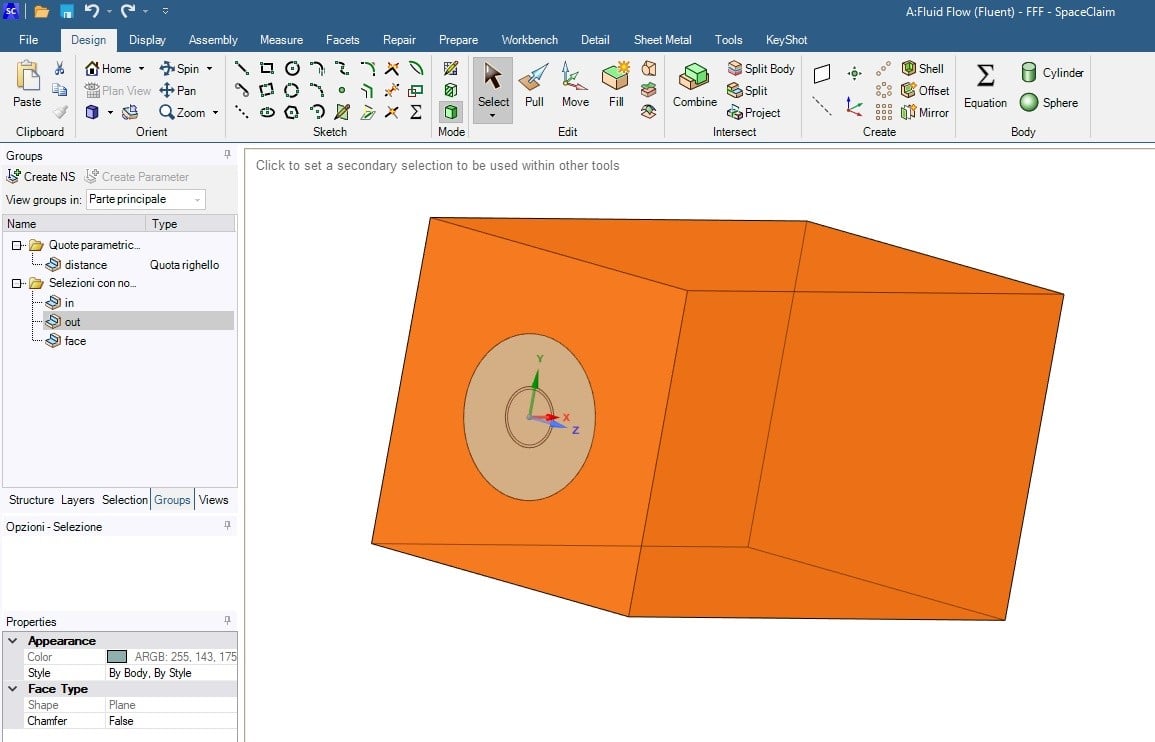
SubscriberThe inlet surface is the hole of the first body (I set pressure-inlet in setup), the outlet surface il the extremes of my enclosure (I set outlet-vent in setup). My aim is calculate the variation of force on the surface of the second body (ring) related to the displacement. I define this displacement like a parameter. My idea is to insert different parameter values in "parameter set" table and read automatically the different force results. The chamfers in x=0 plane are only a geometric feature of the first body, they are not rilevant to the global problem.
In the last image the surface of the first body in plane x=0 is exluded from out selection.
Â
-
January 13, 2020 at 5:14 pm
msalvo4
SubscriberI tried to create a larger enclosure volume but I have the same problem.
Â
I also tried to create the enclouse adding in assembly mode a cubic body (I made a Boolean subtraction between enclosure and other 2 bodies) and declaring it as "fluid" in Cell Zone Condition (setup options). In this case the program keeps the "in" and "out" settings during the displaicement but the Boolean subtraction not change, so I have a empty region after the updating of mesh.
I tried to consider the enclosure body without doing Boolean subtraction but in the solution the program considers a full fluid body and ignores the solid body, so i have no solution.
-
- The topic ‘ANSYS fluent stops during updating design points’ is closed to new replies.

-
5989
-
1906
-
1420
-
1307
-
1021
© 2026 Copyright ANSYS, Inc. All rights reserved.