-
-
January 7, 2020 at 5:10 pm
JosiSandoval
Subscriber
I'm having issues making the simulation to converge. Force is applied on the seal. The force goes through the support, spring, seat to ball.
While the force is applied, Pressure on the following area is also applied.
I'm studying the contact pressure between the seat and ball at 3 different forces and pressures.
The simulation converged after I added stabilization controls, but it make the simulation slower.
This is the results after force and pressure are applied. The spring is deformed and pushed completely against the seat.
Two questions:
1. I read that the stabilization add dampers. How can I check how those this influence on the result accuracy?
2. How can I reduce the simulation time, without affecting the result accuracy?
I will appreciate any advice.
Thanks
-
January 8, 2020 at 5:12 am
peteroznewman
SubscriberThe best way to reduce simulation time is to make an Axisymmetric model.
In CAD orient the geometry so the axis of symmetry is along the Y axis. Make a radial slice on the XY plane through the geometry. Take the cut faces on the +X side. You don't need any solid bodies, just surface bodies on the XY plane.
Now the model will solve much faster.
-
January 8, 2020 at 8:03 am
JosiSandoval
SubscriberThanks for the advice. I have to run the simulation changing dimensions of the geometry so I'm using the parameter set and design point table on the workbench. Will that still be possible to do if I do an asymmetric model?. Also I need to study the contact pressure along this radius. so if I take only a cut face, that won't be possible?
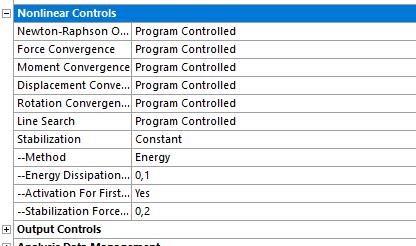
About the stabilization controls. I used the following settings on some of the steps
I read on Ansys help that the stabilization energy should be less than 10% of the strain energy. Is that the only thing I should check to confirm that the stabilization controls are not affecting the accuracy of the results?
Thanks
-
January 8, 2020 at 9:46 am
peteroznewman
SubscriberYou already have a 1/4 model with two cut faces, the axisymmetric model is just collapsing that down to a plane. Yes, you can still get contact pressure and yes you can still have a parametric model. Everything is just simpler and faster.
I don't use Stabilization so I don't have any comment on that question.
-
January 8, 2020 at 1:13 pm
JosiSandoval
SubscriberHow do you make a radial slice?. should it be done in Design Modeler ?
Thanks
-
January 9, 2020 at 4:59 am
JosiSandoval
SubscriberI forgot to mention that the model is not symmetric. There are some waviness around the ball. That's why the contact pressure is different along contact surface between the ball and seat.
is there something else I could try to reduce the time. After I added the stabilization controls, the simulation got slower, but without them it does not converge. I'm not sure if there is some setting it could work better to make the simulation to converge faster without adding the stabilization controls.
Thanks and sorry for this many questions I'm new in Ansys.
-
January 9, 2020 at 6:32 am
peteroznewman
SubscriberOkay, so the waviness prevents using an axisymmetric model.
Nonlinear models can take hours to compute. Get used to it.
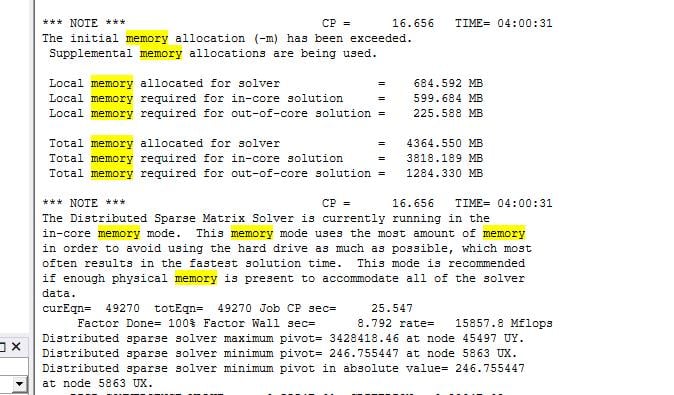
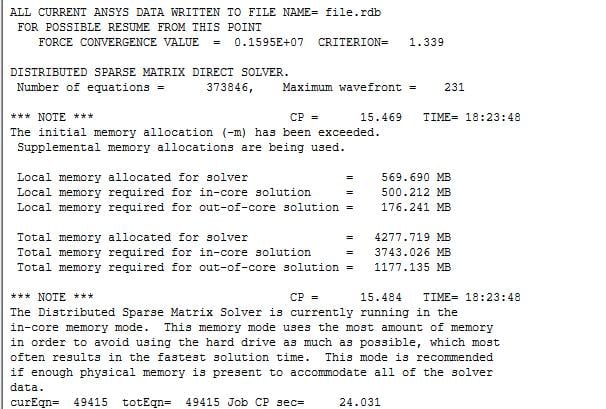
You can check if the computer has enough memory (RAM) to solve incore. That means without using disk storage. You can see that in the Solution Output when the Direct Solver is used. Search for the word memory and look for incore or out-of-core. If the solver is running out-of-core, you can reduce the computation time by installing more memory in the computer.
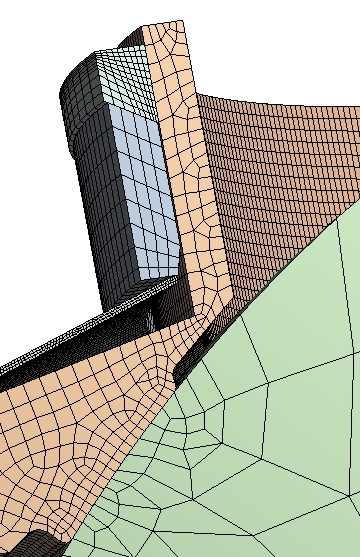
If you can't install more memory, you can reduce the number of nodes in the mesh by making a hex mesh instead of a tet mesh. That can also speed up the time.
-
February 3, 2020 at 3:01 pm
JosiSandoval
SubscriberHi Peter,
I have checked if my computer has enough RAM. It seems the solver is running out-of-core. So according to the picture below the amount of memory required for run in core is 3818.18 MB and I have 32G RAM memory. Shouldn't that been enough to run in core?, also do you know why is the allocated memory so little?
I will be able to increase the memory up to 64GB, Do you think that will reduce significantly the computational time?
Thanks!
-
February 3, 2020 at 3:48 pm
peteroznewman
SubscriberHi Josi,
This model is running in-core, which is the fastest.
If you refine the mesh and it starts running out-of-core, try restarting your computer, open Workbench and Update the Project. The memory may have been chopped up by other programs and a restart gives you the largest contiguous block of RAM possible.
If you find you frequently have models that run out-of-core, then you should upgrade to 64 GB of RAM. My policy is to install as much RAM as the motherboard can use.
Regards,
Peter -
February 3, 2020 at 5:05 pm
JosiSandoval
SubscriberHi Peter,
I re-started the computer and run the simulation again but similar values of memory are shown.
The command to force to solve in-core is DSPOPTION,,INCORE and it should be added under the solution tree and that should be all I need to add right? sorry, I have never used the APDL command before. Do you recommend any tutorial to start with the most common commands.
Thanks!
-
February 3, 2020 at 8:51 pm
peteroznewman
SubscriberJosi,
The first NOTE lists the memory requirements for both modes.
Read the second NOTE, it says the solver is currently running in the in-core memory mode.
You have found the right command, but the solver has already selected in-core, so there is no need for this command.
-
February 10, 2020 at 1:23 pm
JosiSandoval
SubscriberI see now. So having more memory it won't make it faster anyways.
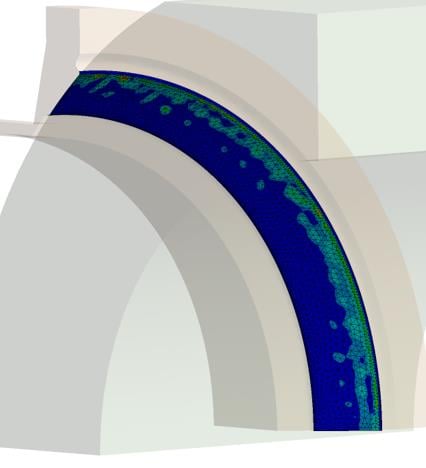
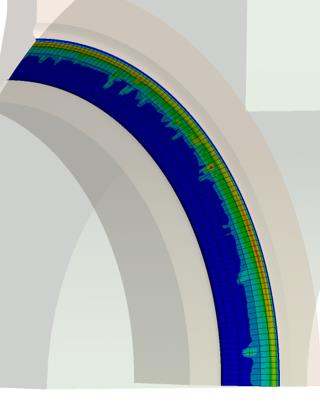
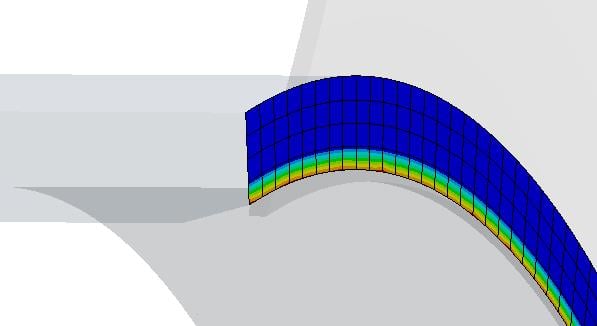
Last question. I run the same model changing the mesh of the seat to a sweep mesh and the ball to a hex mesh, instead of having both as tetrahedrons in order to reduce computational time.The results were not only different in magnitude but also the contact between the ball an seats is different. The image on the left tetrahedrons mesh showed results up to 19 MPA and the image on the right hex mesh up to 9 MPA. I will have expected that the contact surfaces will be similar but it seems that the figure on the right has a more uniform contact. Why do you think this is happening, should the tetrahedrons mesh give more accurately results? Also is it beneficial that the surfaces in contact have the same type and size of mesh?
Thanks a lot,
-
February 10, 2020 at 1:35 pm
JosiSandoval
SubscriberIs it okay to post this here or should I open a new discussion?
-
February 10, 2020 at 2:38 pm
peteroznewman
SubscriberAny analysis project should include a Mesh Refinement Study. That is where you solve the model with smaller and smaller elements to show how a critical value such as Maximum Stress (or Contact Pressure in your case) converges on the "mesh independent" solution.
Contact is a bit more involved because there are so many levers to tweak, such as the contact algorithm and all its associated parameters such as allowable penetration.
-
February 12, 2020 at 3:44 pm
JosiSandoval
SubscriberThanks this is very useful information. I will do the mesh refinement study only on the contacting faces where I want to get the contact pressure from.
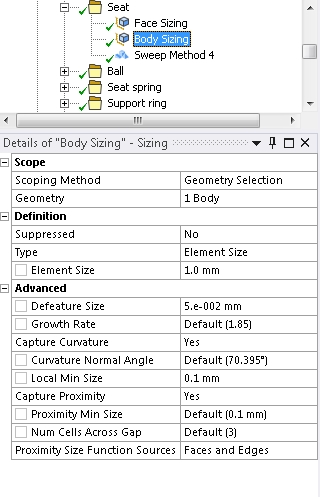
If I have applied a body and face sizing, is it enough to do the mesh refinement only on the face sizing? should I have the same mesh size on both faces and use the same increment ratio?
Thanks!
-
February 12, 2020 at 4:18 pm
peteroznewman
SubscriberFace sizing is enough to do this study on contact pressure.
-
February 12, 2020 at 6:11 pm
JosiSandoval
SubscriberI have another question.. let me know if I should create a new discussion
the following image is the initial contact of these two parts.
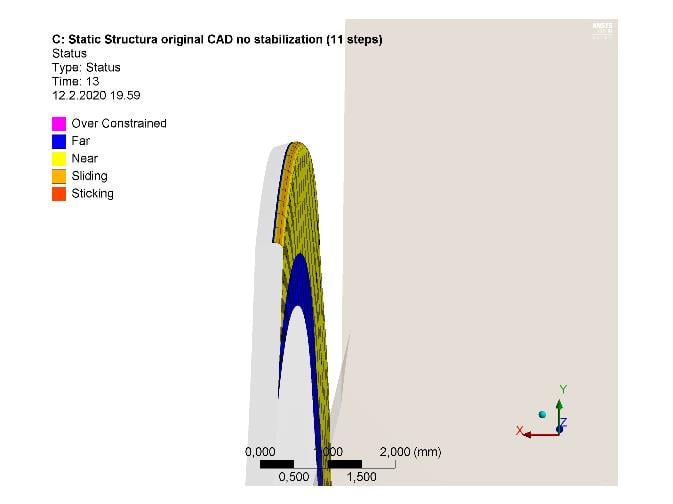
At the end of the simulation it seems there is no contact between those two faces.
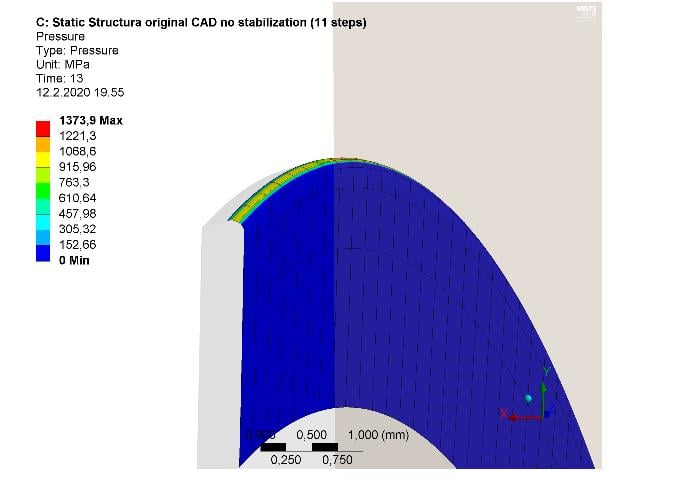
But when I look in to the contact tool for the contact status and pressure, it shows that there seem to be contact
I see the same behavior in the these other two parts that were in contact at the beginning but at the end of the simulation there is a gap
but the contact tool shows that there is still contact between the parts
I don't understand why is this happening, is there actually a gap or there is some error with the graphics of my pc.
Thanks again!
-
February 12, 2020 at 6:29 pm
-
February 12, 2020 at 6:32 pm
JosiSandoval
SubscriberI have True scale selected. That's why I wonder why I see this results. Should I trust on the tool contact results?
-
February 12, 2020 at 7:05 pm
peteroznewman
SubscriberDid you use Adjust to Touch on some of those contacts?
-
February 12, 2020 at 7:39 pm
JosiSandoval
SubscriberNo, I used Add Offset, Ramped Effects in both cases. The initial contact information for the first contact shows that they are near-open, but for the second contact (last two images from above) there is initial contact.
Here is the file in case you have time to give a look
-
February 12, 2020 at 8:08 pm
-
February 12, 2020 at 8:29 pm
-
February 12, 2020 at 9:17 pm
JosiSandoval
SubscriberI added the cylindrical support 2 cause I was having errors of no having enough constrains. Without the that support the spring was flying away after the force was applied. Also with large deflection on I have convergence problems.
Did you run it with large deformation on and did it work?
Thanks -
February 12, 2020 at 10:43 pm
peteroznewman
SubscriberI am running it now with Large Deflection On and the cylindrical support 2 suppressed. It got about 14% of the way into Step 1 then started to bisect. I stopped the solver and refined the mesh on the HSeat_new and restarted the analysis.
I think the display incongruity you saw was due to not having Large Deflection On.
-
February 13, 2020 at 11:08 am
JosiSandoval
Subscriber -
February 13, 2020 at 1:26 pm
peteroznewman
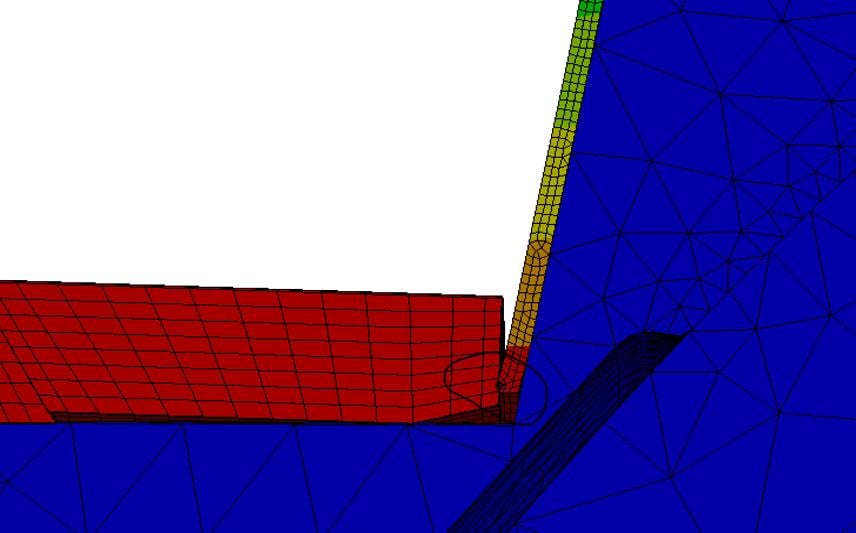
SubscriberI suppressed some of your mesh control, changed the Edge Sizing to 5 and added a Face Sizing 3
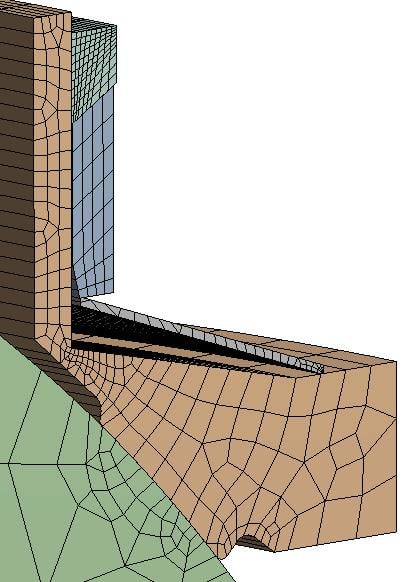
After it failed to converge at 14% I changed the Seat Face to this mesh.
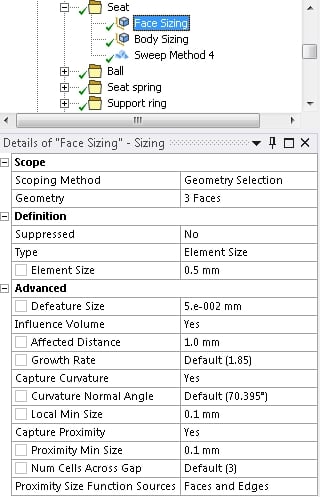
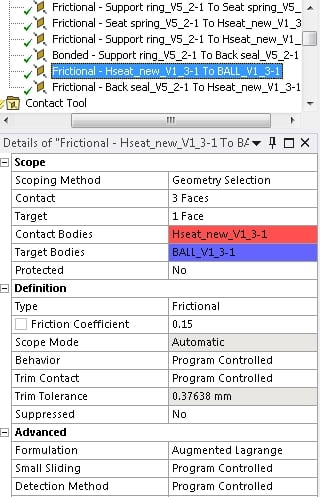
I also flipped the Contact.
The solution progressed to 18.6% of the first step load in 11 hours on 15 cores,
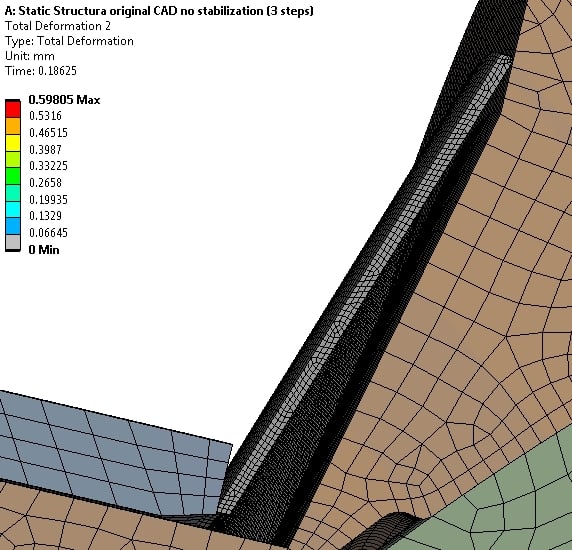
But it stopped with an "Element violation" error. Are you using the automation to create these Element violations under the Solution Information folder?
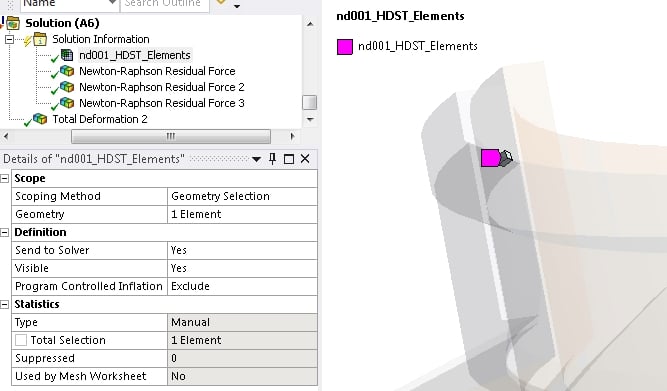
The corrective action is to make smaller elements on the Back seal part and rerun the analysis.
I also question why is the Back seal, which is 50 times more flexible than steel, bonded to the steel Support ring? Is that the real condition, or is it more accurate to model that as a Frictional contact?
I haven't looked for where the geometry is not axisymmetric, but an axisymmetric model would run at least 10 times faster.

-
February 13, 2020 at 3:12 pm
JosiSandoval
SubscriberThanks a lot for the information you have provided me!.
No I'm not using the automation to create Element violations, cause so far I haven't got an element violation error.
Yes you are right it is more accurately to use frictional contact.
I will refine the mesh and modify the contacts settings as you have recommended and also set Large Deflection to on,.
This model in fact is axisymmetric. I'm using a CAD geometry without any modification, but the idea is that after I get a model that works fine with the nominal geometry, I will add changes to the geometry which will make the ball to be non symmetric. I suppose I can run an axisymmetric model to validate the convergence of the model first with the current geometry.
-
February 14, 2020 at 4:00 pm
peteroznewman
SubscriberWith the Back seal contact with the Support ring changed to Frictional, and a better mesh shape, the solver got 19% of the pressure load applied in step 1 before an error occurred. This took 14.5 hours on 8 cores and went for 506 iterations. The error was a contact suddenly changed state and the model had an internal solution magnitude error.
Here is the first substep.
Here is the last converged substep.
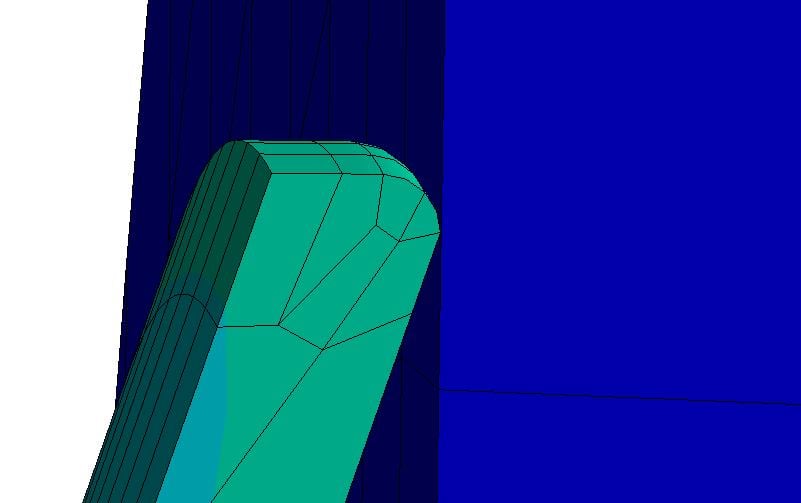
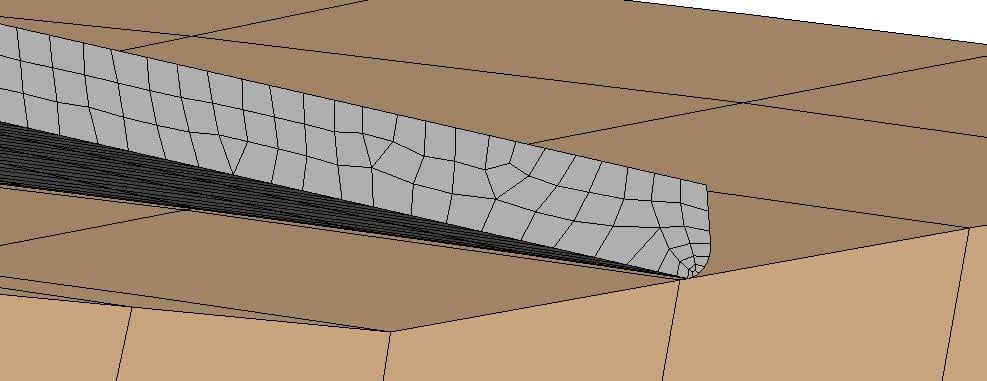
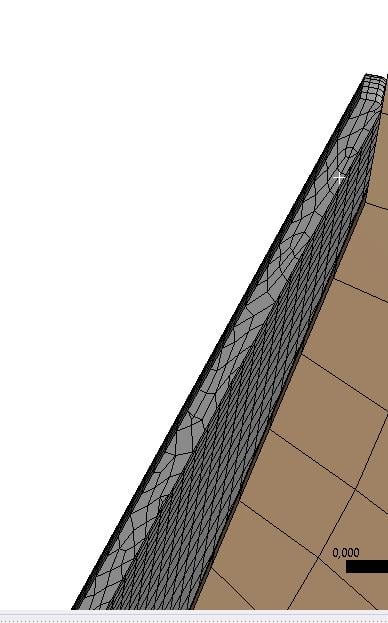
I think the reason the solution blows up after this is because there is a sharp corner on the seat spring trying to slide off the sharp corner of the support ring. The corrective action is to put a small radius on both corners so the radiused corners can smooth the transition that is being approached.
-
February 14, 2020 at 4:16 pm
JosiSandoval
SubscriberYes I have seen the error due to contact suddenly changed state before, that's why I add the cylindrical support 2. I will modify the sharp corner.

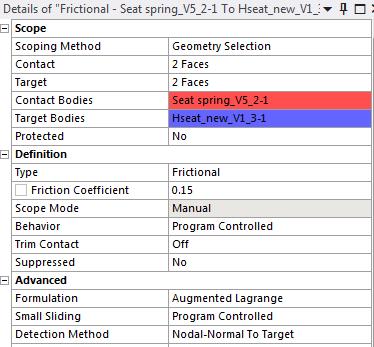
Also I try to run the simulation improving the mesh shape, with the backseal- Support ring contact changed to Frictional and large deformation on, but got the following error
could it be because I'm running out of cores
-
February 14, 2020 at 4:35 pm
JosiSandoval
SubscriberI re-started it and I didn't see that error again.

-
February 14, 2020 at 4:52 pm
peteroznewman
SubscriberIt looks like you ran out of disk space. Make sure you have hundreds of GB of free disk space before you start a solve.
-
March 2, 2020 at 7:24 pm
JosiSandoval
SubscriberHi,
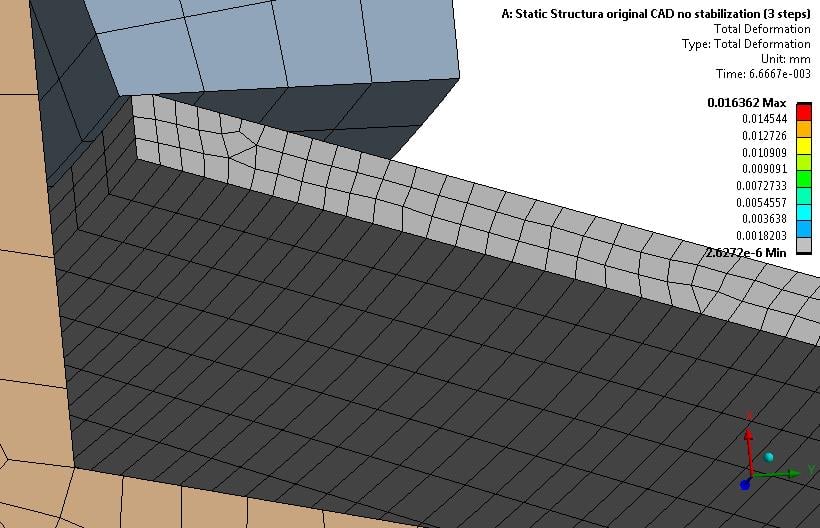
I haven't been able to make this simulation to converge. I added small radius on both corners of the spring and made smaller elements on the back-seal. I get an error of contact suddenly changed state. When I add the cylindrical support 2( allows displacement only in axial direction) it does converge but the spring does not slide against the support ring and there is some penetration ( see image below). I'm not sure what else to try. I have attached the latest simulation.
-
- The topic ‘Reduce computentional time’ is closed to new replies.
-
5074
-
1813
-
1387
-
1248
-
1021
© 2026 Copyright ANSYS, Inc. All rights reserved.