-
-
December 19, 2019 at 10:30 am
1234mamanunu
SubscriberHello to all,
Â
I would like to simulate a 3point bending case with ansys. In this case, a plastic bar is loaded by a cylinder. I would like to see the stress in the bar after a 7.5 mm displacement in the y direction of the loading cylinder
Â
I am using the static structural model with the following setup:
Â
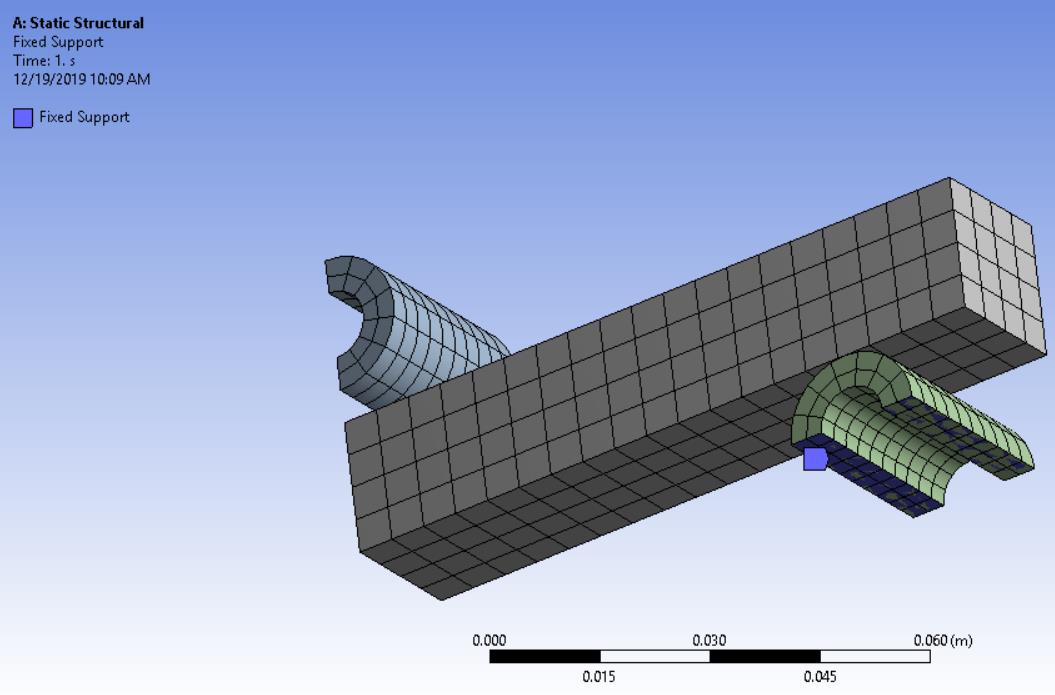
Geometry [has a symmetryPlane]:
Â
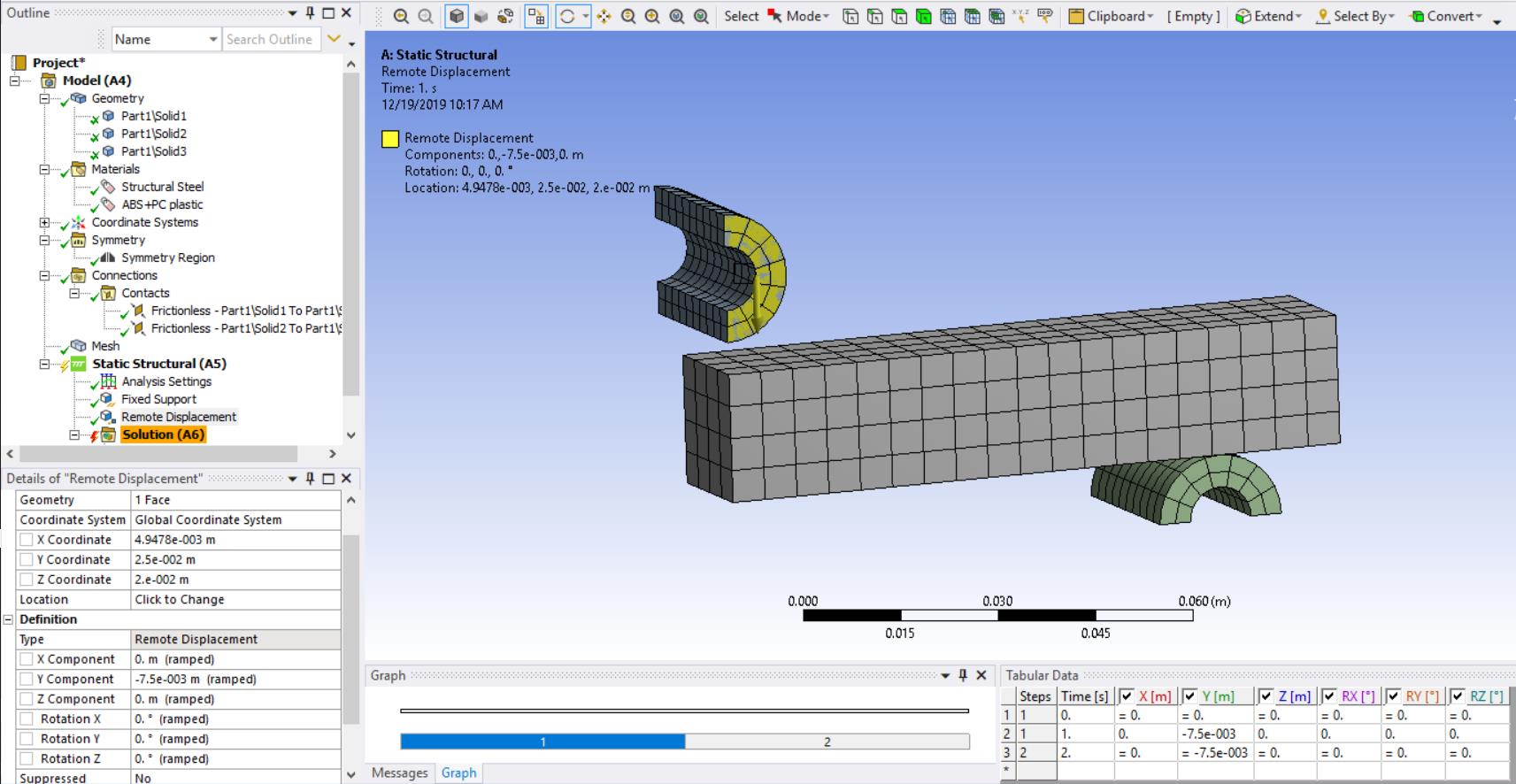
Boundaries:
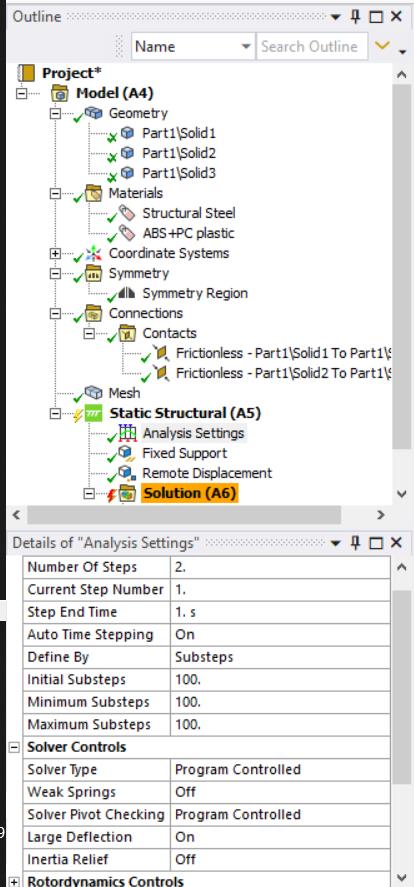
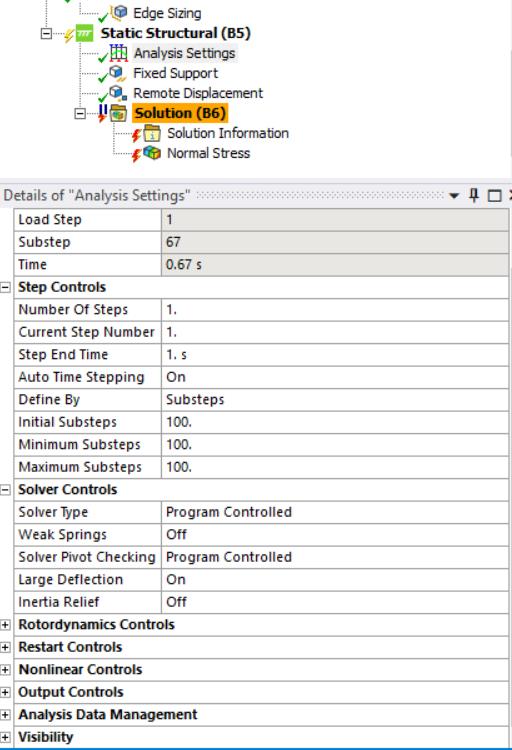
Analysis settings
I am getting the following error "Solver pivot warnings or errors have been encountered during the solution. This is usually a result of an ill conditioned matrix possibly due to unreasonable material properties, an under constrained model, or contact related issues. Check results carefully " , however the solver still works but it does not move the loading in the y direction. It has a strange behavior.
Â
Result:
https://gfycat.com/sillyleanaustralianfreshwatercrocodile
Â
Does anyone know how to solve this?
Is the static module adequate for this problem?
Â
Best Regards!

Â
Â
-
December 19, 2019 at 12:54 pm
peteroznewman
SubscriberYes, Static Structural is the right analysis to use.
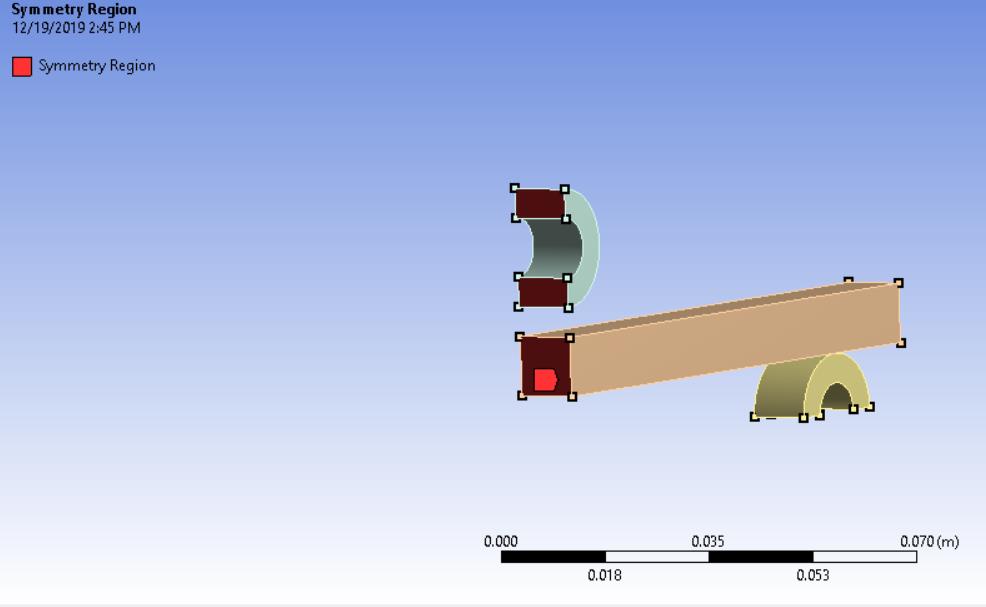
1) Check that the direction of the Normal in the Symmetry Region is the X-axis.
2) Add a second Symmetry Region for the Z-axis to reduce the degrees of freedom of the beam. Since you are using frictionless contact, there is nothing to stop the beam sliding along the Z-axis. You should slice the geometry in half, or just say your beam is twice as wide.
3) Does the top roller begin tangent to the beam? That is what you want. You don't want to start with a gap.
-
December 19, 2019 at 2:55 pm
1234mamanunu
SubscriberHello Mr Peter,
Thank you very much for your valuable help
Â
I added both symmetry planes and reduced the model in half
Plane1:
Plane2:
Contact1:
Â
Contact2:
Â
Solver:
Â
Error:
Â
partial Result:
https://gfycat.com/vapidwidekillifish
Â
Its almost there, but it seams to have convencenge issues
Â
Best Regards!
-
December 20, 2019 at 1:40 am
peteroznewman
SubscriberDo not begin the analysis with a gap between the roller and the beam. In CAD, move the roller to be tangent to the beam.
In the Details window of the Symmetry Region, is the Normal correct? You showed the faces, what is in the Details window? The reason I ask is because the default value in the Detail is NOT to automatically be normal to the faces picked. You have to set it to the correct normal yourself.
-
December 20, 2019 at 2:48 pm
-
December 20, 2019 at 6:54 pm
peteroznewman
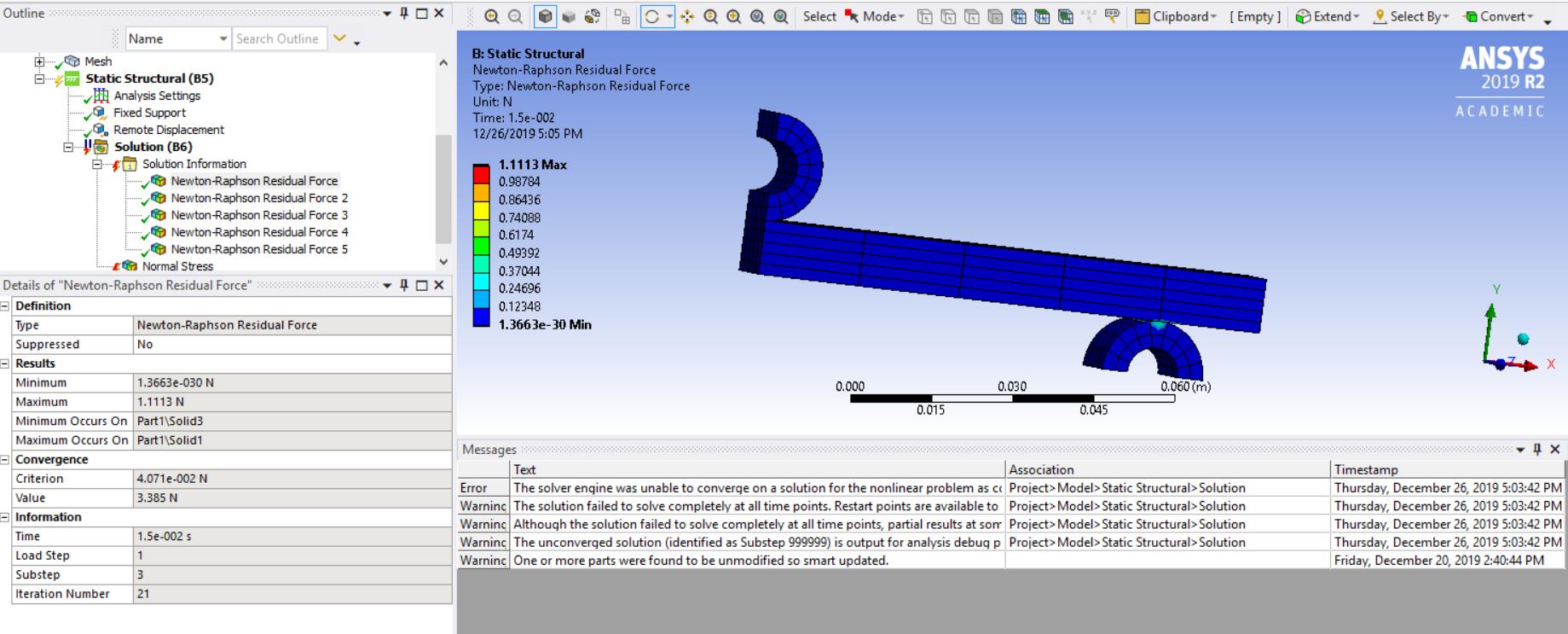
Subscriber1) Under the Solution Information folder set the Newton-Raphson Residual plots to 5.
2) Solve.
3) Reply with an image of the Maximum value of the Newton-Raphson Force Residual. This is often where a smaller element can help convergence.
4) Under Solution Information, reply with the Newton-Raphson Force Convergence Plot. In some models, it is helpful to insert a command to tell the solver to use more than the default 26 iterations before starting a bisection.
5) There are changes to the element formulation that can help such as Reduced Integration if the above does not help.
-
December 26, 2019 at 5:12 pm
-
December 26, 2019 at 6:14 pm
-
December 26, 2019 at 7:14 pm
1234mamanunu
SubscriberÂ
 I will update the case here if anyone wants to help.
If I am able to solve it, I will upload the solution.
-
December 26, 2019 at 8:31 pm
peteroznewman
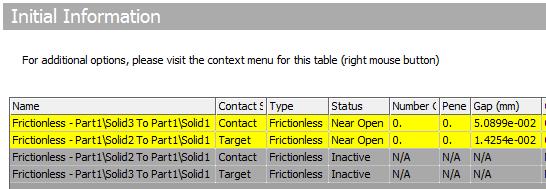
SubscriberThe biggest problem is that the contacts are not closed. Insert a Contact Tool under the Connections folder to learn this information.
The corrective action is to Adjust to Touch on the two contacts since the gap is small.
I flipped the Contact and Target sides of the contact.
I made smaller elements. I changed the Step controls.
It now solves.
-
- The topic ‘3 Point Bending in Ansys’ is closed to new replies.
-
4838
-
1587
-
1386
-
1242
-
1021
© 2026 Copyright ANSYS, Inc. All rights reserved.