Ansys Assistant will be unavailable on the Learning Forum starting January 30. An upgraded version is coming soon. We apologize for any inconvenience and appreciate your patience. Stay tuned for updates.
General Mechanical

General Mechanical

Topics related to Mechanical Enterprise, Motion, Additive Print and more.

Bi-linear isotropic hardening not working in ANSYS Workbench 2023?

    • jpabraham
      Subscriber

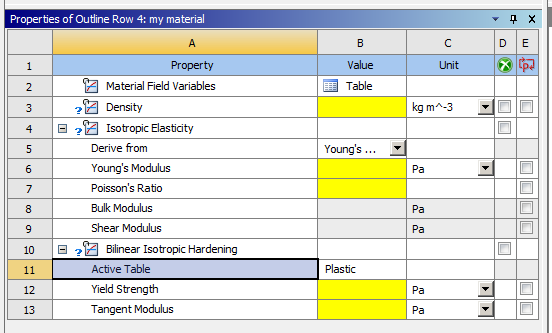
      Trying to create a material with bilinear isotropic hardening.  Material has plastic behavior (see row 11 in attached). This was not in previous versions and I cannot set both elastic and plastic portions.  Help?

    • Armin
      Ansys Employee

      Hello John,

      You don't need to specify both elastic and plastic properties under the Bilinear Isotropic Hardening. The entry "Active Table" is ready-only and is re-named to "Tangent Modulus Type" since 2024R2. Using the Bilinear Isotropic Hardening model, you only need to provide the initial yield stress and the slope of the stress-plastic strain curve. Elastic properties are defined earlier under Isotropic Elasticity (row 4 in your screenshot).

    • sebastijan353
      Subscriber

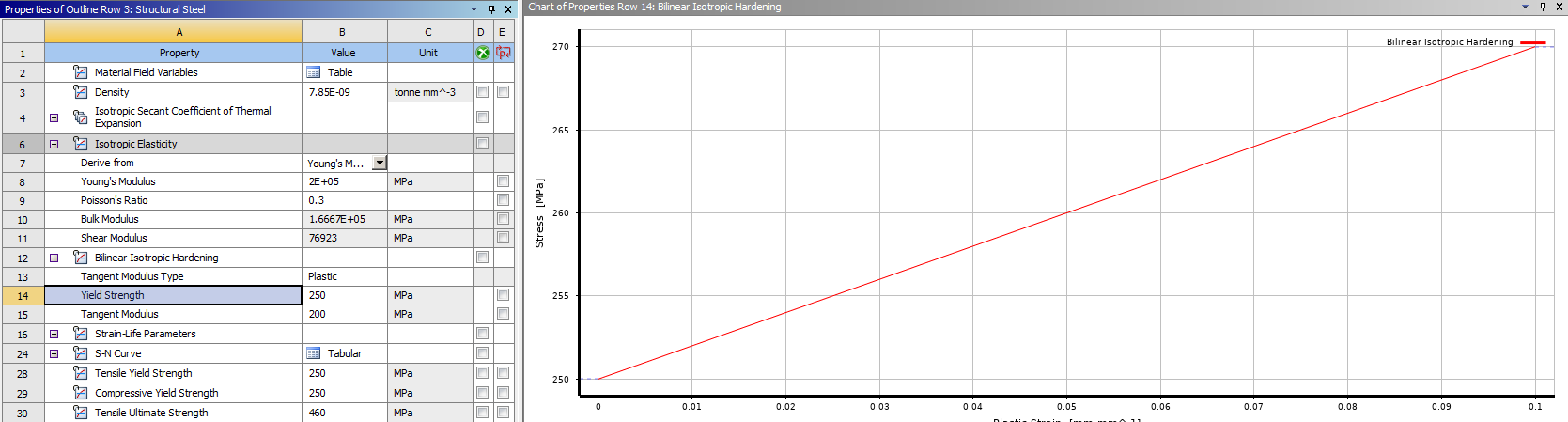
      I am experiencing the same problem in Workbench 2025. The plastic option is selected by default, and after entering values into the Yield Strength and Tangent Modulus tables, the stress–strain diagram shows a constant (straight horizontal line). Please help.

      • Armin
        Ansys Employee

        Hello Sebastijan,

        It's normal for the displayed plot not to show the elastic portion of the curve. The elastic portion will be considered using the properties you specify under Isotropic Elasticity.
        Ensure you enter the correct values for the Tangent Modulus and Yield Strength, and you should be able to see the plastic portion (which is linear as expected) of the Bilinear Isotropic Hardening model.

    • sebastijan353
      Subscriber

      Hello,

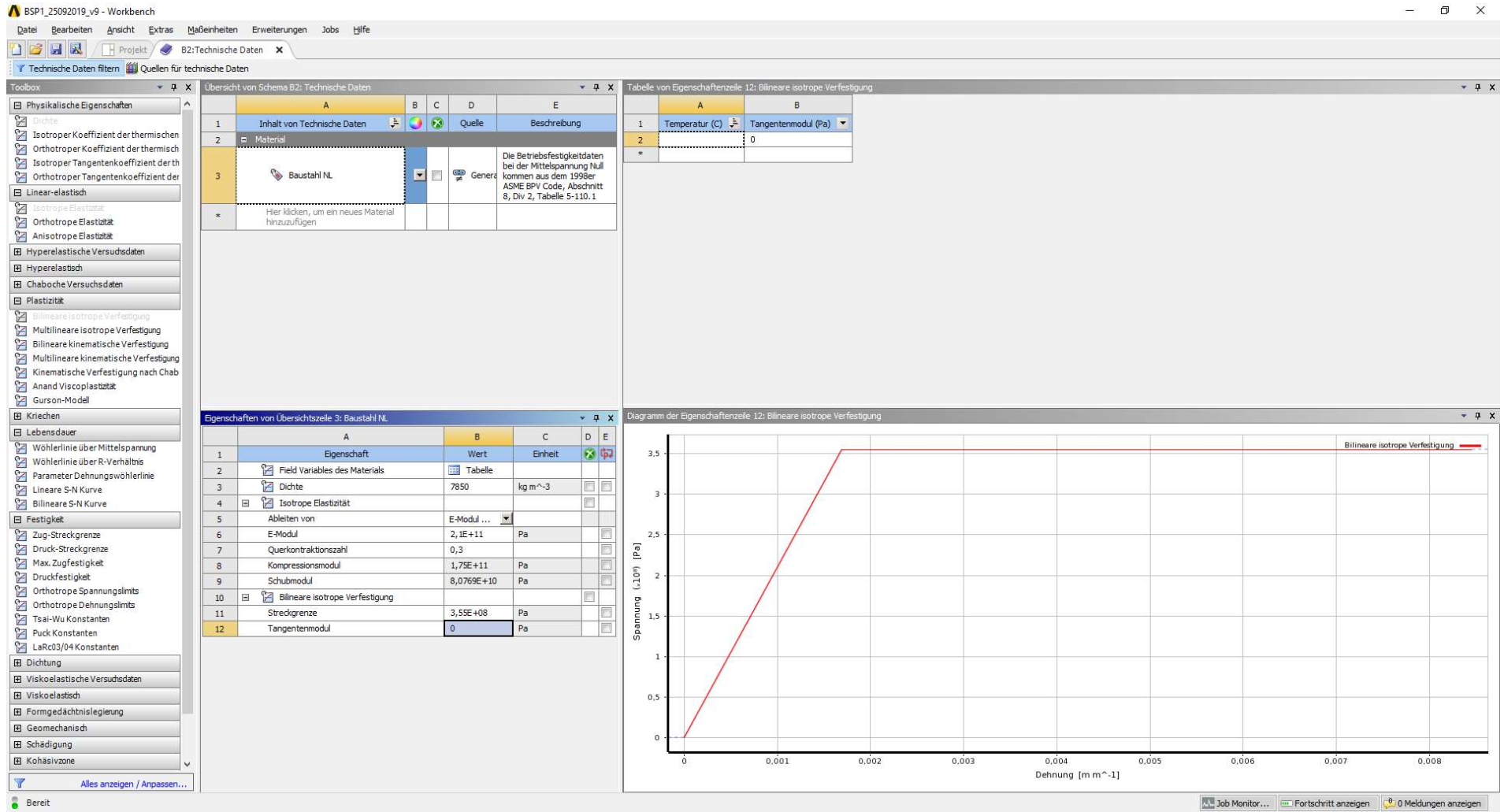
      I am currently trying to recreate an analysis that was originally performed in ANSYS R19, and I have attached the stress–strain diagram that I am attempting to reproduce in ANSYS Workbench 2025.

      Could you please confirm whether, by entering:

      • Yield Strength = 3.55E+08 Pa
      • Tangent Modulus = 0

      I should obtain the same stress–strain diagram as shown in the attached image from R19?

      Thanks to your reply, I understand that in the current version the elastic portion of the curve is not displayed (as it is defined separately under Isotropic Elasticity). However, this is somewhat impractical from a visualization standpoint and, to me, feels like a downgrade compared to the older version.

      I would appreciate your confirmation.
    • Armin
      Ansys Employee

      Hi Sebastijan,

      No problem.

      Based on the properties you indicated, the material should be elastic–perfectly plastic. But to confirm this, you can run a single-element model (under uniaxial tension) using these material properties and then extract the resulting stress–strain curve to verify that the expected elastic–perfectly plastic behavior is obtained.

Viewing 4 reply threads
  • You must be logged in to reply to this topic.
[bingo_chatbox]