-
-
October 31, 2019 at 5:43 pm
RSwan
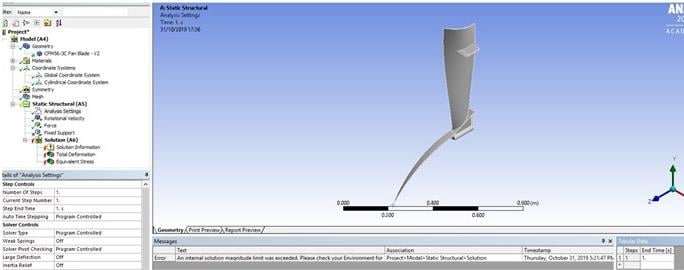
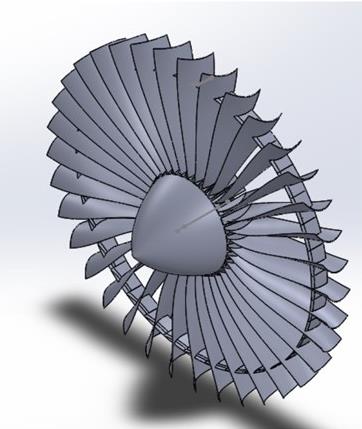
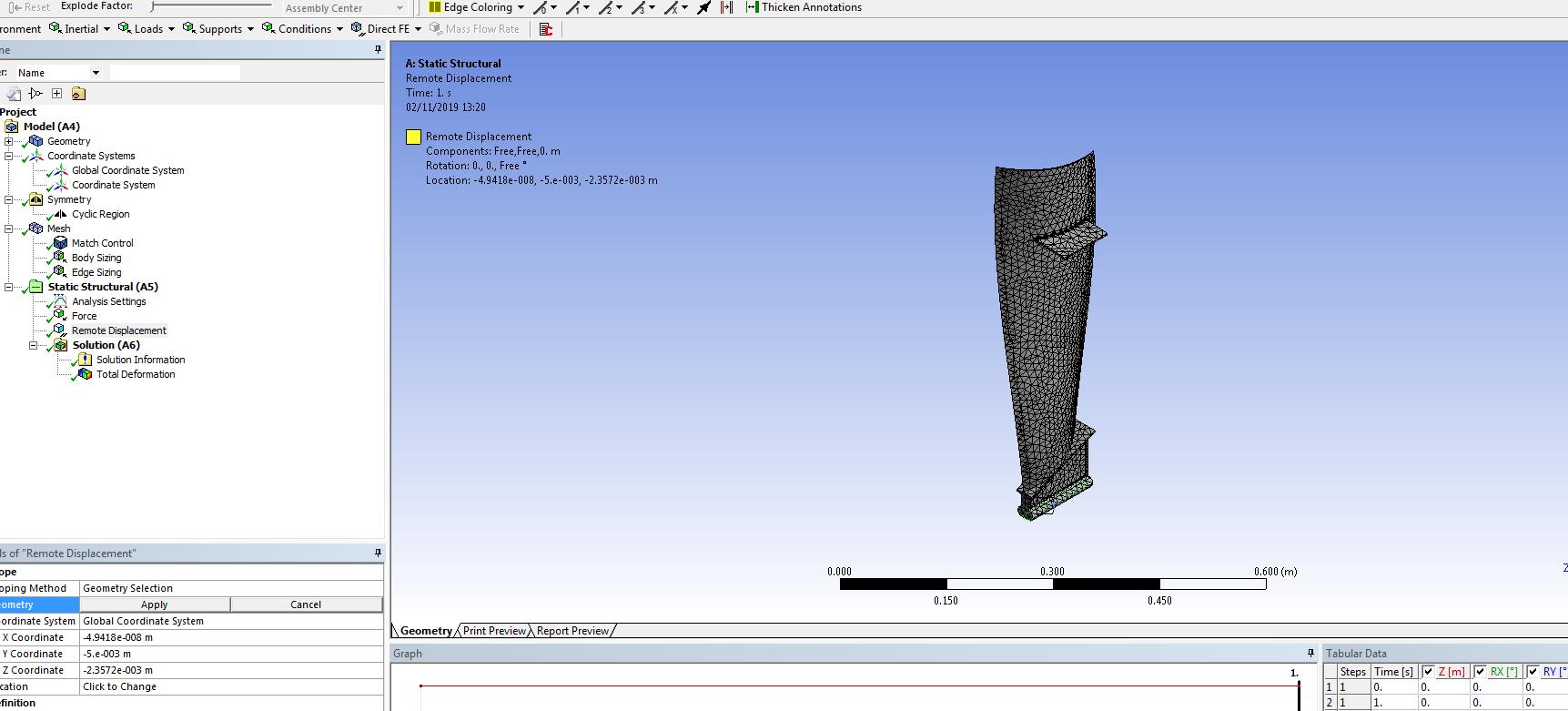
SubscriberI am looking to constrain a section of a jet engine turbine to rotate in one direction without translation occurring. I have created an individual blade first and will use cyclic symmetry later. Guidelines state that connections/contacts are not allowed so the blade and cone are modelled as one body. I am applying both a drag force and rotational velocity. I keep receiving errors such as 'an internal solution limit was exceeded' and that matrices may be ill-conditioned
First photo shows individual blade section to be analysed.
-
October 31, 2019 at 10:49 pm
peteroznewman
SubscriberRSwan, I fixed the images in your post above. They had huge white margins around them. Try to save images without those next time.
In your model you have a Symmetry object, but I don't think you have any symmetry regions defined under it. Each radial cut face needs a coordinate system and the axis normal to the face has to be selected. That will take care of 5 of 6 degrees of freedom. Then the vertex at the center just needs a Z=0 displacement boundary condition and the model will be properly constrained.
-
October 31, 2019 at 11:06 pm
RSwan
SubscriberHi Peter, yes sorry I have forgotten to include the cyclic symmetry in the screenshot. To clarify, a separate Cartesian coordinate system is required on each of the cut faces?  Furthermore, with the cyclic symmetry created I am unable to mesh the blade properly. I have tried the various meshing methods including multizone but it also does not appear to work due to the geometry and causes the mesher to crash. I have tried meshing before inserting the cyclic symmetry but the symmetry option then disappears once the blade is meshed. Do you have any recommendations on how to initially mesh the blade? Thanks
-
November 1, 2019 at 12:43 am
peteroznewman
SubscriberNow that I have checked, you must create a single Cylindrical coordinate system to use in the Cyclic Region under the Symmetry branch. Each face is radial to that coordinate system.
Under Mesh, insert a Match Control to require the High and Low faces to match.
-
November 1, 2019 at 1:57 pm
RSwan
Subscriber
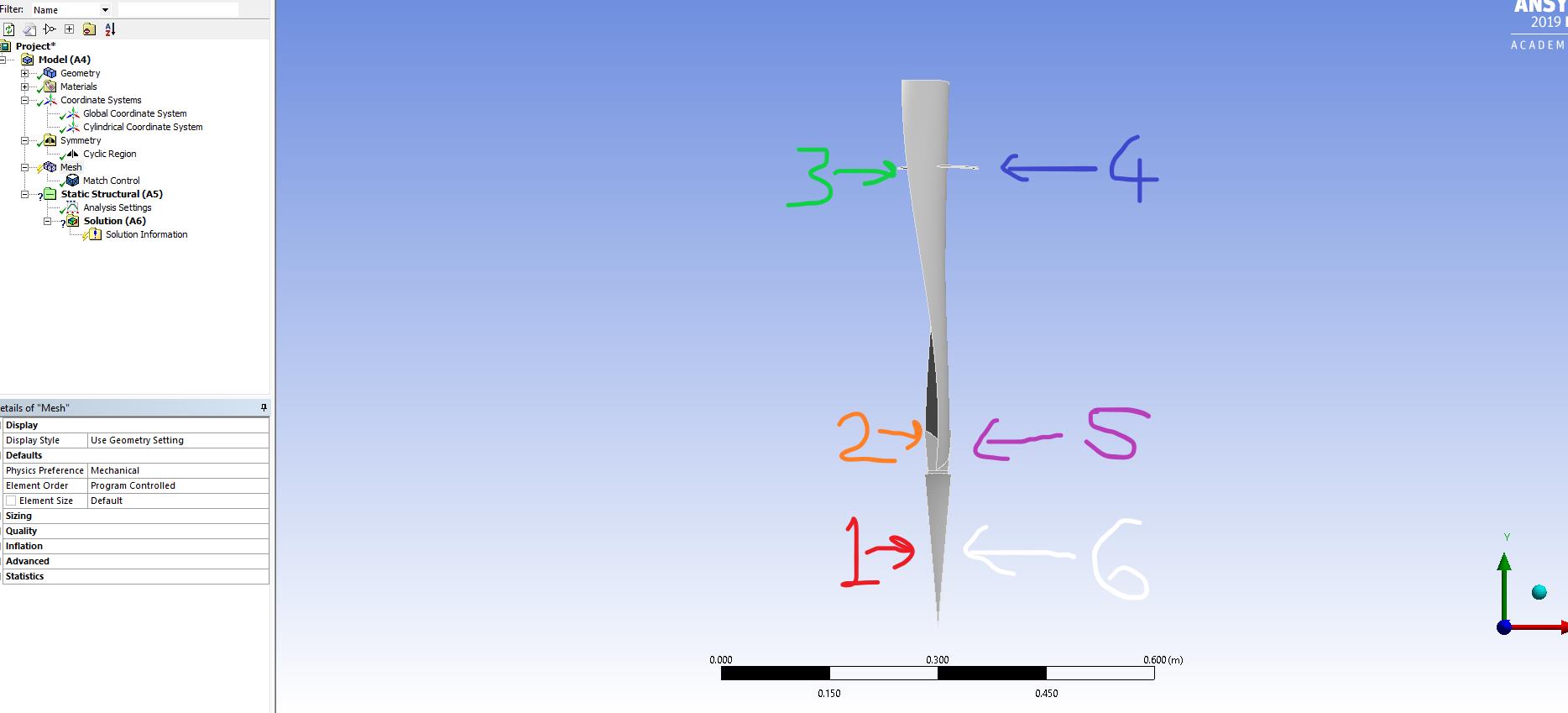
I have created the cylindrical coordinate system and defined the cyclic region's high and low boundaries as faces 3 and 4 in the above diagram as they protrude furthest in the radial direction. I have also been using the same surfaces (3 and 4) as the high and low boundaries for the match control. However i keep receiving the error 'The meshing algorithm cannot find matching topology...'. I think it might be due to the asymmetrical upper section of the blade.
-
November 1, 2019 at 8:19 pm
RSwan
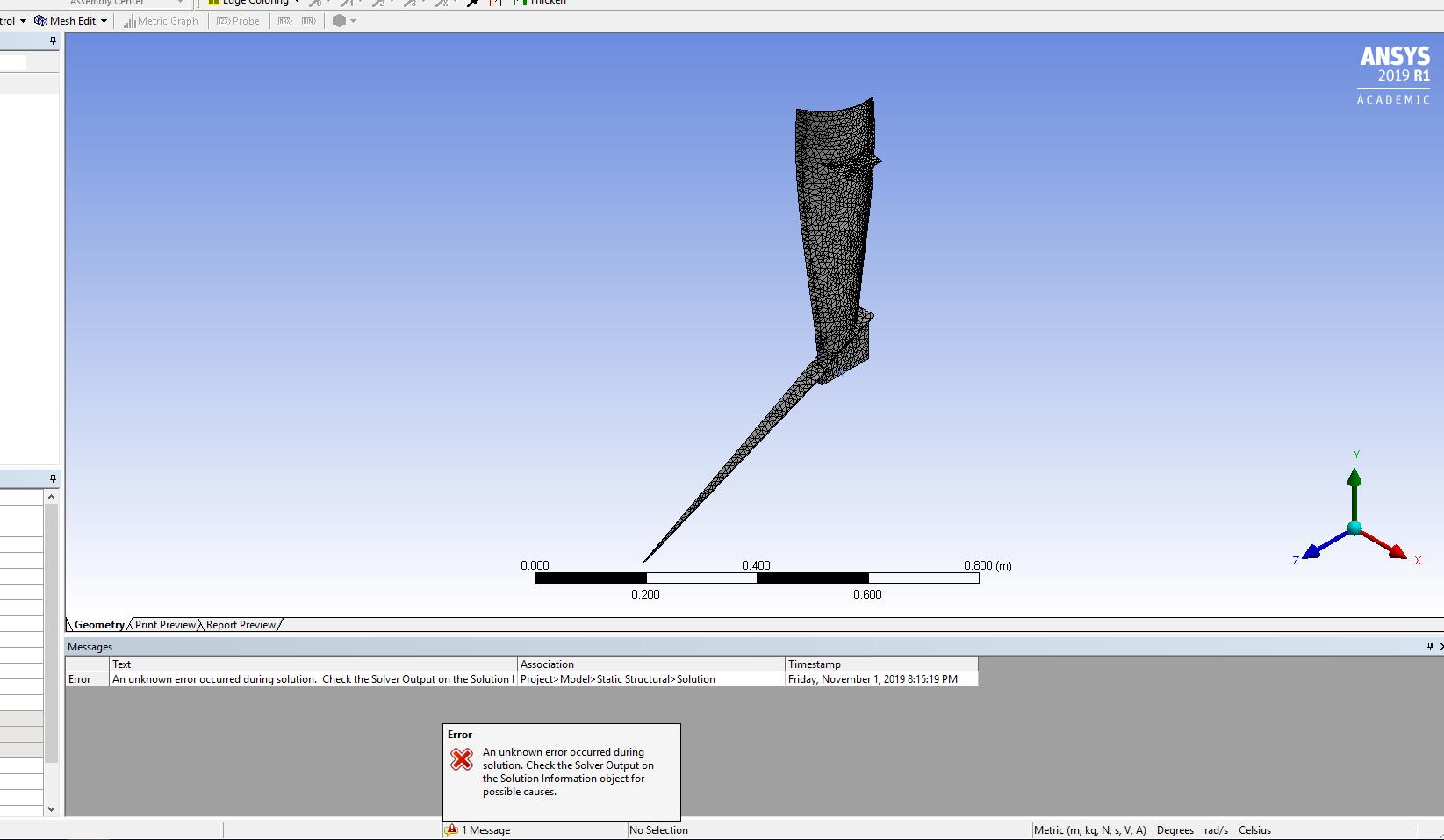
SubscriberUpdate, I have managed to create the mesh and it appears to generate although when solving I receive the error 'An unknown error occurred during solution'. When checking the solution information the error reads
'Edge nodes 423 and 729 are separated by 21.8650281 degrees, not the required sector angle of 13.3333333 degrees. No cyclic symmetry      Â
 constraint equations can be correctly generated for this low-high node pair.'
Any thoughts?
-
November 1, 2019 at 9:39 pm
peteroznewman
SubscriberSelect Cut Faces for cyclic symmetry High and Low faces. Cut faces had solid material on the "other side" of the cut face before the cut was made.
Don't select faces that are free surfaces with fluid touching them as cyclic symmetry High and Low faces. It doesn't matter that the free surface face protrudes past the "cutting plane" back where the hub is located. The reason for using cyclic symmetry is to constrain the solid material as if it had not been cut and is still supported by the material on the other side of the cut. That clearly doesn't apply to free surfaces that only touch fluid.
-
November 2, 2019 at 1:29 pm
RSwan
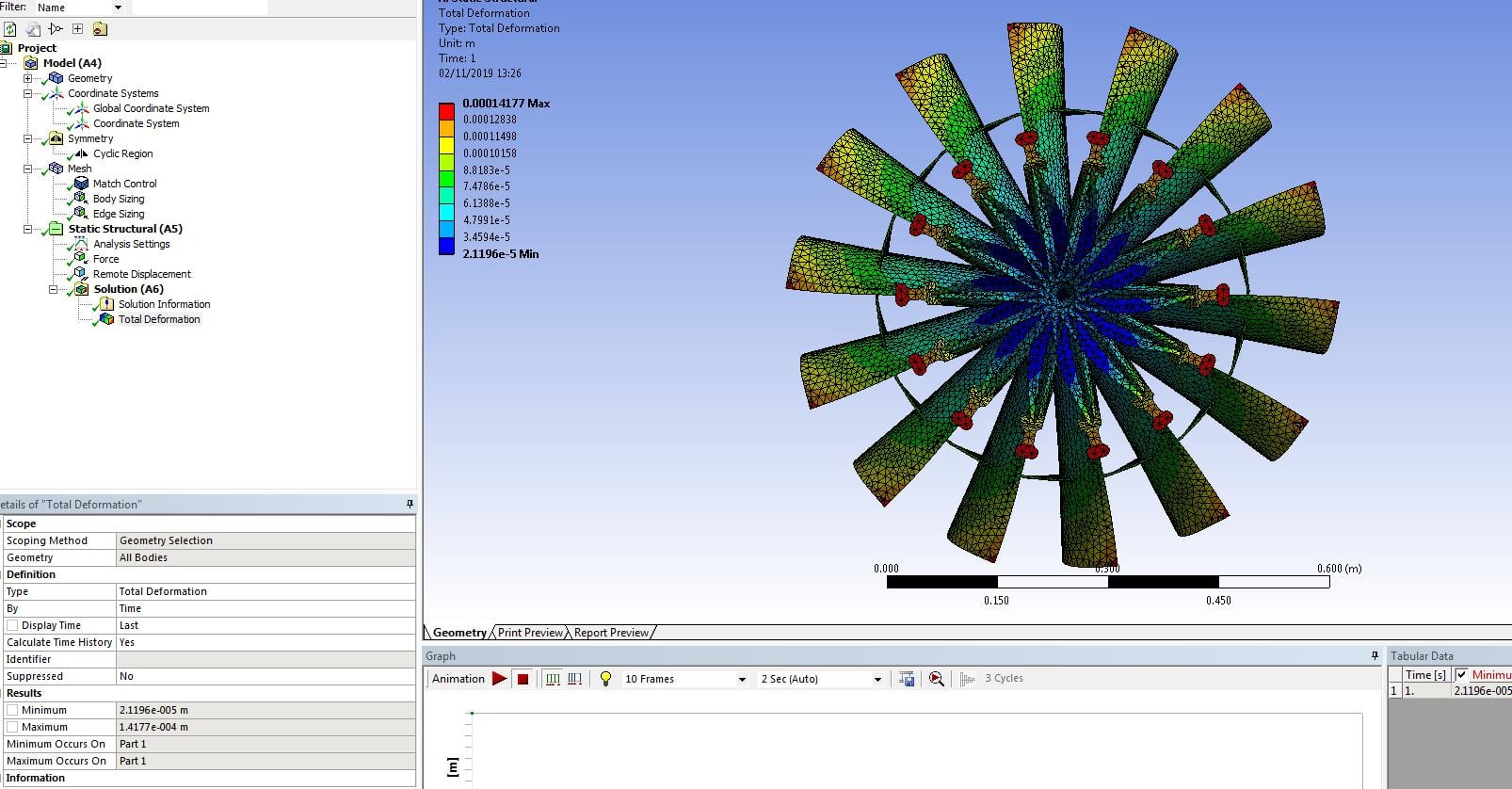
SubscriberThanks Peter, mesh looks to have worked with no errors. I need to simulate a rotational velocity at an offset distance to the rotational axis from the lower surface of the blade. Would a remote displacement be suitable to create this offset? The blade configuration is updated and now no longer contains the hub. The blades appear to merge into one another only showing around 14/15 blades instead of the 36. Thanks.


-
- The topic ‘Boundary Conditions to Allow Turbine Blade to Rotate’ is closed to new replies.

-
6600
-
1906
-
1464
-
1311
-
1022
© 2026 Copyright ANSYS, Inc. All rights reserved.