Ansys Assistant will be unavailable on the Learning Forum starting January 30. An upgraded version is coming soon. We apologize for any inconvenience and appreciate your patience. Stay tuned for updates.
Preprocessing

Preprocessing

Topics related to geometry, meshing, and CAD.

2D slice from 3D objects in ANSYS Workbench

    • Samar
      Subscriber

      Hello,


      Please could i have a 2D slice from 3D objects in ANSYS Workbench?


      I knew that the slicing could be done just for viewing but i want to export the selected slice with it's different parts in specific plan.


    • Rob
      Forum Moderator

      What do you want to export? Geometry, data or images?

    • Aniket Chavan
      Forum Moderator

      If you want to export the results, you can create a construction geometry "Surface" https://ansyshelp.ansys.com/account/secured?returnurl=/Views/Secured/corp/v194/wb_sim/ds_surface_o_r.html


      Easy way to create a Surface is the coordinate system at the desired location with XY plane coincident with the required section plane and then right-click on the coordinate system in the tree and insert a post-processing result scoped to the surface.


      This way you can view the results on the section plane, you can also export it as stl or as a text file. Note that the STL will be exported with entire geometry+surface and it will be exported with the result scale

    • Samar
      Subscriber

      Geometry and data


    • Samar
      Subscriber

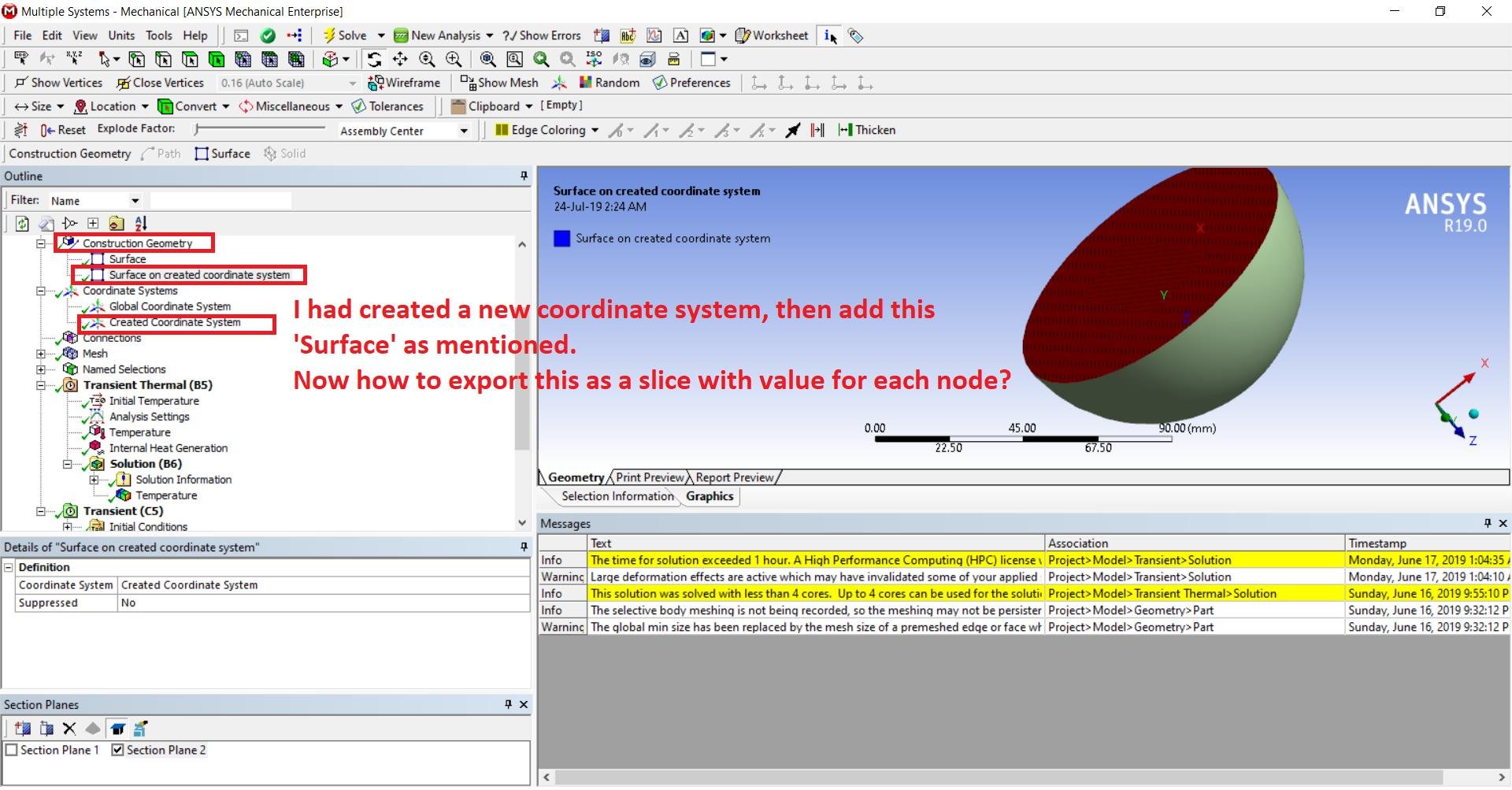
      OK now i followed steps and create the surface as shown in attached image bellow.


      HOW to get use from this created surface and HOW to export it?


Viewing 4 reply threads
  • The topic ‘2D slice from 3D objects in ANSYS Workbench’ is closed to new replies.
[bingo_chatbox]