Ansys Assistant will be unavailable on the Learning Forum starting January 30. An upgraded version is coming soon. We apologize for any inconvenience and appreciate your patience. Stay tuned for updates.
Preprocessing

Preprocessing

Topics related to geometry, meshing, and CAD.

Design Modeler – How to delete overlap between bodies?

    • Michela Benazzi
      Subscriber

      Hello everyone! Thank you in advance for any help.

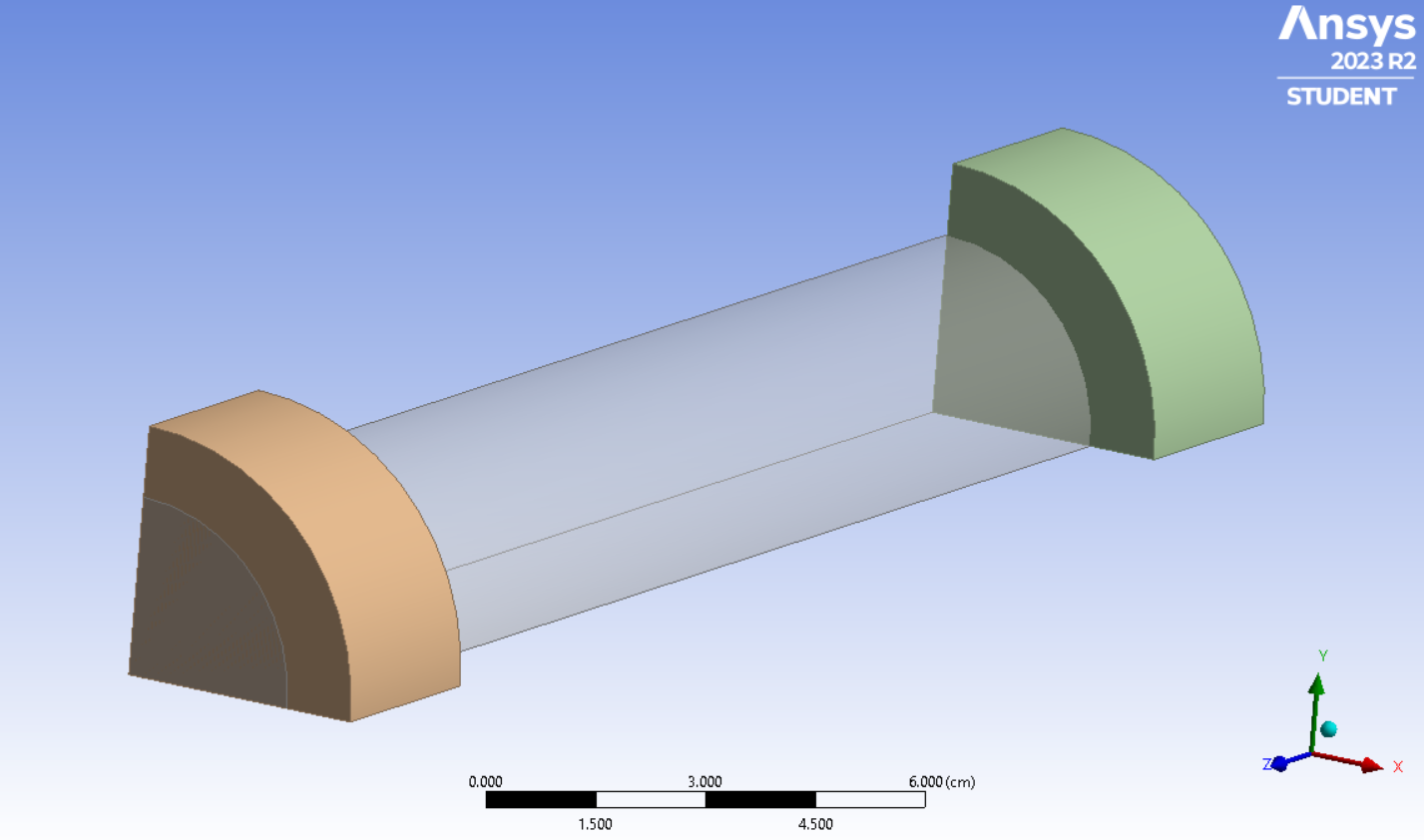
      I am trying to model a quarter section (split axially) of a continuous flow electrochemical reactor. The anode is on one side, cathode on the other with a potential drop across (orange and green bodies in the picture). I made the electrodes using "Extrude", but the bodies are overlapping with the reactor, and that is causing issues when I move to Fluent. I tried fixing it by merging all the bodies with "Boolean" and then using "Extrude" again, such that I would have the electrodes only wrapped around the reactor cylinder, but not inside. It did not work and I would appreciate any suggestions!

    • Michela Benazzi
      Subscriber

      To clarify, I am modelling a quarter of the reactor to reduce mesh complexity, since I am using a Student version of the software. Thanks!

    • Michela Benazzi
      Subscriber

      Hello! Just an Update: I made all of of the bodies into a New Part and then used Share Topology. Now all the parts including the previous overlaps are split: not quite what I wanted as the boundaries are still there, but at least the electrodes are not overlapping the cylinder body anymore.

    • Michela Benazzi
      Subscriber

      I am actually getting this error which is affecting meshing now, unfortunately. I would love any assistance.

Viewing 3 reply threads
  • The topic ‘Design Modeler – How to delete overlap between bodies?’ is closed to new replies.

[bingo_chatbox]