-
-
February 22, 2024 at 1:18 pm
alrifai
SubscriberHello,Â
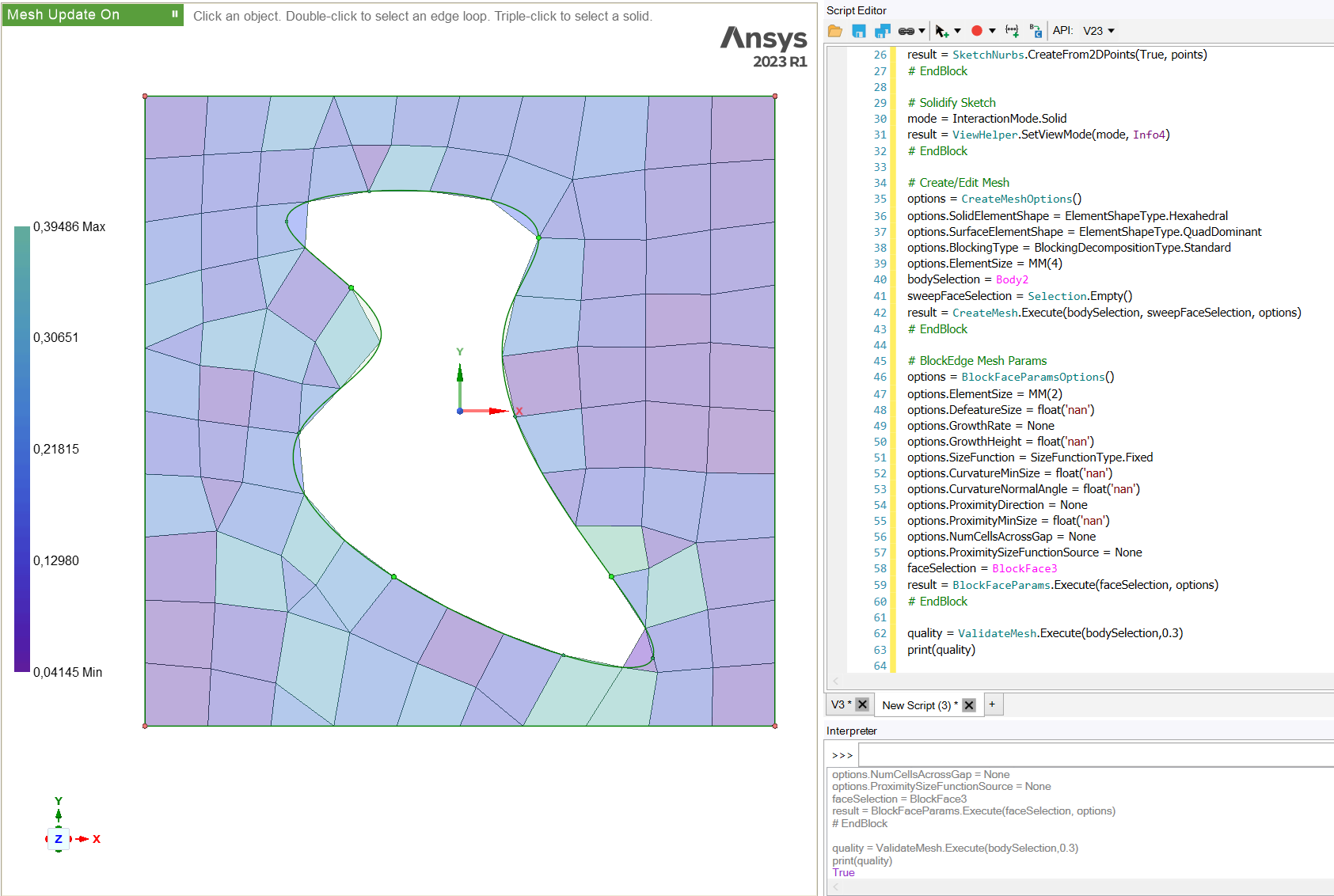
I would like to know the quality of my mesh after I generate it. So let's say if I find any cell OR large number of cells with very high skewness, I can remesh my face.Â
The only command which I found and hoped would perhaps be useful was ValidateMesh.Â
I tried the command as quality = ValidateMesh.Execute(bodySelection,0.3). And then print the value of it for my geometry which returns ALWAYS as True(refer screenshot), no matter what double value I put for the criteria.Â
Can anyone help me as to understand what exactly is this command doing? Also, how do I get number of skewed cells, aspect ratio above/below some criteria?
Thanks!
-
February 27, 2024 at 12:01 pm
Atharv Joshi
Forum ModeratorHi Yasser,
Let me check and get back to you.
Thanks and Regards
Atharv -
March 4, 2024 at 12:56 pm
ErKo
Ansys EmployeeÂ
Hi
Â
This shows how to do this in mechanical.
https://discuss.ansys.com/discussion/69/how-to-get-the-mesh-quality-using-act?utm_source=community-search&utm_medium=organic-search&utm_term=Mesh+Metric
If this is not sufficient, then
Post this in our dedicated script forum:
https://discuss.ansys.com/
All the best
Erik
Â
-
- The topic ‘Mesh quality and count through SpaceClaim API scripting’ is closed to new replies.

- Project lines/edges into a face with the direction normal to the face
- No preview in explorer with scdox file
- Add-in Error Excel
- Spaceclaim problem
- Using SpaceClaim scripts vs recorded blocks for parametric optimization workflow
- Different Body Naming and Extra Surfaces after Importing Solid Edge Part
- New Computer
- Inconsistent Script
- MISSING SIMULATION SECTION/RIBBONTAP
- Unable to attach to geometry file 2025R2
-
4618
-
1530
-
1386
-
1210
-
1021
© 2025 Copyright ANSYS, Inc. All rights reserved.