-
-
May 10, 2019 at 7:03 am
abhisheky
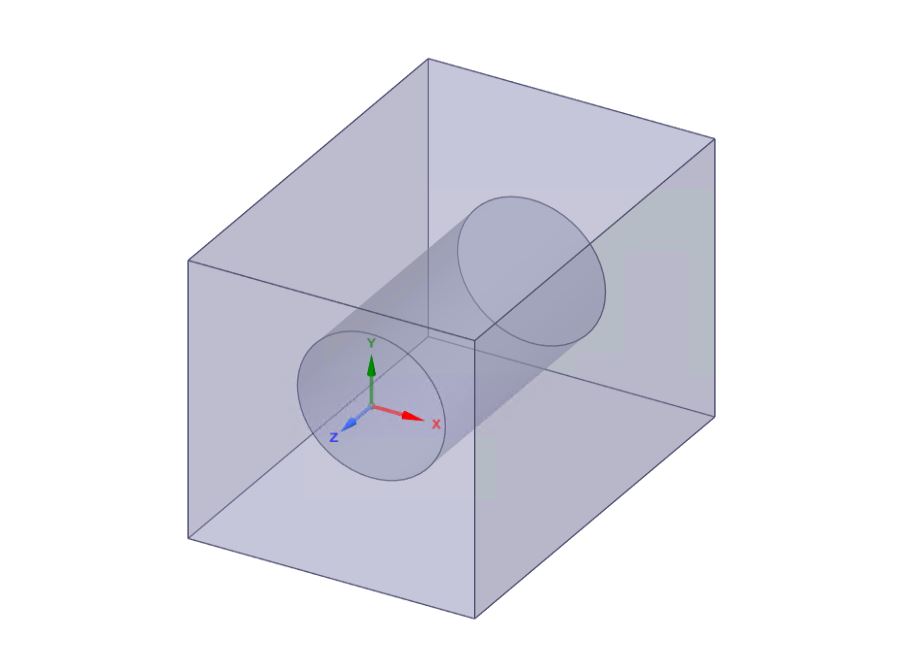
SubscriberHow do I mesh interior faces of an enclosure with more refinement and mesh controls as compared to the rest of the fluid domain volume?Â
For instance, in the attached image, I'd like to first select the volume immediately around the cylinder (inside the enclosure) and apply fine mesh controls. Then, I'd like to mesh the rest of the volume with coarse mesh controls.Â
I am not too familiar with the multi-zone mesh approach, but even so, I'm unsure on how a multi-zone mesh would work for very complex (and organic) geometries, not simple geometry like the attached image.
Is there a different approach to this or is there a modification of multi-zone meshing that is possible?Â
Or is it multi-zone even the right technique for such a fluid domain that involves organic geometries given that the fluid-domain (enclosure) is a one-body part and not a multi-body part?
Can someone please shed some light on this?
Thank you!
-
May 15, 2019 at 6:50 pm
Kalyan Goparaju
Ansys EmployeeYou can do this in multiple ways. If you are using Workbench Meshing, you can select the interior face and give a specific sizing and assign a different (larger) global sizing to the rest of the domain. Another strategy would be to create a BOI around the cylinder and specify a small cell size in that region than the global cell size.Â
Thanks,Â
Kalyan
-
- The topic ‘How to mesh interior faces of enclosure differently than the rest of the fluid domain?’ is closed to new replies.

-
6495
-
1906
-
1458
-
1308
-
1022
© 2026 Copyright ANSYS, Inc. All rights reserved.