Hi,
I'm using a CAD geometry which is modeled in solidworks to study the effect of interference between three components. Below diagram shows the components in the CAD geometry.
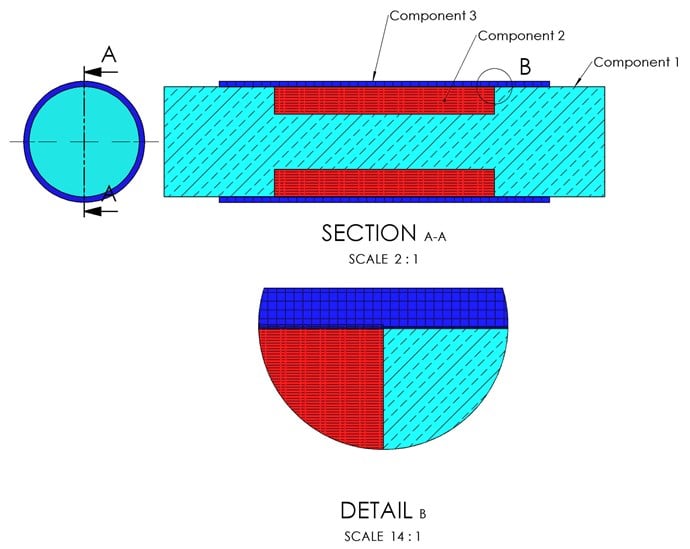
Following are the diameters of the three components.
component 1,2,3 outer radius = 10.0 mm
contact offset is defined as 0.25 mm
So there is 0.25 mm interference between in the components.
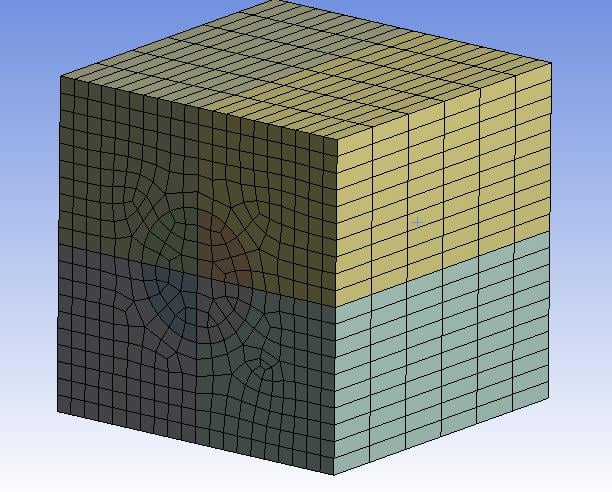
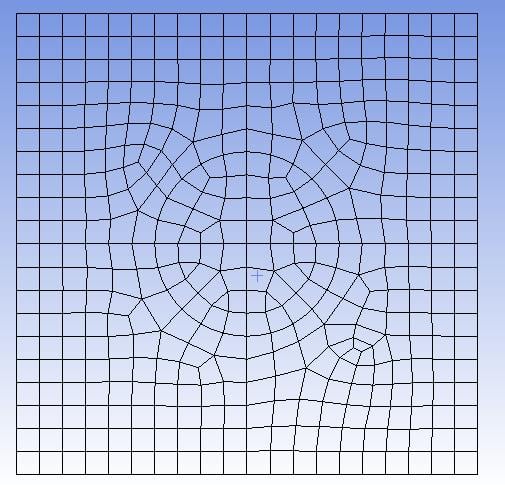
I have split the model along the axis of the assembly where I can use same amount of division in tangential direction also bodies are split where nodes in the contact surface should match perfectly.
Here's where I faced the issue,
When I used contact tool to get the initial information between the contact of component 2,3 the penetration is 0.25mm.
But in the contact surface between 1,3 the penetration is higher than the offset defined (0.25mm). Also there is geometric penetration visible. Which there shouldn't be any, since component 1,2 has the same outer diameter both components should have same initial interference.
Also what I noticed was even though surface of the solid bodies has higher tessellation the edge of the solid bodies has lower tessellation which made the edges look jagged.
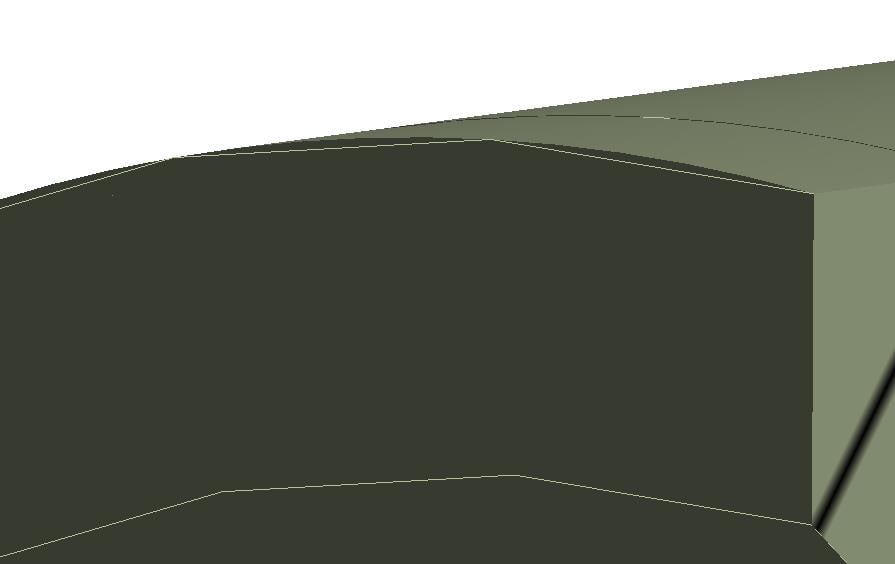
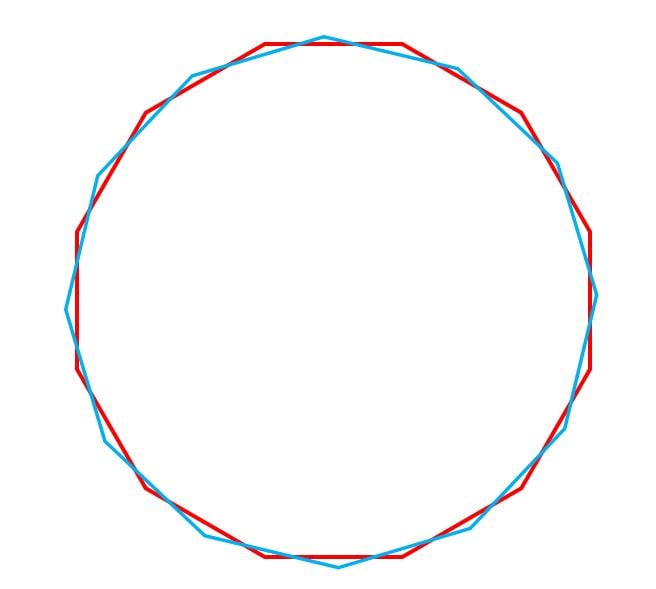
And the mesh follows the jagged edges of the components. The jagged edges also do not match tangentially between the components. Like shown in the image below.
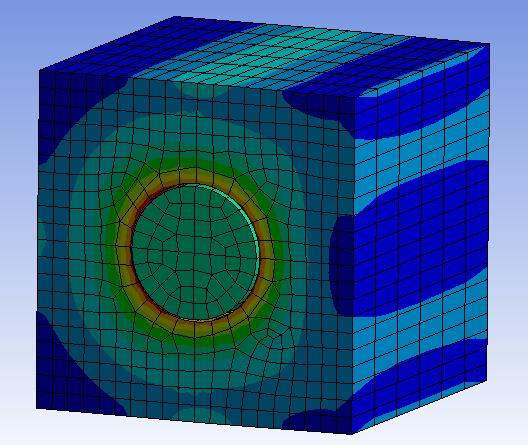
Due to this issue the node near the edges show penetration but nodes away from the edge matches between the contact surface. As shown below.
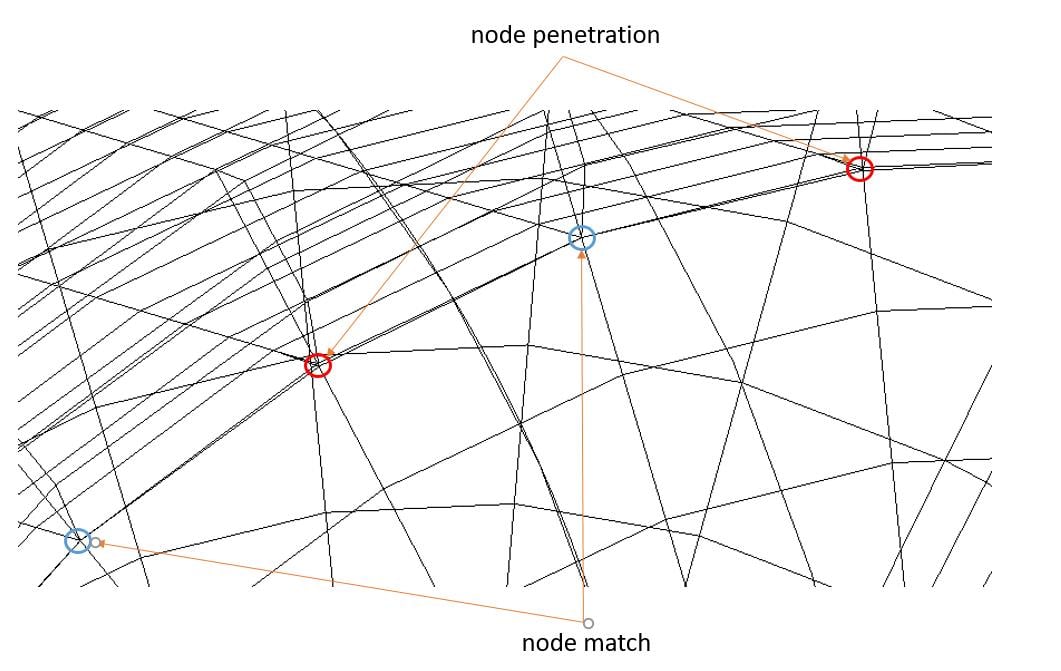
This has only happened between component 1,3.
So I tried increasing edge quality in solidworks so the deviation should be reduced. Then in design modeler the edges have higher tessellation but when it gets imported in mechanical again the edges look jagged.
I tried to find any other option available to increase the tessellation inside mechanical but I was unable to do so. I want to solve this issue without changing the file format so I can perform parametric study with solidworks in future.
I also found out that for *.stp and *.igs file format there's a option in design modeler to change the tolerance file importing the CAD geomtry.
Any help would be highly appreciated.
Thanks.


















 You are navigating away from the AIS Discovery experience