-
-
February 8, 2024 at 5:22 pm
Killian HOLLEBEKE
SubscriberHi everybody,
I wondered how can I modify the time step of this function : *DATABASE_BINARY_D3PLOT during the simulation in order to save computing time (I'm interested in a specific time of the solution).
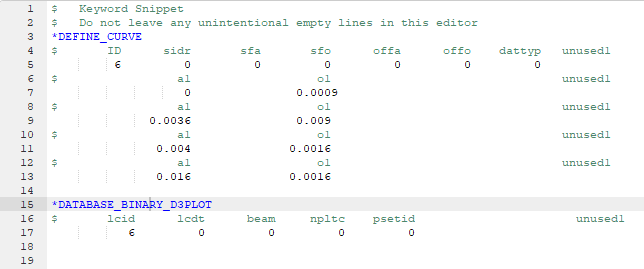
I tried to use the command *DATABASE_BINARY_D3PLOT associated with a curve (see the picture above) and the time step of this function changed through the simulation but was not the value I entered in the curve definition. Maybe I didn't set correctly the curve.
Thanks in advance for your help.
-
February 9, 2024 at 11:33 am
Ram Gopisetti
Ansys EmployeeHi Killian,Â
Most of the part, you did pull out well, except the formatting in line 7.Â
You need to move that 0.0009 number to a back tab, aligning right of o1.
Cheers, RamÂ
-
February 9, 2024 at 12:07 pm
-
February 9, 2024 at 5:11 pm
Ram Gopisetti
Ansys EmployeeHi Killian,Â
Why was the DT value in your command snippet null?
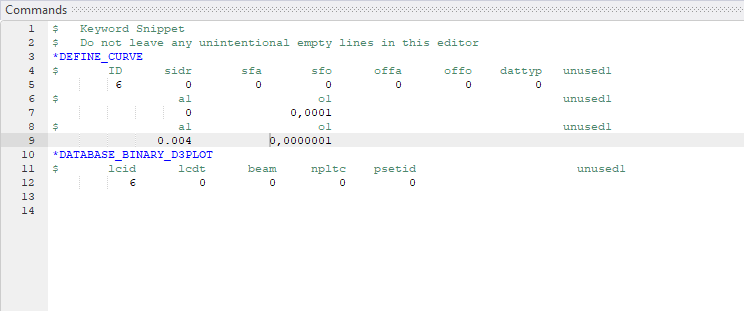
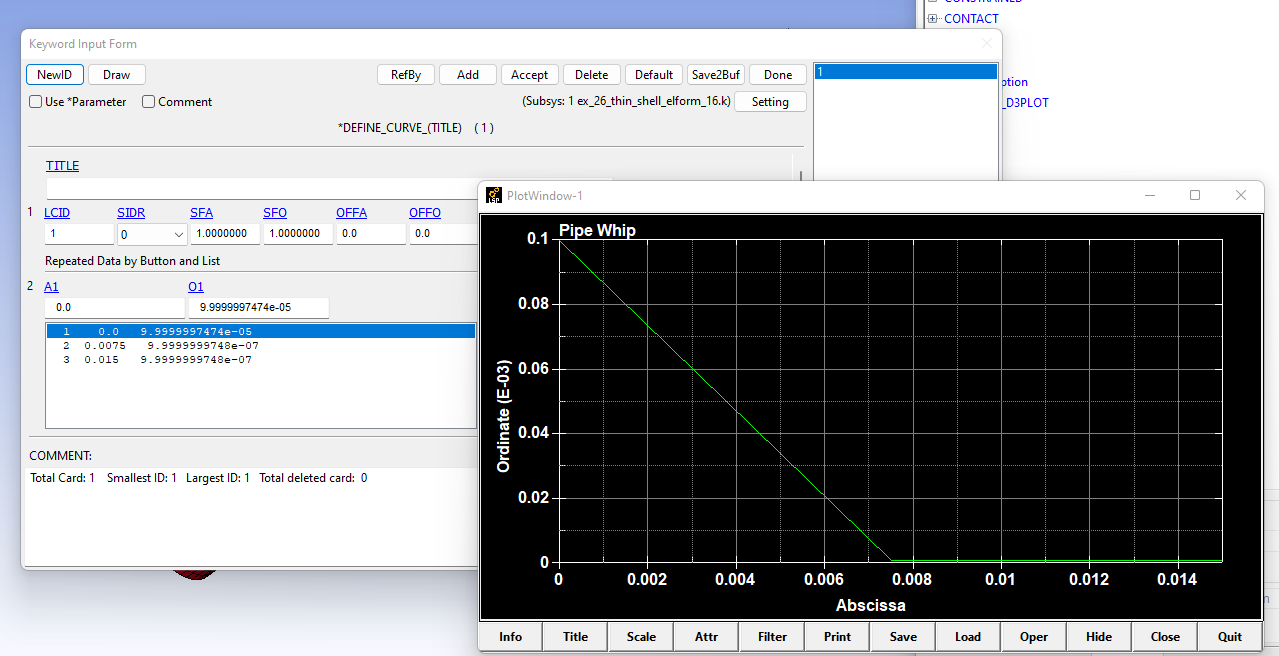
When I tested on the sample case, using the curve as followsÂ
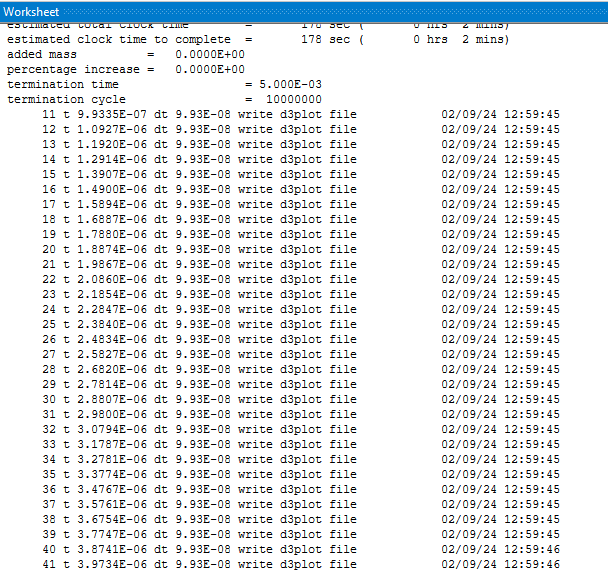
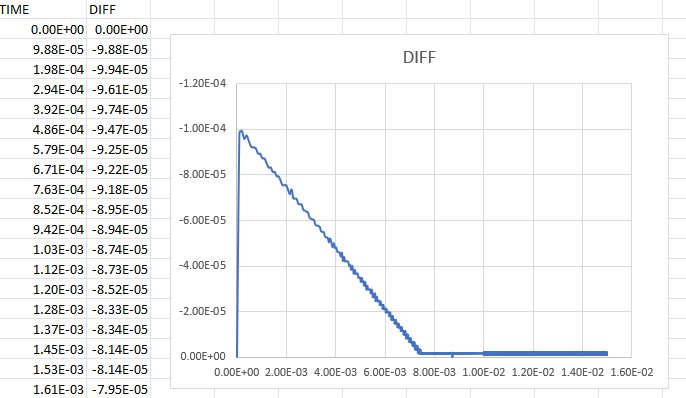
I then checked the frequency from the d3hsp time stamps by taking the running difference, the frequency matched correctly with no issues with itÂ
Try setting the DT=0, and verify via running difference.Â
Cheers, RamÂ
Â
-
- The topic ‘How to control plotting time step in Workbench LS-DYNA’ is closed to new replies.

-
5044
-
1754
-
1387
-
1248
-
1021
© 2026 Copyright ANSYS, Inc. All rights reserved.