Hello Lucas,
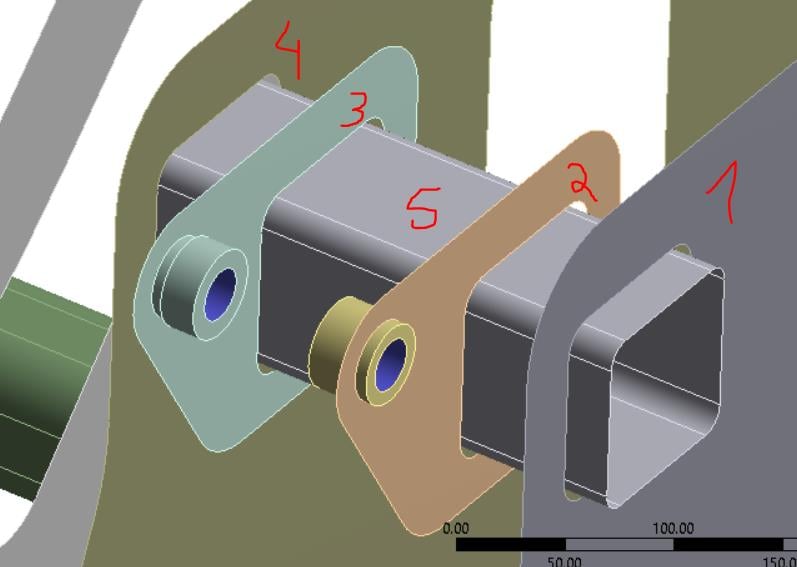
It would be valuable to go into the Geometry editor, and Divide Face on the tube at the planes of the sheets 1-4. You don't have to split the Tube body, just divide the face. Once you do that, don't use bonded contact.
- Mesh these sheet bodies.
- RMB on Mesh and Insert > Manual Mesh Connection.
- Set the Geometry filter to Faces.
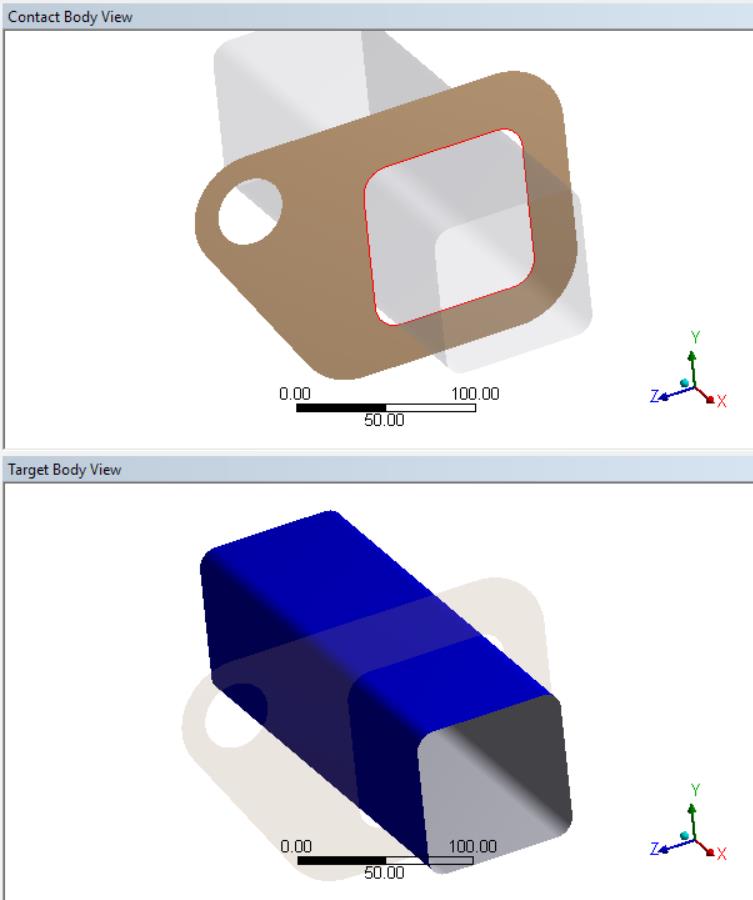
- Select the eight tube faces as the Master Geometry
- Set the Geometry filter to Edges
- Select all the edges of the holes in parts 1-4 as the Slave Geometry.
- Generate.
There is a great tool on the toolbar to speed up the above work. It is the Extend to Limits button with the keyboard shortcut Shift+ F2. With the Edge filter, you just pick one edge on each hole on sheets 1-4, so just 4 clicks with the Ctrl key held down, then click the Extend to Limits button and all the edges around the holes become selected. It works the same for picking all the faces around the tube, you just pick one face and use Extend to Limits to have all the faces selected.
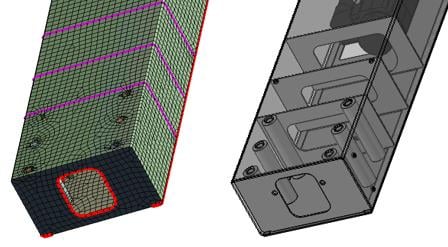
On the Edge Graphics Options toolbar, set the Edge Coloring to By Connection. Now you will see purple lines around the plates where they are welded to the tube. You will see the nodes on the Slave Geometry have moved over to the tube and share nodes, welding them together.
Mesh Connections are better than Bonded Contact because you can see that it is welded and there are no added elements that increase the solution time.
Below is an example of a tube with internal stiffeners.
Regards,
Peter


















 You are navigating away from the AIS Discovery experience