TAGGED: student-version
-
-
January 18, 2024 at 5:30 am
Faiz Rehman
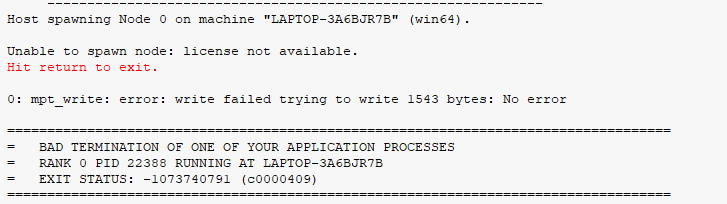
SubscriberI have worked on a complete license version of 2023 R2. I don't have access to that anymore and would like to view the already solved model on my University laptop which has a student version of 2023 R2 but I am getting the following error. I really need to access this file and I don't know how to. Will it work if I try to open the R2 file in a complete license of R1? Is there a way to fix the current error I am recieving? Please help me.

-
January 18, 2024 at 11:00 am
Rajeshwari Jadhav
Forum ModeratorHi Faiz,
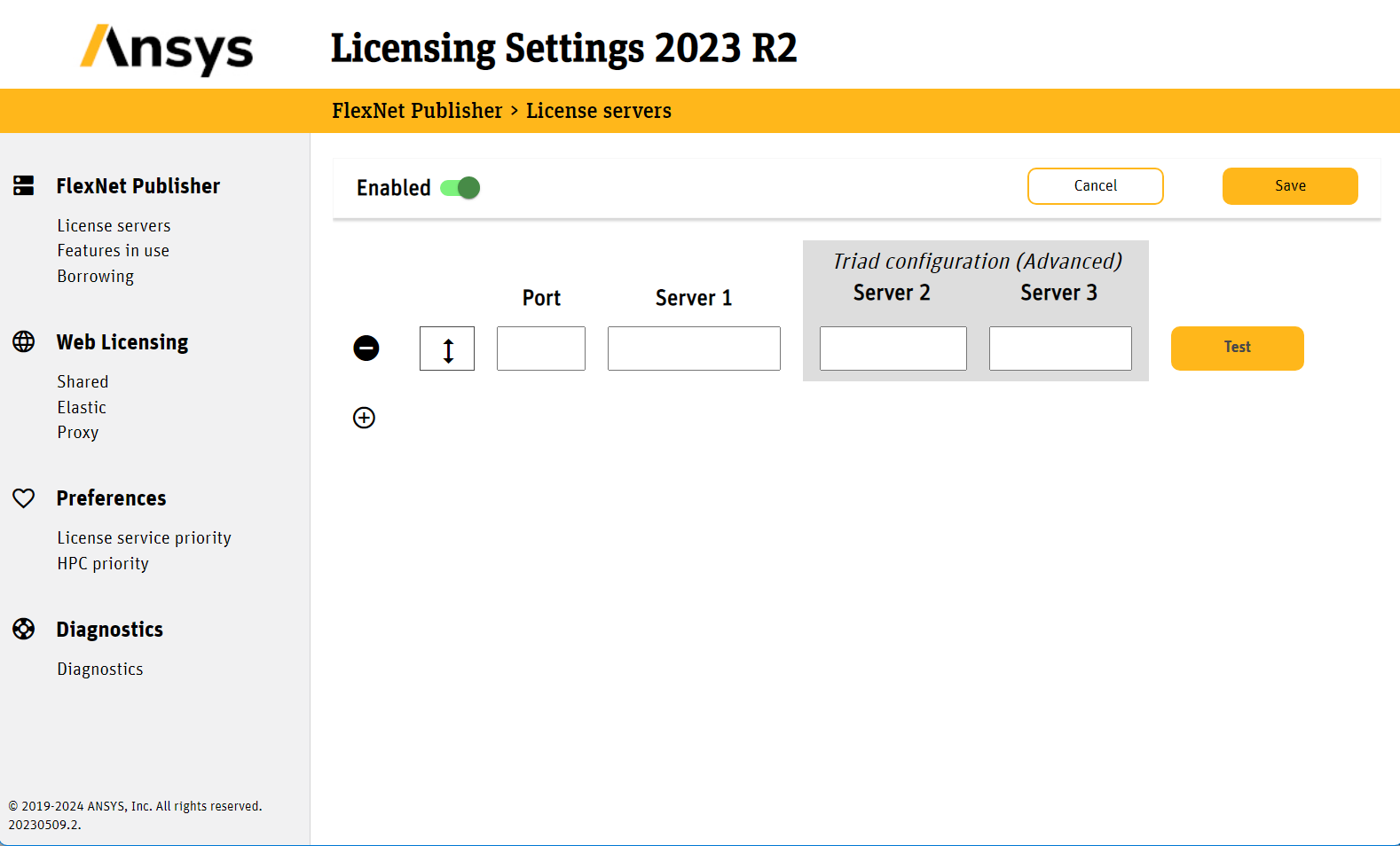
Can you open Ansys Licensing Settings and check if any server name or port no is mentioned send screenshot of it and of feature in use.
-
January 19, 2024 at 4:29 am
Faiz Rehman
Subscriber-
January 19, 2024 at 10:16 am
Rajeshwari Jadhav
Forum ModeratorCan you go to this path C:\Program Files\ANSYS Inc\v232\licensingclient\winx64 right-click on licensingsettings and run as admin it should have servername in it. You can open project of same version in student version just take a backup of that project and then open it in student version. But you will not be able to view all features.
-
-
-
January 18, 2024 at 11:57 am
peteroznewman
SubscriberA project saved in 2023 R2 cannot be opened in 2023 R1.
-
January 19, 2024 at 4:30 am
Faiz Rehman
SubscriberWhat if a project was prepared using the complete license in 2023 R2 & I want to open it to only view the results in 2023 R2 Student Package?
-
January 19, 2024 at 1:10 pm
peteroznewman
SubscriberThat should be fine. You just can't solve on the Student package if the node or element count exceed 128k.
-
-
-
January 23, 2024 at 5:11 am
Faiz Rehman
SubscriberI am getting this error when I try to view the solution on the student package. It is already solved but I am unable to view the plots
-
January 23, 2024 at 10:39 am
peteroznewman
SubscriberFaiz, how did you move the project from the computer with the solution to your laptop?
Did you use File > Archive and chose to Save Results? That would create a very large .wbpz file.
If you did not Save Results when you did File > Archive, then you can't make new plots.
-
January 24, 2024 at 4:10 am
Faiz Rehman
SubscriberYes I have archived and created a .wbpz file. But the results are not displaying
Â
-
- The topic ‘2023 R1/R2’ is closed to new replies.
-
5834
-
1906
-
1420
-
1305
-
1021
© 2026 Copyright ANSYS, Inc. All rights reserved.