Ansys Free Student Software

Ansys Free Student Software

Topics cover installation and configuration of our free student products.

Can’t open file in fluent

TAGGED: 

    • Faiz Rehman
      Subscriber

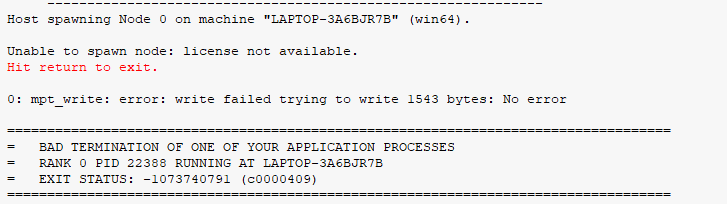
      I am trying to open a file in the 2023 R2 software. It is a converged solution file done on the same software but when I am trying to open the solution tab I am getting an error which says 'Unable to spawn node: license not available'. Upon closing I get the message that 'The FLUENT application failed to validate the connection'.

      I reinstalled Ansys and run the set up as administrator. I downloaded the student version from ansys website. I am attaching the screenshot of the messages window here. Please help.

    • Luca B.
      Forum Moderator

      It seems there is a license issue? are you sure license manager is working well? 

      Are you running on multiple cores. Can you check if connection between machine is ok?


      Luca

      • Faiz Rehman
        Subscriber

        Hi Luca,
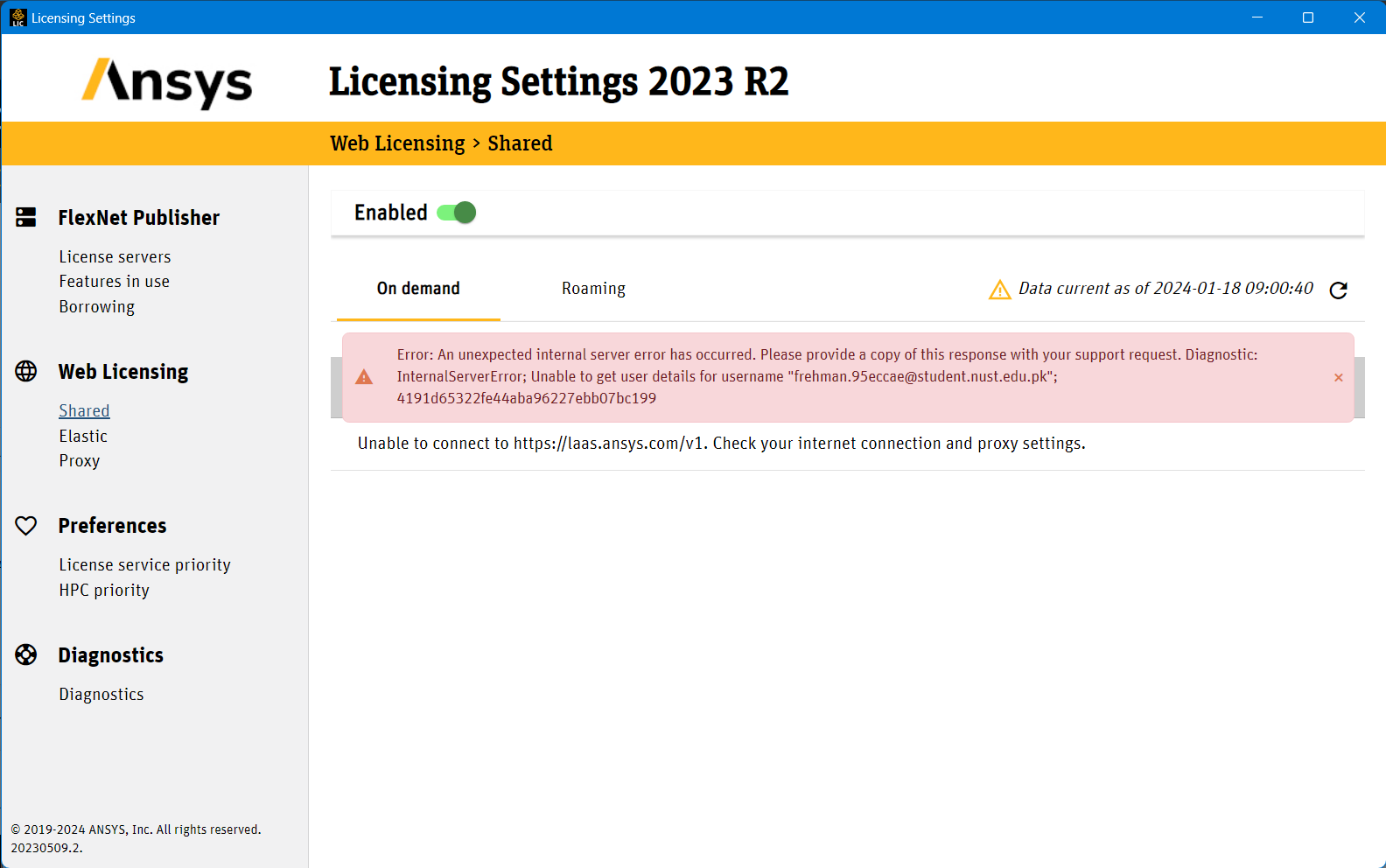
        I am new to this but I after opening the license manager, this is what I'm getting

    • Luca B.
      Forum Moderator

      It seems to be an internal internet error. Can you connect with you license server machine? Can you verify with you  license provider?


      • Faiz Rehman
        Subscriber

        What do you mean by License Server Machine? I have downloaded a student version of Ansys from their website, So the license is supposed to be with the installation right?


Viewing 2 reply threads
  • The topic ‘Can’t open file in fluent’ is closed to new replies.