-
-
December 14, 2023 at 3:37 pm
-
December 15, 2023 at 3:37 am
peteroznewman
SubscriberCalvin,
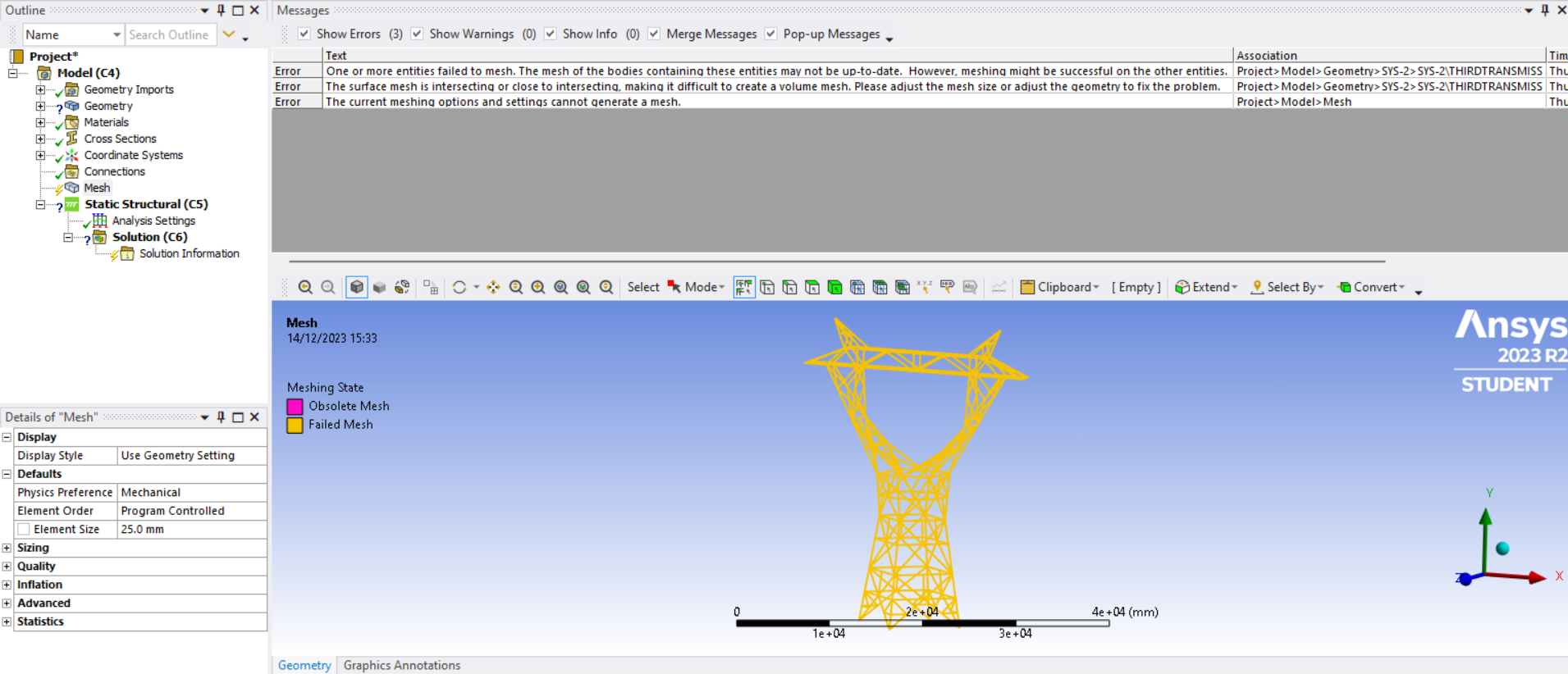
I expect the geometry in Creo is a solid model. I recommend you convert the solids to lines to represent this 3D truss. The lines obviously have to meet at the ends to other lines. Ansys will easily be able to mesh the lines.
-
December 15, 2023 at 3:09 pm
calvinmooney03
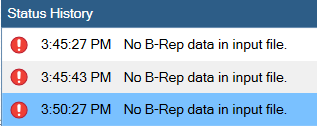
SubscriberIf i import just a line body from creo it gives an error in ansys saying there are no solid bodies found
-
December 15, 2023 at 3:36 pm
calvinmooney03
SubscriberShould i import just the sketched lines from creo or after i have created a sweeped body around the lines, when i imported the sweeped body, it was the one that couldn't generate a mesh.
-
-
-
December 15, 2023 at 5:50 pm
peteroznewman
Subscriber-
December 17, 2023 at 7:47 pm
calvinmooney03
Subscriber-
December 17, 2023 at 7:51 pm
calvinmooney03
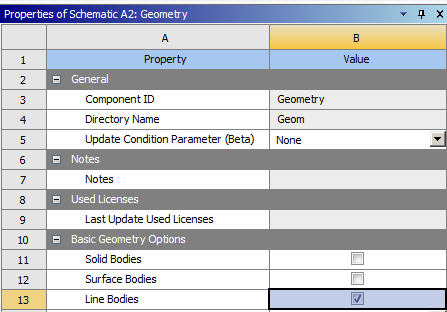
SubscriberI got it up and line bodies is checked but when I only have line bodies checked, it comes up with an error saying "No solid bodies found".
-
-
-
December 18, 2023 at 1:01 am
peteroznewman
SubscriberHere is a workflow to create beam models in Mechanical for a Static Structural model from a STEP file with lines in it.
Right click on Geometry and start SpaceClaim (SC). In SC, use File Open, set the filter to file type STEP and open the STEP file. On the Prepare tab, use the Profiles button to create the cross-sectional profile that represents the different sized truss cross-sections. The click on the Create button to convert each line to a beam with the selected cross-section. If you want all the truss beams welded together, go to the Workbench tab and click on the Share button. This will cause all the coincident end point to merge which will be helpful in Mechanical after meshing. Close SC.
In Workbench, double click on the Model cell and Mechanical will open. Now you have line bodies that can be meshed with beam elements.
-
December 18, 2023 at 2:43 pm
calvinmooney03
SubscriberBut the import from creo is already a solid body as i cannot just import a line body itself from creo.
-
-
December 18, 2023 at 3:47 pm
peteroznewman
SubscriberMy suggestion is that you don't want to mesh solids in Mechanical, you want to mesh line bodies.
The work you have to do is to convert the solid body in Creo into Beams in SpaceClaim (SC).
There are two ways to accomplish this.
- You can draw lines in Creo and export the lines into SC where you will define cross-sections and assign them to the lines to convert them to beams. You are wrong when you say you cannot import a line body from Creo. I drew a line in Creo, exported the line in a STEP file and opened that STEP file in SC then defined a cross-section and converted it to a beam.
- You can export the solid from Creo and open the STEP file in SC. Then in SC you will cut the solid into truss elements and convert the solid tubes into Beams in SC.
-
December 18, 2023 at 3:52 pm
-
December 18, 2023 at 8:09 pm
peteroznewman
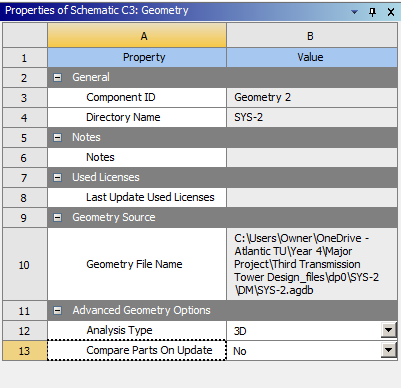
SubscriberDon't Import the STEP file into the Geometry cell. Right click on the Geometry cell and start SpaceClaim. When SC opens, use File Open and set the File Type to STEP. Then point to the STEP file. It will show the lines.
-
- The topic ‘3 Failure while trying to mesh a geometry brought in from a step file.’ is closed to new replies.

-
6450
-
1906
-
1457
-
1308
-
1022
© 2026 Copyright ANSYS, Inc. All rights reserved.