Ansys Assistant will be unavailable on the Learning Forum starting January 30. An upgraded version is coming soon. We apologize for any inconvenience and appreciate your patience. Stay tuned for updates.
General Mechanical

General Mechanical

Topics related to Mechanical Enterprise, Motion, Additive Print and more.

Shared topology error message

    • Joordr
      Subscriber

      Hi all,


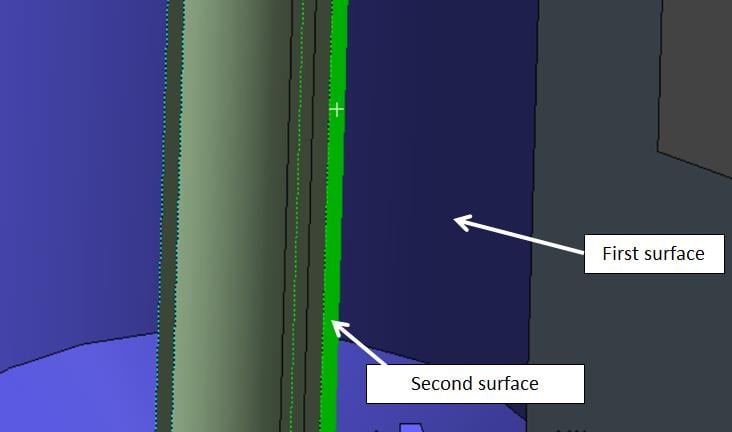
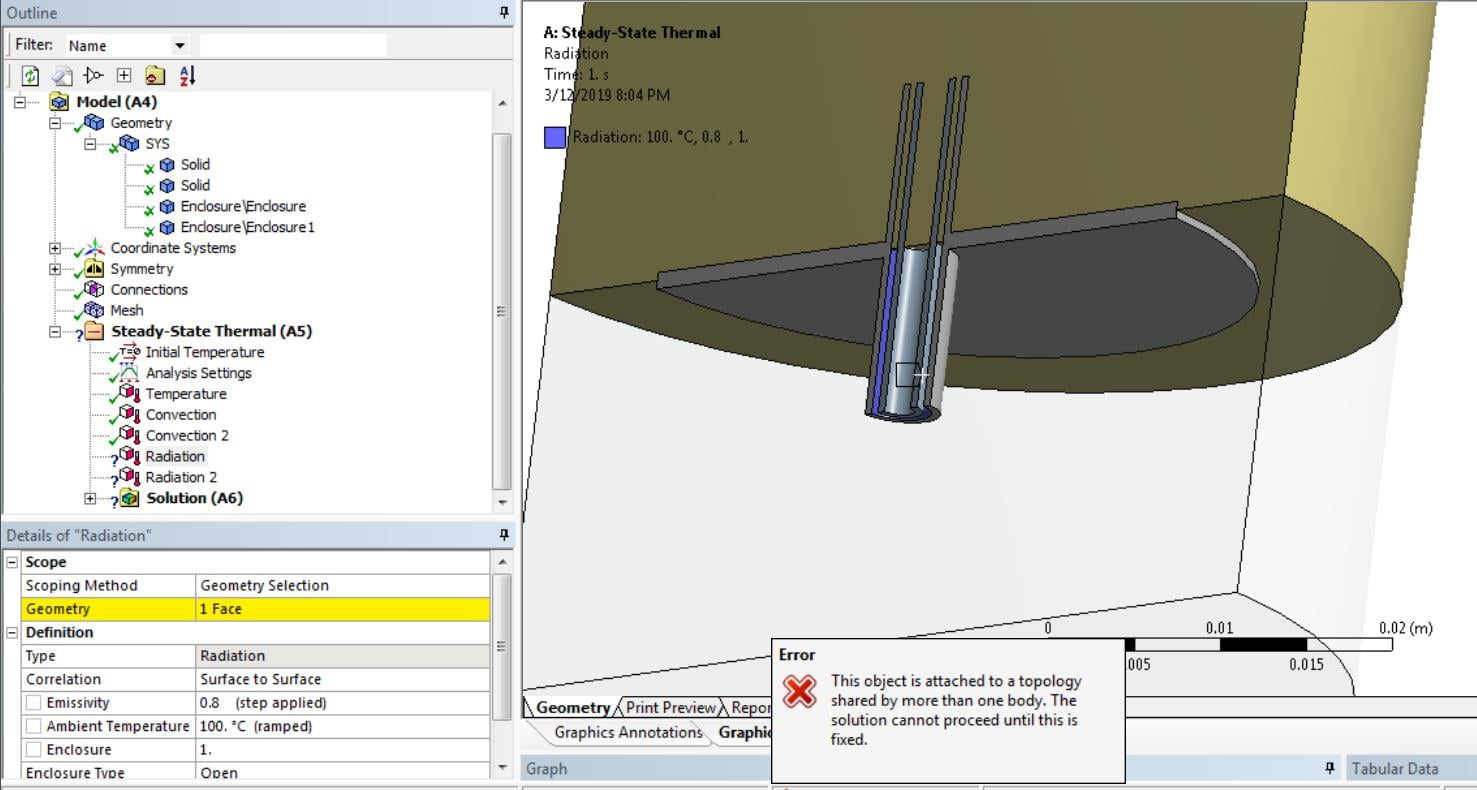
      I am trying to insert a radiation boundary conditions between two cylindrical surfaces in a Steady-State Thermal analysis, but get the message "This object is attached to a topology shared by more than one body. The solution cannot proceed until this is fixed."


      I used the Merge topology in Spaceclaim and have enclosed the part with stagnant air. What is in this case the problem?


      problem


    • Keyur Kanade
      Ansys Employee

      the geometry is not clear to me. 


      but can you please use share instead of merge in spaceclaim and check this. 

    • Joordr
      Subscriber
      It is basically two half concentric hollow cylinders with in between air. I also checked with shared topology, but same error message.
    • Keyur Kanade
      Ansys Employee

      do you have only these two bodies?


      can you insert image of your geometry and model tree and share options. 

    • Joordr
      Subscriber


      Is it because the surface where I want to use a radiation boundary condition has both the enclosure and solid as an interface?

    • Keyur Kanade
      Ansys Employee

      some mechanical experts, please pitch in. 


    • Rohith Patchigolla
      Ansys Employee

      Hi Jordor,


      It is not clear from the picture, but, I believe, the face you scoped in the radiation boundary condition is shared between this cylinder and one of two Enclosure bodies (because of Share topology --> Share/Merge setting in Spaceclaim). 


      You can identify such faces which are shared, by creating a named selection with Worksheet scoping option and set the below settings in the worksheet.
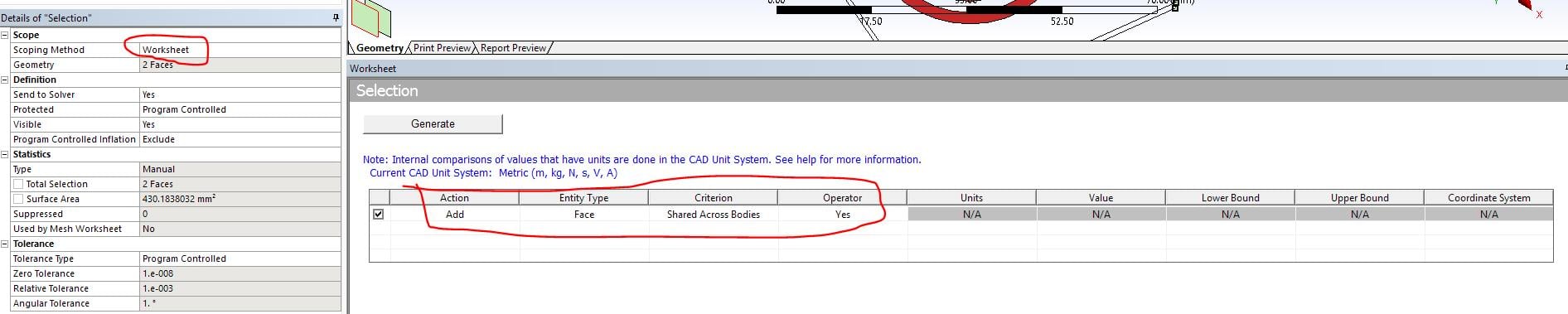

      Named Selection Worksheet for Shared faces


      Applying boundary conditions such as Convection, Radiation, Heat flux... on shared topologies is not allowed. 


      If you want to apply them on such faces, please set, Share Topology --> None in Spaceclaim. 


      Hope this helps. 


      Best regards,


      Rohith

    • Joordr
      Subscriber

      Hi Rohith,


      It works when I put the Share Topology to 'None'. However my mesh and other functions do not make sence in this way.


      Thank you.


      Joordr

    • Wolfgang
      Subscriber

      Hi Joordr,


      I am trying to set up an automatic process where the geometry is imported via SpaceClaim. My problem here is, the shared topology is activated by default but I need the face to define an interface.


      Is it possible to deactive this option for each new import? It is possible to deactivate and let this certain case run. But when a new geometry is imported, the topology is shared again and the named selection is not available in pre.


      Best wishes

Viewing 8 reply threads
  • The topic ‘Shared topology error message’ is closed to new replies.
[bingo_chatbox]