Ansys Assistant will be unavailable on the Learning Forum starting January 30. An upgraded version is coming soon. We apologize for any inconvenience and appreciate your patience. Stay tuned for updates.
General Mechanical

General Mechanical

Topics related to Mechanical Enterprise, Motion, Additive Print and more.

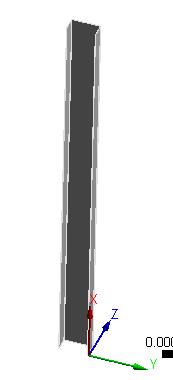
How to apply Pinned end to C-shape channel column in Ansys workbench?

    • usmanz
      Subscriber

      The paper is (The post-buckled coupled mode interaction behavior of thin-walled members in compression using finite element simulation)


      Chapter 5 describes Pinned end conditions in detail in the above paper which is online. I was wondering on how to apply pin ends to the channel column... do I use remote displacement or just displacement and what should the x,y,z and Rx, Ry, Rz be free or zeros.


      Dimensions of the channel column are as follow: 


      flanges = 50mm


      web = 100mm


      thickness = 1mm 


      x, y and z for the channel column are the same as the papers so if anyone could please tell me how to apply the pin end to the column.

    • peteroznewman
      Subscriber

      You might use most of the advice provided the last time you asked this question.

    • usmanz
      Subscriber

      I did but for some reason, the answers obtained were incorrect

    • usmanz
      Subscriber

      can you use ansys to check if you get the same answer? im super confused at the moment.

    • peteroznewman
      Subscriber

      Select the three bottom edges, create a remote displacement. That will create a remote point at the centroid of the thee edges, which is perfect. Set X, Y, Z, Rx and Rz to zero, and leave Ry Free, that is the pin axis.


      Select the top three edges and create another remote displacement.  Set Y, Z, Rx and Rz to zero, and leave Ry Free, that is the pin axis.  Set X to some negative number that will compress the column and take it into the post-buckled regime.


    • usmanz
      Subscriber
      Yes that's perfect I got the same critical buckling load as the paper by changing the x-component value at the top edge...

      How do I apply fix to fix ends for the same channel column, do i use remote displacement or just displacements?
    • peteroznewman
      Subscriber

      You can just set Ry to 0 and that is Fixed.

    • usmanz
      Subscriber
      So to get fix-fix end column, I set the remote displacement on top edges to = Y,Z,Rx,Rz,Ry =0 and X=negative number
      Remote displacement on bottom edges = X,Y,Z,Rx,Ry,Rz =0
      Is this correct for fix-fix end?
Viewing 7 reply threads
  • The topic ‘How to apply Pinned end to C-shape channel column in Ansys workbench?’ is closed to new replies.

[bingo_chatbox]