-
-
February 19, 2019 at 9:59 pm
ansysuser
SubscriberHello,
I have a simulation where I have a material that is compressing and stretching alternately. I want to be able to compress the material in step one and compress it in step two. But after the first step, when the material is compressed, if I change the material properties in the Engineering Data screen the simulation forgets where it is and wants to start over. Is there a way to apply the total deformation which is calculated at the end of the fist step to a new material for the next step? Thanks!
-
February 20, 2019 at 2:46 am
dinhan0394
SubscriberYes, you can change the material of the body between load steps by using APDL commands.
You can search for the command: MPCHG and how to use it.
-
February 20, 2019 at 8:34 am
dinhan0394
SubscriberYou can refer this video:Â https://www.youtube.com/watch?v=Qz2lbF_grkQ
-
February 21, 2019 at 4:55 am
ansysuser
SubscriberI looked into it and now I see it is much more involved than a simple one-line command. Would anyone have a sample script file I could easily modify to accomplish this task?  I know a bit of Python, so I think I could figure it out.
Thank you! -
February 22, 2019 at 1:53 am
dinhan0394
SubscriberIn Workbench Mechanical, you can using Commands Object to do it.
in Commands Object will included 2 steps:
- First: define new material model with specify ID
- Second: select the body through Named Selection that you want to change the material, then use command: MPCHG, material_id, all
In this command, material_id is ID of the material that defined in first step.
-
August 22, 2023 at 6:02 pm
Swen Groen
SubscriberÂ
Hello,
I was wondering whether this can be re-opened. The option to the youtube channel requires costs. I am doing a project for studies and would prefer to save money.
I have 3 questions
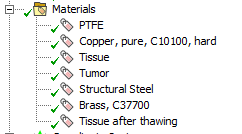
1: I have rather complex material properties and would prefer not to have to program them using a command object. Is there a way to obtain the ID of the material properties taken from workbench?
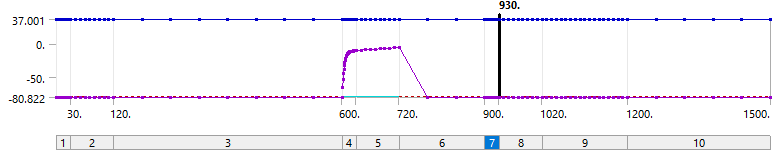
2: How do I change the material properti at a specific timestep. AKA is there an IF statement required or first specifiy the timestep when I want to change the material property. In this case I want to change the material property from timestep 6
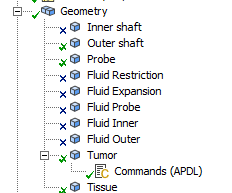
3. Is it correct to link the command object to the geometry or should it be somewhere in the analysis?
Kind regards,
Swen
Â
-
- The topic ‘Change material properteis for specific steps in ANSYS transient’ is closed to new replies.

-
6039
-
1906
-
1425
-
1308
-
1021
© 2026 Copyright ANSYS, Inc. All rights reserved.